Add Staff to an Enquiry Room
CINNOX provides several features that Staff members can use to help each other when serving enquires. One of these features is the Add Staff to an Enquiry Room. You can add other Staff to the enquiry room to make a concerted effort when the visitors or customers need additional assistance with their concerns. Enhances the visitor's and Staff's overall experienStaffllowing them to switch the 1-to-1 chat into a group conversation. You can also transfer chat and call enquiry to your team according to your need.
📘
Take Note
- Adding staff to an enquiry room is supported in Social Enquiries like Whatsapp, LINE, Facebook and WeChat but not in the Email and Virtual Number enquiries.
- Call and Chat Enquiries through Directory (Tag) and Web Link also supports this feature.
- The availability of the feature depends on your subscription plan. Please check our Pricing Plan for more details.
👍
The staff (with any role) who picks up the enquiry is called the Owner. The Owner can add staff to join the enquiry conversation to manage and resolve visitor and customer enquiries efficiently and fastly.
The Owner add Staff to the enquiry room
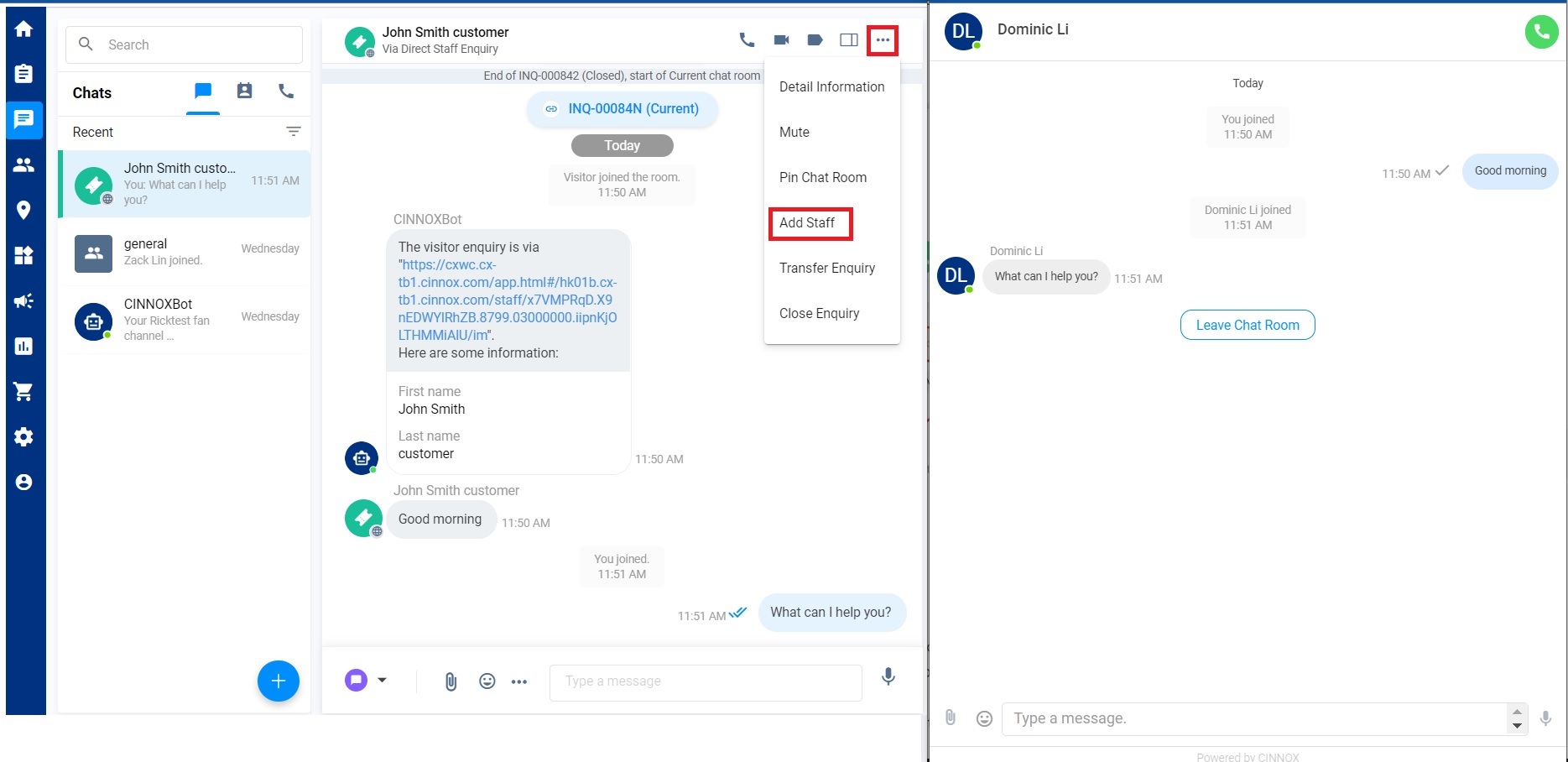
- Navigate to your Workspace > the required Enquiry Room > More (...).
- Click Add Staff among the list option.
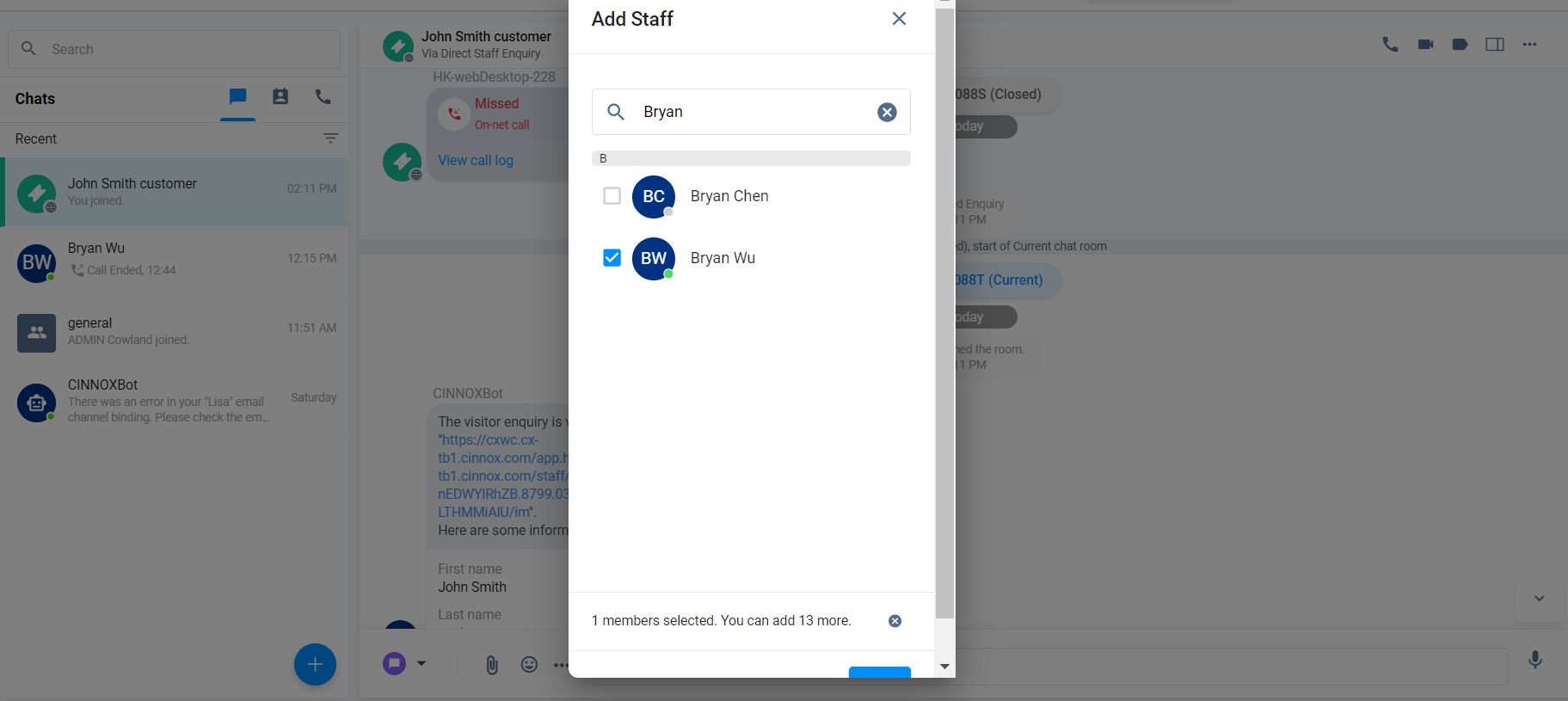
- On the pop-up window, search for the staff name you need to add and tick the checkbox on the left side.
- Click on Add
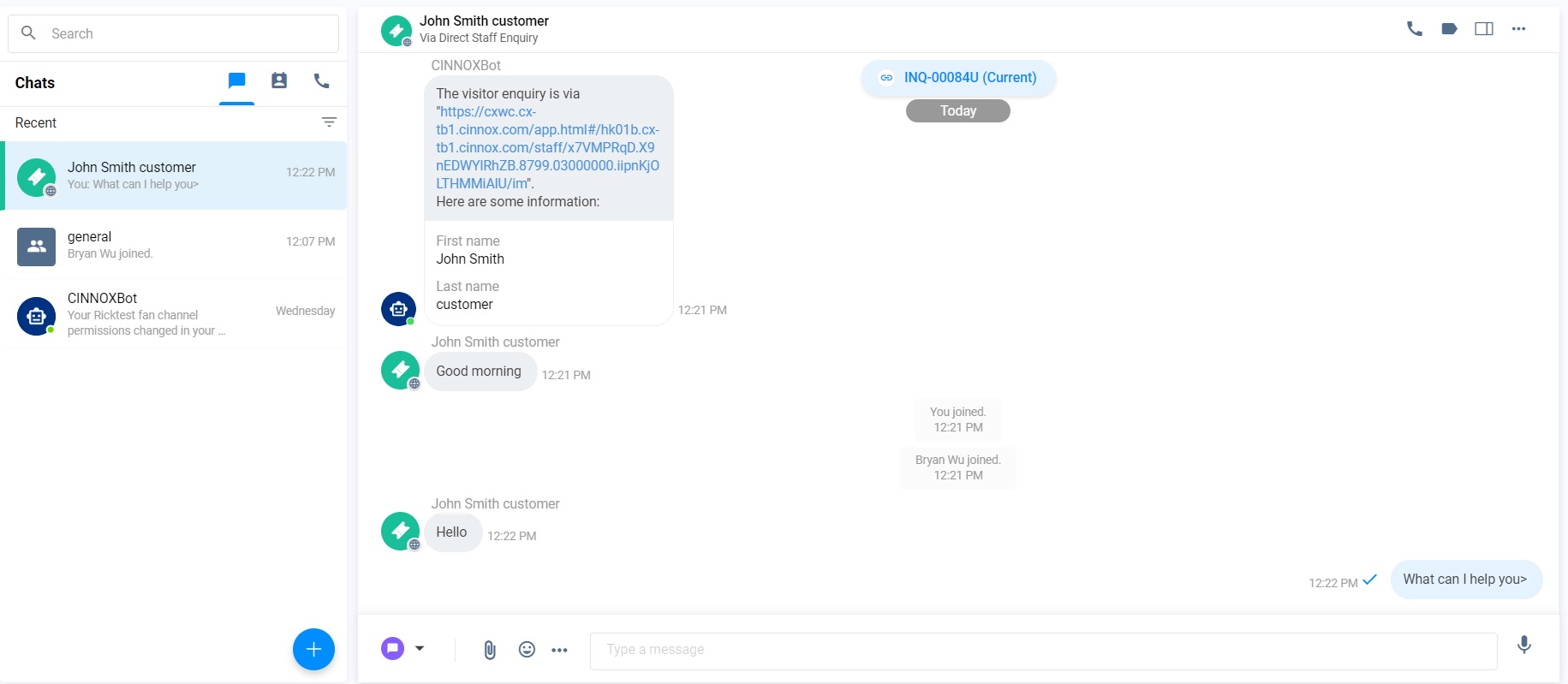
- A system message is sent to the enquiry room when the Staff successfully joins.
📘
Important Notice
- The added staff with an admin role is allowed to take over the ongoing enquiry.
For details about taking over the ongoing enquiry, please refer to the Monitor Chat Enquiry and Take Action section of this Guide.- The added staff with no administrative role can merely access Enquiry Information, Device Information and Destination Information.
- The room type will not be changed after staff is added to the enquiry room.
- The added staff can view the history of the chat, whether or not current, missed, closed or ongoing, including the call log, files recording and transcripts in the enquiry room.
- The enquiry information will be updated after the staff is added to the enquiry room.
- The messages in the enquiry room are viewed by everyone in the enquiry room after staff is added to the enquiry room.
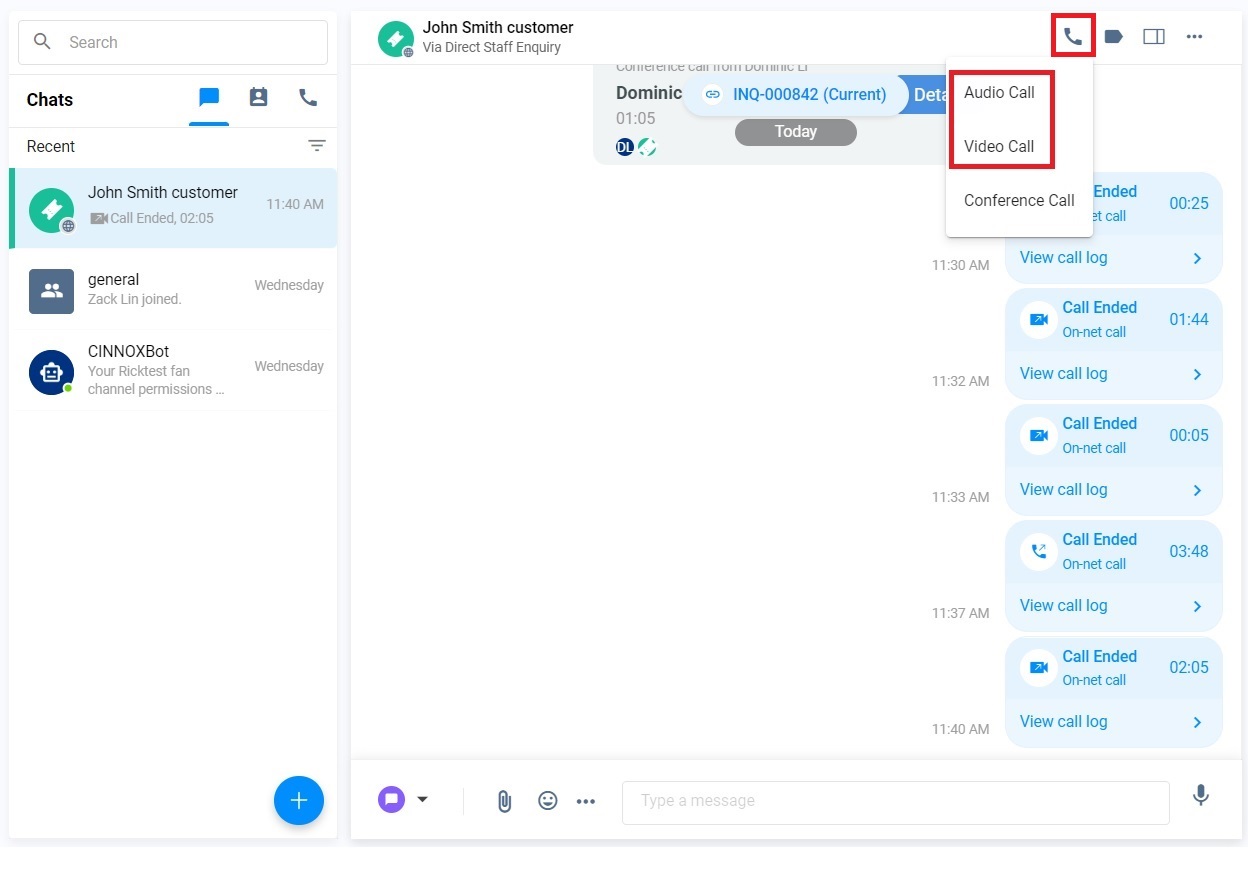
- 1-to-1 Audio/ Video Call
- Click on Workspace>the required Enquiry Room>Call
- Select audio call or video call as you must make a 1-1 audio/video call to the customer or the visitor.
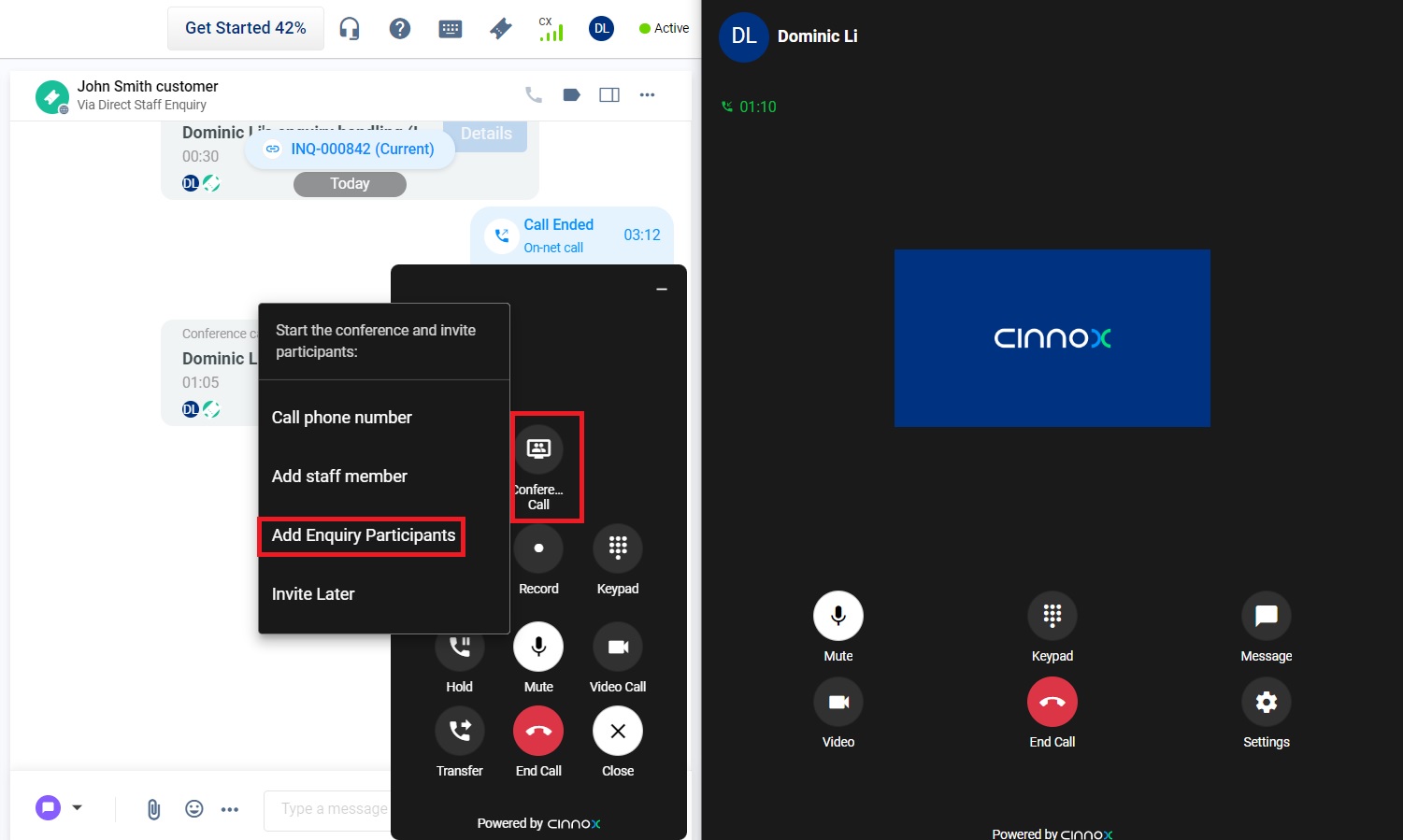
- To invite all staStaff the Enquiry Room to join the call, click on Conference Call> Add Enquiry Participants after the visitor accepts the call.
- All participants in the Enquiry room will join this Conference Call.
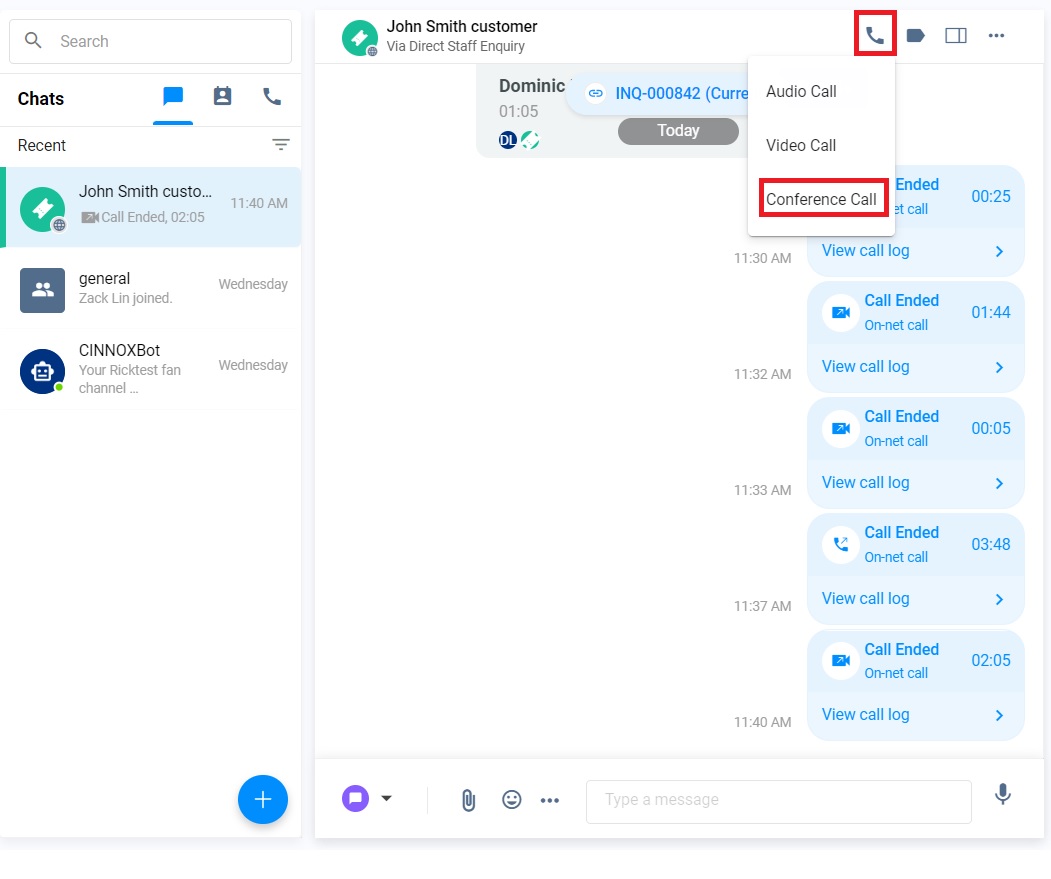
- Conference Call
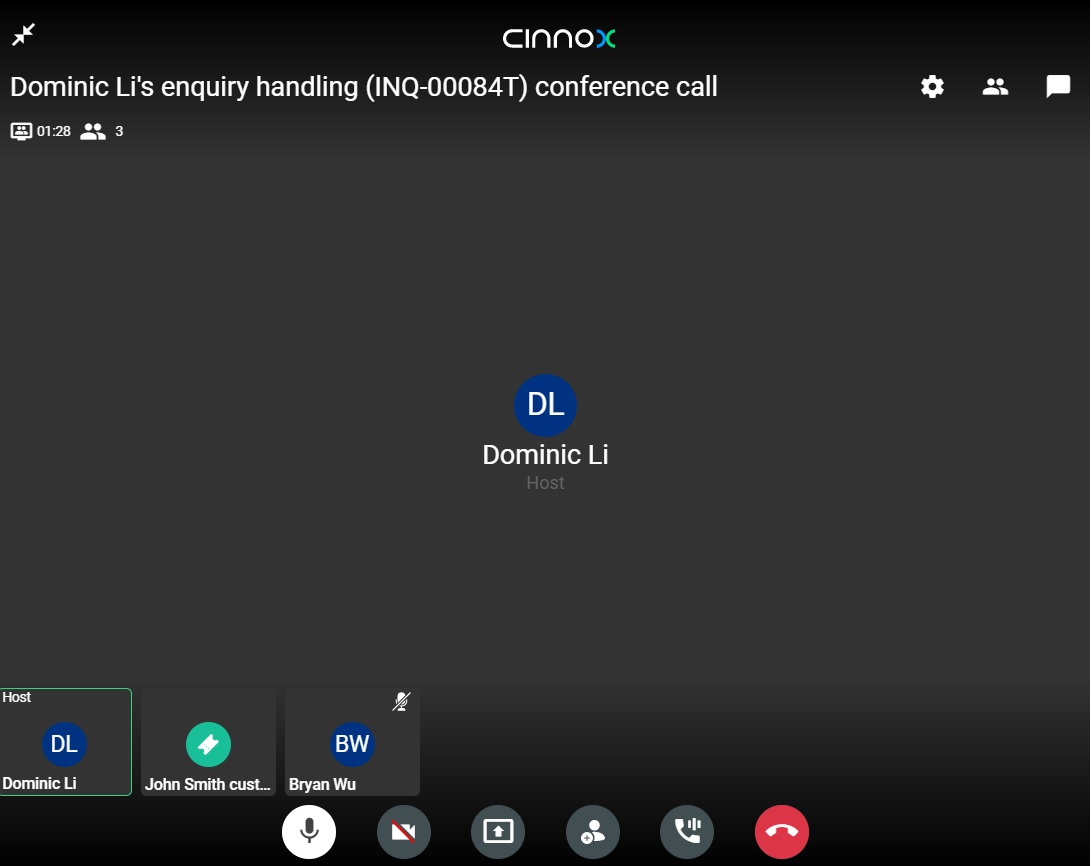
- Click on Conference Call. All Staff in the enquiry room and the visitor start a Conference Call.
The Conference call is indicated on the Chatroom Panel.
The staff added to the enquiry room
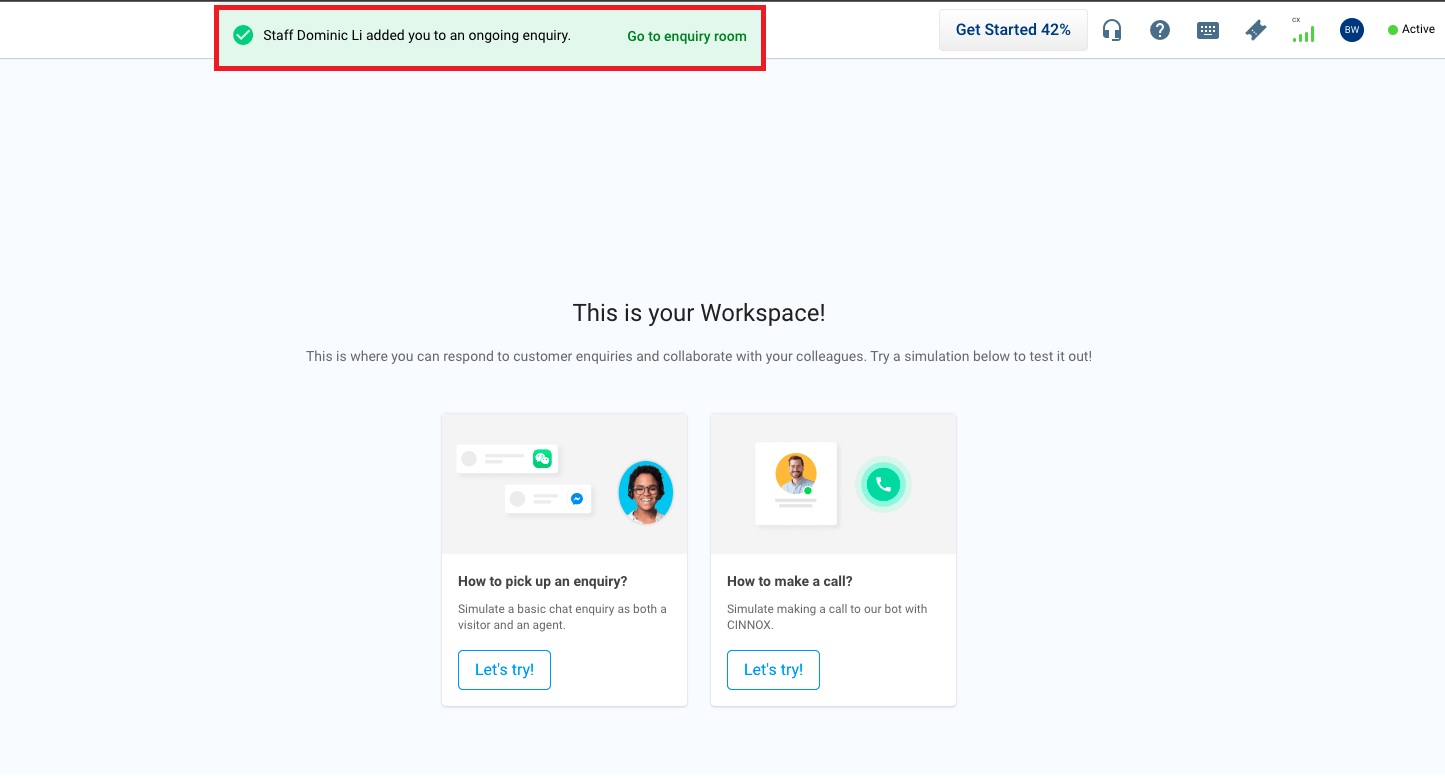
Once the Owner adds staff to an Enquiry Room, the toast message and the notification will be shown on the added staStaff'sowser.
- Click on this toast message or notification to open the Enquiry Room. On the Chatroom Panel, the name of the added Staff indicated to join the chat.
📘
Important Notes
- The maximum number of participants in the Enquiry Room is 15. The conference call limit is dependent of your existing subscription plan.
- After the staff is added to the Enquiry Room, the staff name can be shown as a participant in the Enquiry Information.
- During 1-to-1 calls or conference calls, staff cannot be added or removed. (Adding and removing staff during 1-to-1 chat is allowed.)
The Owner removes the staStaffom the enquiry room
More than two staStaff the enquiry room
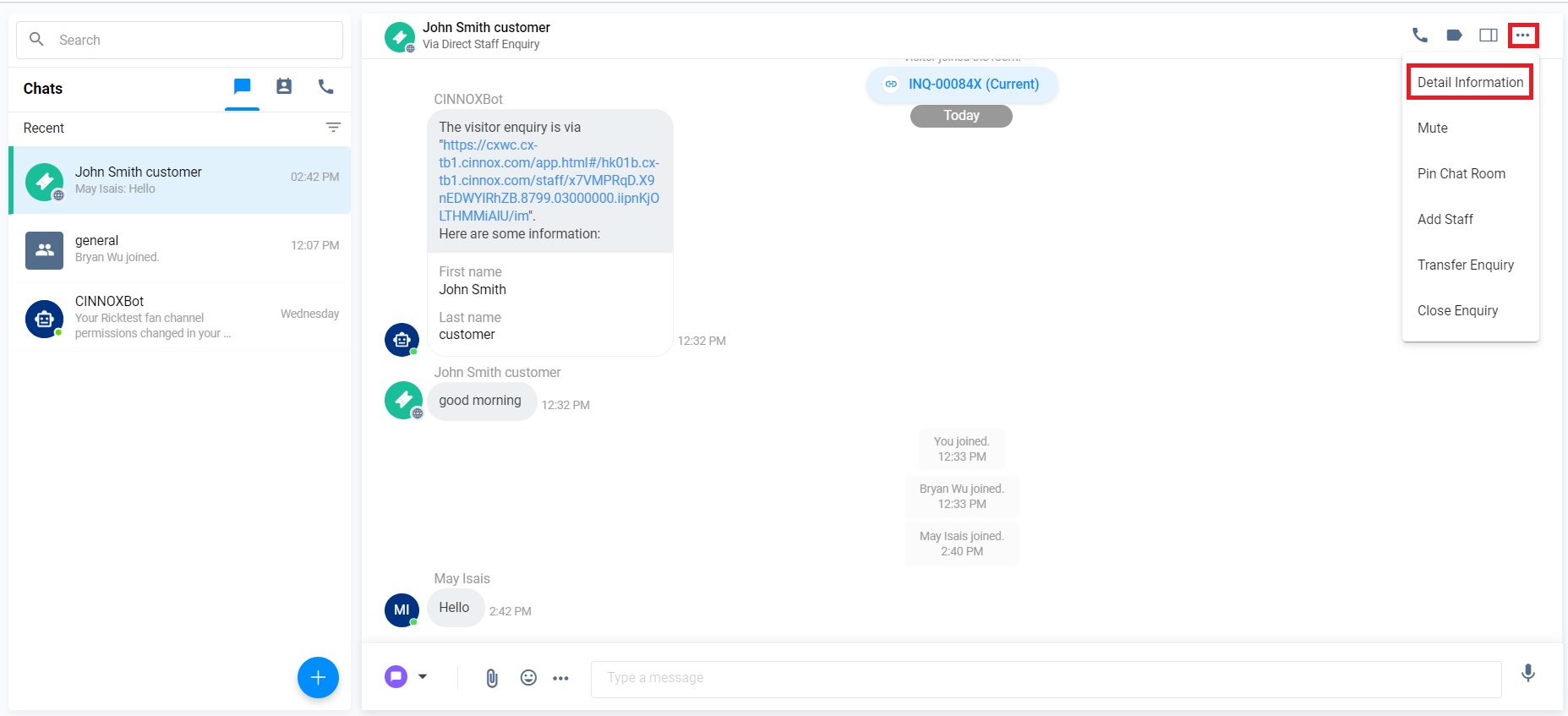
- Click on Workspace>the required Enquiry Room>More (...)> Detail Information.
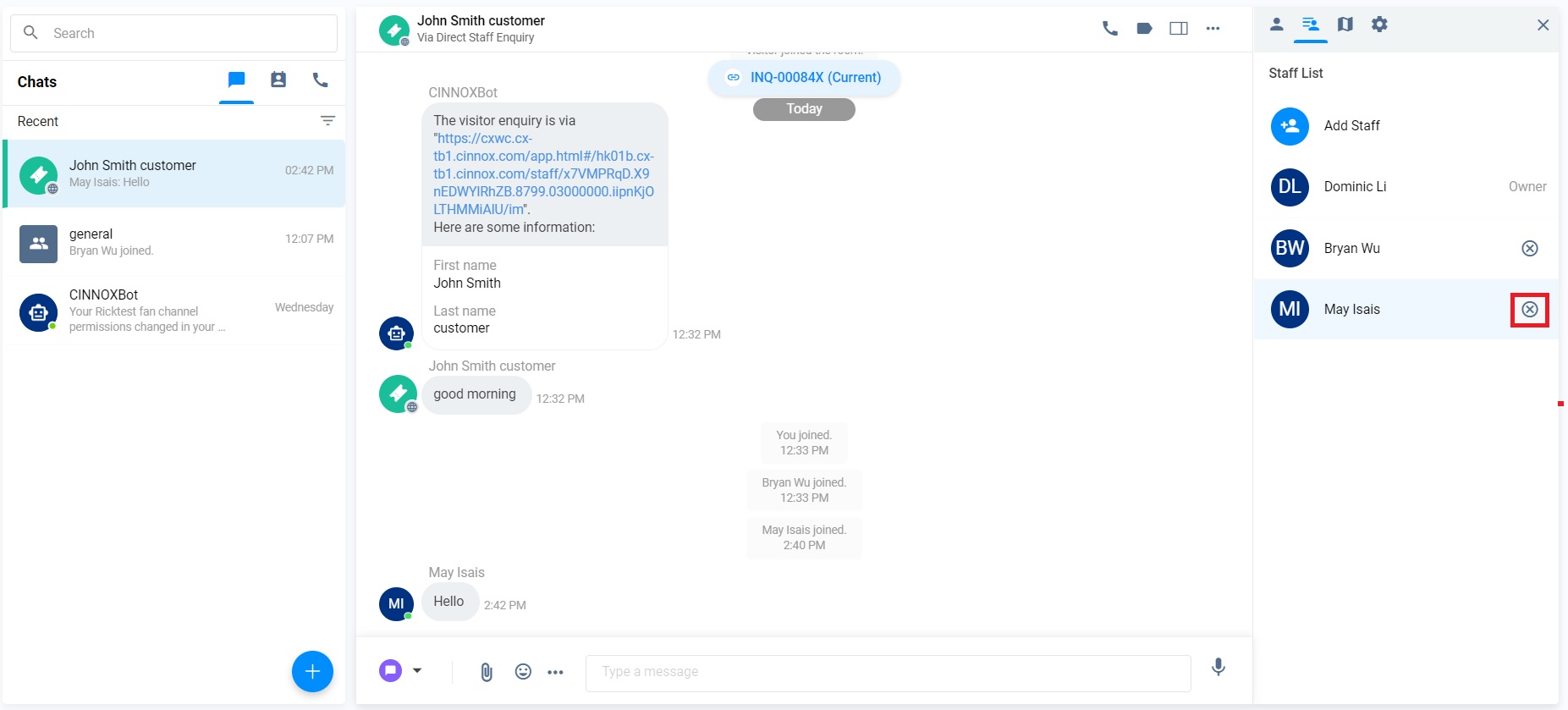
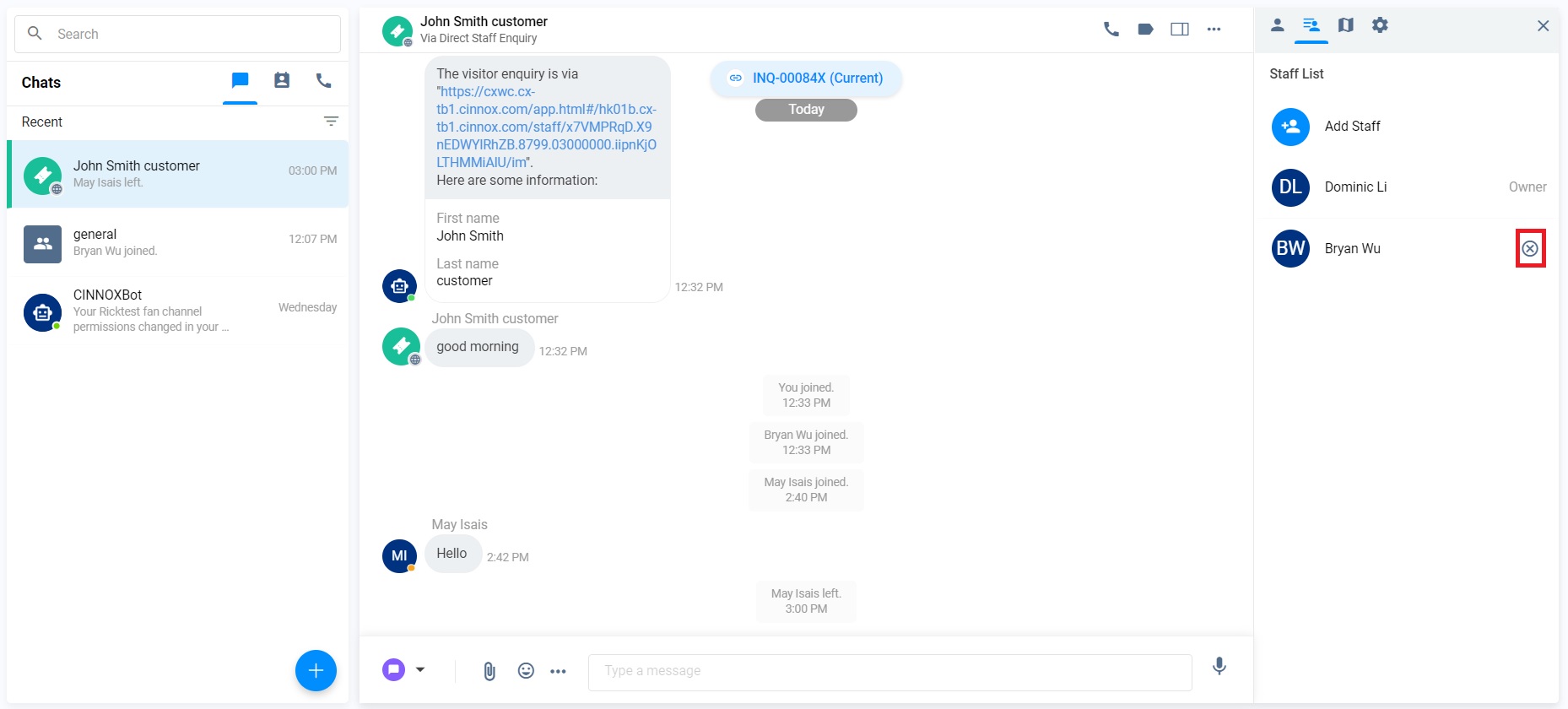
- Click on Staff List>The Cross next to the staff member you must remove.
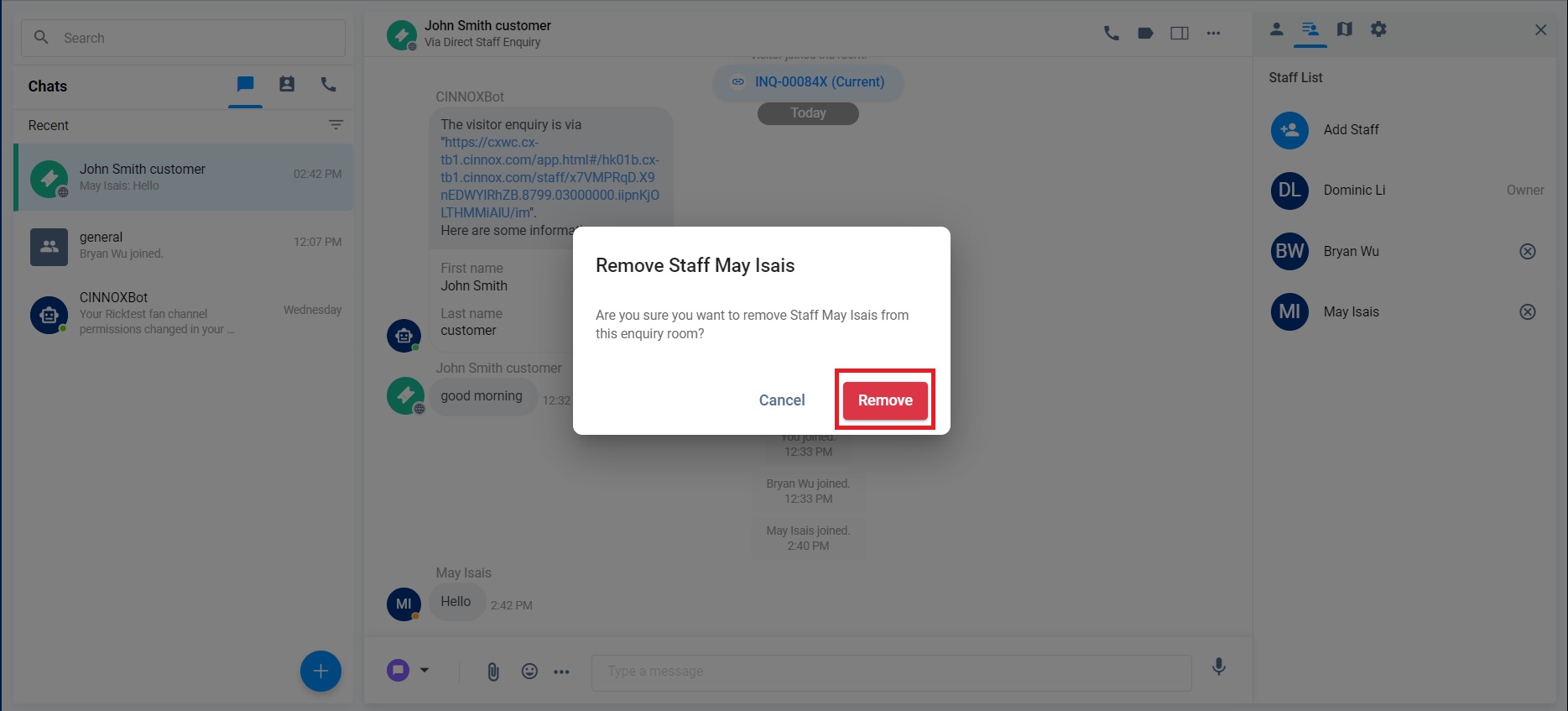
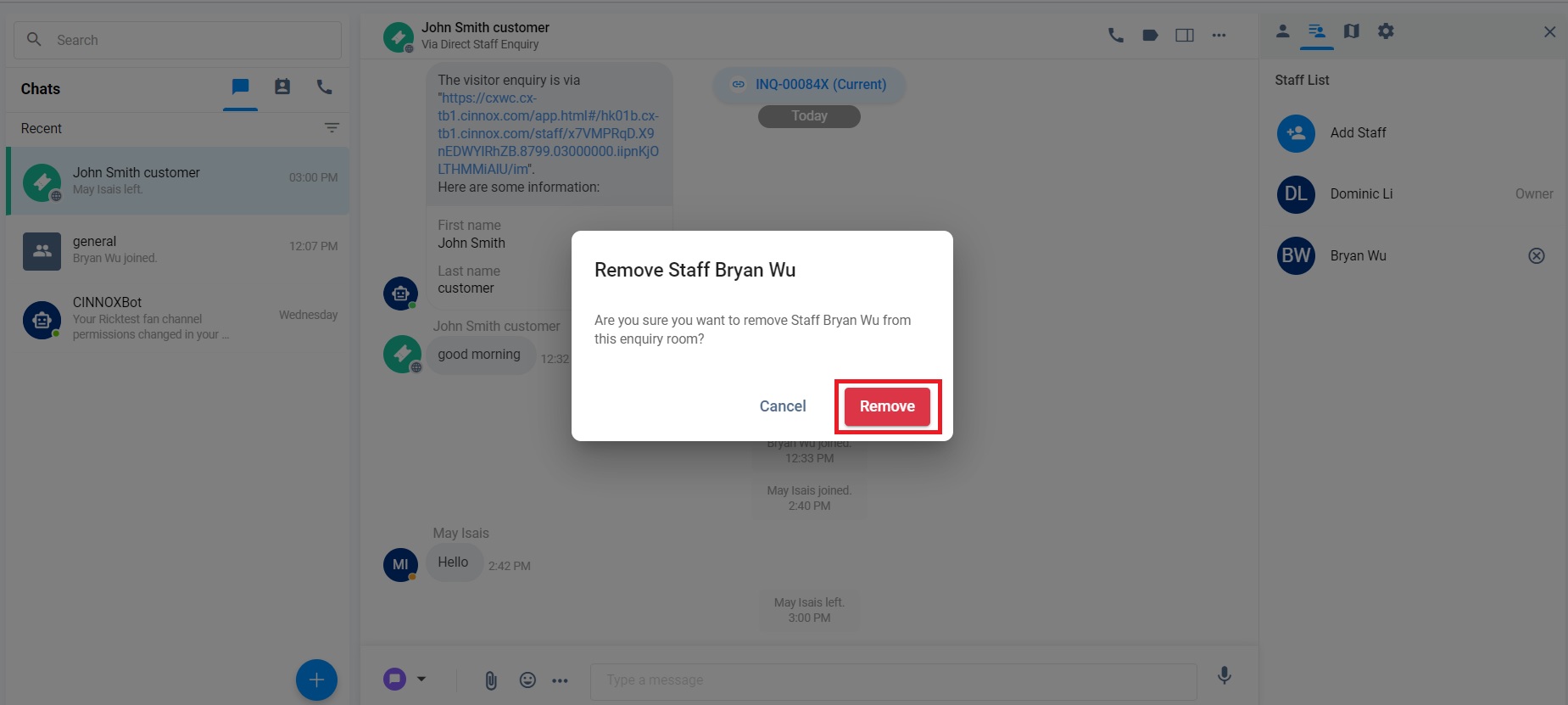
- Click on Remove. The required staStaffll be removed from Staff List.
- The Staff was removed from the Staff List.
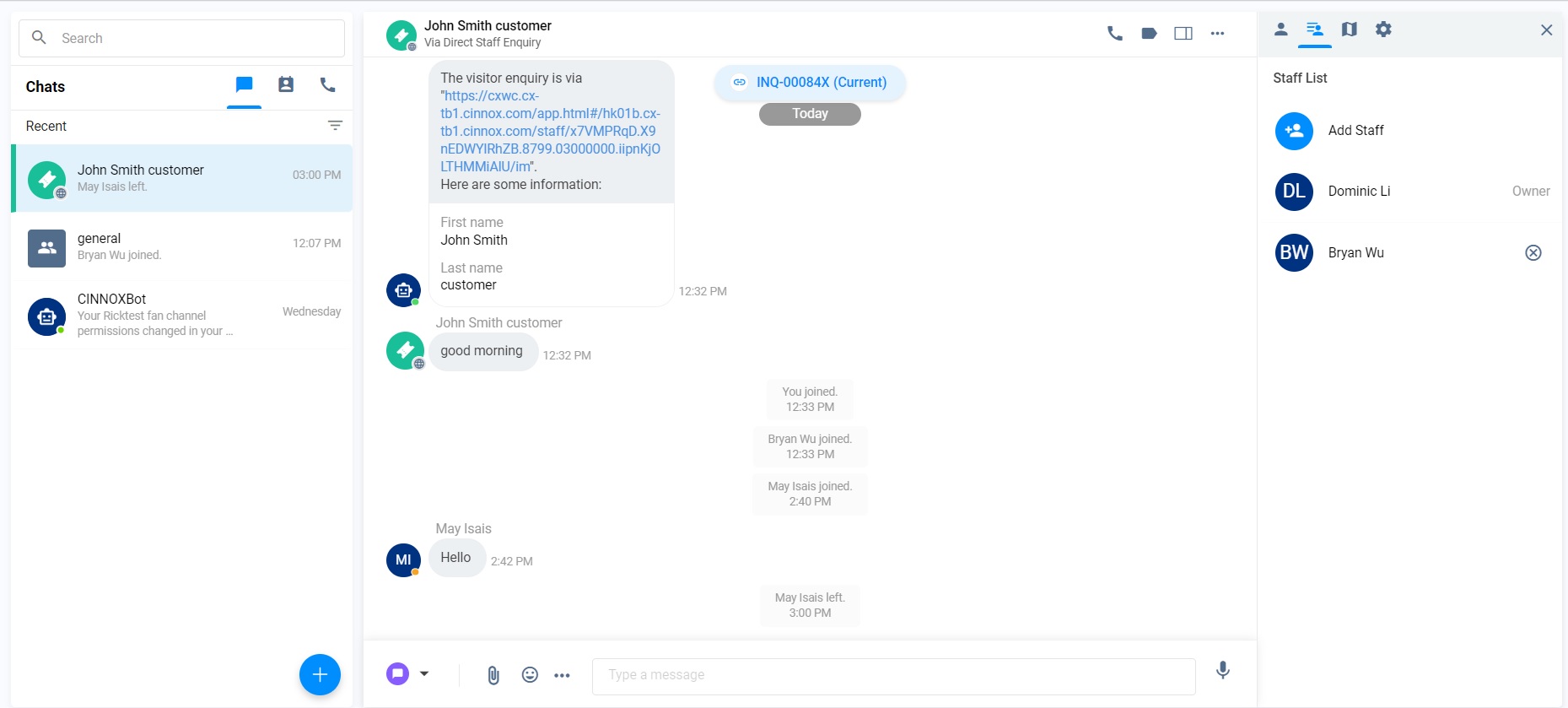
Two staStaff the enquiry room
- Click on Workspace>the required Enquiry Room>More (...)>Detail Information.
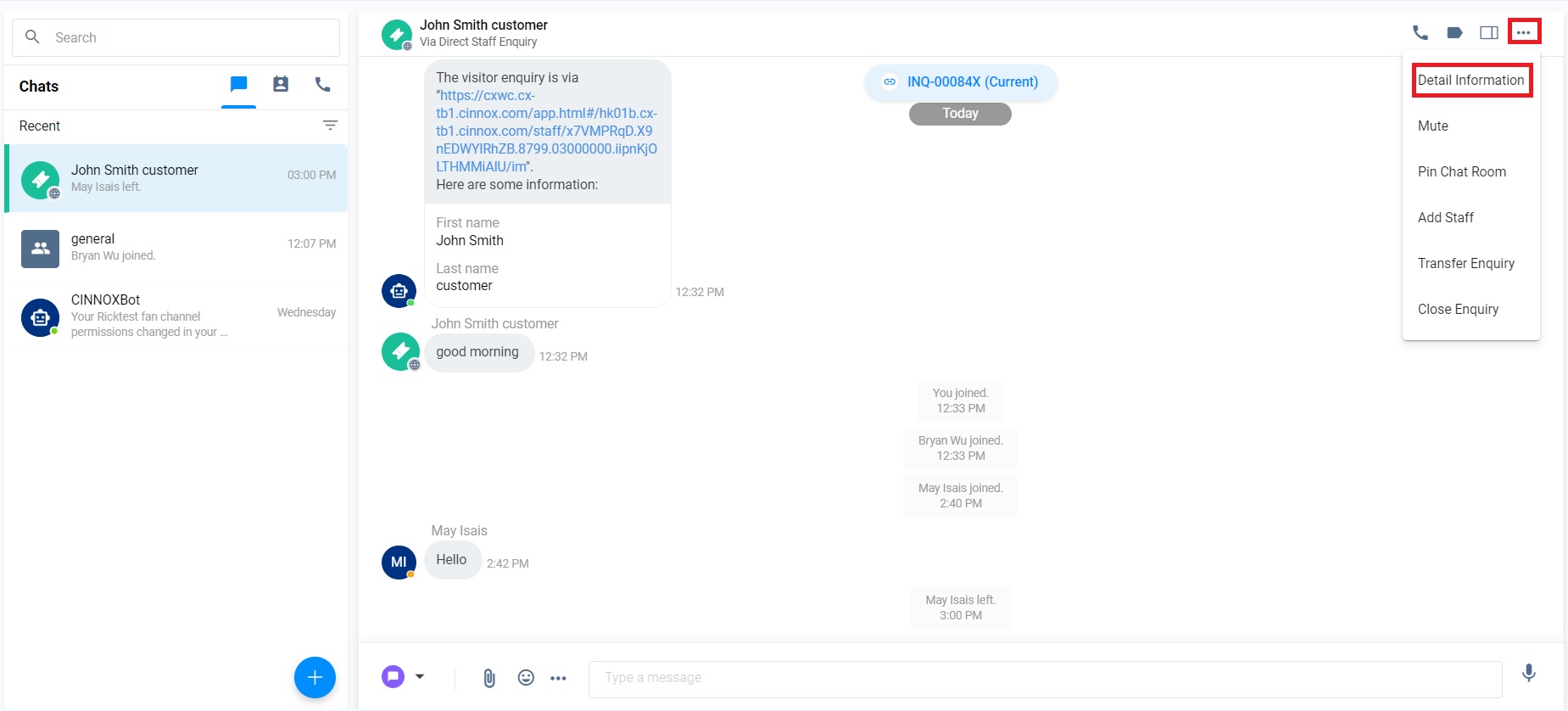
- Click on Staff List>The Cross next to the staff member you must remove.
- Click on Remove. The required staStaffll be removed from Staff List.
- The Staff is removed from the Staff List. The enquiry room becomes the 1-to-1 enquiry room so that no Staff List is shown in the Enquiry Room.
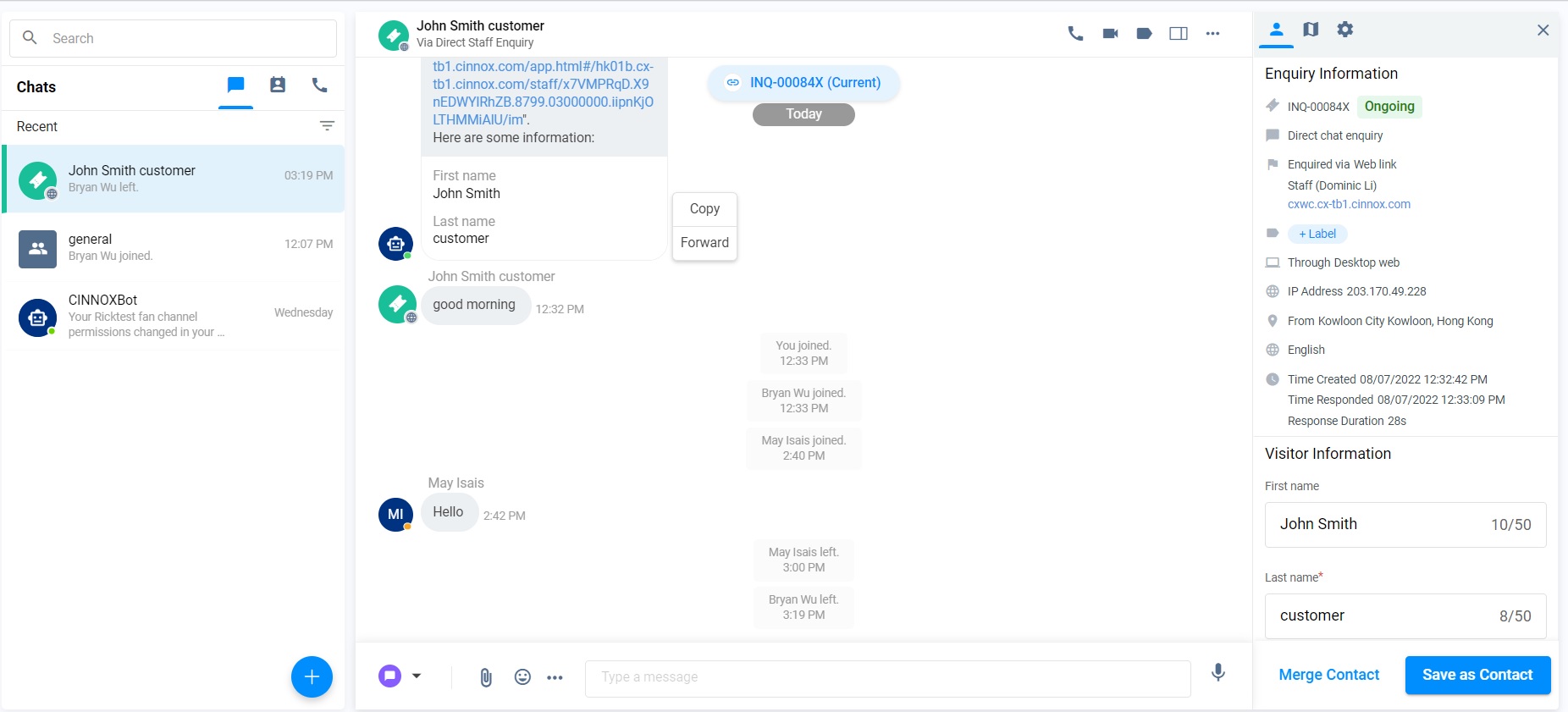
Enquiry Room's view
Before being removed from the list, the Staff is added to the Enquiry Room.
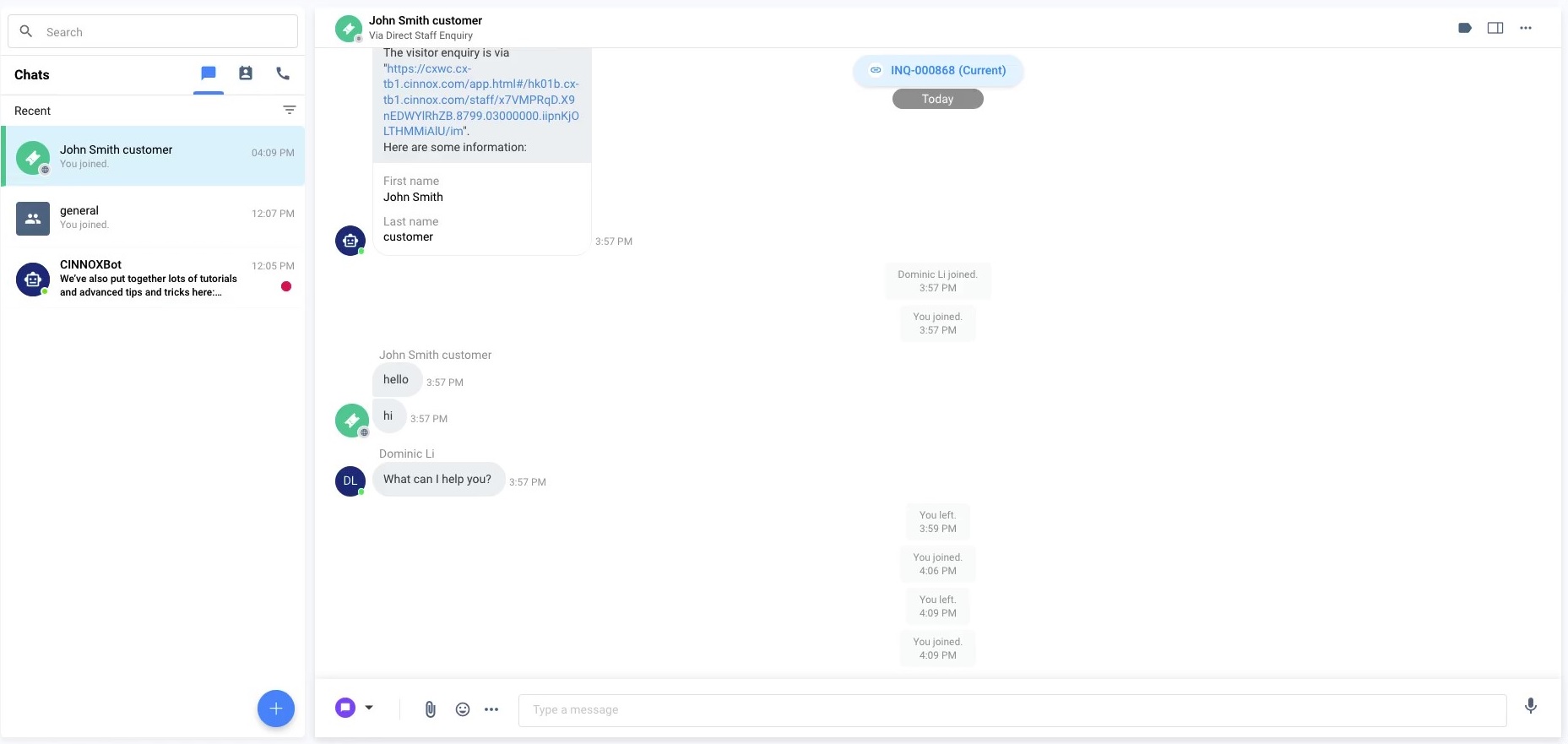
- When the added Staff was removed from the Enquiry Room, a notice pop-up asking the added Staff to click on OK to confirm the removal.
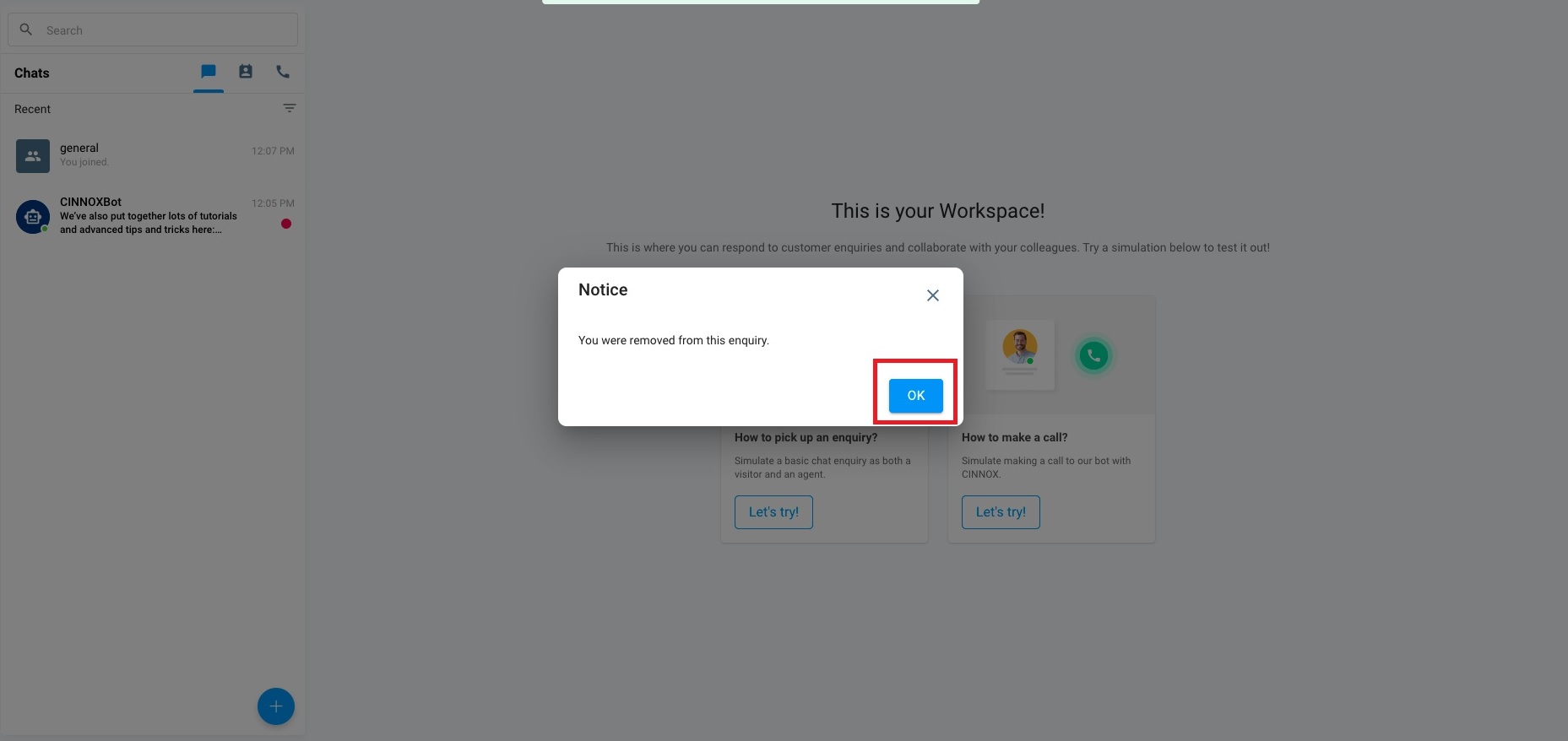
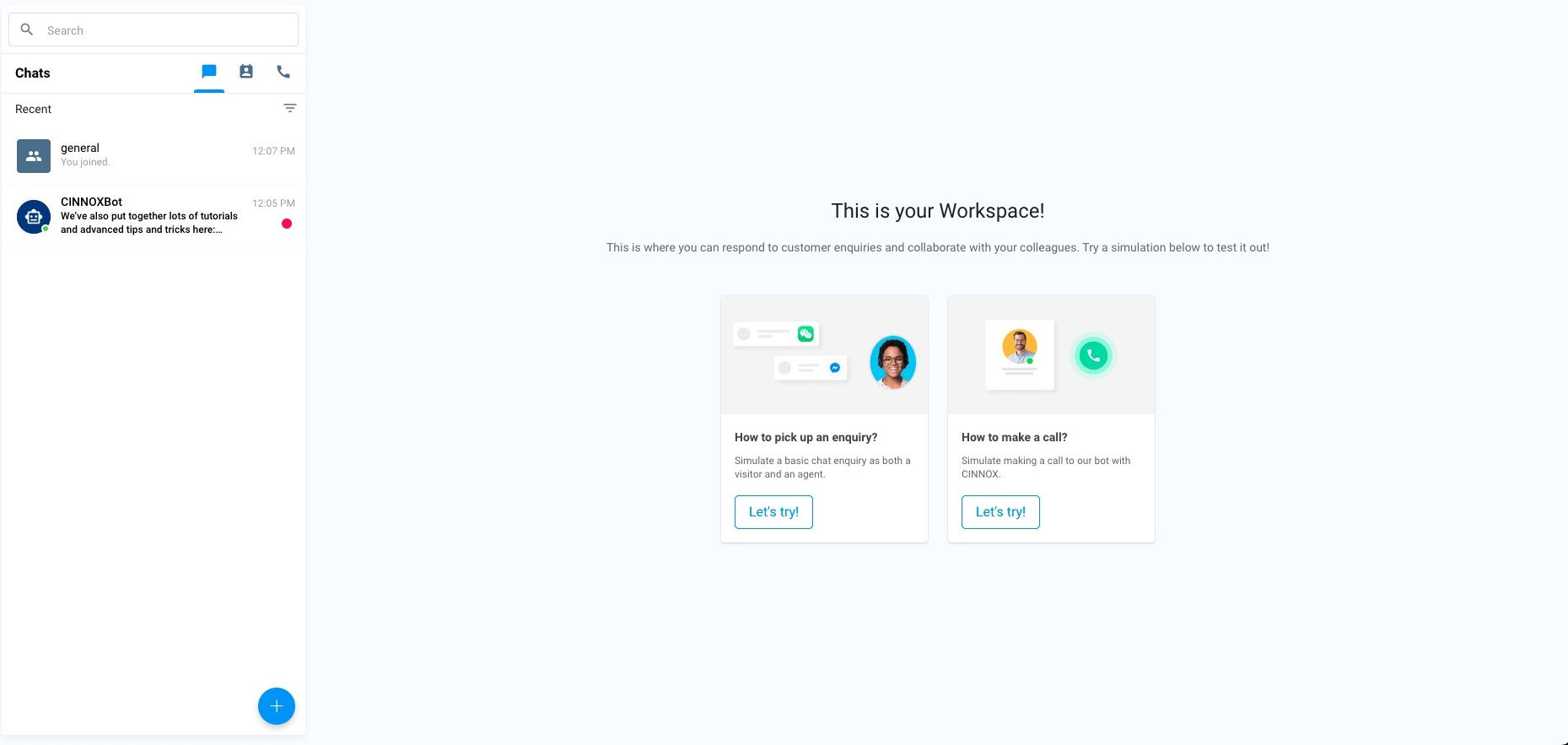
- The Enquiry room is not shown after the staff removal.
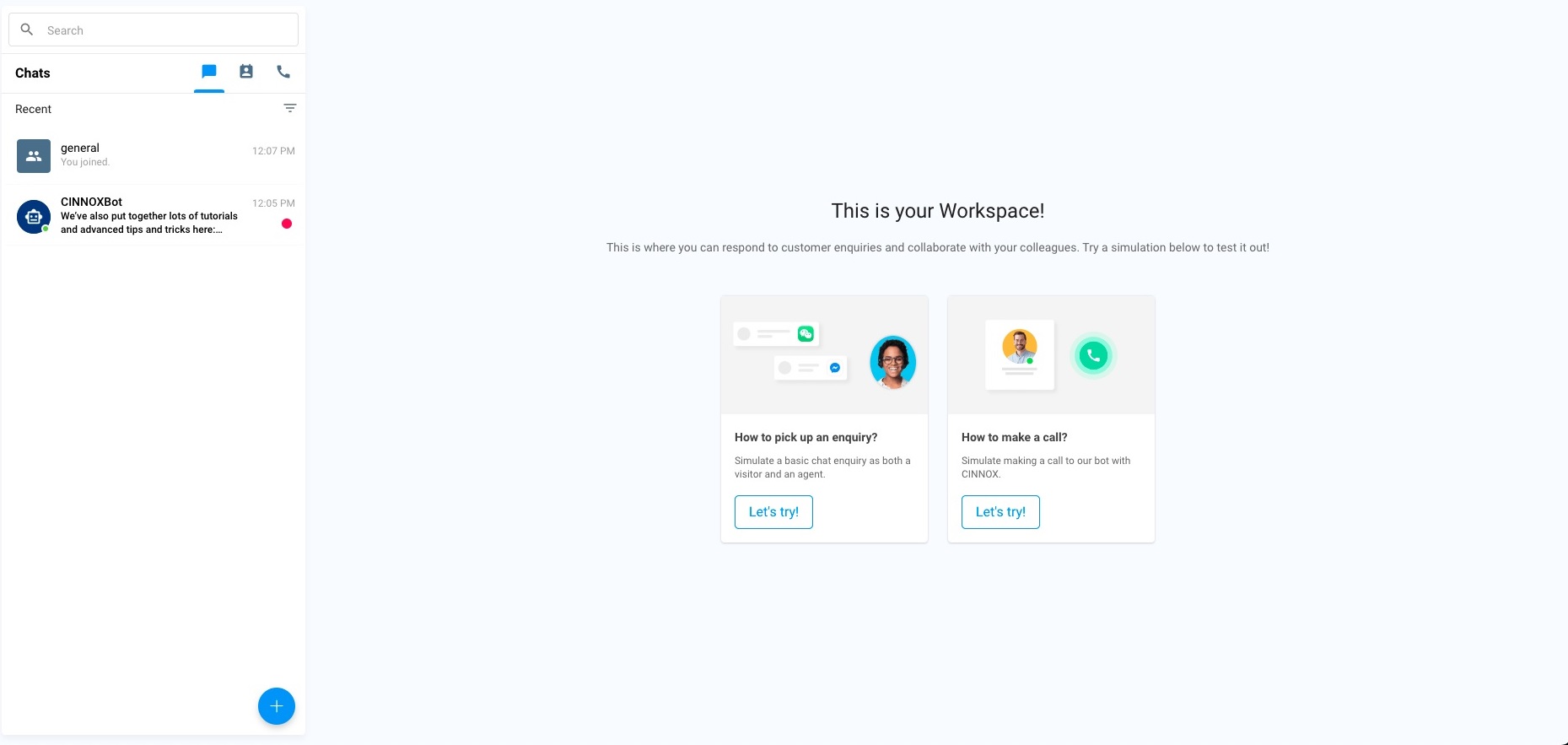
Non-Enquiry Room's view
- Before being removed from the list, the Enquiry Room, where the Staff was added, is still shown.
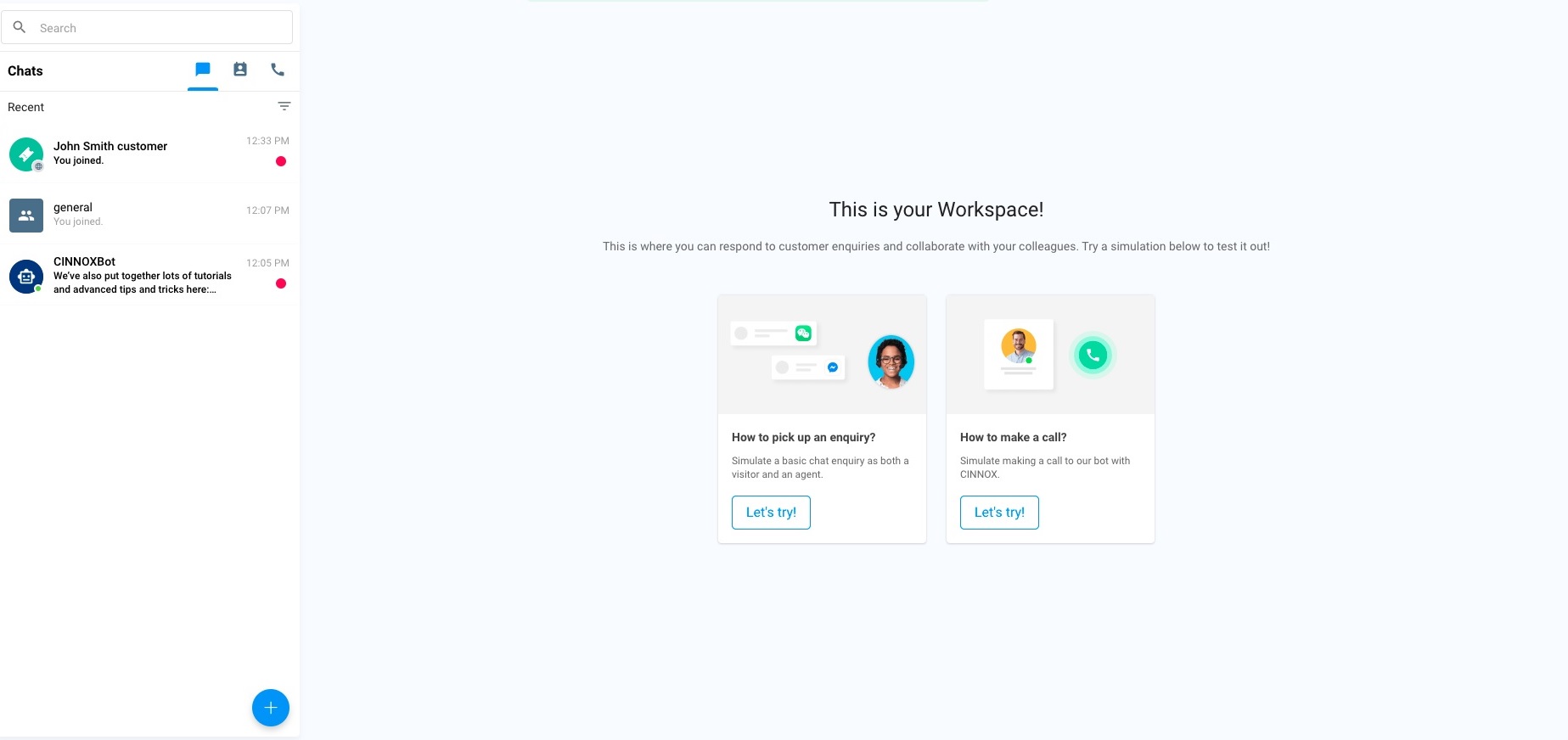
- When the added Staff was removed from the enquiry room, the message indicated the added Staff had been removed from the Enquiry Room.
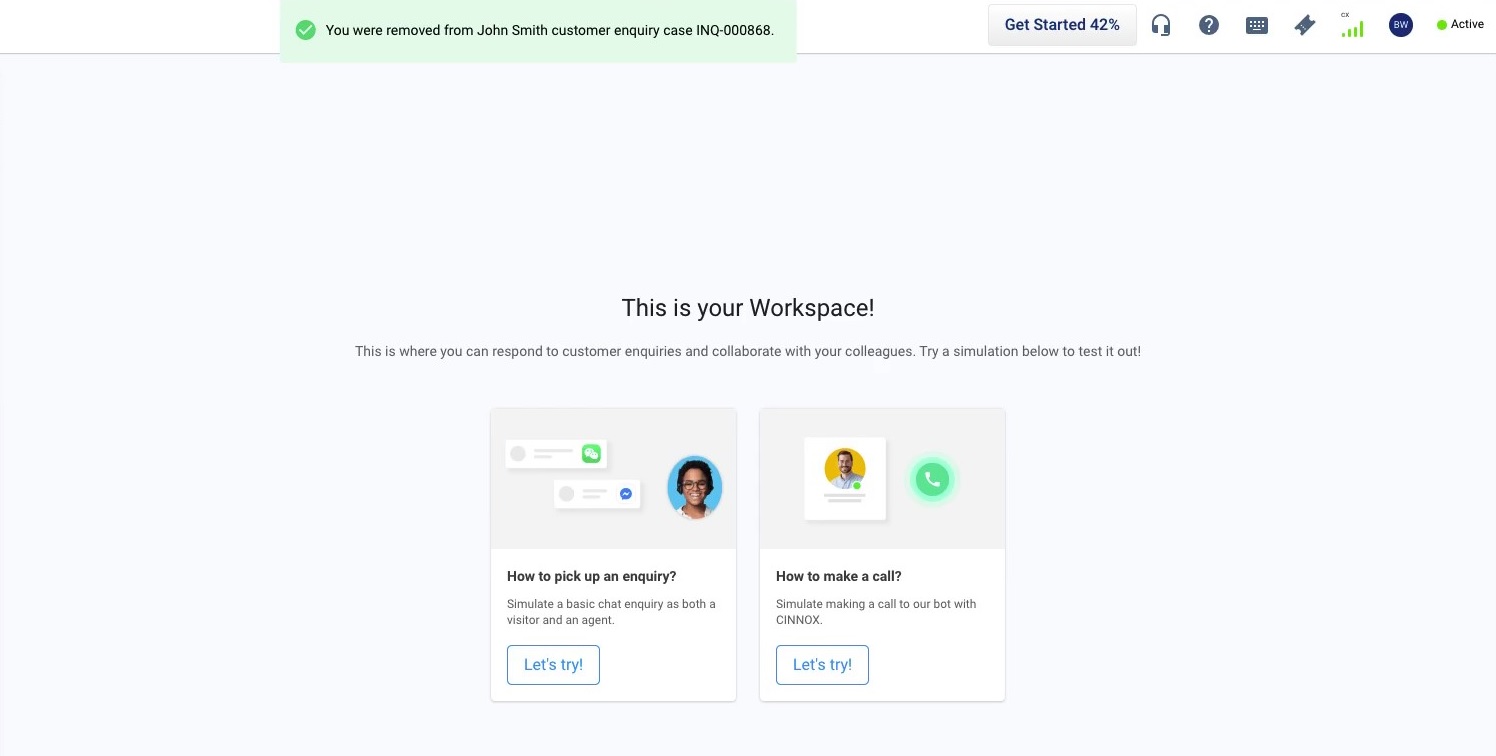
- The Enquiry room is not shown after the staff removal.
Transfer Call and Chat Enquiry
CINNOX provides several features that Staff members can use to help one another when serving visitor enquiries. One of these features is the Transfer Enquiry.
You can transfer an ongoing enquiry to another staff member when the visitor or customer needs additional assistance with their concerns.
Ways to transfer an enquiry:
Call Transfer
Please check our detailed guide Transferring Calls on how to do a Call Transfer.
Chat Transfer
Please check our detailed guide Transferring Chat on transferring a chat enquiry to another staff.
📘
Important Note
- After the Owner transfers the Call Enquiry to the Other Staff staying in the Enquiry Room, the Owner will leave the Enquiry Room.
- The staff who answers the transferred call enquiry will become the new enquiry owner. If the staff doesn't answer the transferred call enquiry, the role of enquiry owners is still the original one.
Close an enquiry
An enquiry can be closed when the visitors' questions or concerns have been answered or resolved by Staff. When an enquiry is closed, conversations between the visitor and the Staff are terminated immediately. Until you or your visitor closes the enquiry, the chat room where you have conversations will stay in the Recent Connections area in your Utility panel.
For details about Closing Enquiry, refer to Closing Enquiries.
Leave the Enquiry Room
An enquiry can be left by the Staff who realises the enquiry is well handled by the remaining Staff staying in the enquiry room.
The added Staff who wants to leave the enquiry room
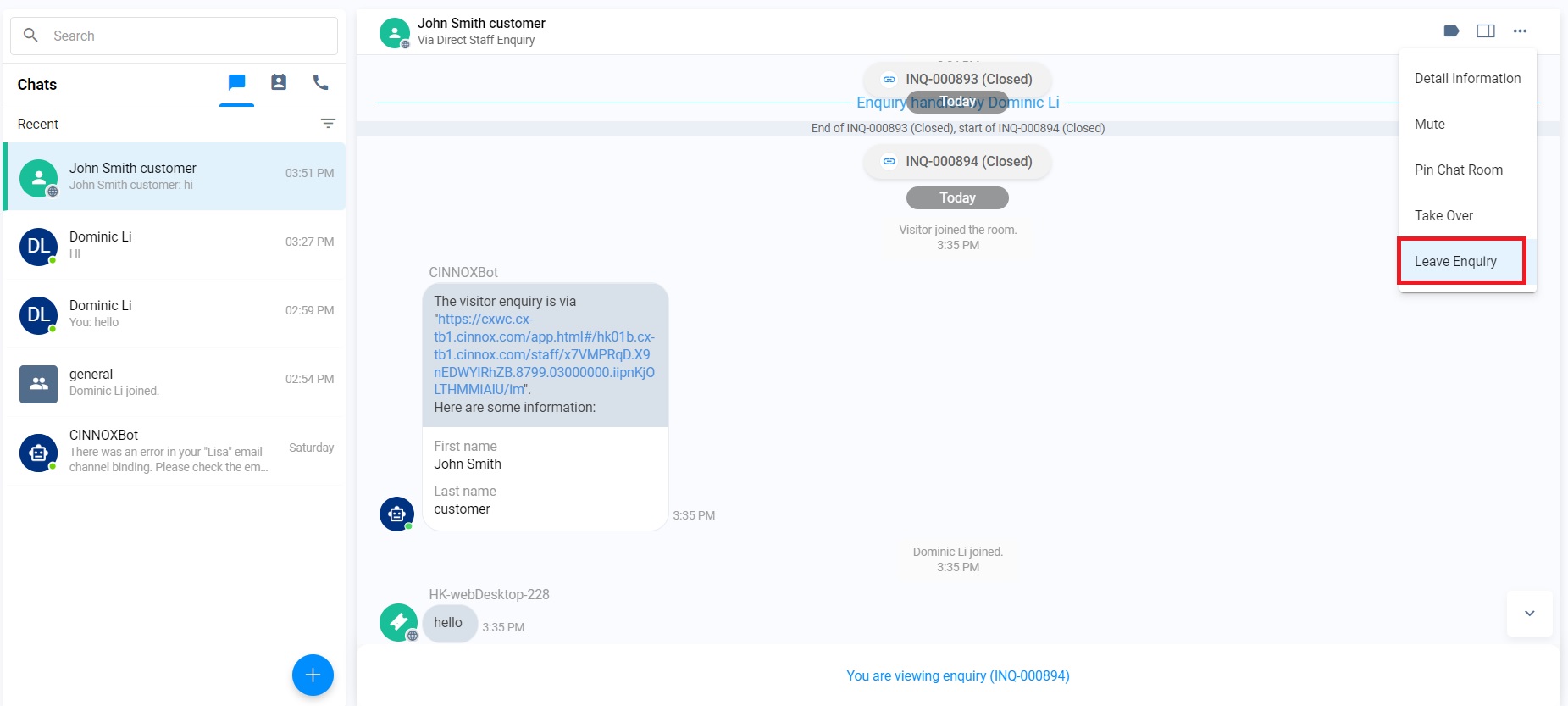
Click on Workspace>the required Enquiry Room>More (...)>Leave Enquiry.
📘
- The Owner cannot leave the enquiry room until the enquiry is closed.
- Click on Leave. The Enquiry Room disappears in the Workspace.
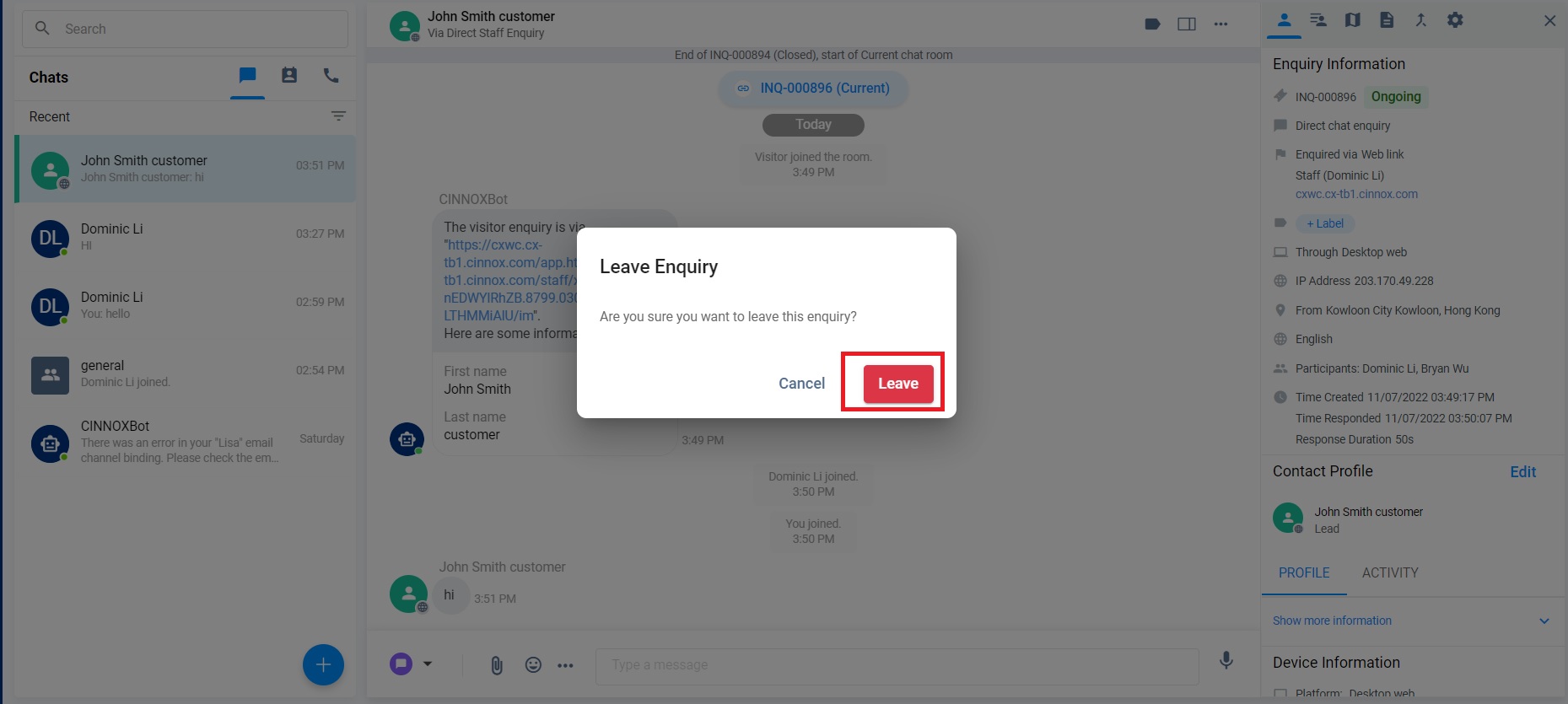
- The Enquiry Room disappears in the Workspace.