
Follow Up on Missed Enquiries
Missed enquiries are calls and chats initiated by your visitors left unattended until they reach the waiting time limit.
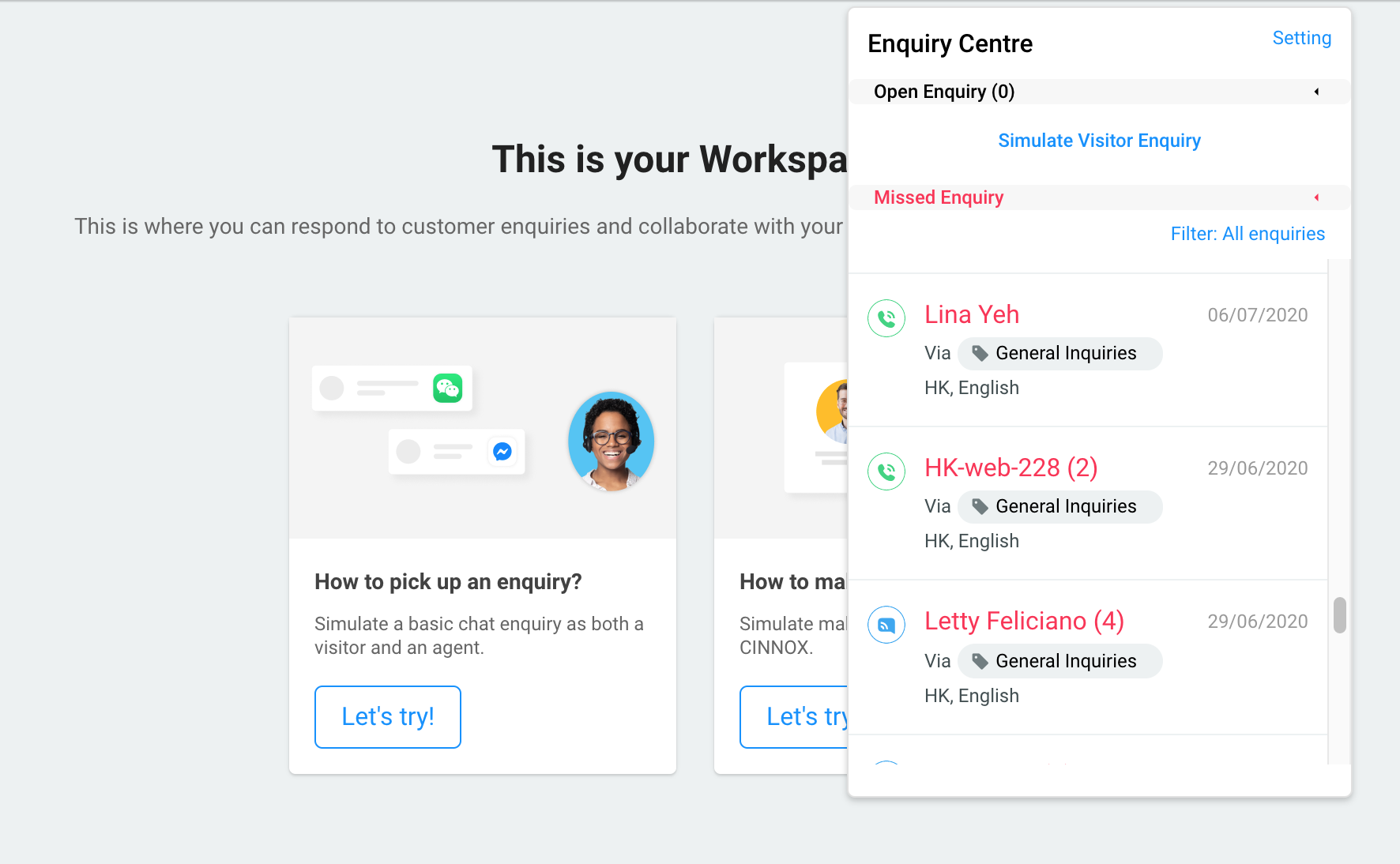
Enquiry Centre > Missed Enquiry
You can further filter missed enquiries into the following:
- All enquiries - the default display
- With Voicemails only - only displays missed enquiries that contain voicemail messages from visitors and customers.
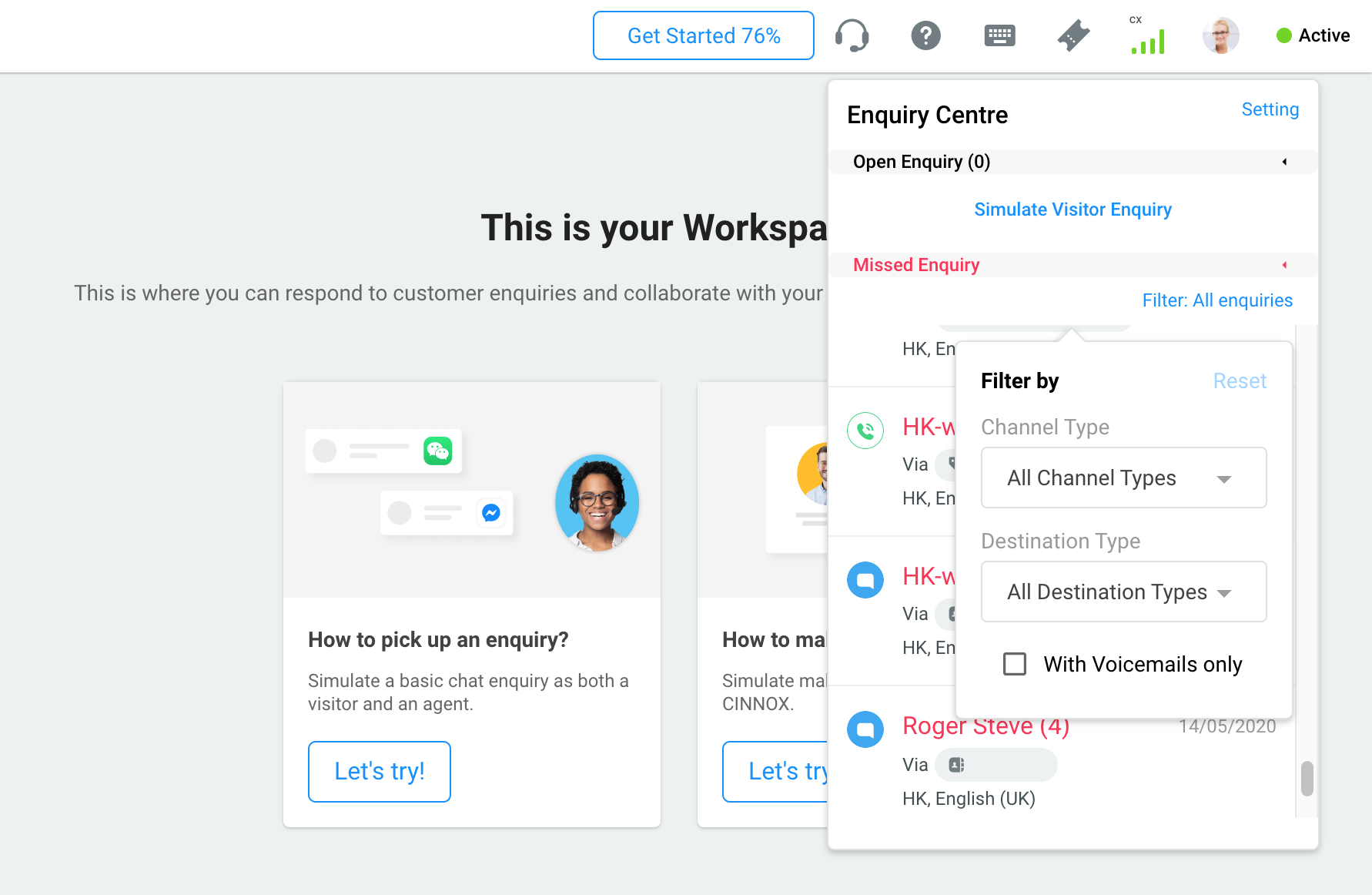
Filter Missed Enquiry
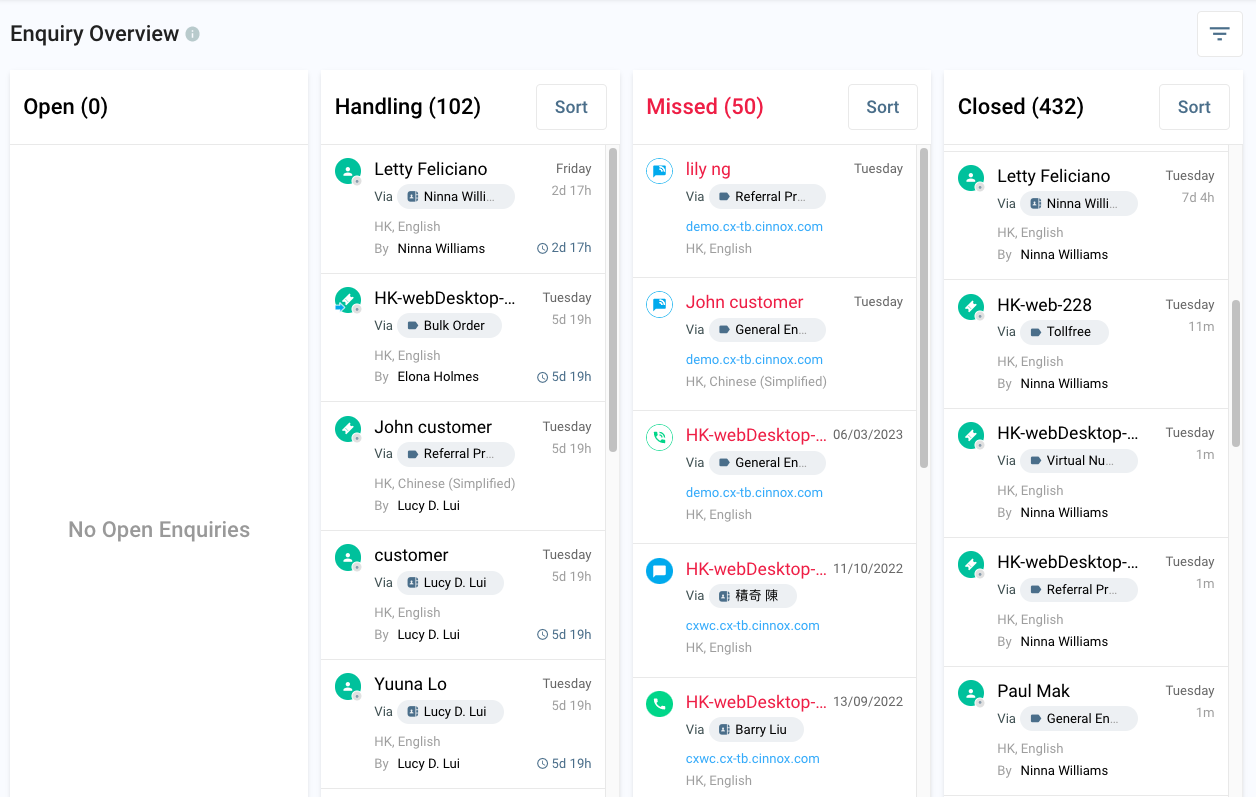
Another way to view missed enquiries is through the Enquiry Overview.
📘
Staff with an agent role: you can only access and follow up on missed enquiries associated with the channels your administrator has set you as a Destination end-point in your Enquiry Centre and Enquiry Overview.
Staff with a Supervisor role: you can access and follow up on missed enquiries associated with the channels your staff members under you have set as Destination end-point by your administrator in the Enquiry Centre and Enquiry Overview.
Staff with an Administrator role: you can access and follow up on all missed enquiries in your service.
Enquiry Details
Each enquiry will have the following details:
- Visitor information (name, visitor ID, or phone number)
- Enquiry Type (if a broadcast call, broadcast chat, direct call, or direct chat)
- Source (if from Tag, virtual number, or Social)
- Date and time enquiry creation
- Location
- Language
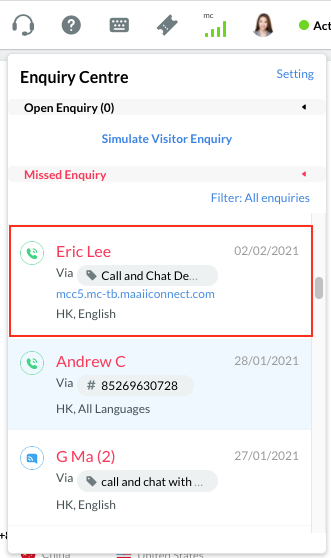
To view the above details of an enquiry, click on it from the Missed Enquiries tab. CINNOX will display these details in a pop-up window.
Visitor Details
If the Visitor Forms (Pre-Chat Form and Offline Support Form) are enabled, the following details will also be available when you click on an enquiry detail:
- First Name
- Last Name
- Phone Number
- Message (available in Offline Support Form only)
Follow Up on Missed Enquiries
You can follow up on a missed enquiry by clicking on it from the Enquiry Centre in the Enquiry Overview. CINNOX will then create a room in your Workspace where you will handle the enquiry.
When the visitor accepts to continue the enquiry with follow-up, it will move to the Handling section, and its status will change to Followed-Up.
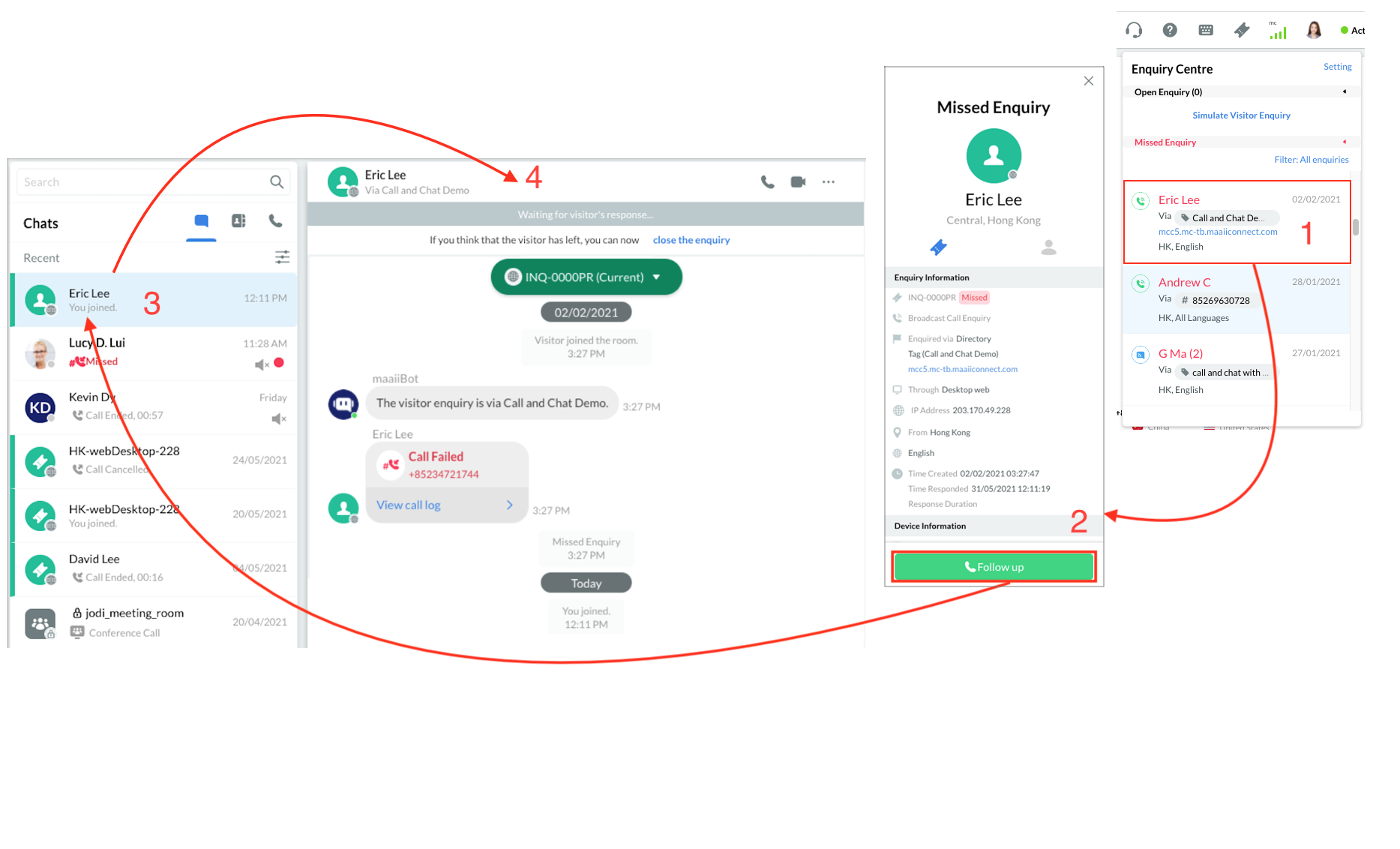
Follow up on a missed enquiry.
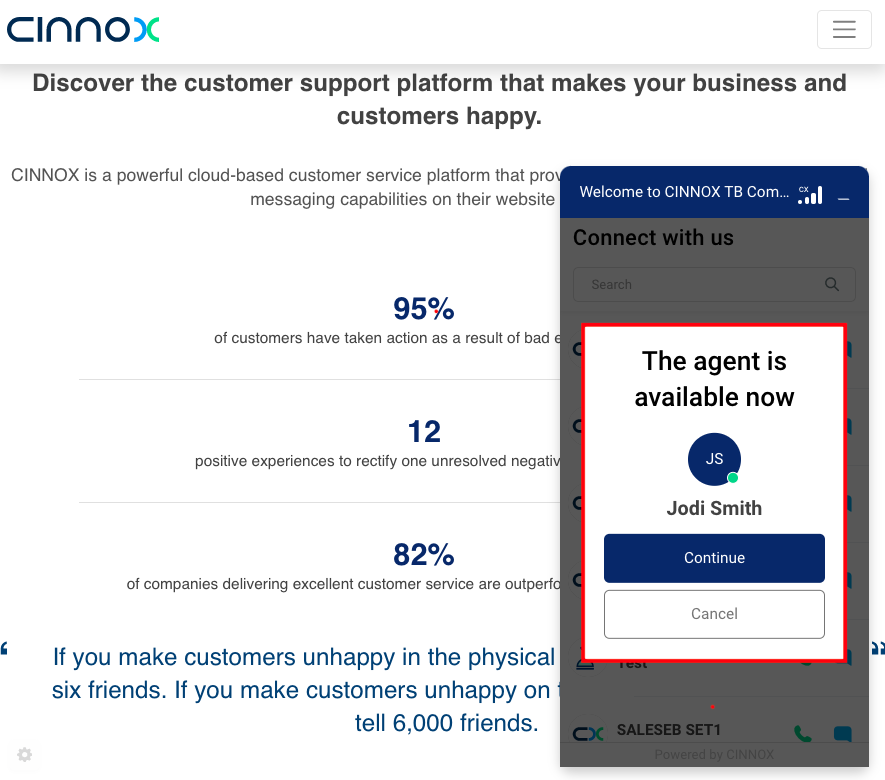
Visitor side - when an agent followed-up
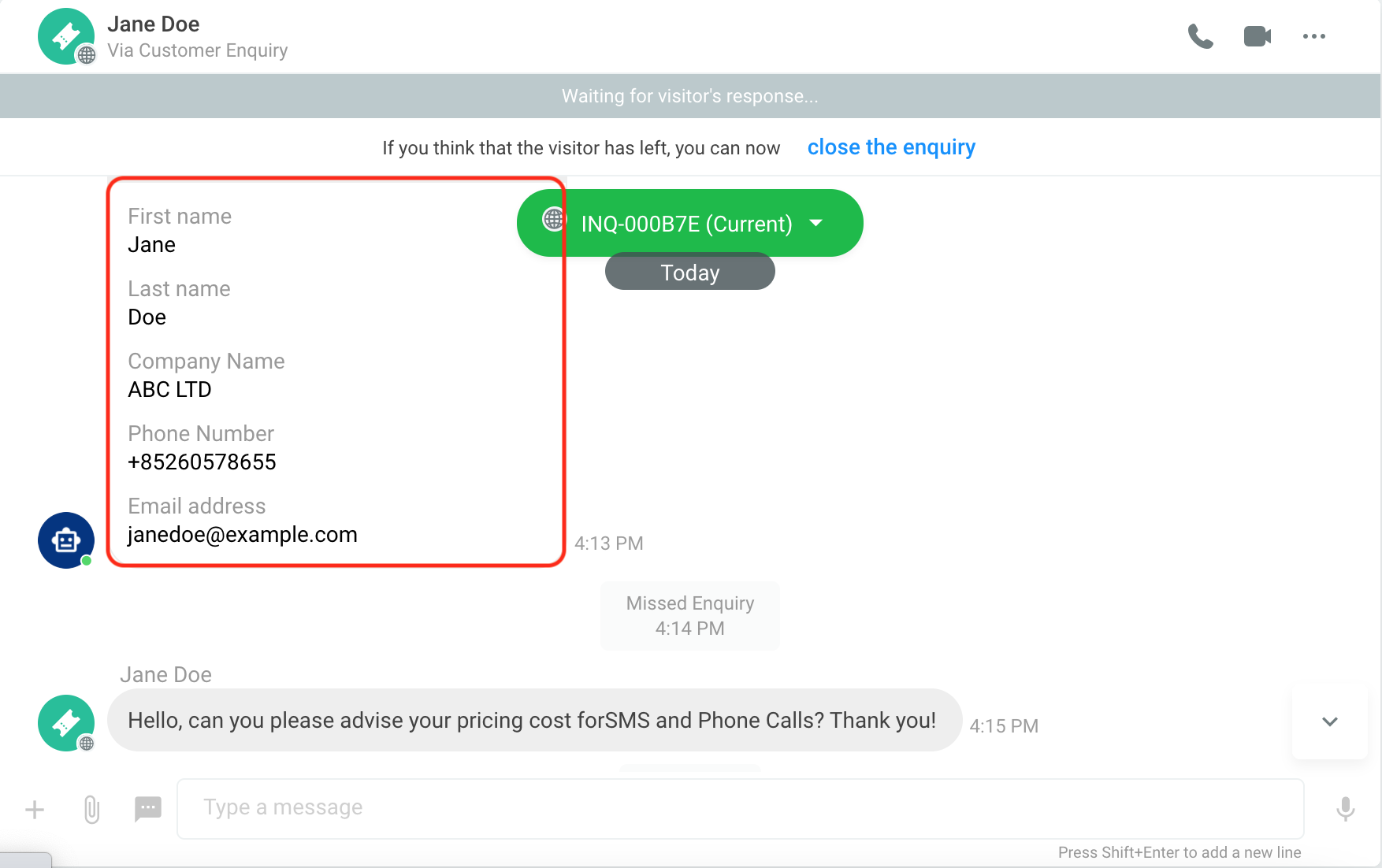
You can see the visitor contact details in the chat room when you follow up.
There will be instances when you can no longer follow up on an enquiry because the visitor has already left. CINNOX will display a message that the visitor is not responding. You can try to follow up again or close the enquiry.
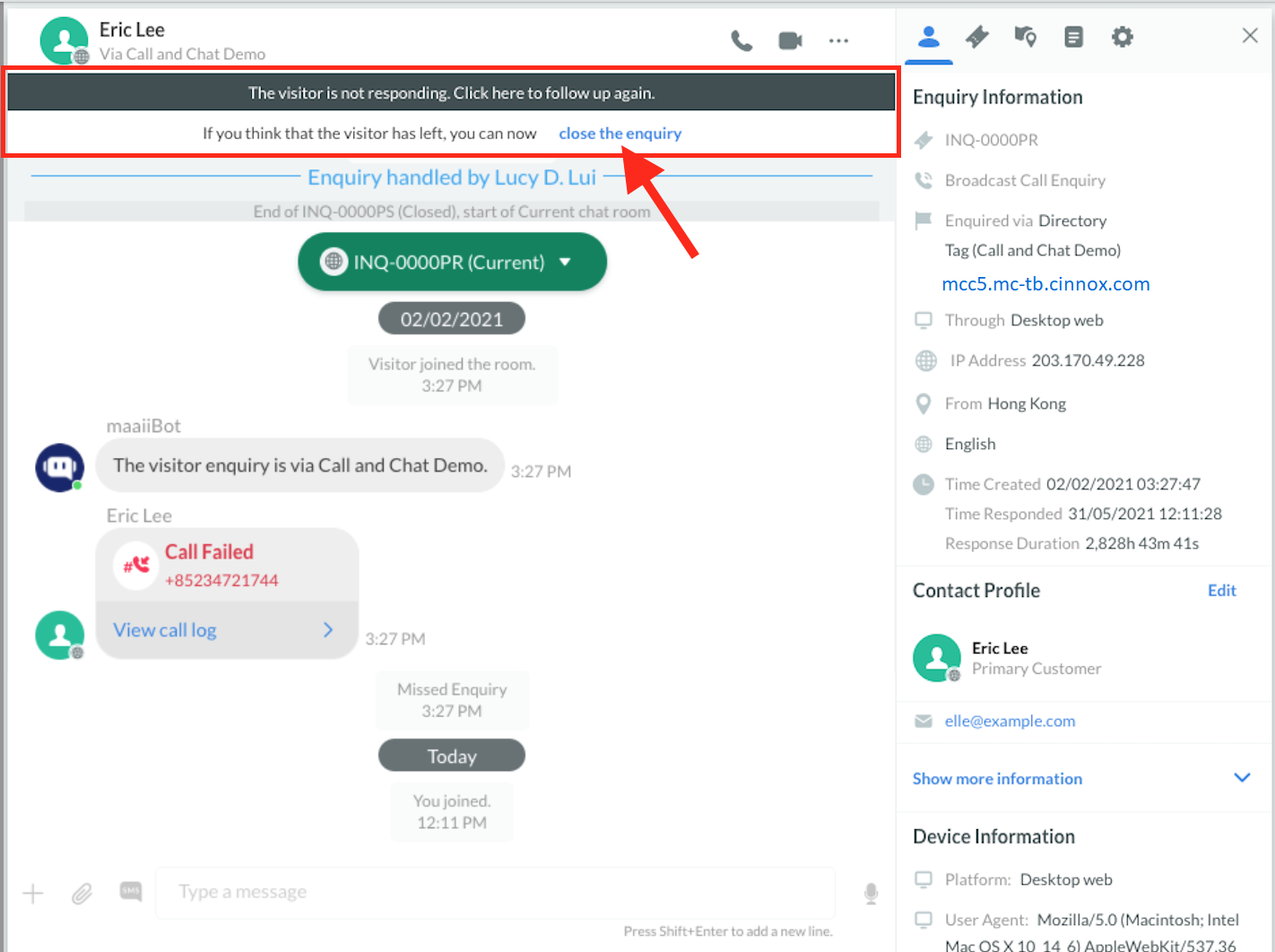
Closing a missed enquiry
In such instances, you may contact the visitor using the details they provided, if any.
We recommend enabling the Visitor Forms to ensure no visitor slips through the cracks. For more details, refer to the Visitor Forms section of this Guide.