
Pin/Unpin Messages & Hide/Unhide Chat Rooms
Need to organize your workspace the way you want?
Take control of your CINNOX workspace with the dynamic Pin Chat Room and Pin Message features. Streamline your experience by effortlessly marking essential chat rooms and bookmarking crucial messages, ensuring easy access and swift reference. Keep your CINNOX workspace organized and clutter-free with the ability to hide inactive chat rooms without deleting them, preserving valuable conversation history. Embrace the power of organization and efficiency with CINNOX's powerful features today.
Pin Chat Room and Pin Message feature help you mark essential chat rooms and messages and make your Workspace - Recent Connections neat and organised by hiding inactive chat rooms.
Pin Chat Room - allows you to place your favourite and vital chat rooms on top of your Recent Chats for easy access. It is the best way to quickly open the chat room without searching them in the Recent Chat list.
Pin Message - allows you to bookmark messages to refer back to them quickly without scrolling through the conversation or searching them in the chat room. Pinning a chat is a great way to keep the most important conversations on your radar.
Hide Chat Room - while deleting inactive chat rooms is not a standard practice and not recommended to save conversation history, you can hide inactive ones from your Recent list. The chat room and its conversation will be hidden, but you can permanently unhide them whenever necessary.
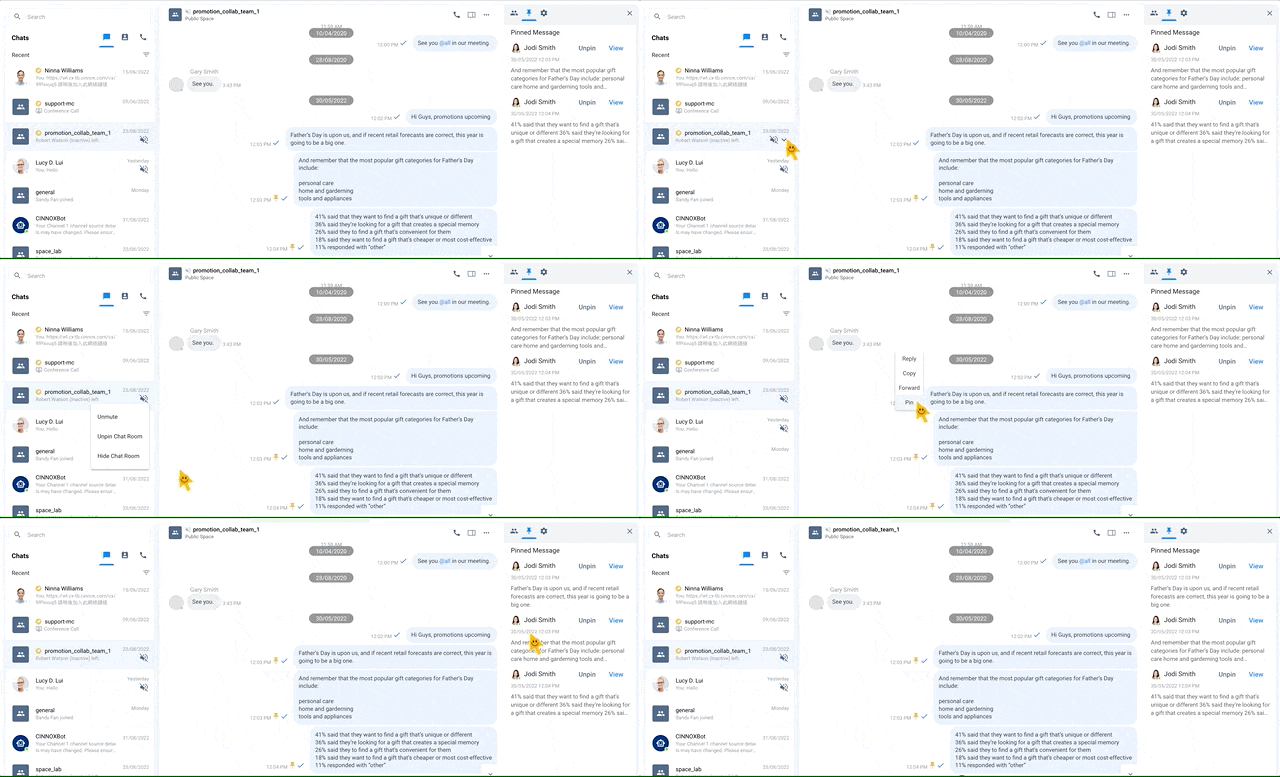
Pin Features
Pin and Unpin Chat Room
To pin a chat room - any room such as External (Enquiry Room), Internal (Direct Room) or Space Room:
- Find the chat room to pin in the Recent List
- On the side panel > arrow down, select Pin Chat Room.
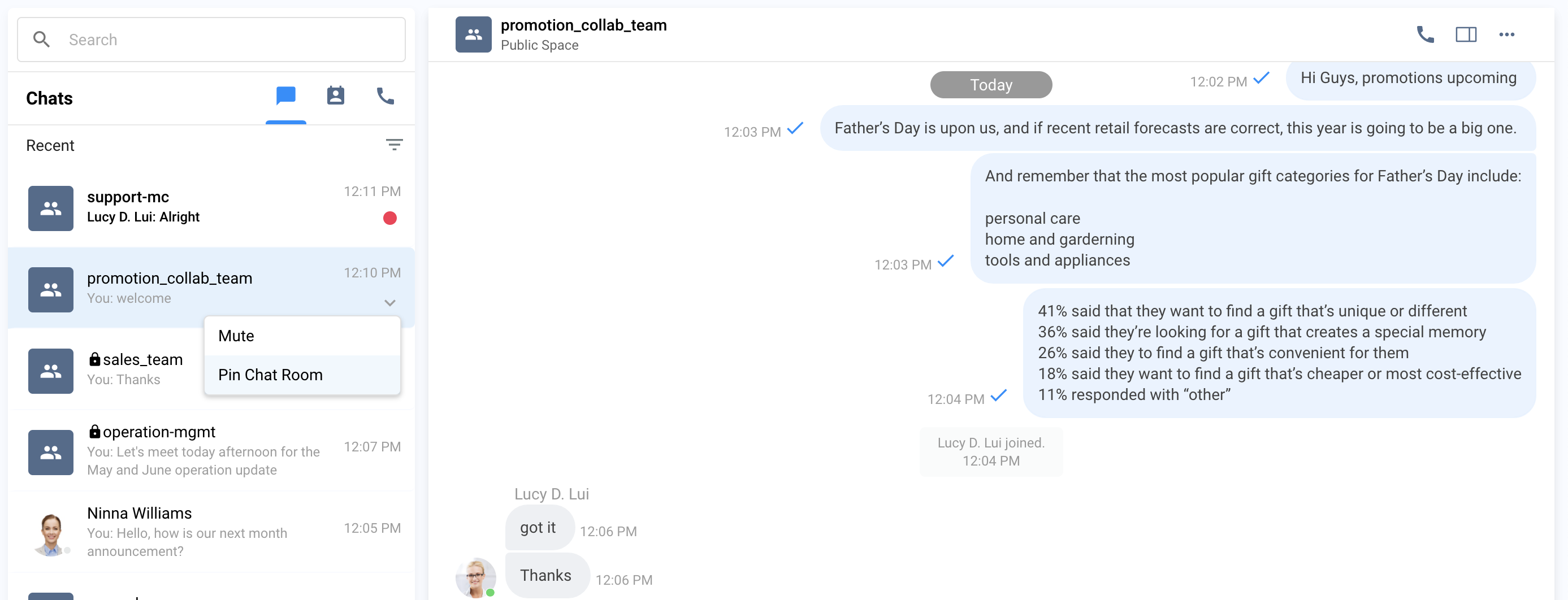
Pin Chat Room
- The chat room will be highlighted with the Pin icon and moved to the top of all chat rooms. A toast message will be displayed that the chat room has been pinned.
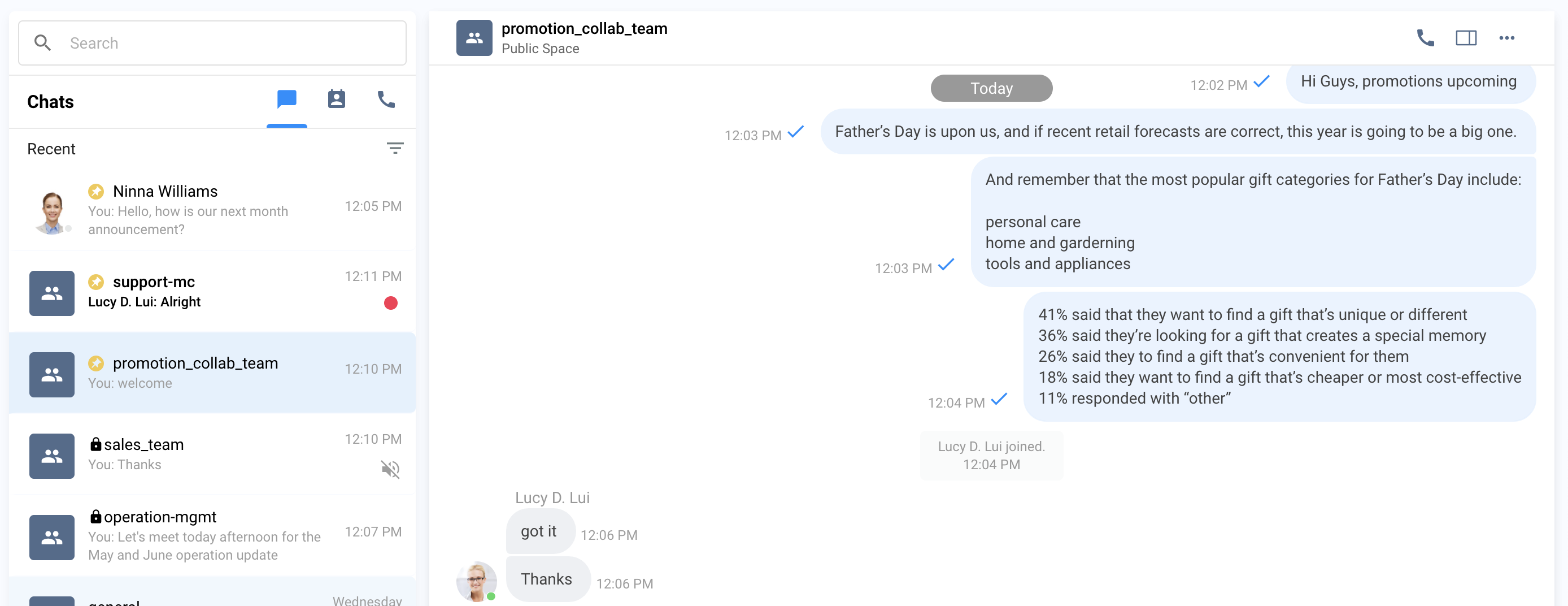
Pinned Chat Room
Alternatively,
- Click the three dots at the top-right corner of the Chat Room information panel, then select Pin Chat Room.
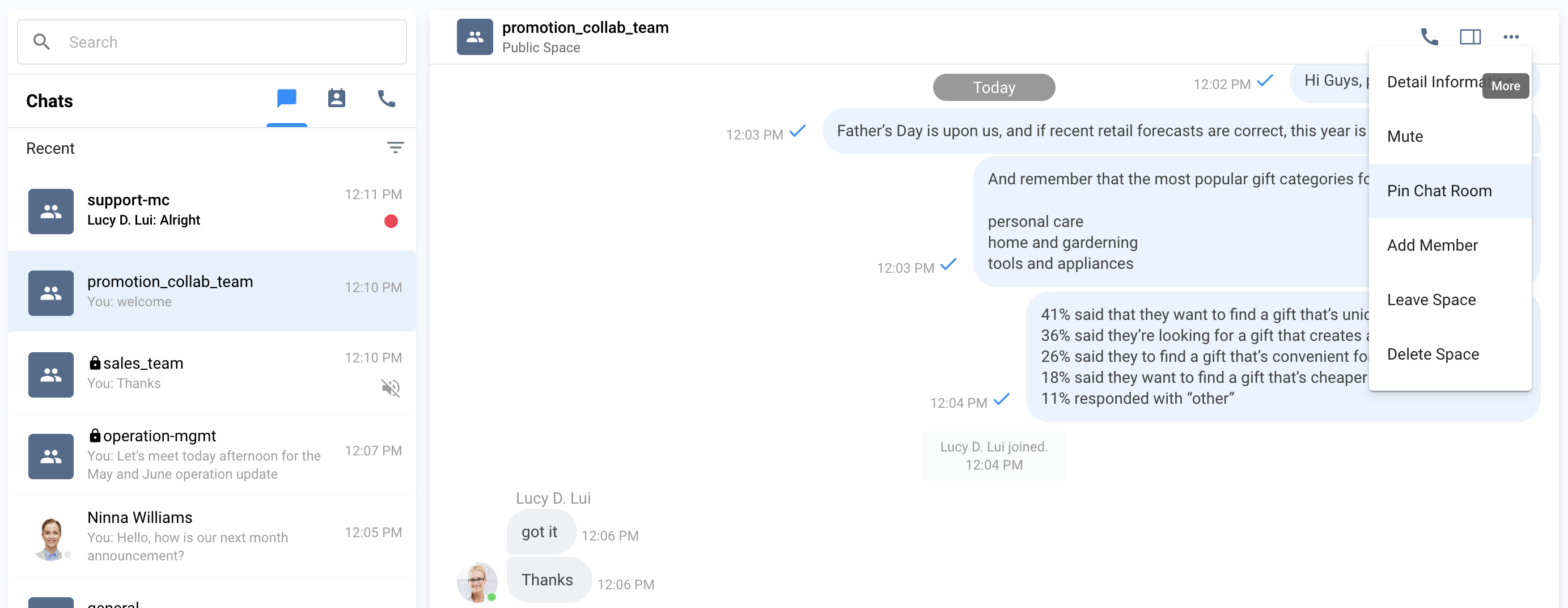
To Unpin a chat room:
- Click on the chat room side panel and select Unpin Chat Room.
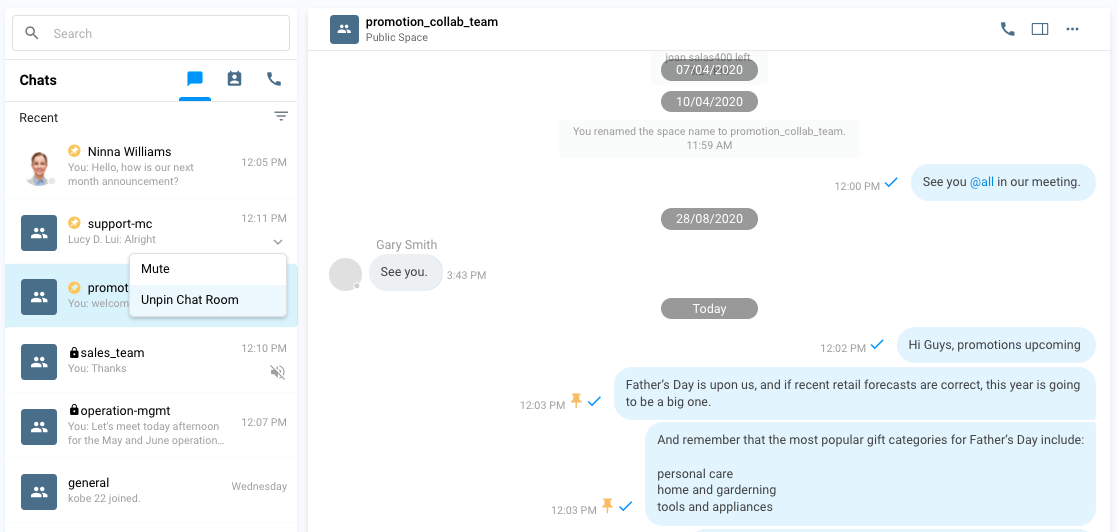
Pin Chat Room
- There will be a toast message displaying that the chat room has been unpinned, and it will return to its original position in the Recent Connection list of your chat rooms.
Alternatively,
- On the Chat Room Information panel, click on the three dots at the top-right corner and select Unpin Chat Room.
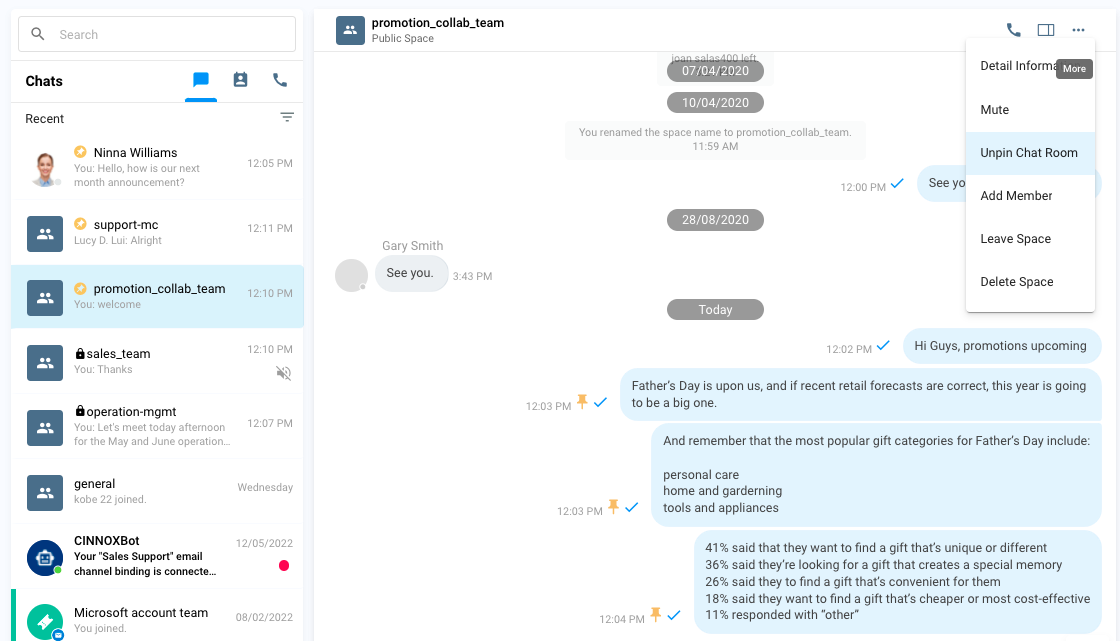
Unpin Chat Room
Pin, View Pinned and Unpin Message
To pin a message:
- Point your cursor on the message you want to pin to, then select Pin text on the options beside it.
- The Pin icon will appear next to the pinned message.
- All Pinned Messages will be listed in the Pin Message section in the Chat Room Information Panel.
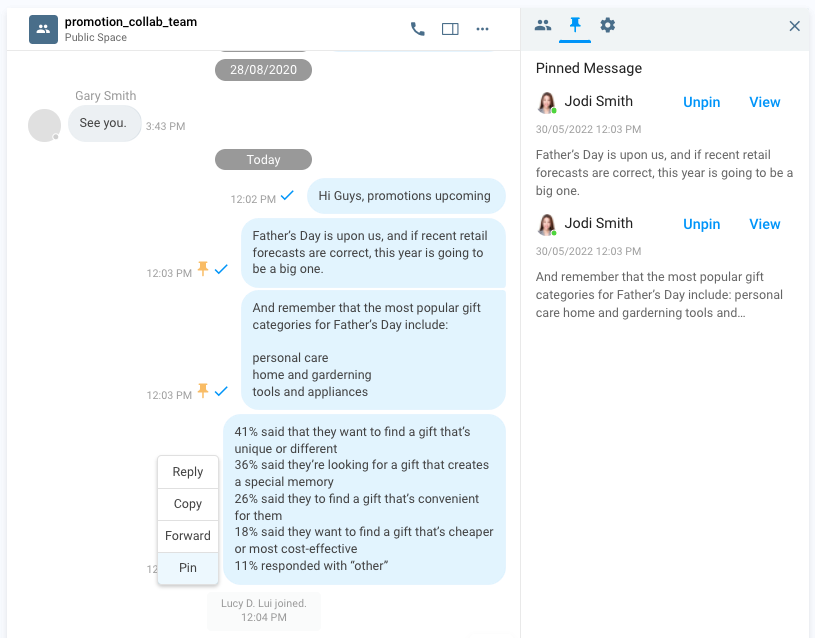
Pin Message
To view Pinned Messages
- To view a pinned message, click View on the Pinned Message section, and the chat room will scroll up or down and locate the pinned message.
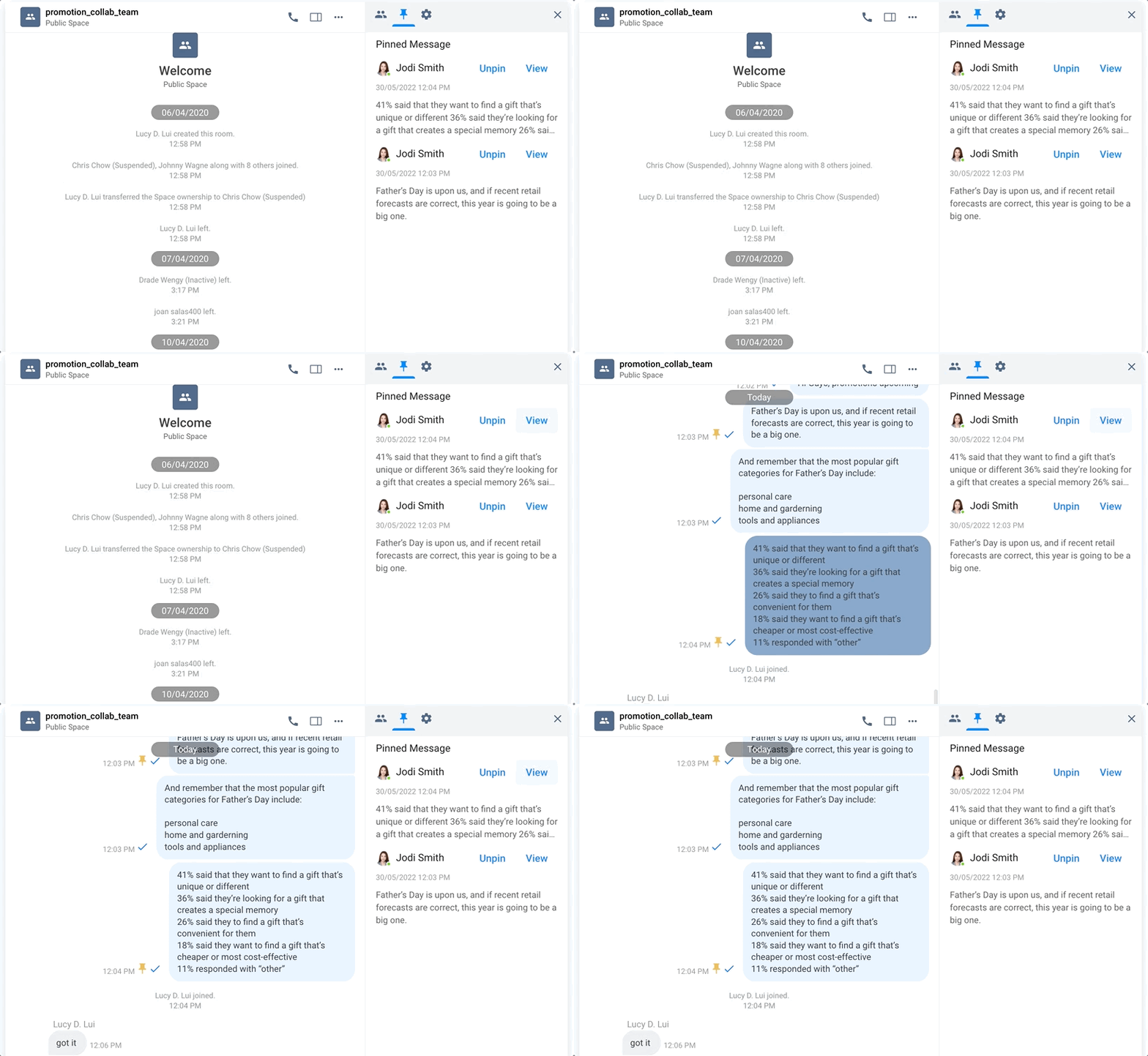
View Pinned Message
To Unpin a message:
- Point your cursor on the message you want to unpin to, then click on the Unpin text on the options beside it.
Alternatively,
- On the Chat Room Information panel, open the Pinned Message section and click Unpin for the message you want to remove from being pinned.
- The Pin icon will be removed from the message and the Pinned Message list.
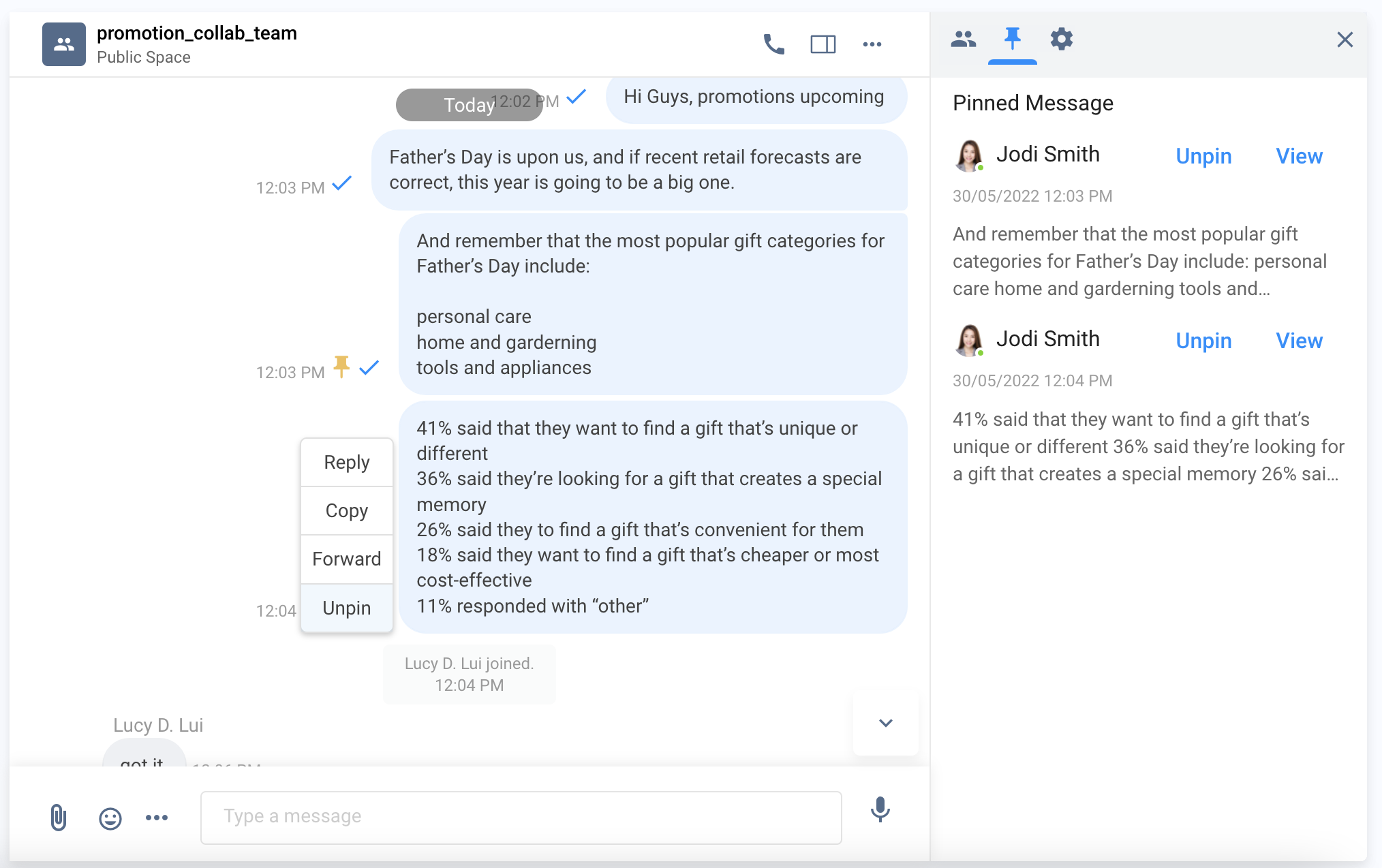
Unpin Pinned Message
Hide and Unhide Chat Room
To hide an inactive chat room - any room such as External (Enquiry Room), Internal (Direct Room) or Space Room:
- Find the chat room to hide in the Recent List
- On the side panel > arrow down, select Hide Chat Room.
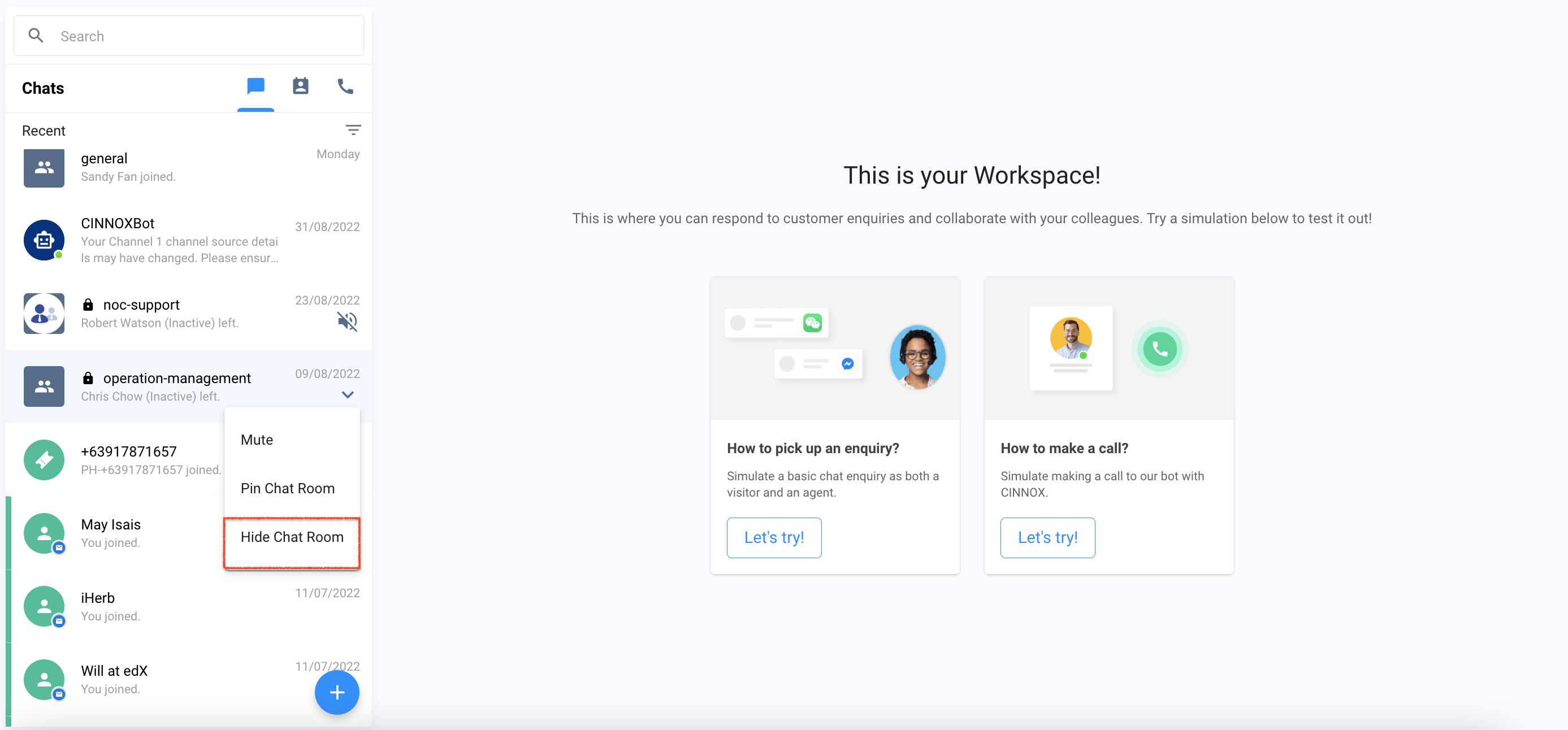
Hide Chat Room
The chat room will be hidden from the Recent List. A toast message will be displayed that the chat room has been hidden.
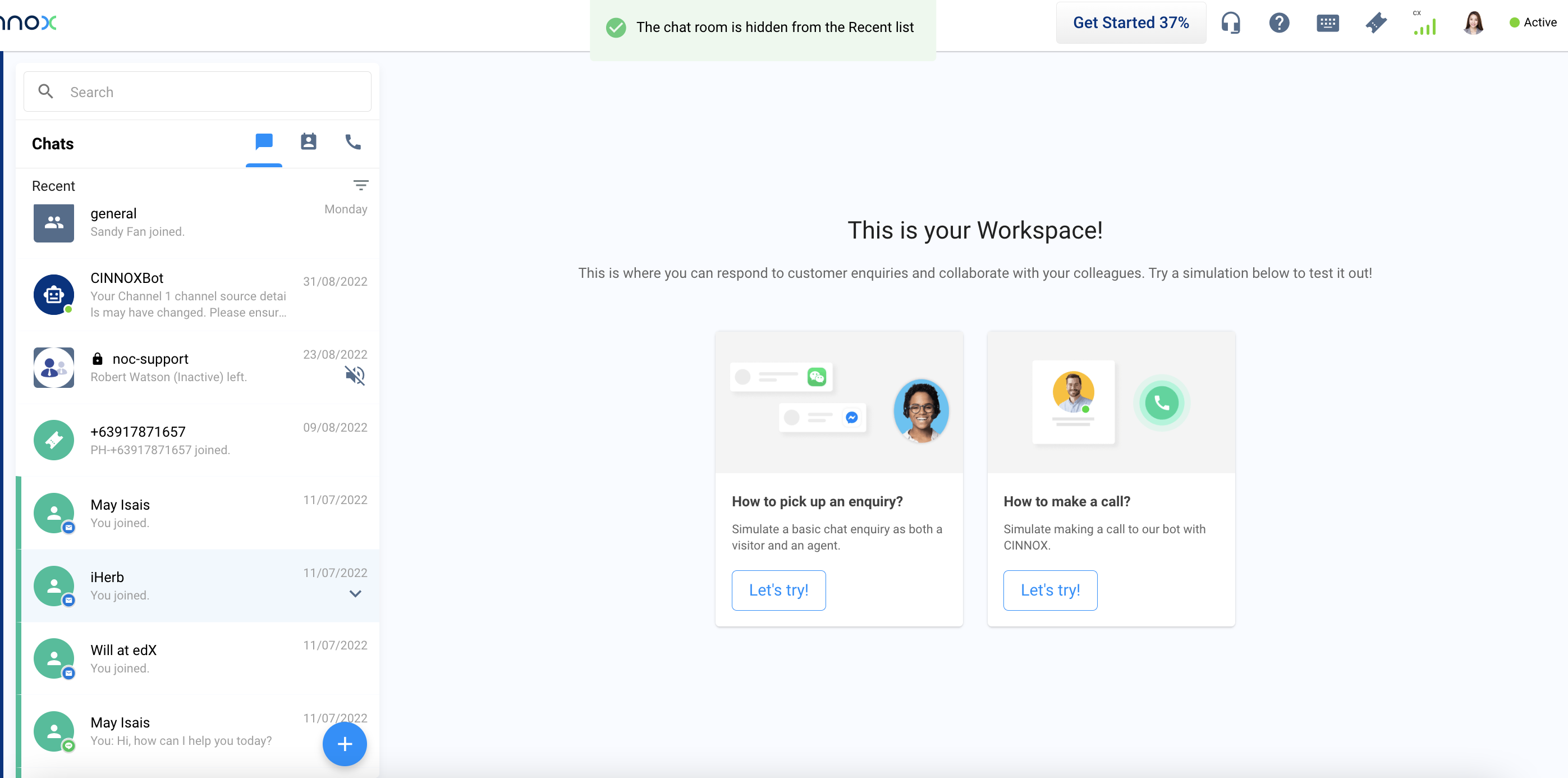
Chat Room Hidden Toast Message
**To view the hidden chat room:
- On your Workspace - Recent List, click the filter funnel icon and select Hidden Room
All chat rooms that have been hidden will be displayed.
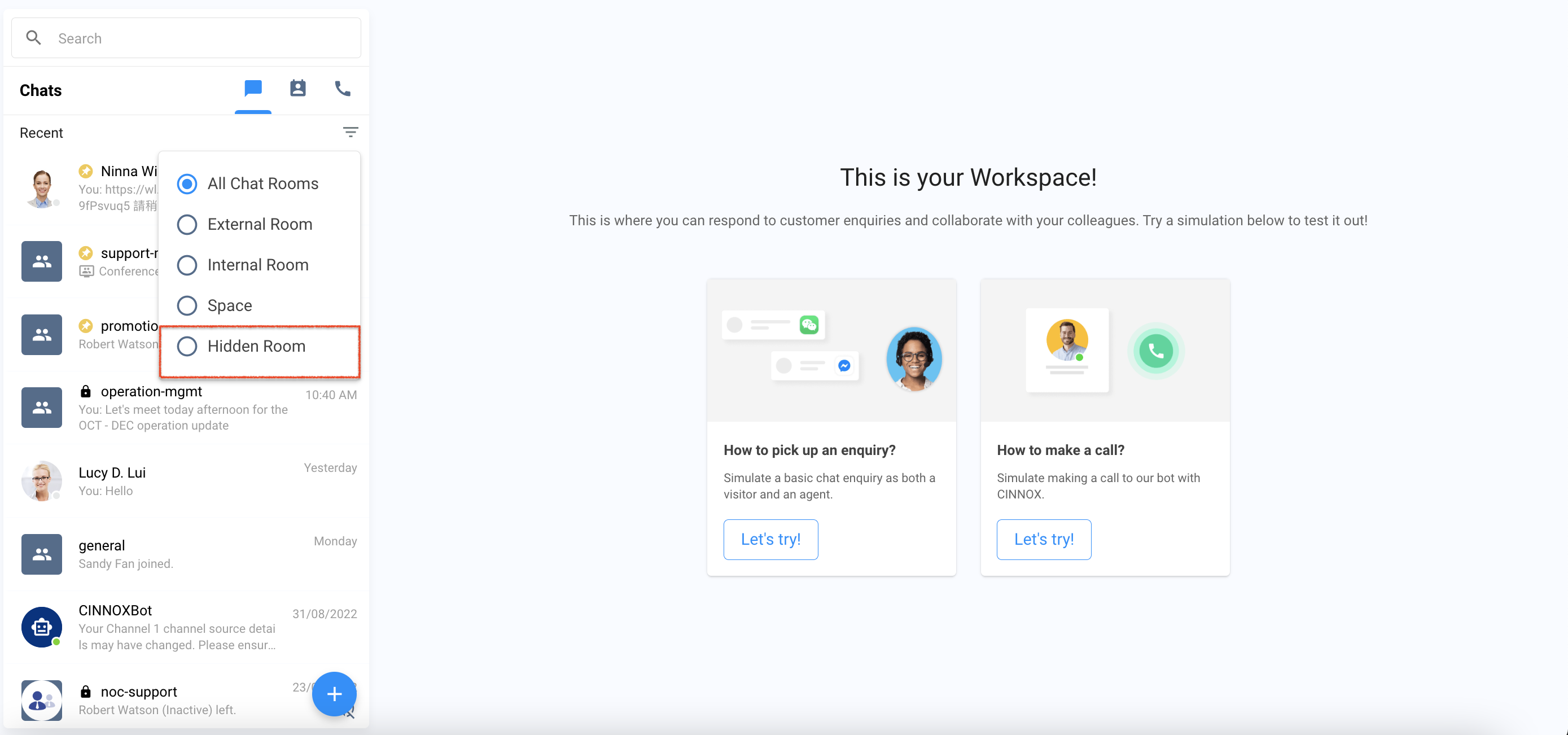
View Hidden Rooms
To unhide hidden chat room:
- On your Workspace - Recent List, click the filter funnel icon and select Hidden Room
All chat rooms that have been hidden will be displayed. - Find the chat room to unhide in the Hidden Room
- On the side panel > arrow down, select Unhide.
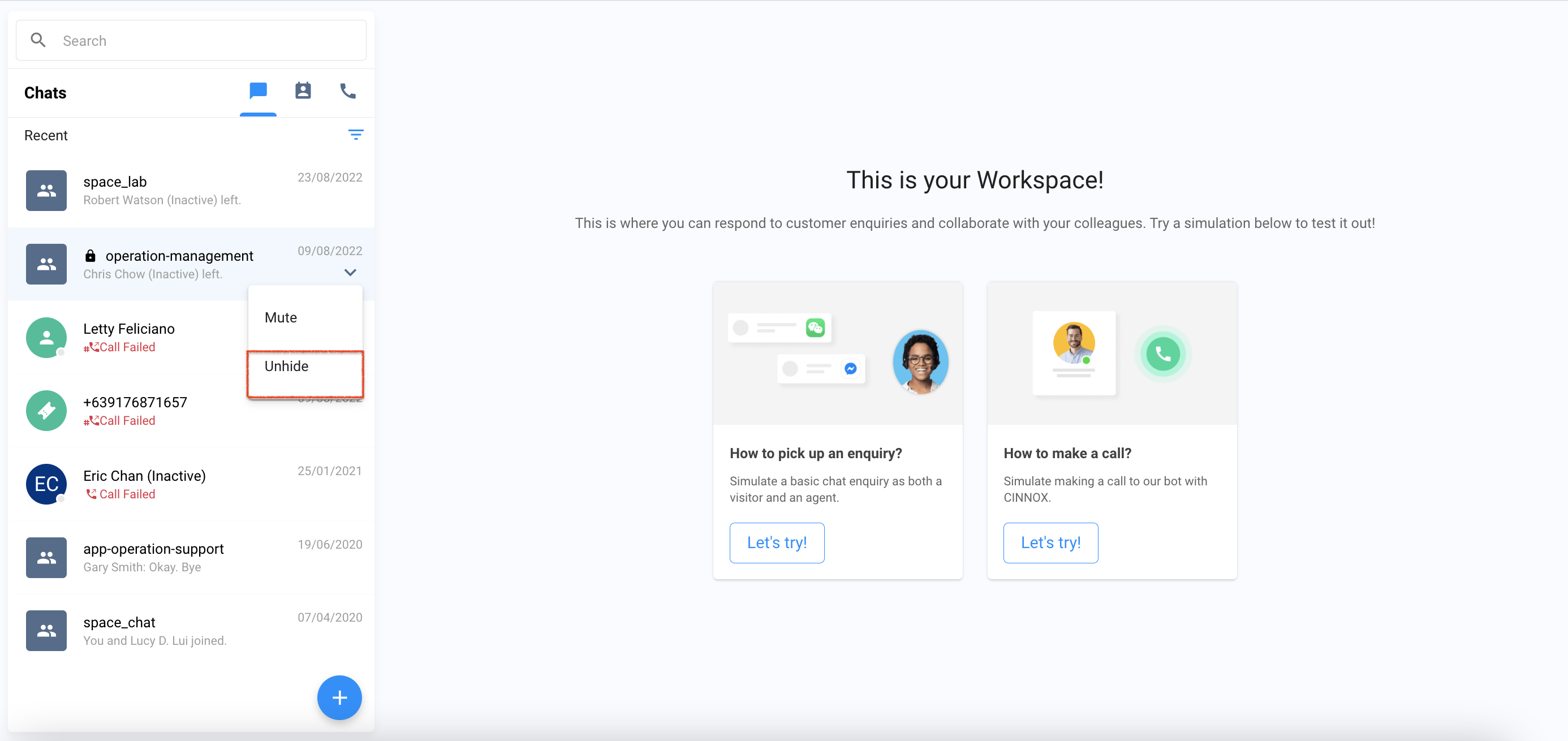
Unhide Hidden Room
The chat room will be displayed in the Recent List. A toast message will be displayed that the chat room has been unhidden.
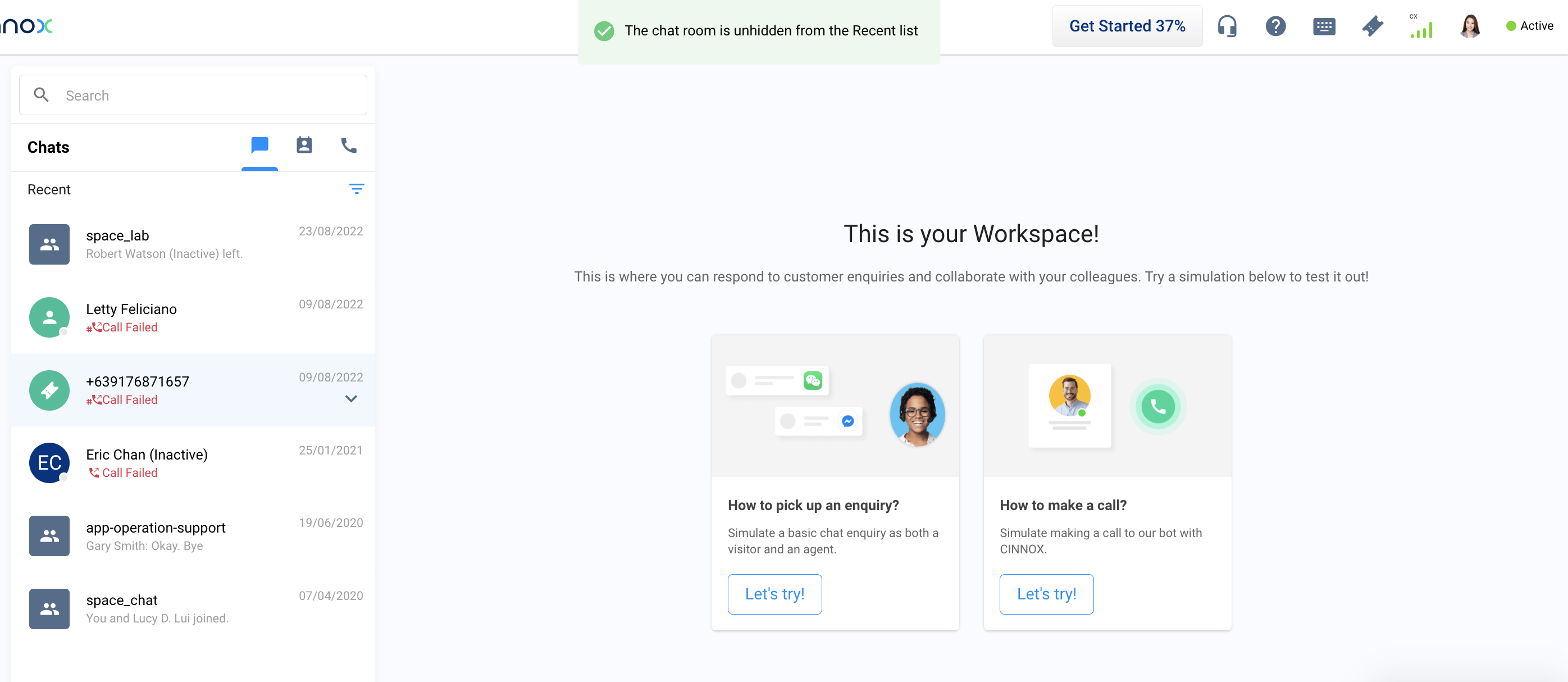
Chat Room Unhidden Toast Message
To know more about CINNOX Chat Room, see our detailed Guide