
Activating Staff Account
Email account verification is mandatory for Staff of any role (Administrator or Agent). The Administrator only grants CINNOX dashboard access to Staff with verified emails.
The CINNOX Administrator creates your login credentials based on your valid email address. The email address will be your CINNOX account name. This email address can only be used once for Staff verification.
To activate your staff account:
- Open the system-generated email with the subject Verify Your Account and click the link to bring you to the CINNOX Account Activation page.
📘
For security purposes, the activation button will expire after 24 hours from the time it was sent.
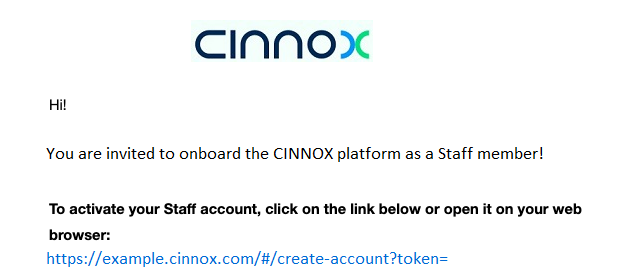
The Email field is disabled and non-editable. Proceed and create a strong password that satisfies the criteria of containing a mix of upper and lower case characters, at least one symbol or number and should not be less than eight characters.
- Retype the same password in the Confirm Password field.
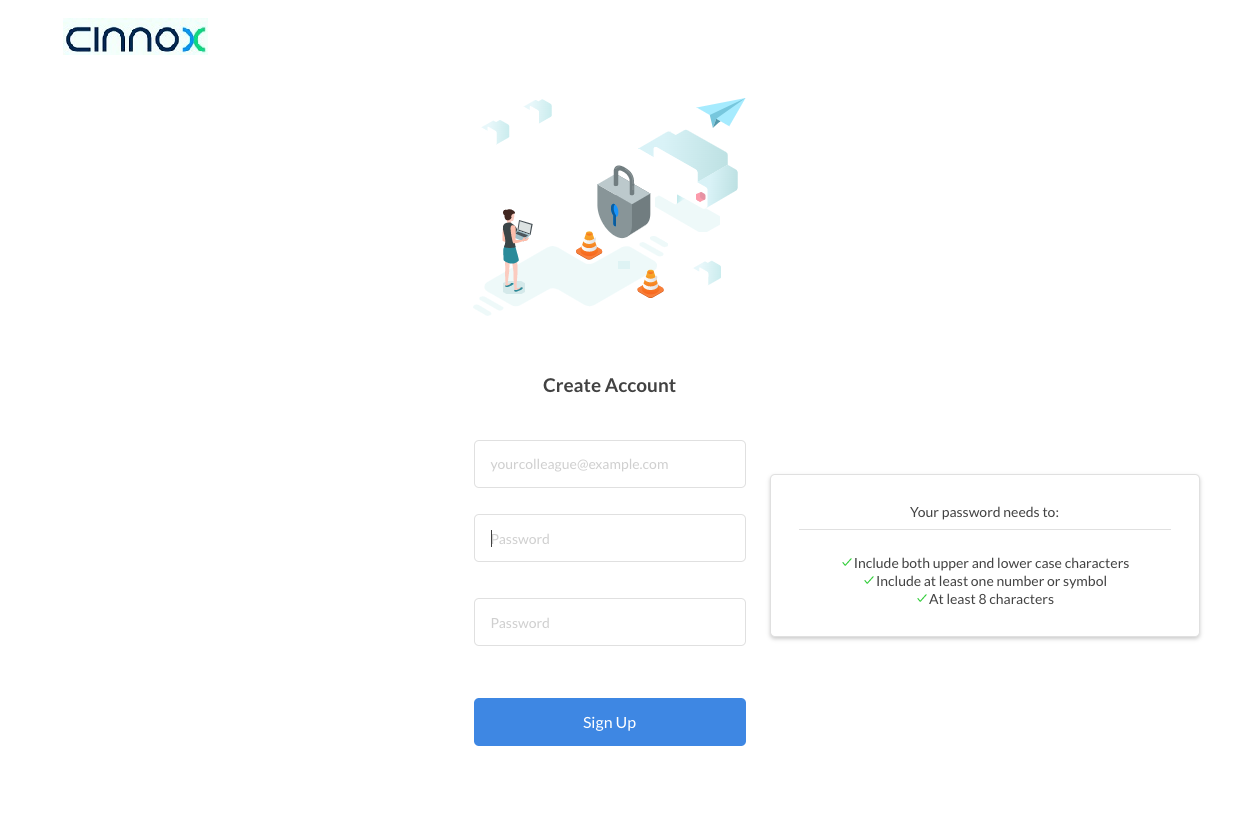
- Click Sign Up to create your CINNOX Staff account.
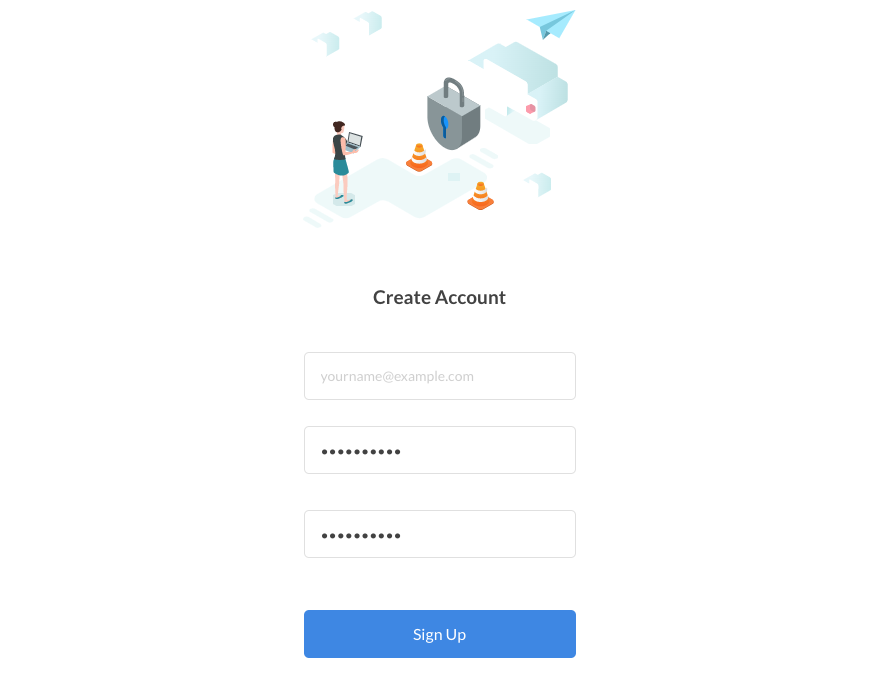
After activating the Staff account, you will be directed to the Staff Dashboard login page.
- Chatroom
- Serving Chat Enquiries
- Sending and Receiving Chats
- Canned Responses
- Chat Translation
- AI Enquiry Summary
- AI Enquiry Summary Custom Format Best Practices
- Add Staff to an Enquiry Room
- Monitor Enquiry and Take Action
- Private Message
- Get your Azure OpenAI Account
- Integrate your Azure OpenAI Account with CINNOX
- Labelling an Enquiry
- Sharing Files
- Space (Group Chat)
- Customer Public Space (Private Chat)
- Manage Tag Directory
- Creating a Tag
- Managing Social Channels
- Connecting (FB) Messenger
- Connecting Wechat
- Connecting Whatsapp
- 360dialog (WhatsApp BSP)
- Restart the Enquiry Conversation (360dialog WhatsApp)
- Connecting Line
- Connecting Woztell
- Get a Woztell Account and Create Channels
- Connecting Email
- Connecting Gmail/Google Workspace Email
- Connecting Outlook/Microsoft 360 Email
- Email Enquiry Handling
- Connecting Third-Party Channel
- Channel Source
- Email Engagement
- Pin/Unpin Messages & Hide/Unhide Chat Rooms
- Sending SMS
- SMS Inbox
- CINNOX Keyword Bot for SMS Auto-Reply
- SMS and Call Known Limitations
- Campaigns
- Creating SMS Standard Campaign
- Create SMS Dynamic Campaign
- Campaign Templates
- SMS Templates
- WhatsApp Engagement
- Creating WhatsApp Campaign
- Whatsapp Templates
- Sent Campaigns (SMS and WhatsApp)
- CINNOX Markdown Guide
- Connecting WeChat Sandbox
- SMS Registration Template
- Managing Destinations
- Managing Service Group
- Adding Chatbot
- CINNOX Q&A Bot
- Chatbot Data Source
- Chatbot Custom Prompts Best Practices
- General Integration for Chatbot (with Streaming Message Support)
- IVR (Interactive Voice Response)
- Alternative, Percentage, Time and Sticky Routing Rules
- Queue
- CINNOX Automatic Call Distribution (ACD) Method
- Advanced Enquiry Routing Flow
- Enquiries in CINNOX
- Enquiry Centre
- Transferring Enquiry
- Transferring Chat
- Follow Up on Missed Enquiries
- Closing an Enquiry
- Monitoring
- Enquiries Monitoring (aka Enquiry Overview)
- Queue Monitoring
- Contacts
- Managing External Contacts
- Labelling an External Contact
- Custom Field for External Contacts
- Merging Contacts
- Integrating Salesforce
- Salesforce Contacts in Dashboard
- Engagement in CINNOX
- Developer Guide
- Prerequisites
- Installing the Web Widget
- Configure the Widget UI Language
- Passing data to agent via Weblink and Widget
- Tag Conditional Trigger
- Installing Internet Information Services (Microsoft IIS)
- Installing Apache Server
- Installing Nginx Server
- Wordpress
- Wix
- Drupal
- Joomla
- Squarespace
- BigCommerce
- Shopify
- Weebly (eCommerce by Square)
- Webflow
- HubSpot CMS Hub
- Jimdo
- Leadpages
- SHOPLINE
- Thinkific
- APPs & API
- Zapier
- CINNOX Chrome Extension
- Mobile SDK (Visitor Live Chat & Call)
- My Sites
- Configure CINNOX Web Widget
- Customising Your Widget
- Managing Widget's Smart Greeting
- Managing Visitor Forms
- Managing Staff
- Custom Staff Status
- Enhanced Navigation Bar and Roles and Permissions
- Managing Roles and Permissions
- Managing Teams
- Managing Call Recording an Transcript
- Managing Labels
- Keyword Masking
- AI Suggested Label and Topic
- Managing Contact & Enquiry Settings
- Managing Call Prompts
- Managing Storage
- My Plan
- Cancelling CINNOX Account
- Workflows
- Activating Staff Account
- Dashboard Sign in and Sign out
- Installing the CINNOX Desktop App (PWA)
- Staff Availability Status
- Staff Profile
- Changing Password
- Email Signature
- Extension Numbers
- Managing Devices
- Network Signal
- Get Started and Help Center
- Keyboard Shortcuts
- Sending Feedback
- Supported Languages in CINNOX
- Getting Started with the App
- App Sign In and Sign Out
- Navigating the App
- Enquiry Monitoring (aka Enquiry Overview)
- Chat Room
- Private Message
- Serving Chat Enquiries
- Serving Call Enquiries
- Monitor Chat Enquiry & Take Action
- Add Staff to an Enquiry Room
- Closing Enquiries
- Labelling an Enquiry
- Labelling External Contacts
- Sending and Receiving Chats
- Sharing Files
- Making Calls
- Answering Calls
- Sending SMS
- WhatsApp Engagement
- Email Engagement
- Instant Conference Call
- Scheduling Conference Call
- 1-to-1 to Conference
- Ongoing Conference Call
- Video Calling
- Recording and Transcript
- Following Up on Missed Enquiries
- Transferring Enquiry
- Transferring Call
- Transferring Chat
- Space (Group Chat)
- Restart the Enquiry Conversation (360dialog WhatsApp)
- Pin/Unpin Messages & Hide/Unhide Chat Rooms
- Contacts
- Merging Contacts
- Salesforce Contacts in CINNOX App
- Sync Device Contacts
- Setting Up Your Availability Status
- Unread Panel
- Mention Preference
- Conference Preference
- My Account - Staff Profile
- Changing Password
- Passcode and Biometrics
- Two-Factor Authentication
- Third-Party Authentication (Staff App Login)
- Service Numbers
- Personal Numbers
- Call Forwarding
- Managing Devices
- Simulation and Help Centre
- Sending Feedback
- Reports API
- Get Enquiry Details
- Get Enquiry Chat Details
- Get Call Details
- Get Conference Details
- Get Call Log Details
- Get Recording File Details
- Get Transcription File
- Get SMS Details
- Get Enquiry Overview Matrix
- Get Channel Type list
- Get Channel Type details
- Create/Edit/Delete Enquiry Event Subscription
- Create/Edit/Delete Recording File Event Subscription
- Create/Edit/Delete Conference Call Event Subscription
- Get Sent Campaigns Summary
- Get Sent Campaign Details
- Management API
- Create/Edit/Delete External Contact Event Subscription
- Get External Contact List
- Get External Contact Activity
- Create External Contact
- Update External Contact
- Create/Edit/Delete Contact Event Subscription
- Get Staff Contact List
- Create/Edit/Delete Staff Contact Event Subscription
- Get Supported Language List
- Get Supported Location List
- Create Destination-Service Group
- Update Destination-Service Group
- Get Destination List
- Delete Destination-Service Group
- Create Tag
- Get Tag List
- Update Tag
- Delete Tag
- Get Label List
- Delete Label
- Label an Enquiry
- Unlabel an Enquiry
- Create/Edit/Delete Label Event Subscription
- Create/Edit/Delete Enquiry Label Event Subscription
- Get External Contact Note List