Alternative, Percentage, Time and Sticky Routing Rules
Routing rules are guidelines or instructions that dictate how incoming customer chat or call enquiries should be distributed and directed within a business or organisation. In a call centre or customer support context, routing rules can benefit businesses with multiple teams or departments handling different enquiries.
By using routing rules, businesses can ensure that each enquiry is directed to the appropriate team or individual based on factors such as the type of enquiry, the time of day, or the volume of enquiries. In addition to traditional linear sequence routing, routing rules can include percentage-based routing, time-based routing, and sticky routing, designed to establish a relationship between a visitor and a staff member.
Routing rules are available on all channels and can be customised based on the specific needs of the business or organisation.
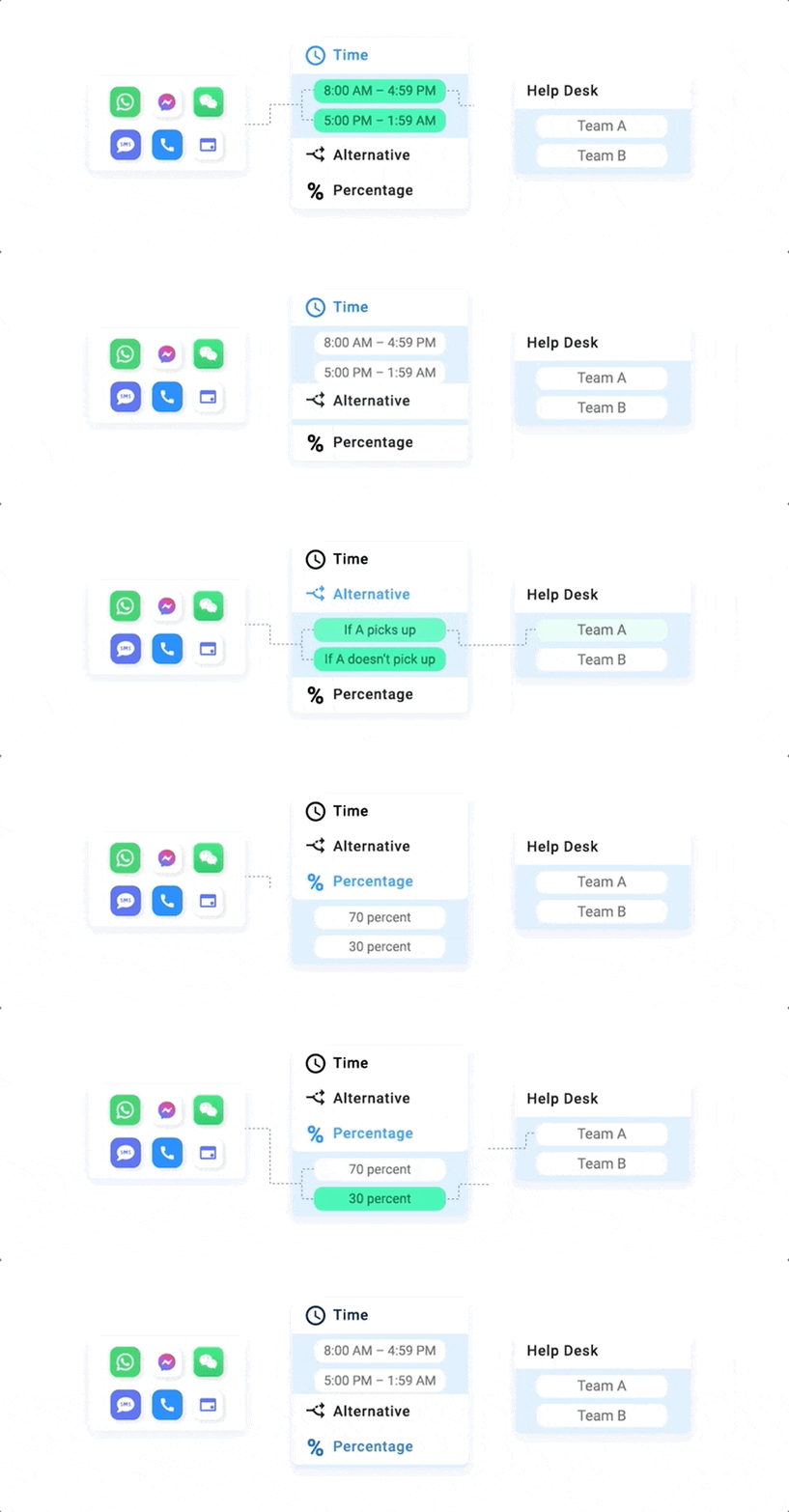
- Alternative routing - (aka Linear Routing) distributes incoming enquiries in a linear pattern to your set Destination.
- Percentage routing - distributes incoming enquiries at percentage value.
- Time-based routing - distributes incoming enquiries using time allocation.
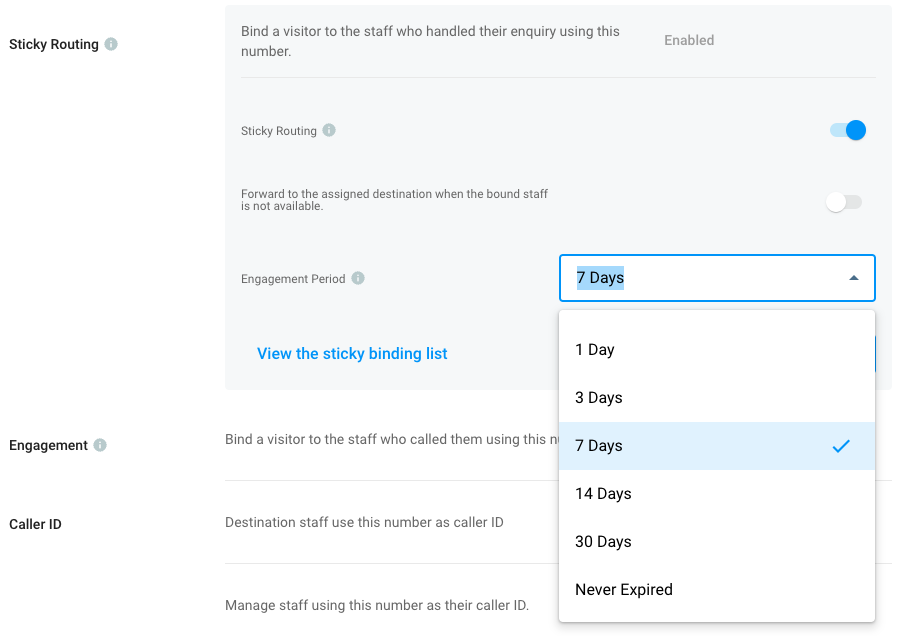
- Sticky routing - establish a relationship between a visitor and your staff. New enquiries from the same visitor will directly route to someone that helped them in the past.
- Engagement routing - works by having a staff start a conversation with a visitor, which gets routed back to the staff member who initially engages with the visitor when they respond. This process helps to build relationships between staff and visitors and creates a more streamlined communication experience.
📘
You can add up to five (5) destinations per routing condition.
Alternative, Percentage and Time Routing
Alternative Routing (aka Linear Routing)
This routing rule distributes incoming enquiries in a linear pattern to your set destination. It can be useful when you have a set order in which you want enquiries or calls to be routed, such as when you have teams handling different types of enquiries or want to distribute calls evenly among your agents. Alternative routing can help ensure that calls are distributed fairly and efficiently, reducing the likelihood of certain agents or teams becoming overwhelmed with calls.
To set up alternative routing:
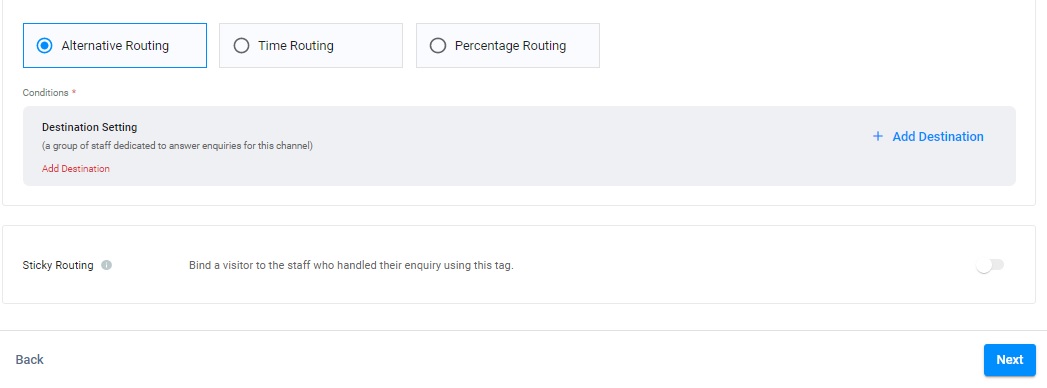
- Under Routing Settings, select Alternative Routing.
Alternative Routing
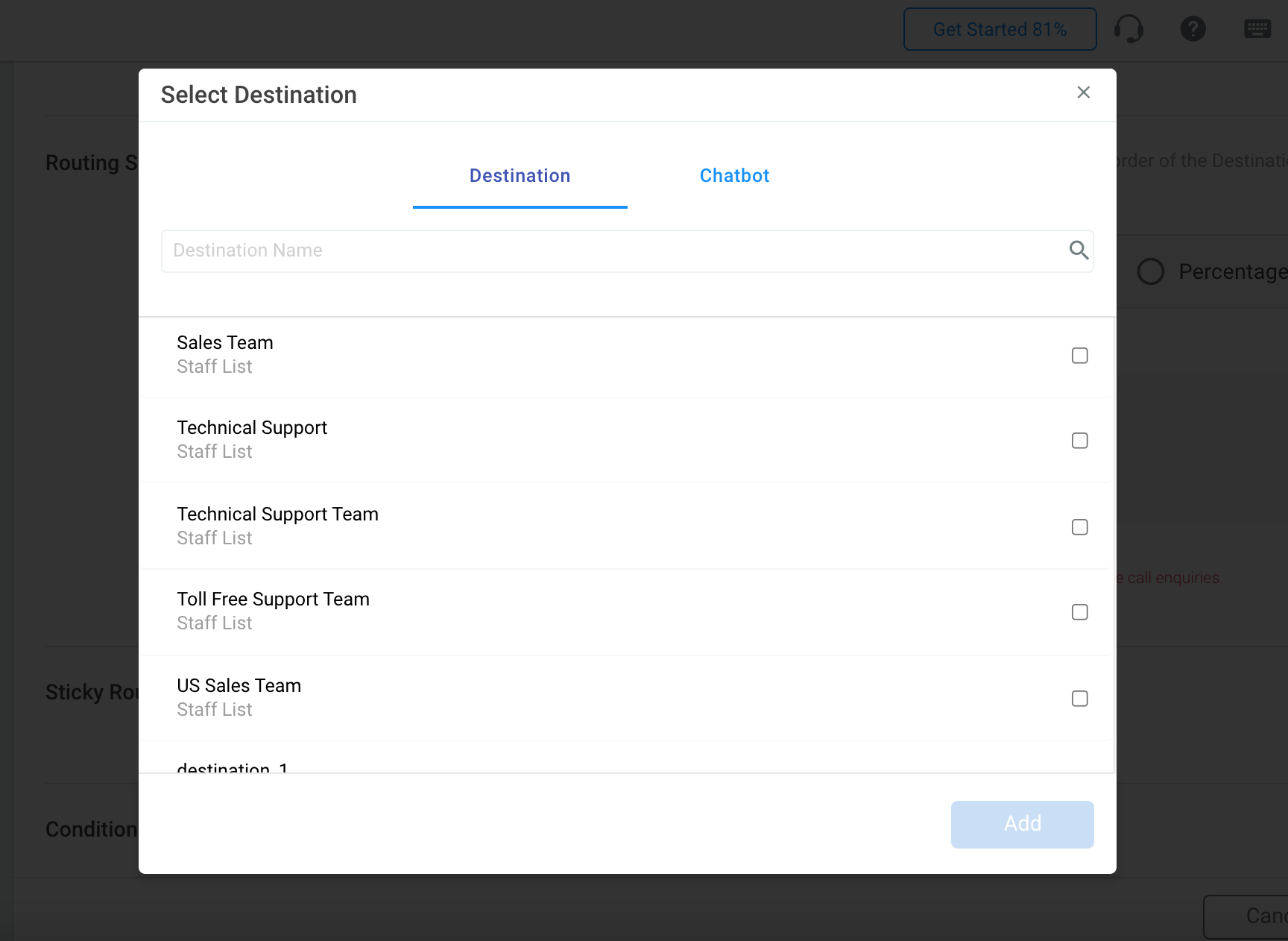
- Click on (+) Add Destination. A pop window will display the Destination List
- Select Destination or Chatbot for the Destination to add to the routing or create a new one.
Add Destination
Time Routing
This routing rule distributes incoming enquiries using time allocation, such as routing calls to specific teams or agents during certain hours of the day or week. Time-based routing can be especially useful for businesses with staffing limitations or fluctuations in demand, as it allows you to allocate your resources to maximise productivity and efficiency. By using time-based routing, you can help ensure that you are able to handle enquiries or calls effectively during peak periods while also avoiding overstaffing during slower periods.
To set up time routing:
- Under Routing Settings, select Time Routing
- On the Every drop-down list, Select Days of Week.
- The From and To fields set the start and end times, respectively.
- Click on (+) Add Destination. A pop window will display the Destination List.
- Select Service Group or Chatbot for the Destination to add to the routing or create a new one. You can add up to five (5) destinations in the routing.
- On the Other Schedule section, click on + Add Destination. The added destinations are where you want to route the enquiries that do not fall within the previous condition's scope (s).
- If you wish to add more specific times, click on + Add New Condition and repeat the previous steps.
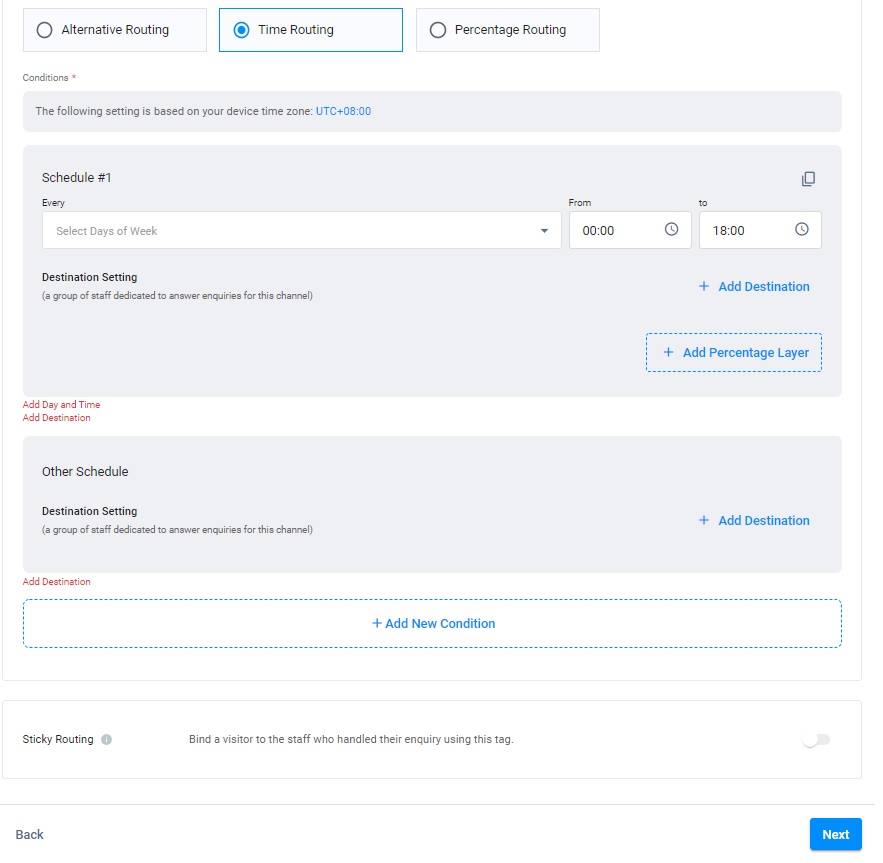
Percentage Routing
📘
Time Format: 24-hour notation in HH:MM | The time setting is based on your device's time zone.
How to add a percentage layer
It is optional for you to distribute incoming call enquiries based on the defined percentage additionally.
- Click on + Add Percentage Layer.
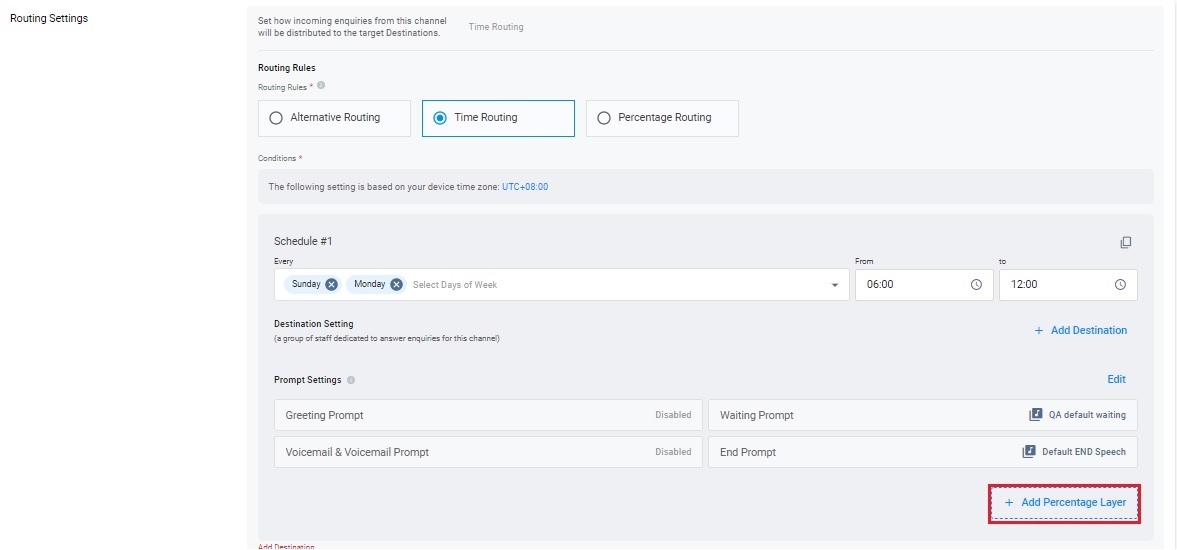
Click on Add Percentage Layer
- Fill in the percentage in Percentage #1. If required, fill in Percentage #2 and so on.
- Click on + Add Destination to select the destinations for Percentage #1, Percentage #2 and so on.
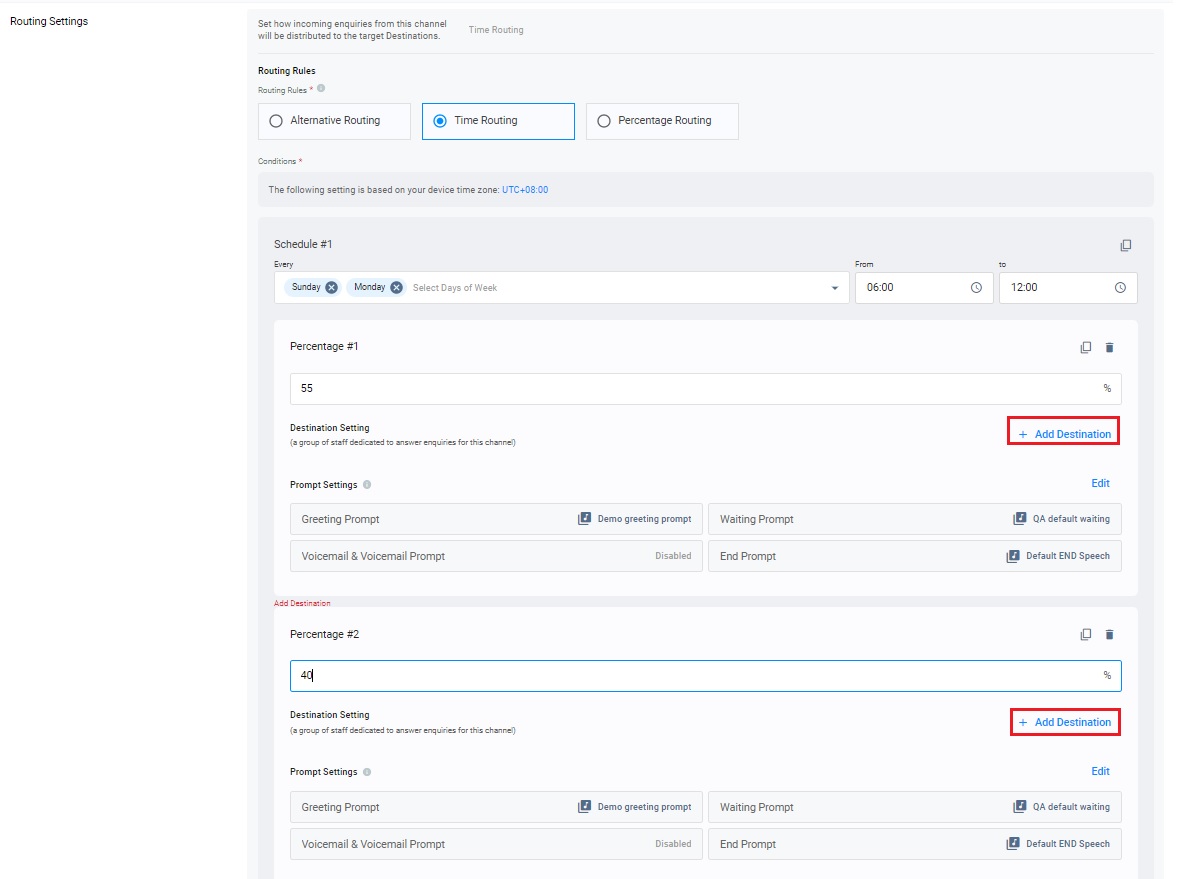
Click on Add Destination
- Click on Save and Confirm to complete the settings.
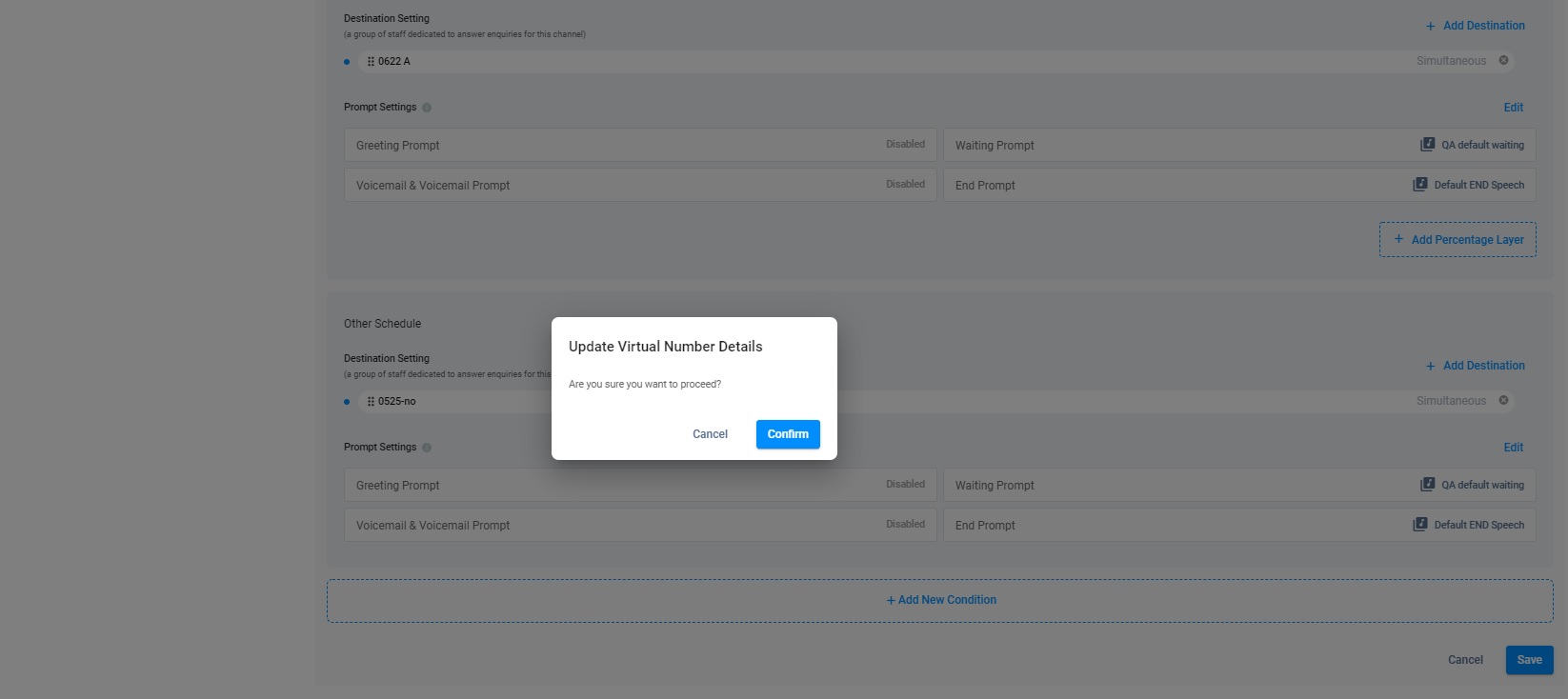
Click on Confirm
- The toast message indicates that the update (Time routing) is completed.
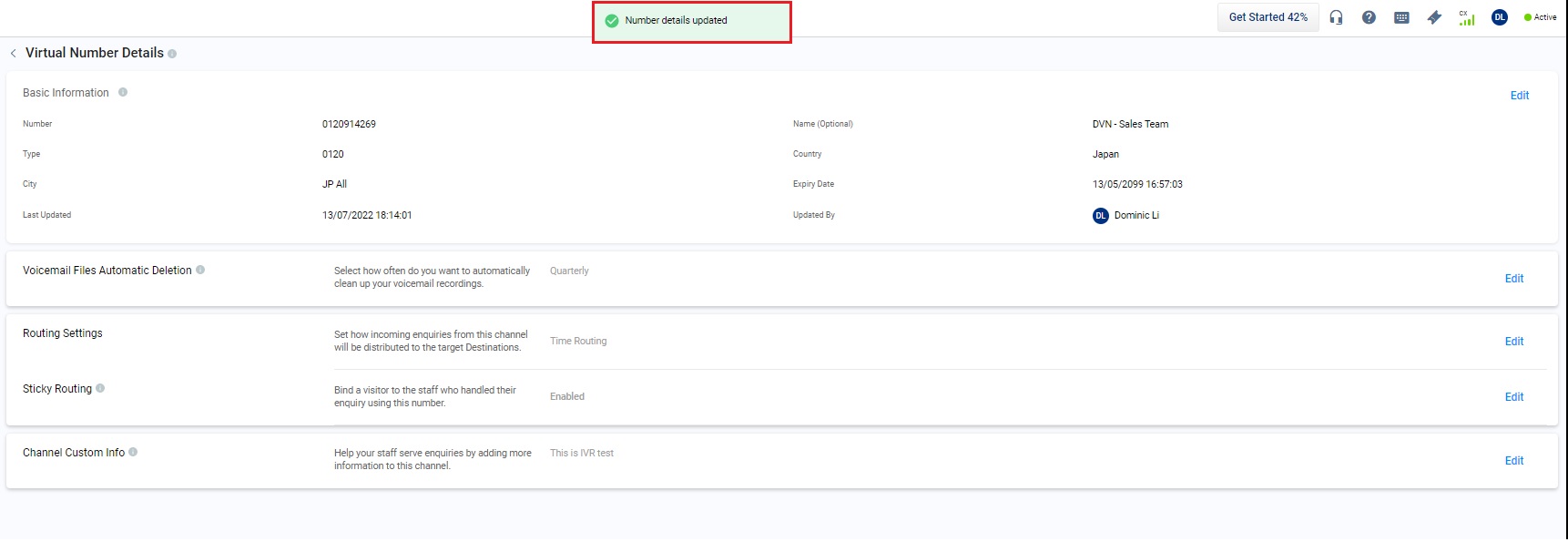
Routing Settings is completed
Percentage Routing
This routing rule distributes incoming enquiries at a percentage value, meaning that you can allocate different percentages of calls to different teams or agents depending on their availability or skill set. Percentage routing can be particularly useful when you have teams or agents with different expertise or availability and want to ensure that calls are distributed in a way that maximises efficiency. You can help prevent certain teams or agents from becoming underutilised or overburdened using percentage routing.
To set a Percentage routing:
- Under Routing Settings, select Percentage Routing
- Enter a numeric value representing the percentage in the Every text field.
- Click on (+) Add Destination. A pop window will display the Destination List.
- Select Service Group or Chatbot for the Destination to add to the routing or create a new one. You can add up to five (5) destinations in the routing.
- On the Other Percentage section, click on + Add Destination. The added destinations are where you want to route the enquiries that do not fall within the previous condition's scope (s).
- If you wish to add more percentage values, click on + Add New Condition and repeat the previous steps.
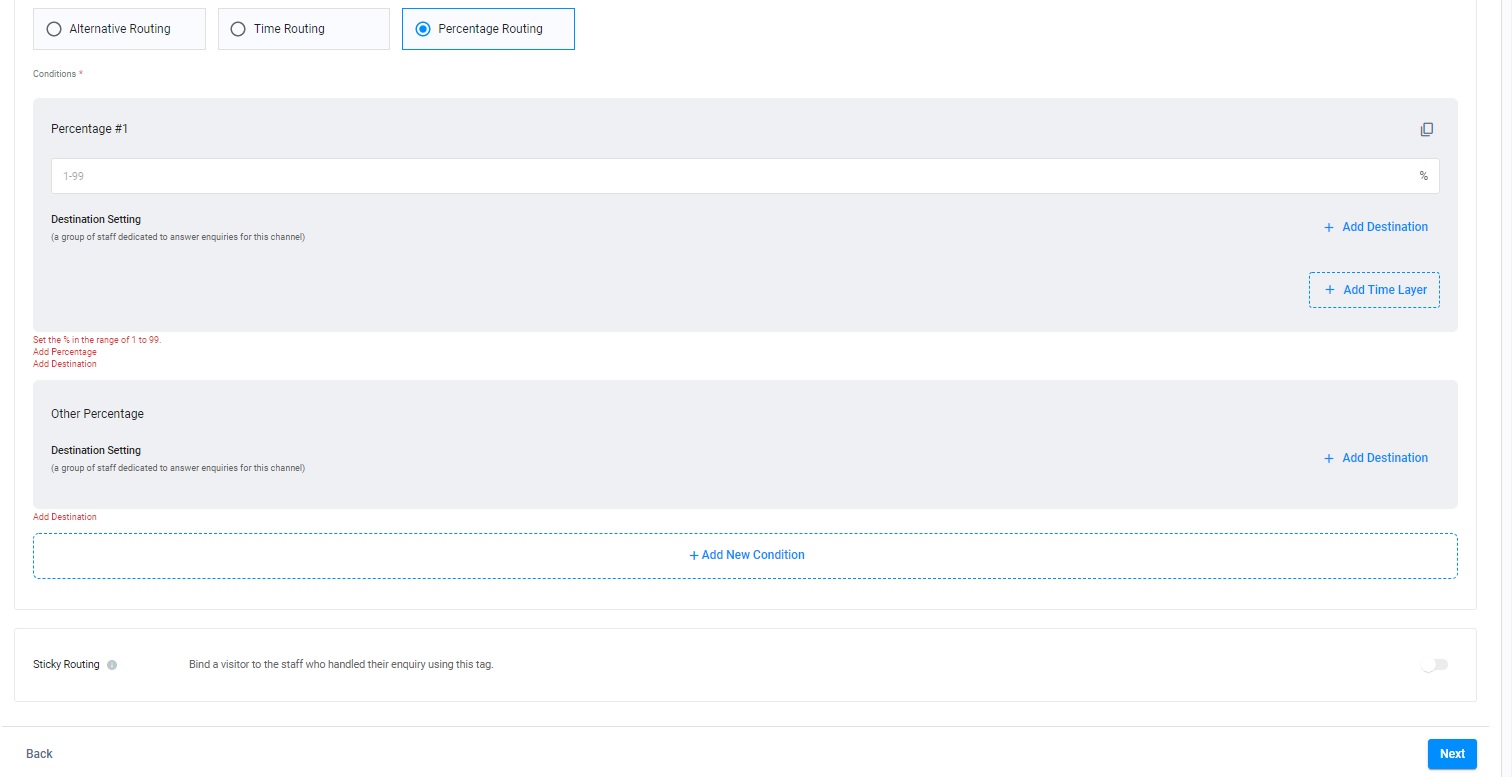
Time-based Routing
📘
The percentage value should be between 1 and 99.
How to add a time layer
It is optional for you to distribute incoming call enquiries based on the Time Zone additionally.
- Click on + Add Time Layer.
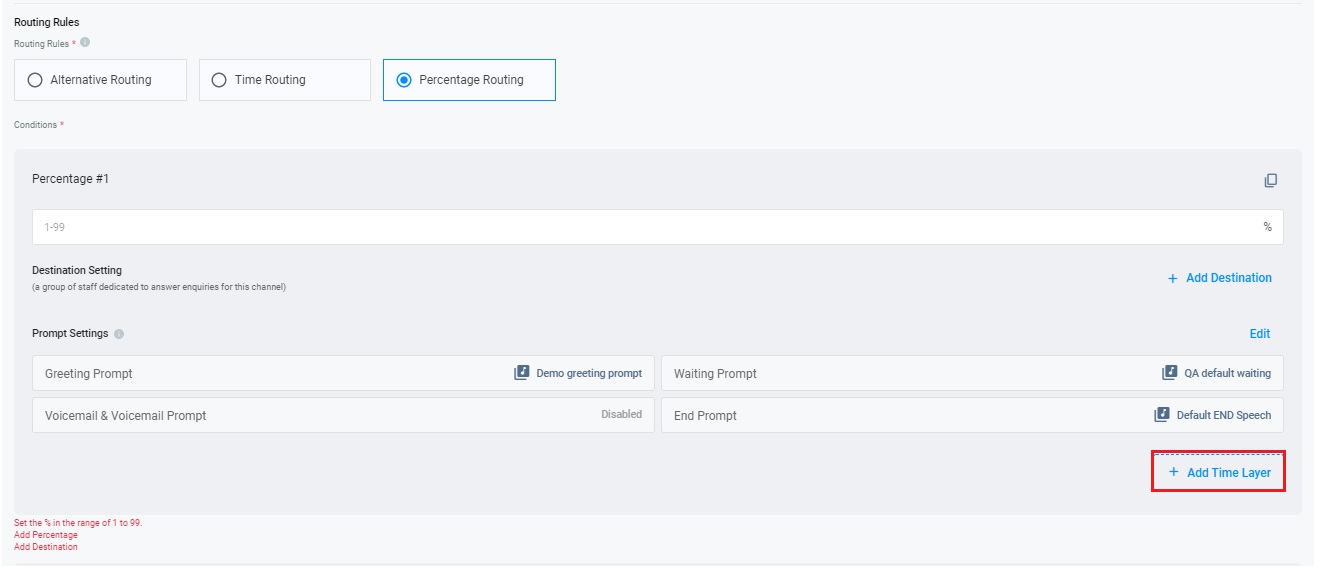
Click on Add Time Layer
- Click on the drop-down list of Select Days of Week and fill in the Start Time and End Time in Schedule #1. If required, fill in that in Schedule #2 and so on.
- Click on + Add Destination to select the Destination for Schedule #1, Schedule #2 and so on.
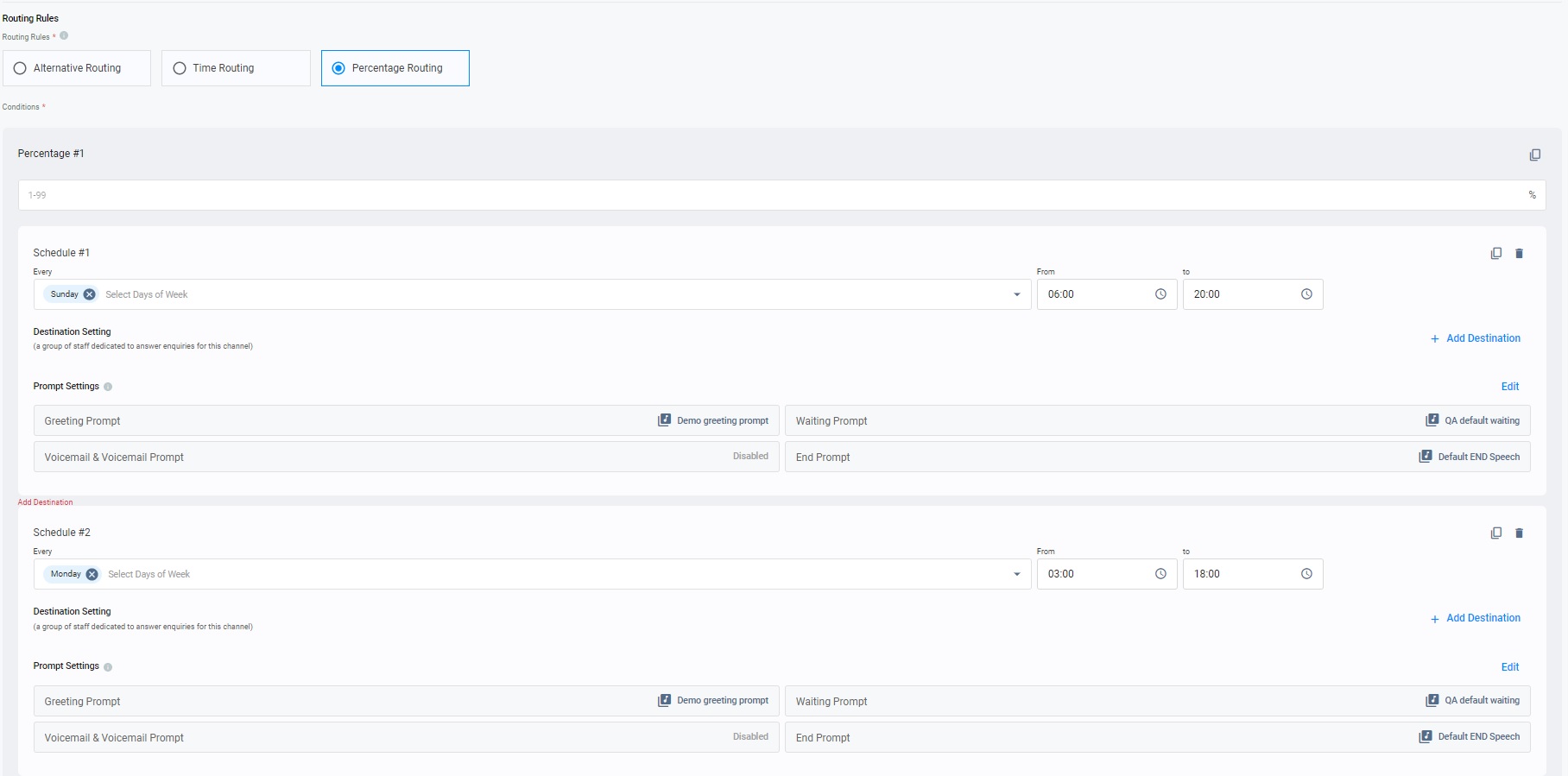
Enter the Start time and End time
- Click on Save and Confirm to complete the settings.
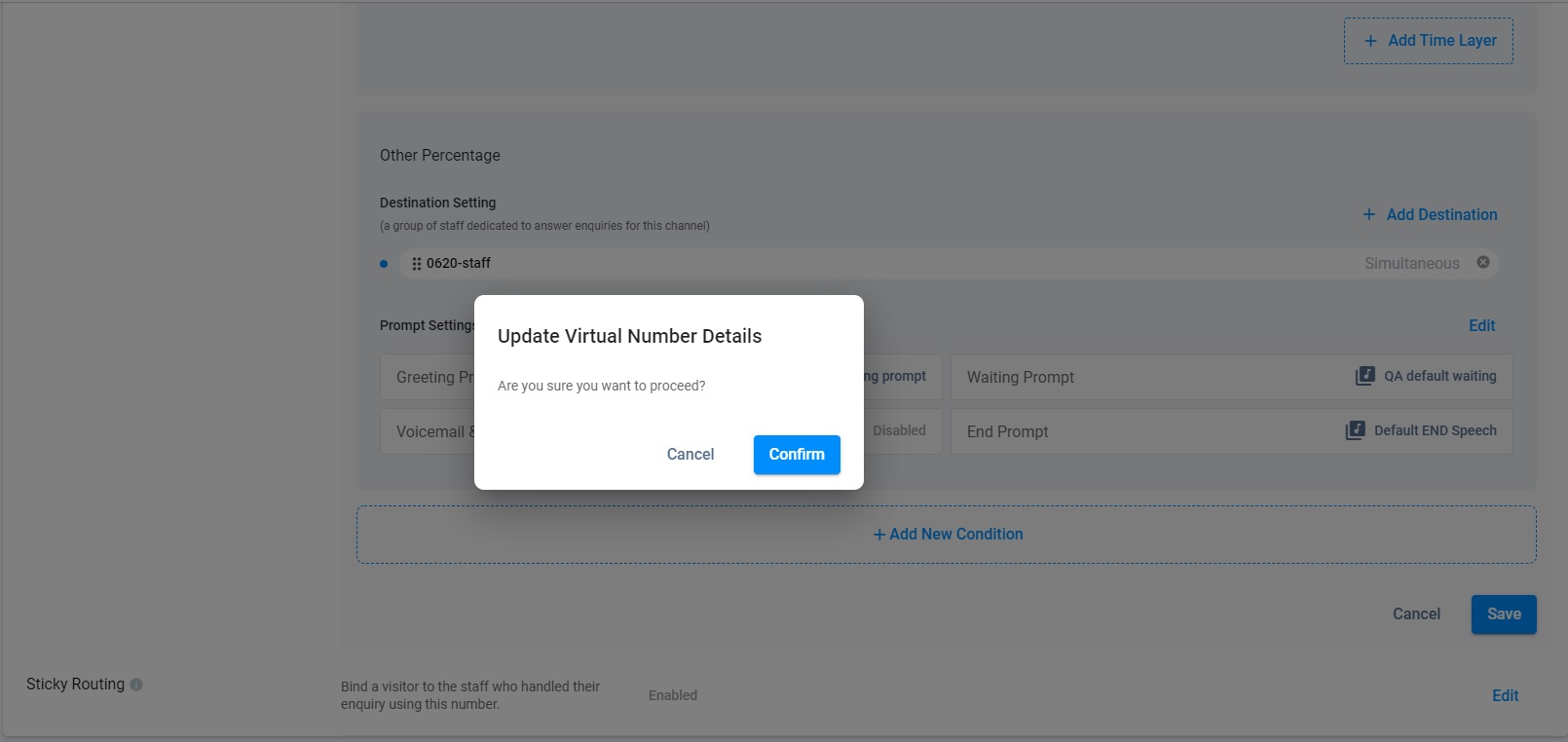
Routing Settings is completed
- The toast message indicates that the update (Percentage routing) is completed.
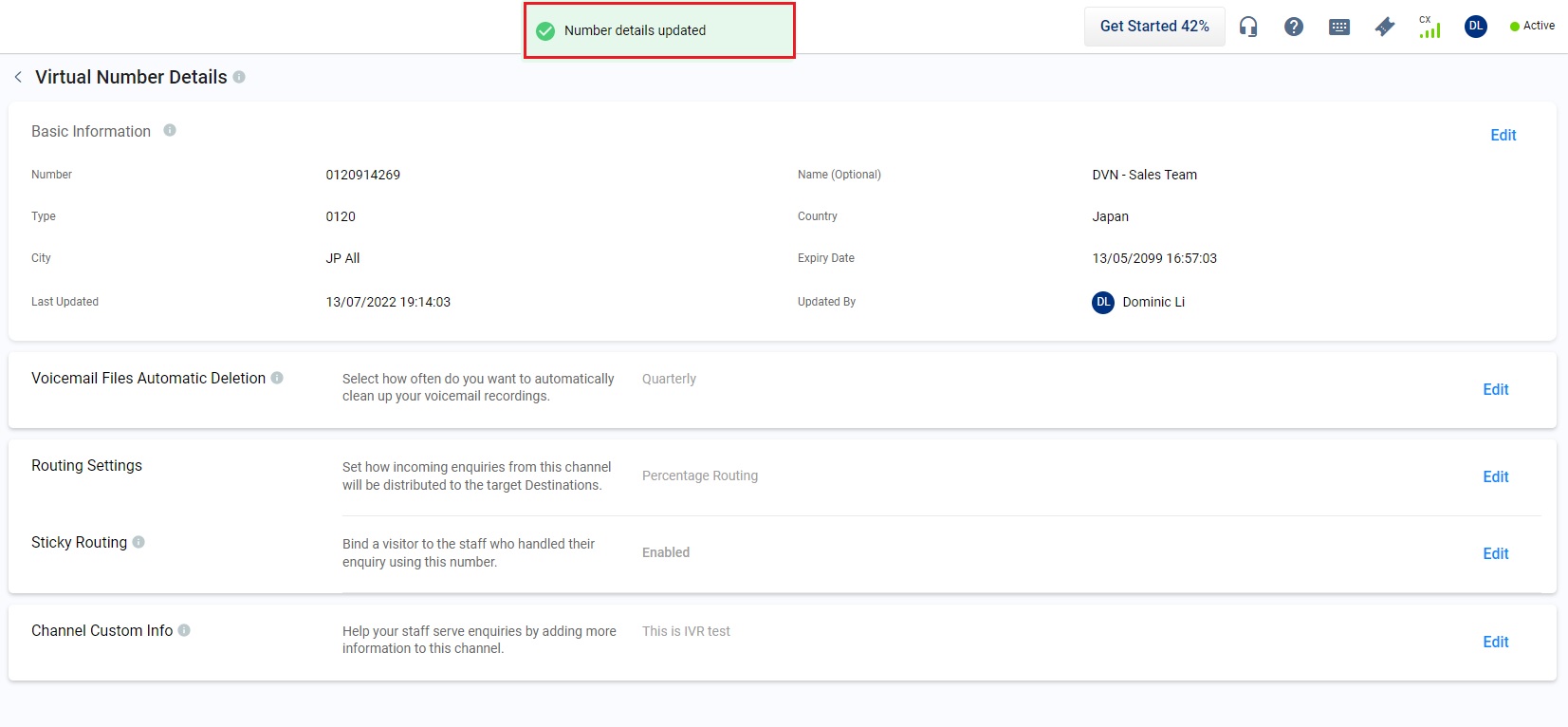
Routing Settings is completed
Manage the added routing settings
CINNOX allows you to duplicate and delete the added routing settings according to your needs.
Duplicate Settings
Duplicate Settings helps you save time and duplicate the settings from the original section instead of re-entering the same information individually to the new sections.
- Click on Duplicate.
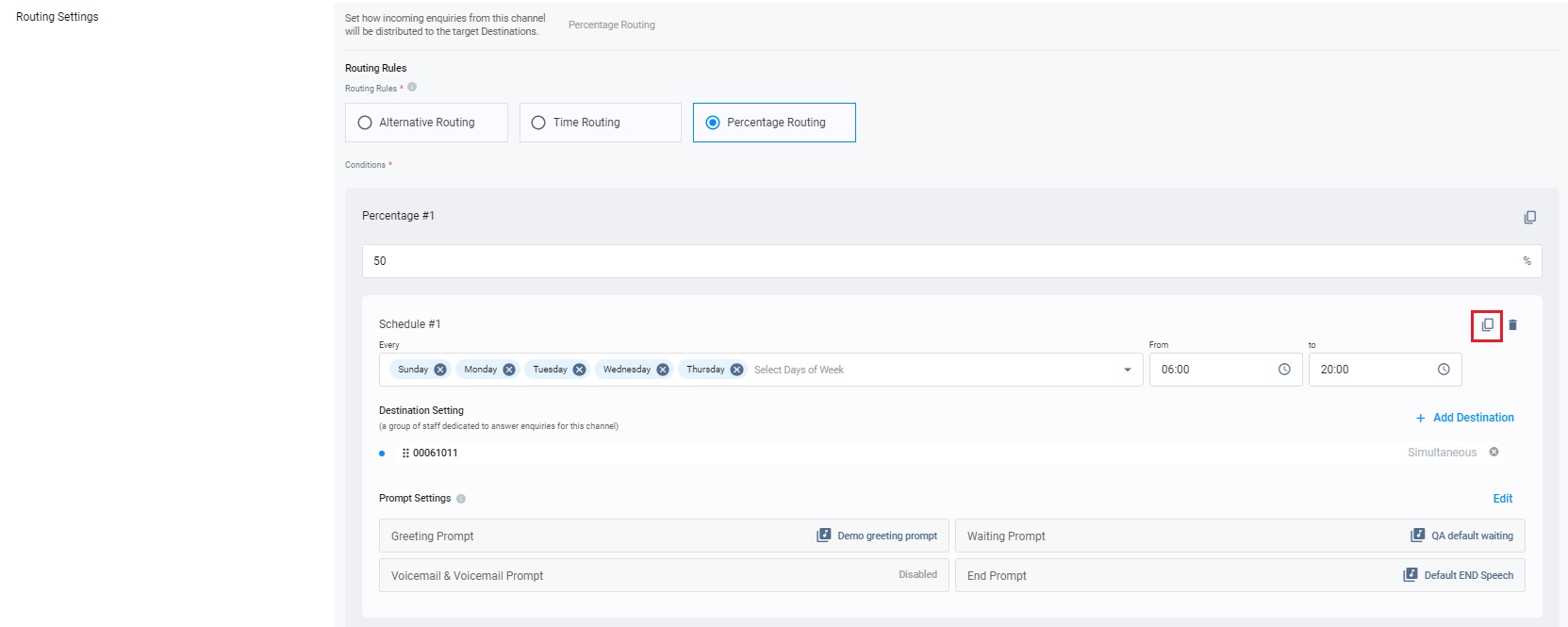
Click on Duplicate
- The duplicate section is placed next to the original section.
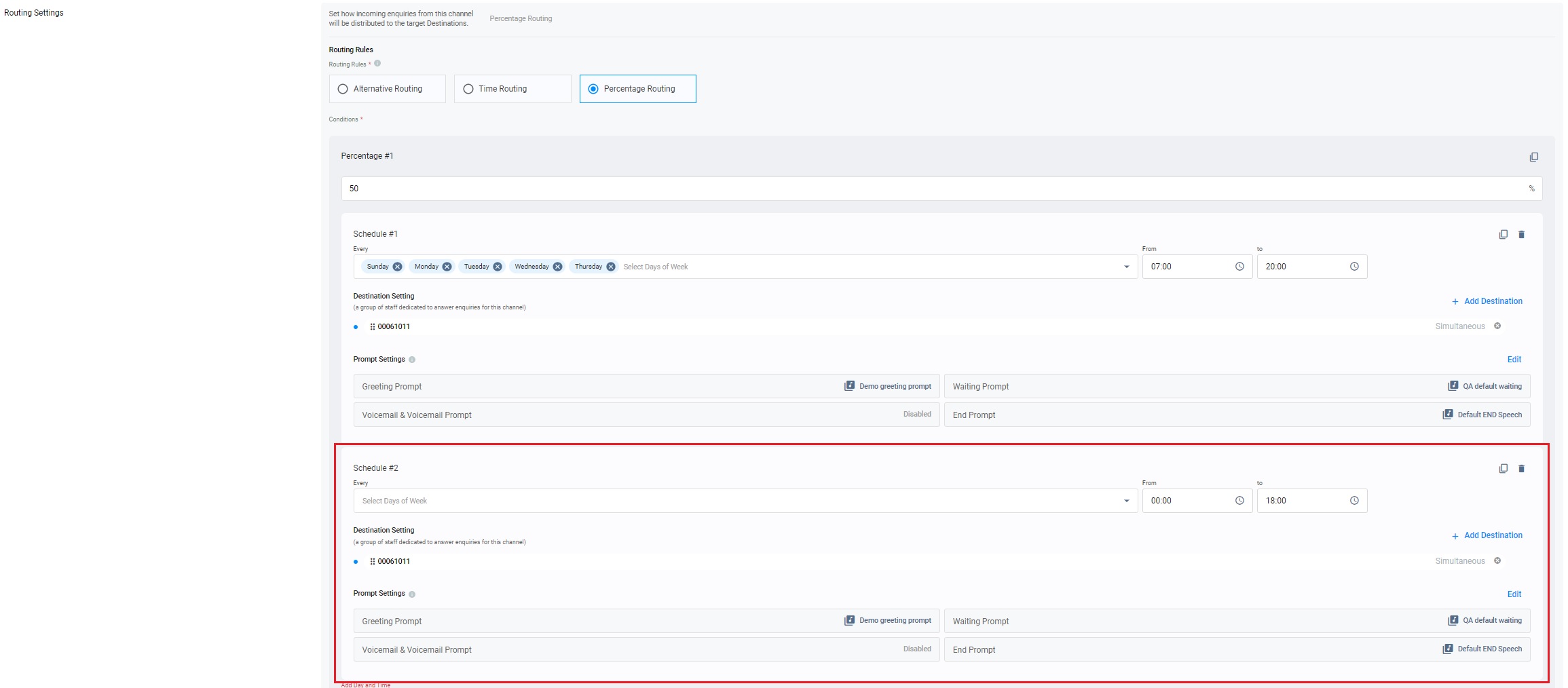
The duplicate setting
📘
- The duplicate settings will be numerically enumerated like Percentage #2, Percentage #3 or Time Zone #2, Time Zone #3, etc., next to the original one.
- The duplicate settings will inherit all Destination Setting and Prompt Setting from their original settings.
Delete the duplicate settings
To delete the duplicate settings for Time and Percentage Routings:
- Click on the trash bin icon on the added settings.
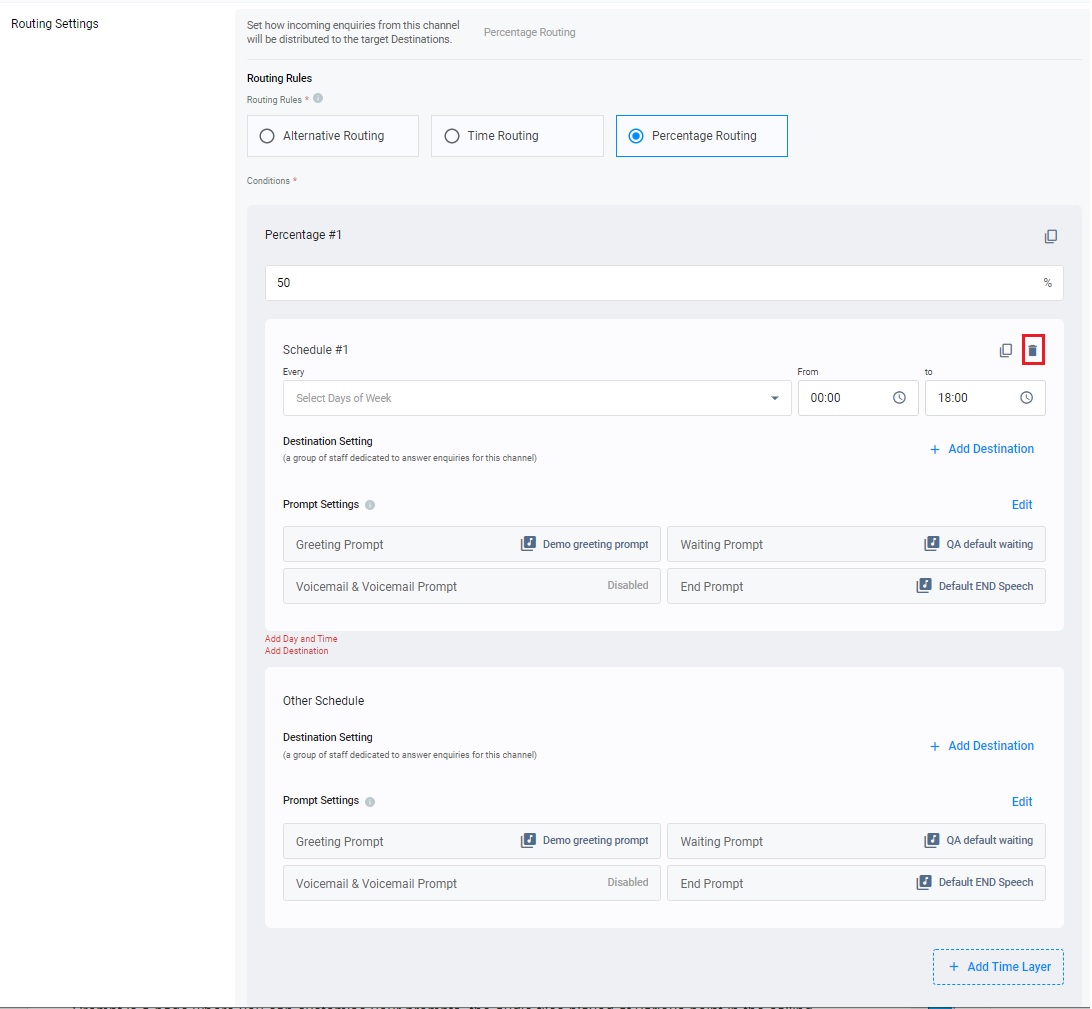
Click on the trash bin icon
- The duplicate setting is deleted.
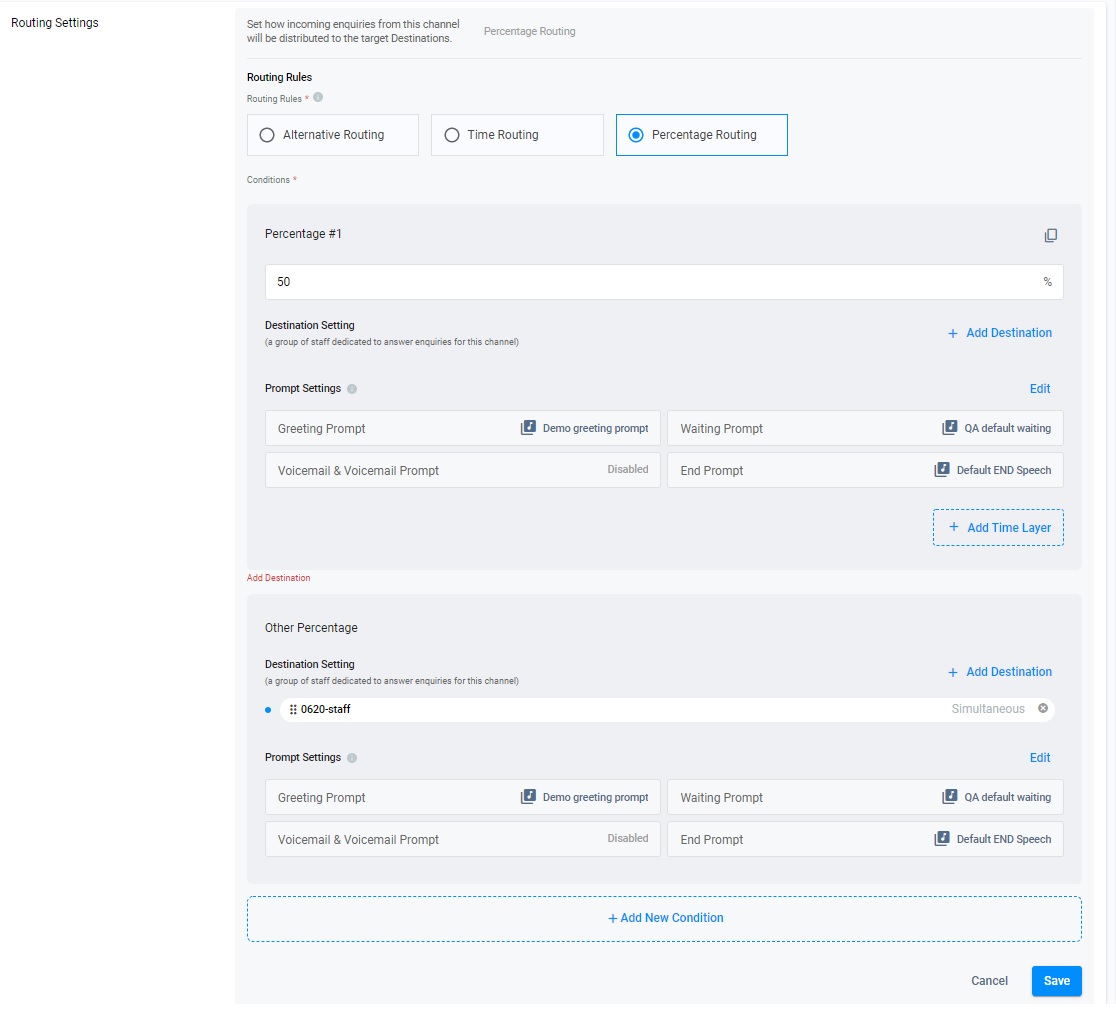
The duplicate setting is deleted
📘
- The original setting deleted will be replaced by the second setting.
- The Percentage #1 Settings in the Time Zone #1 Settings can be deleted if the Percentage #2 Settings in the same time zone setting have already been added.
- The Time Zone #1 Settings in the Percentage #1 Settings can be deleted if the Time Zone #2 Settings in the Percentage #1 Settings have already been added.
- If the percentage of the Percentage #1 Settings is deleted, Time Zone #1 Settings will inherit the Destination Setting and Prompt Setting, originating from the Percentage #1 Setting.
Sticky Routing
This routing rule establishes a relationship between a visitor and a specific staff member. New enquiries from the same visitor will be directly routed to someone that helped them in the past. Sticky routing can be useful when businesses want to provide a more personalised experience for their customers or when they have recurring enquiries from the same customers. By using sticky routing, you can help ensure that your customers are able to develop a relationship with your agents or teams, which can enhance customer loyalty and satisfaction over time.
To enable the Sticky Routing function:
- Toggle the button on.
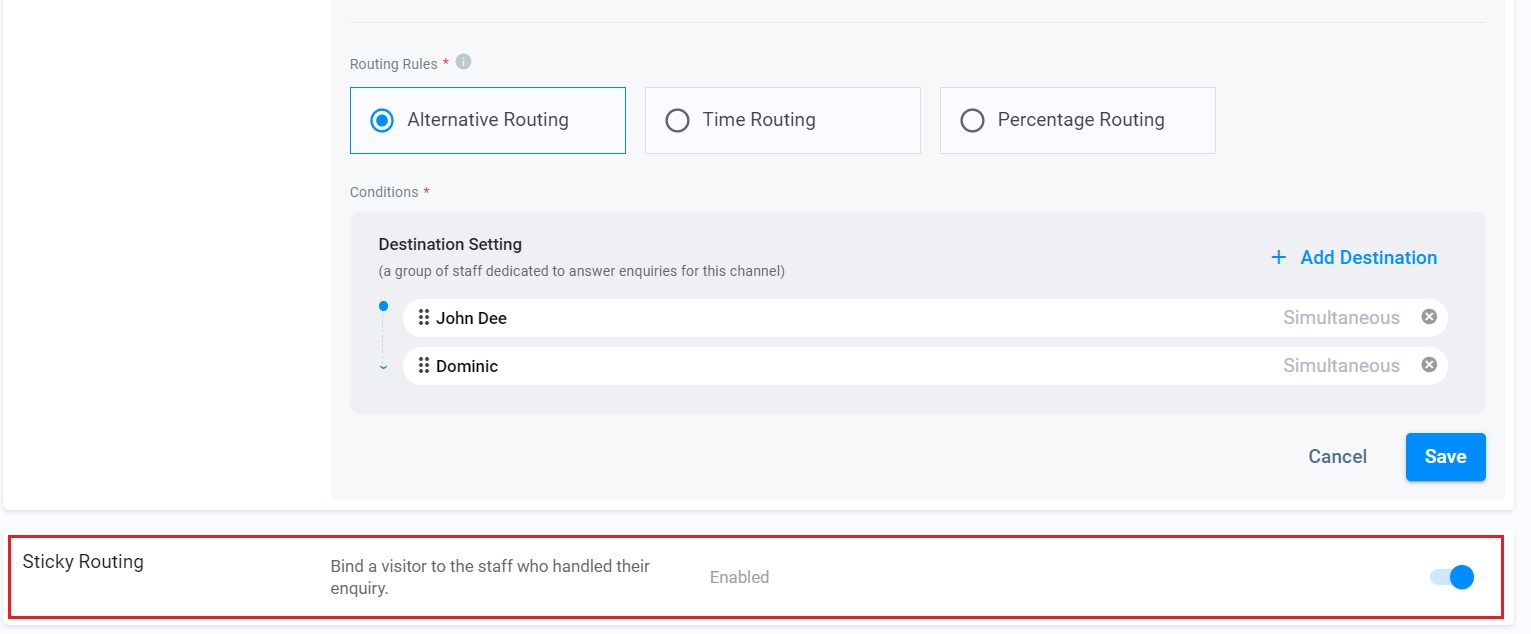
Toggle On Sticky Routing
- For Numbers and Email Channels, you can select the number of days when the visitor has sticky routing to the agent bound with. You can select "Never Expired" to keep the binding last.