
Recording and Transcript
Call Recording
When on a call with visitors, customers, or colleagues, taking notes helps you keep track of essential details but may prevent you from listening attentively.
Call recording lets you save your conversations to the cloud to revisit your discussions when you need to after the actual call. It works on the following call types:
- Enquiry Call - record voice and video calls (VoIP-to-VoIP Calls among Visitors and Staff members) in the enquiry room.
- Outbound Call - record outbound (PSTN) voice calls from Dial pad and Contacts.
- Internal Call - record voice and video calls (VoIP-to-VoIP calls among Staff members), including when dialled from an extension number.
- Conference Call - record voice calls in the conference room.
Depending on the settings made by your administrator, your calls may be recorded automatically, manually or no recording.
Automatic Call Recording
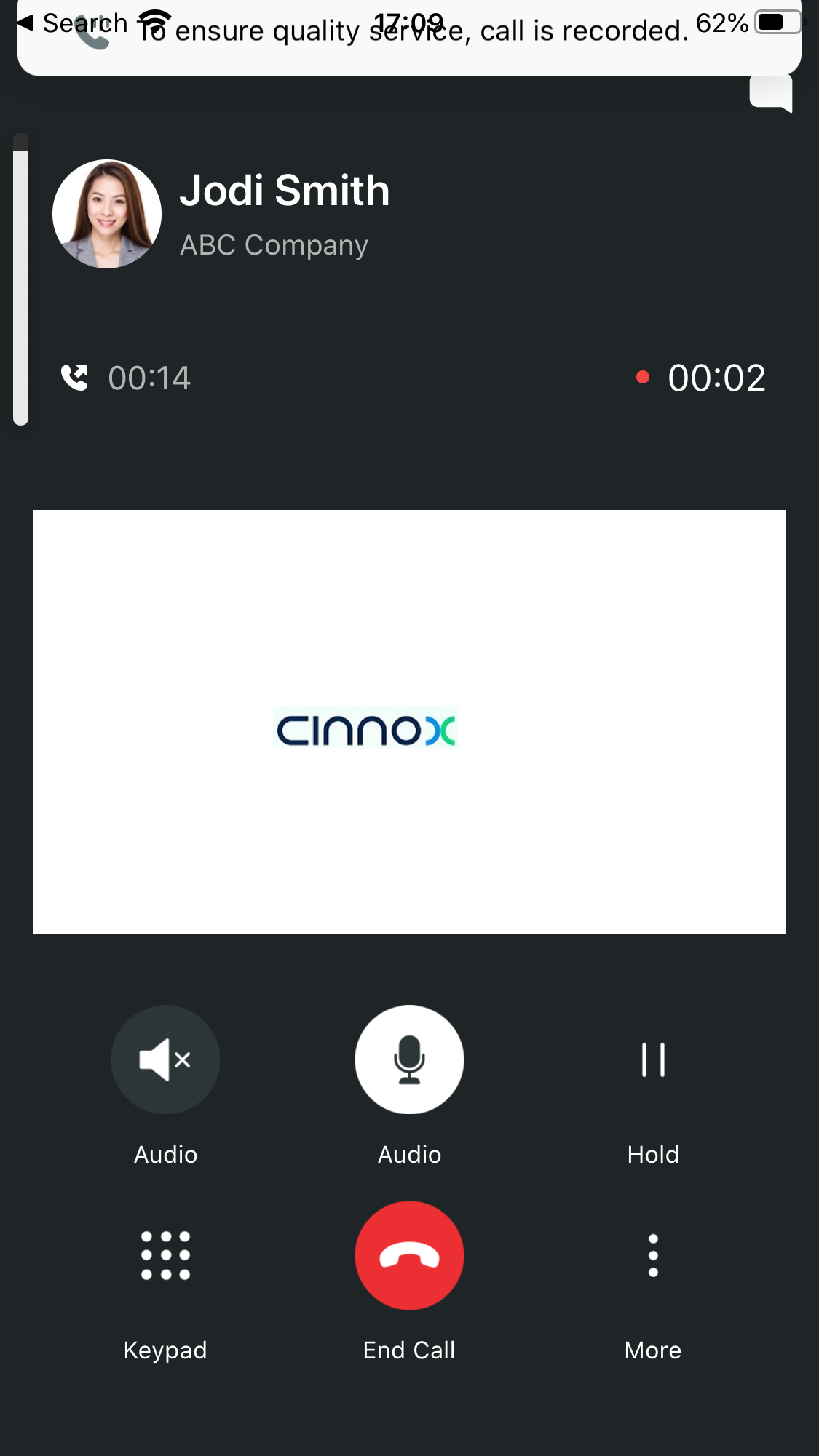
Voice or video call recording will start automatically once the call connects:
- A voice greeting will inform callers that the call is being recorded.
- The following message will flash on the call screen for a few seconds: To ensure quality service, the call is recorded.
- Call recording will automatically stop once the call ends.
Manual Call Recording
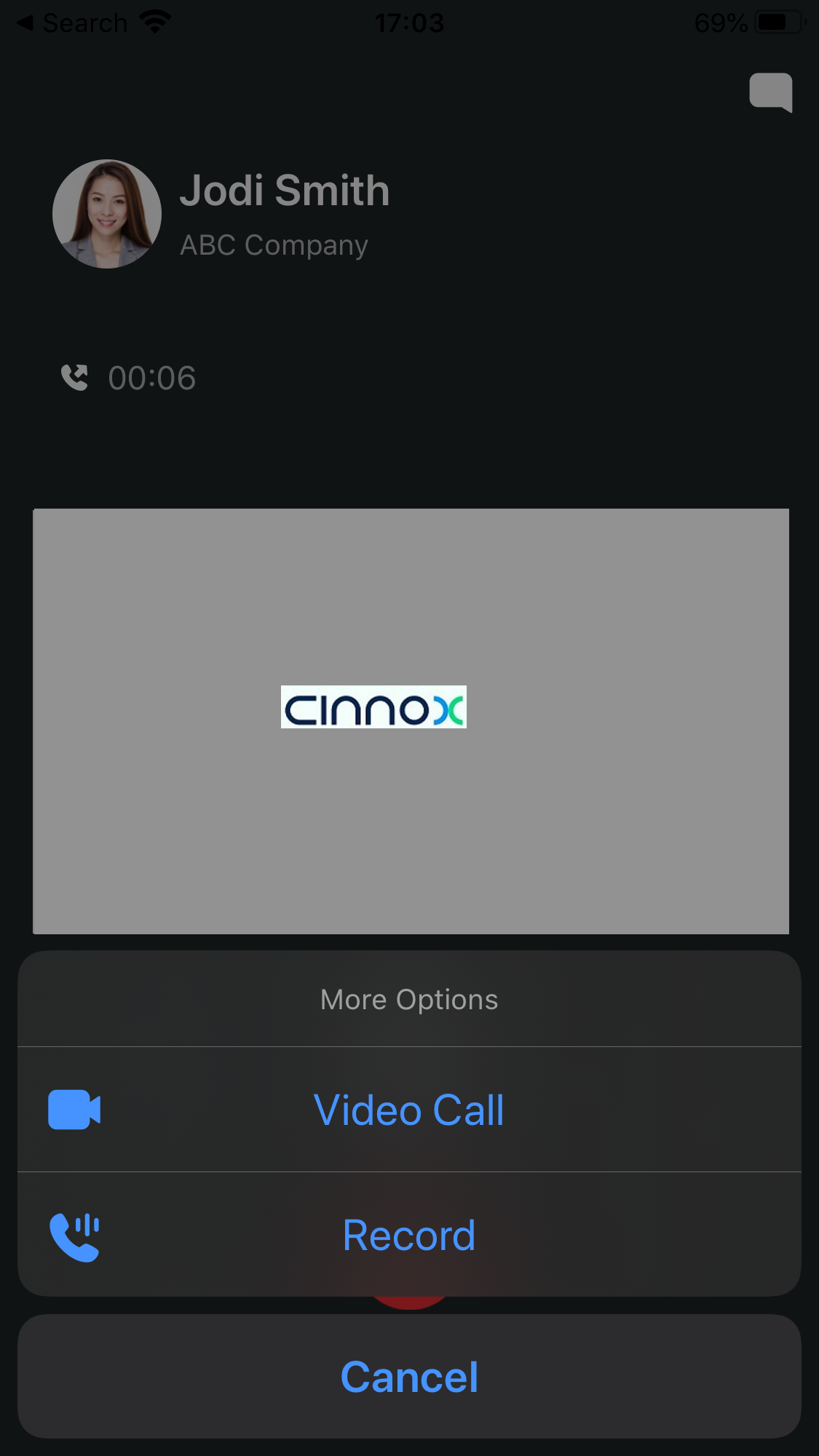
Voice or video call recording will only start once you tap More > Call Recording on your call screen:
- A voice greeting will inform callers that the call is being recorded.
- The following message will flash on the call screen for a few seconds: To ensure quality service, the call is recorded.
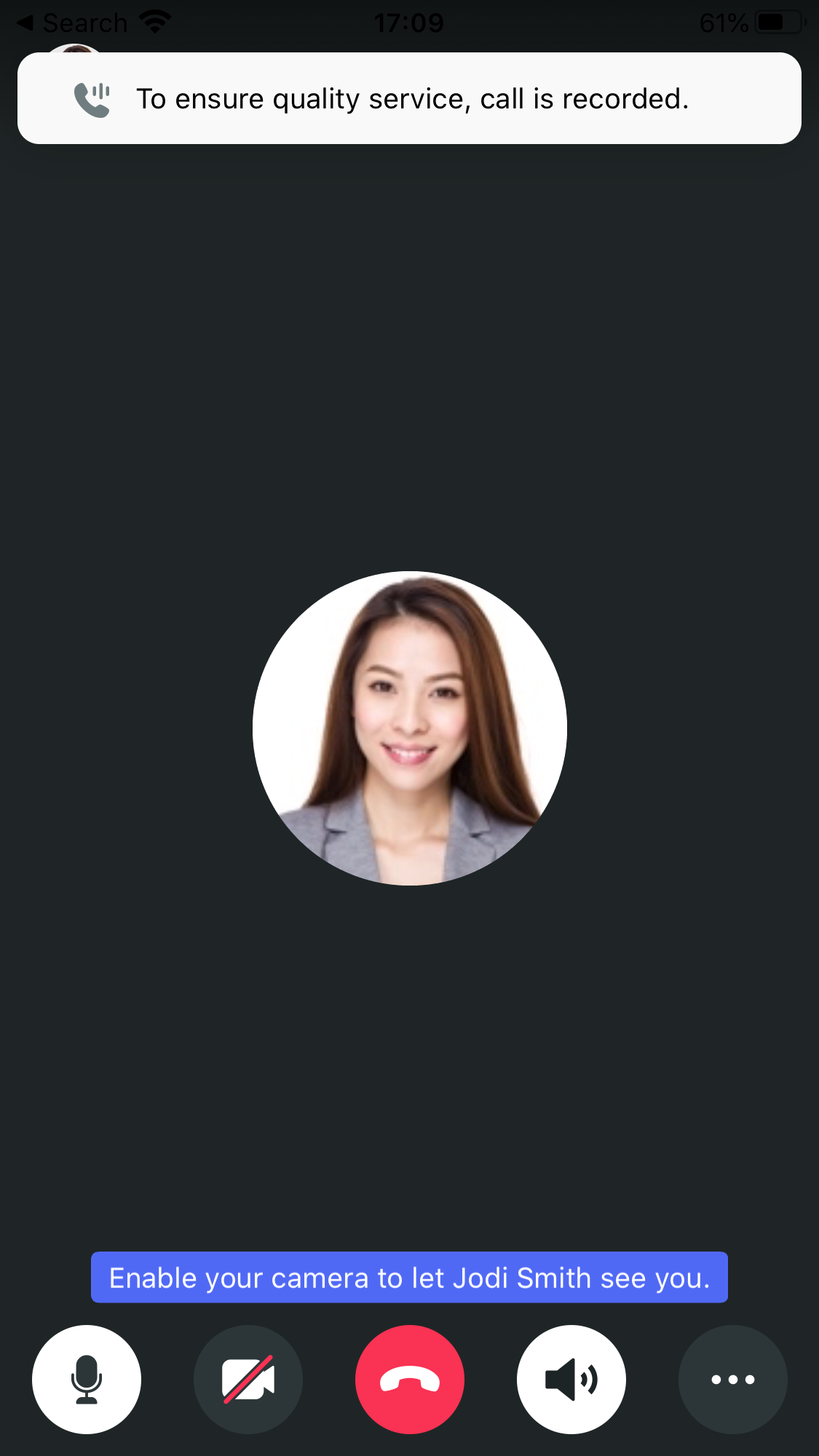
- Call recording will automatically stop once the call ends.
Audio Transcription
Listening to recordings can consume more time, especially when you want to know critical points during the discussion. Audio transcriptions help to read and understand the context of a call. This helps to find customer details and resolves the issue quicker.
Depending on the settings made by your administrator, your recorded calls may be converted to Auto Transcription or No Transcription. Refer to Call Types Recording Preferences and Audio Messages Transcript Preferences in the User Guide for the Transcription Settings.
Auto Transcription: Recorded calls, voice notes, and voicemails will be transcribed automatically and viewed and downloaded.
No Transcription: The recorded calls, voice notes, or voicemails will not be transcribed.
Call Recordings and Transcripts
Every time you or anyone else makes or receives a call on CINNOX, call history is logged into the room, creating a call log. The Enquiry Call, Inbound and Internal Calls can be recorded and transcribed to view and download in our CINNOX Mobile App.
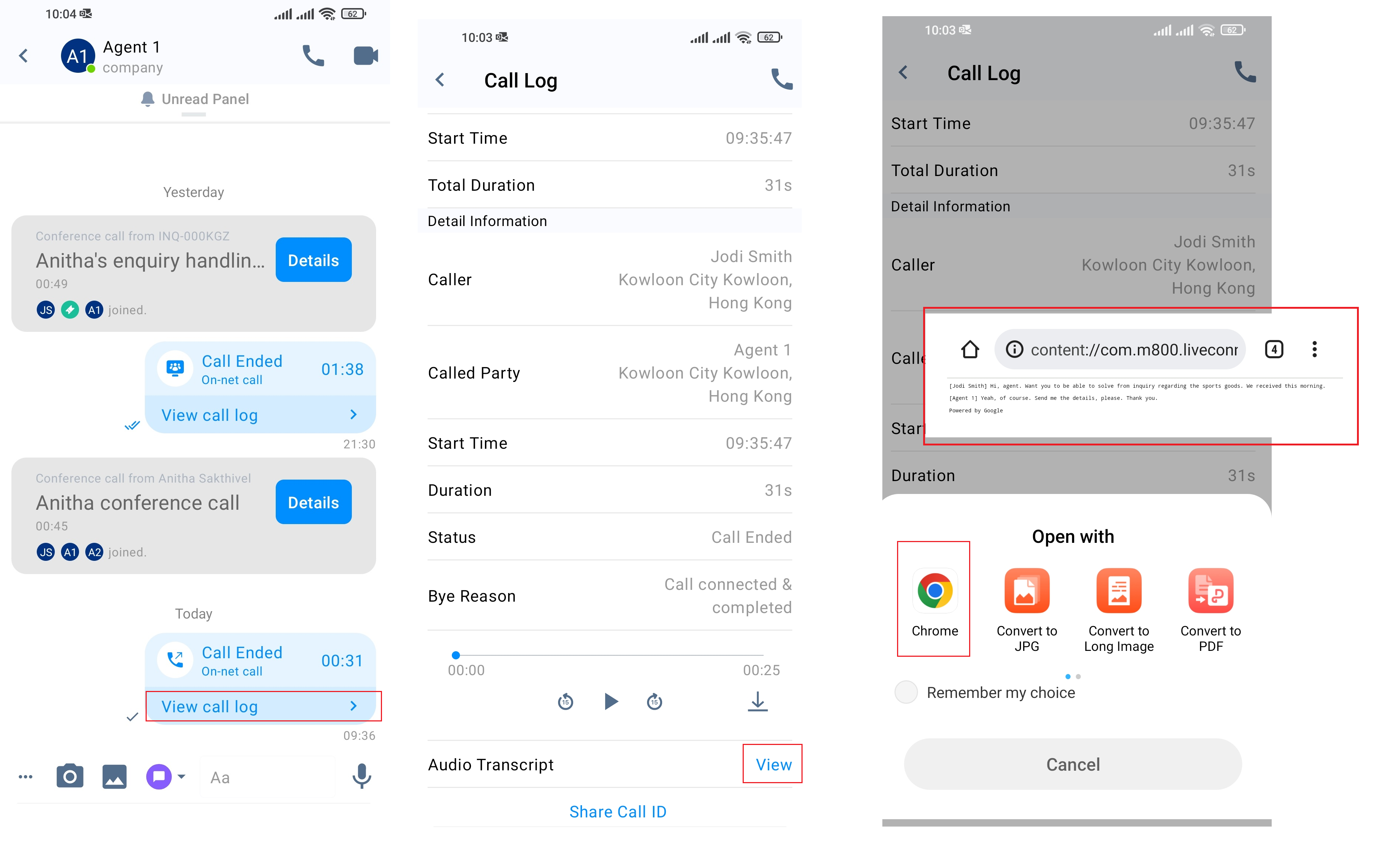
How to view the recording and transcripts from Call Log
- Click on the Space -> View Call Log on the transcript required customer chat.
- The Call Log window will open. You can find the Recording File in this window.
- To listen to the recording, click on the Play icon.
- To download the MP3 (audio recording file) or MP4 (video recording file), click on the Download icon.
- Click on the View in the Audio Transcript button to see the transcription of the recorded call.
- Open with window pop-up. Click on the required file type to view the transcribed file.
Call Recording and Transcripts
Voice Note Transcripts
Voice Notes sent by your team members can be transcribed to view in your CINNOX Mobile App.
How to view the Voice Note recording and transcript
- Click on the Spaceto find the Recording File in this window.
- To listen to the recording, click on the Play icon.
- To download the MP3 (audio recording file) or MP4 (video recording file), click on the Download icon.
- Right-click on the required voice note and the Transcript option will appear on the menu.
- Click Transcript to view the transcribed Voice Note.
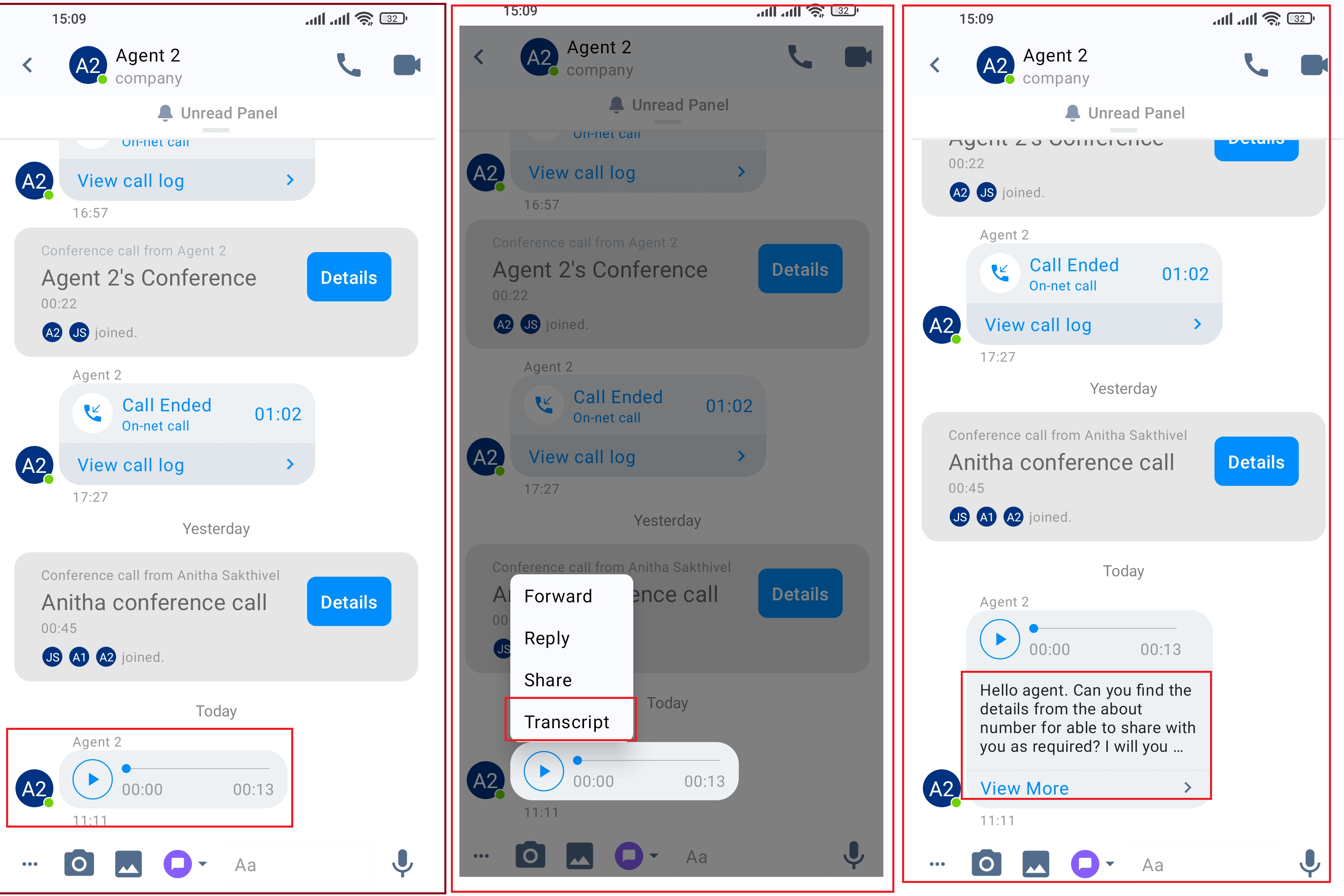
Voice Note - Recording and Transcript
Voicemail Transcripts
Voicemails from your customer for enquiry can be transcribed to view and download in your CINNOX Dashboard.
How to view Voicemail recordings and transcripts from Call Log
- Click on the Spaceto find the Recording File in this window.
- To listen to the recording, click on the Play icon.
- To download the MP3 (audio recording file) or MP4 (video recording file), click on the Download icon.
- Right-click on the required voicemail, Transcript option will appear on the menu.
- Click Transcript to view the Transcript of the Voicemail.
📘
Limitations
- Audio Transcription can be enabled only when the manual or auto recording option is activated.
- Transcription of calls, voice notes and voicemails is available for audios longer than 5sec.
- Support for tagging up to 2 speakers in the transcription of 1-1 call recordings. Transcription of conference recordings does not support tagging speakers.
- The number of participants in the conference depends on the purchased plan.
- Forwarding voicemail/voice message transcriptions between chat rooms is not supported.
- Audios can be affected by recording quality, accents, and background noise. So the accuracy of the Audio transcriptions cannot be guaranteed since Google STT supports this feature.
- Audio Transcription is supported for English and Chinese audios only.