
Closing an Enquiry
An enquiry can be closed when the visitors' questions or concerns have been answered or resolved by agents. When an enquiry is closed, conversations between the visitor and the agent are terminated immediately.
Until you or your visitor closes the enquiry, the chat room where you have conversations will stay in the Recent Chats of your Workspace - Utility Panel.
Visitor closes the enquiry
When a visitor closes an enquiry, a notification will pop up on your Workspace, telling you that the enquiry has ended.
- Click on OK. The enquiry's status will change from Ongoing or Followed-Up to Closed.
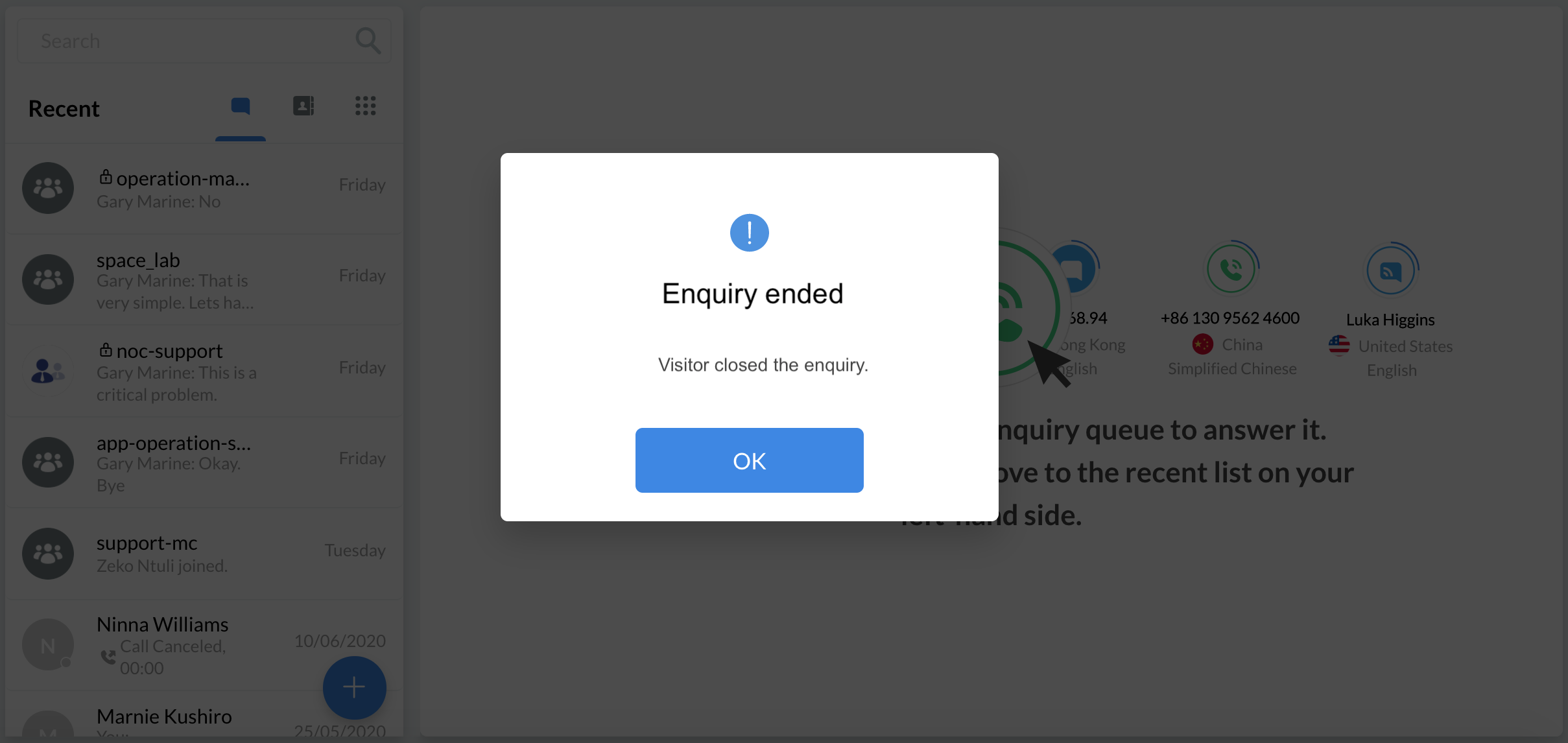
The visitor closes the enquiry
Staff closes the enquiry
To close an enquiry from your Workspace:
- Click on More(...) inside a chat room, then select Close Enquiry. A pop-up message will appear, asking you to confirm the action.
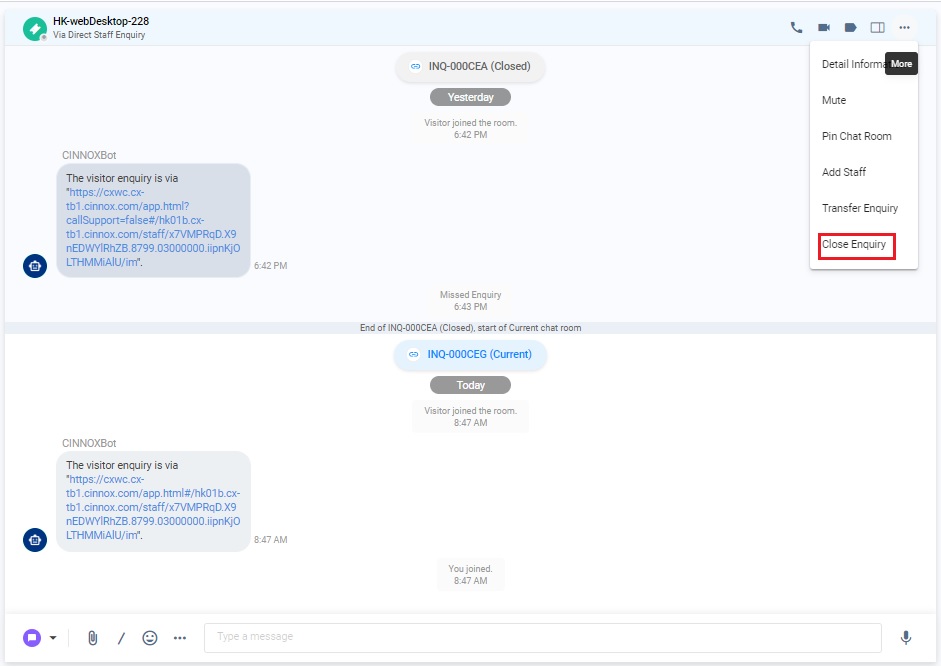
Staff closes the enquiry
- Click on Confirm. The enquiry's status will change from Ongoing or Followed-Up to Closed.
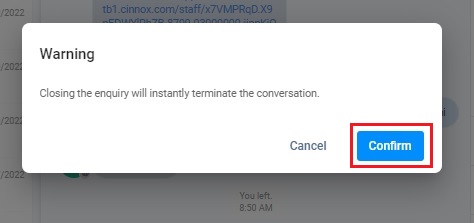
Staff closes the enquiry
The system closes the enquiry
The system will send the auto close notification when the chat room doesn't have a new chat or email message after the set day and time.
For details on configuring the day and time for sending the auto-close notification, please refer to the section Managing Auto Close Enquiry.
How do visitors resume the conversation after that enquiry has been closed?
After staff or the system closes the enquiry, the "Still have questions" button appears in the visitor's chatroom. When visitors have questions, they can click this button, and the enquiry will resume. This button has already been introduced to the chatroom via the Web link or Widget.
The image below shows the button "Still have questions" in the chatroom.
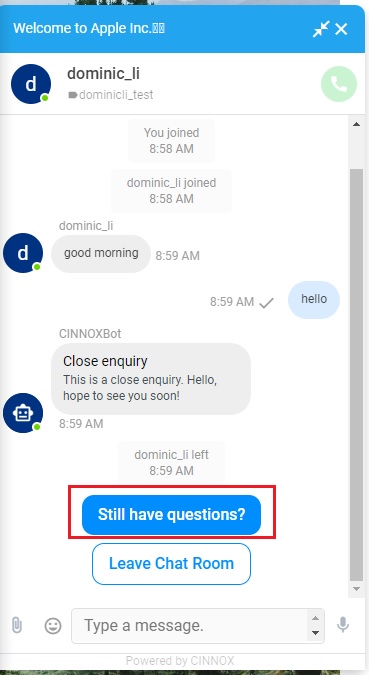
The button in the widget chatroom
Closed Enquiries
CINNOX archives closed enquiries in the Enquiry Overview. Please refer to this Guide's Enquiry Overview section for more details.