
Transferring Chat
While assisting customers, there may be situations where their needs require the expertise of another staff agent. In such cases, you can transfer the ongoing chat enquiry seamlessly to a colleague who can better address the customer's concerns
👍
Let the customer know that they are about to be transferred to another agent. It should contain the reason behind the transfer to manage their expectation.
Two types of Chat Transfer
Loopback Transfer
A loopback transfer lets you quickly transfer an enquiry to another tag or staff agent. The transfer occurs instantly, ensuring efficient handling of the enquiry. If the assigned party does not pick it up, the enquiry will return to you for further handling.
Blind Transfer
A blind transfer lets you promptly transfer an enquiry directly to another tag or selected staff agent. The transfer occurs instantly, ensuring swift handling of the enquiry. If the assigned party does not pick it up, the enquiry will become a "missed enquiry."
How to do a Loopback Transfer
To loopback transfer a chat enquiry:
- On the chatroom screen, tap the Visitor Name, then select Loopback enquiry at the bottom of the visitor's Room Information.
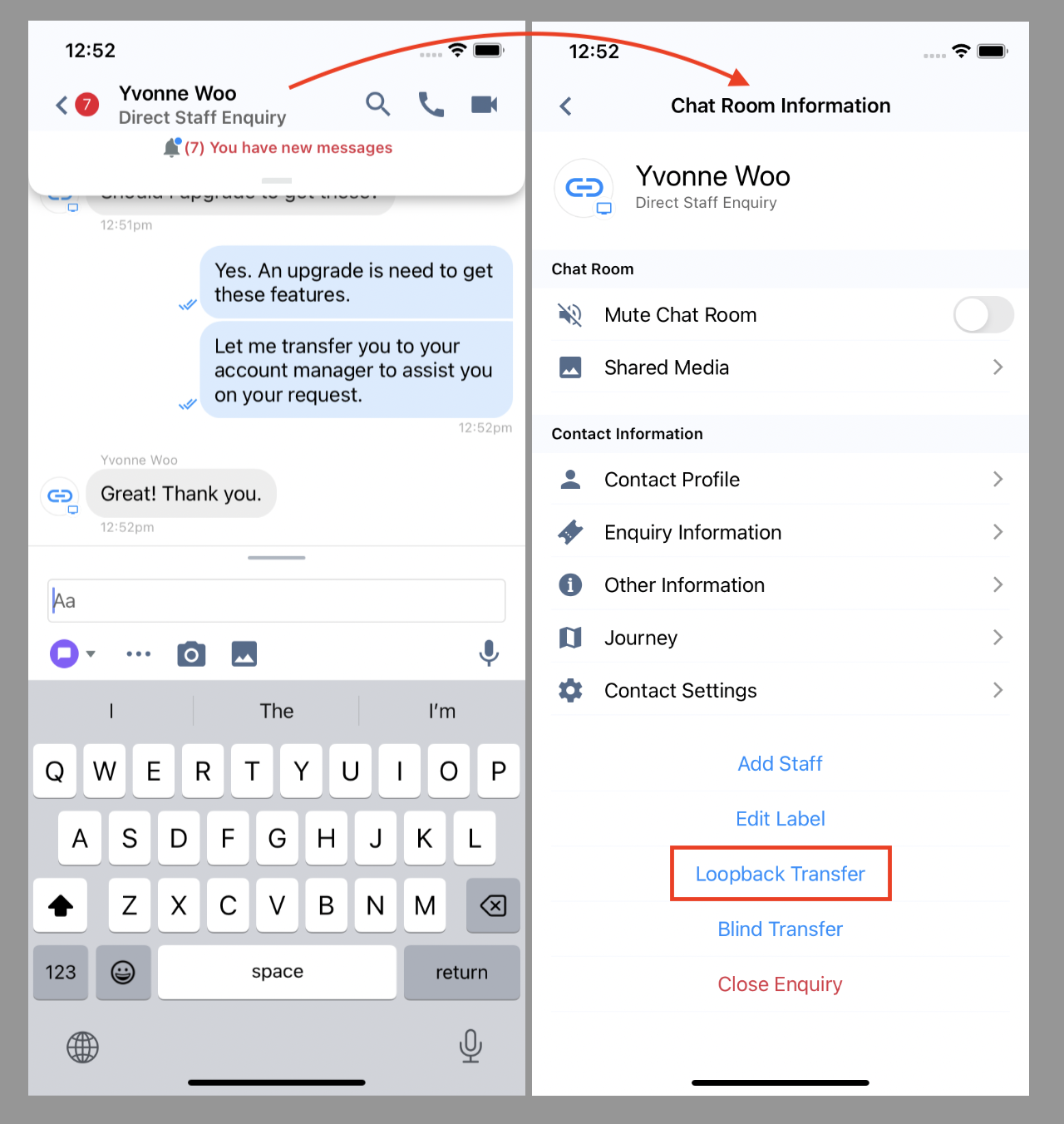
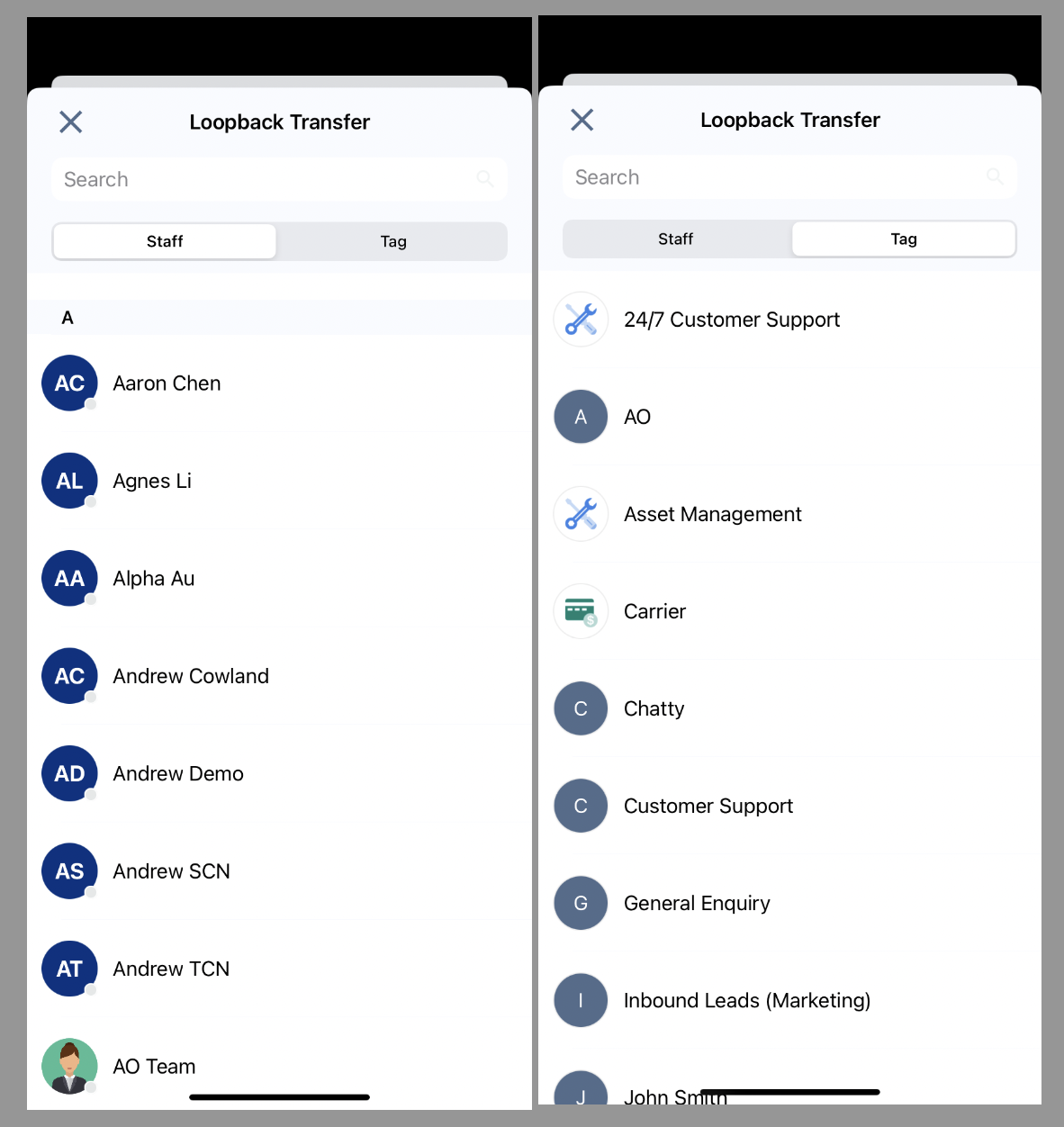
- Select the Staff member you wish to transfer the enquiry on the pop-up window that will appear.
- You may also transfer the enquiry to a Tag by tapping the tab on the top of the screen and switching from Staff to Tag list.
- A confirmation dialogue will appear to confirm the loopback transfer.
- You are about to transfer the enquiry to {Staff or Tag Name}. If the assigned party does not pick up the enquiry, it will return to you to continue handling it.
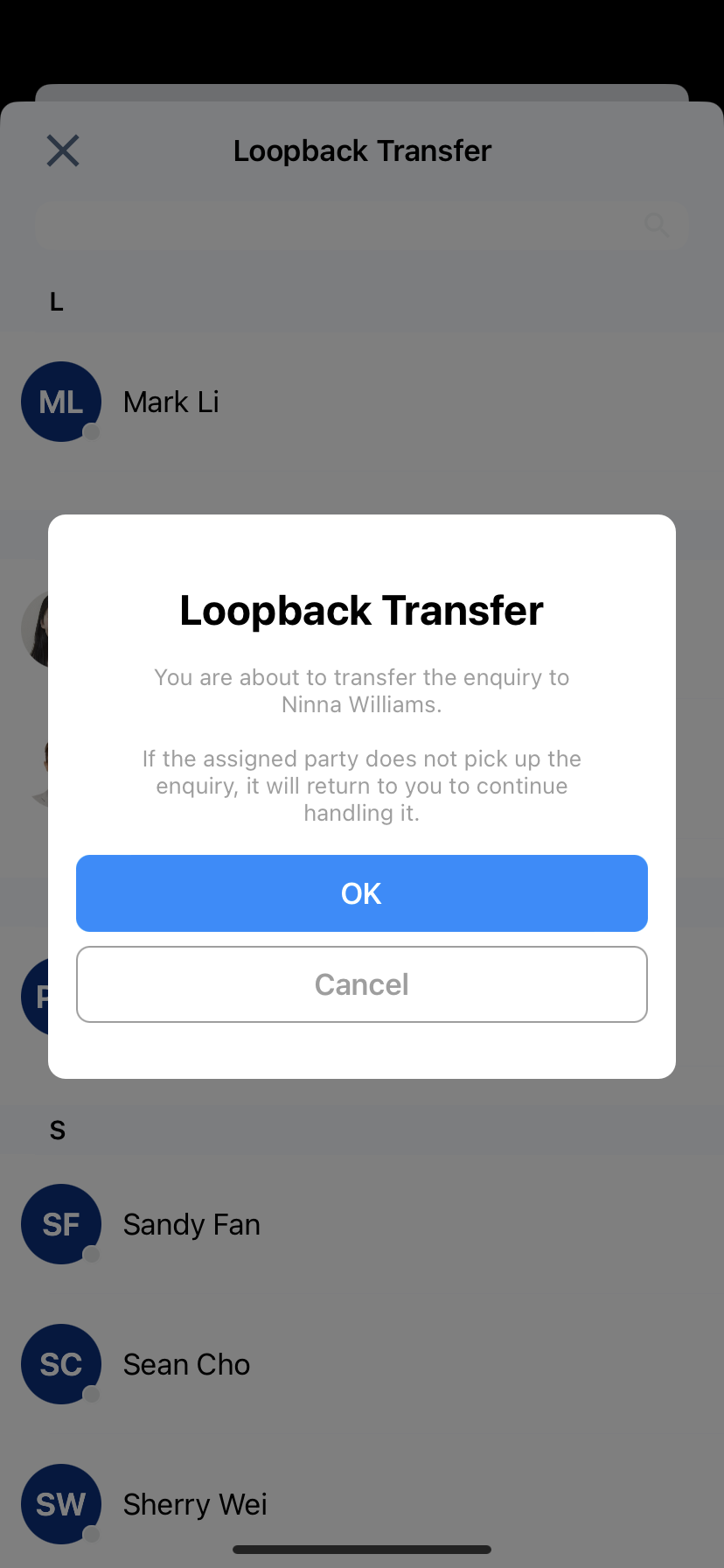
- Tap OK.
CINNOX will transfer the enquiry to the other staff member or Tag. If the enquiry transfer is successful, the visitor enquiry room will disappear from your Recent Connection list in your Workspace.
Otherwise, the enquiry will remain in your Recent Connection list to continue the conversation.
How to do a Blind Transfer
To blind transfer a chat enquiry:
- On the chatroom screen, tap the Visitor Name, then select Blind enquiry at the bottom of the visitor's Room Information.
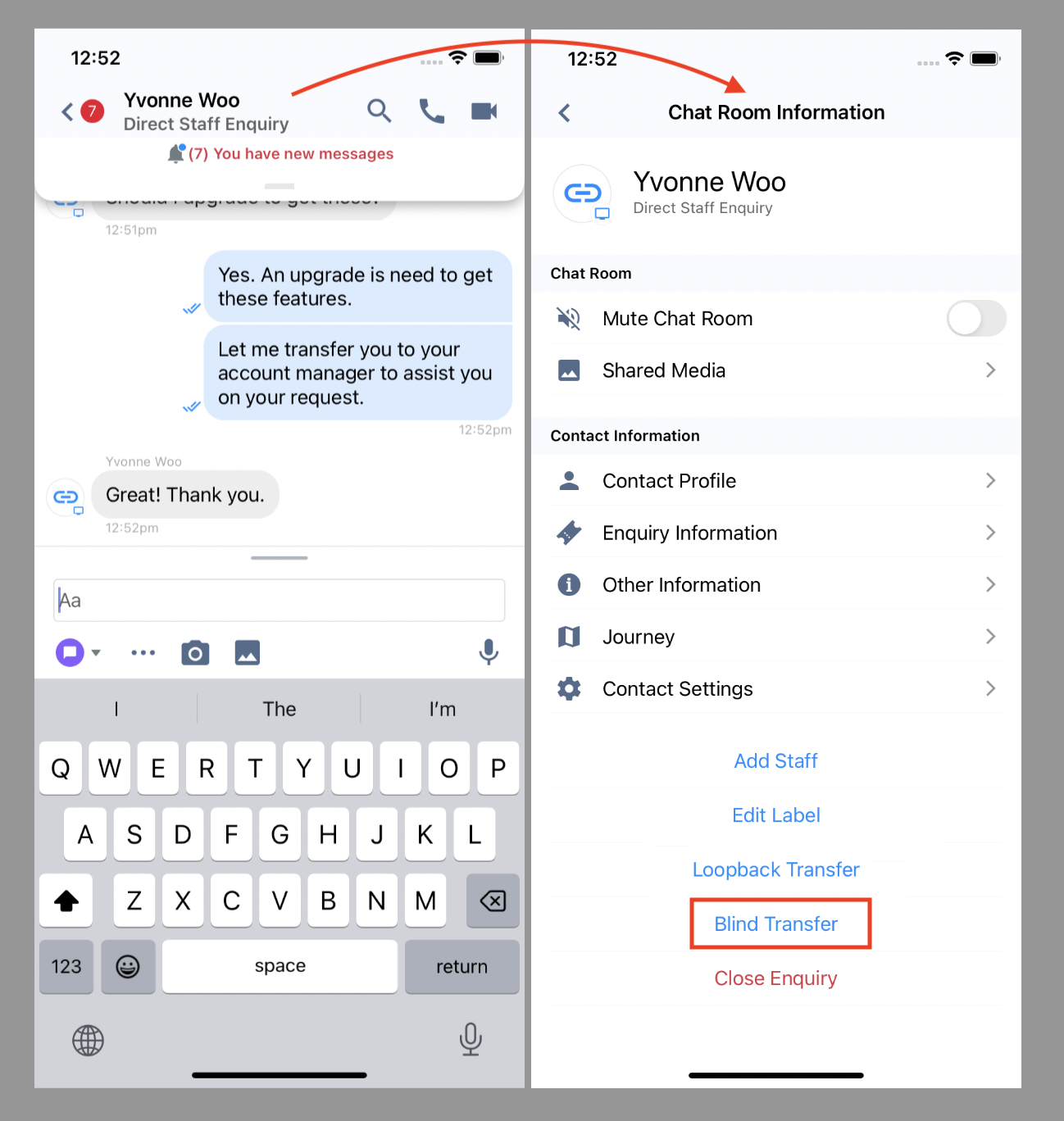
- Select the Staff member you wish to transfer the enquiry on the pop-up window that will appear.
- You may also transfer the enquiry to a Tag by tapping the tab on the top of the screen and switching from Staff to Tag list.
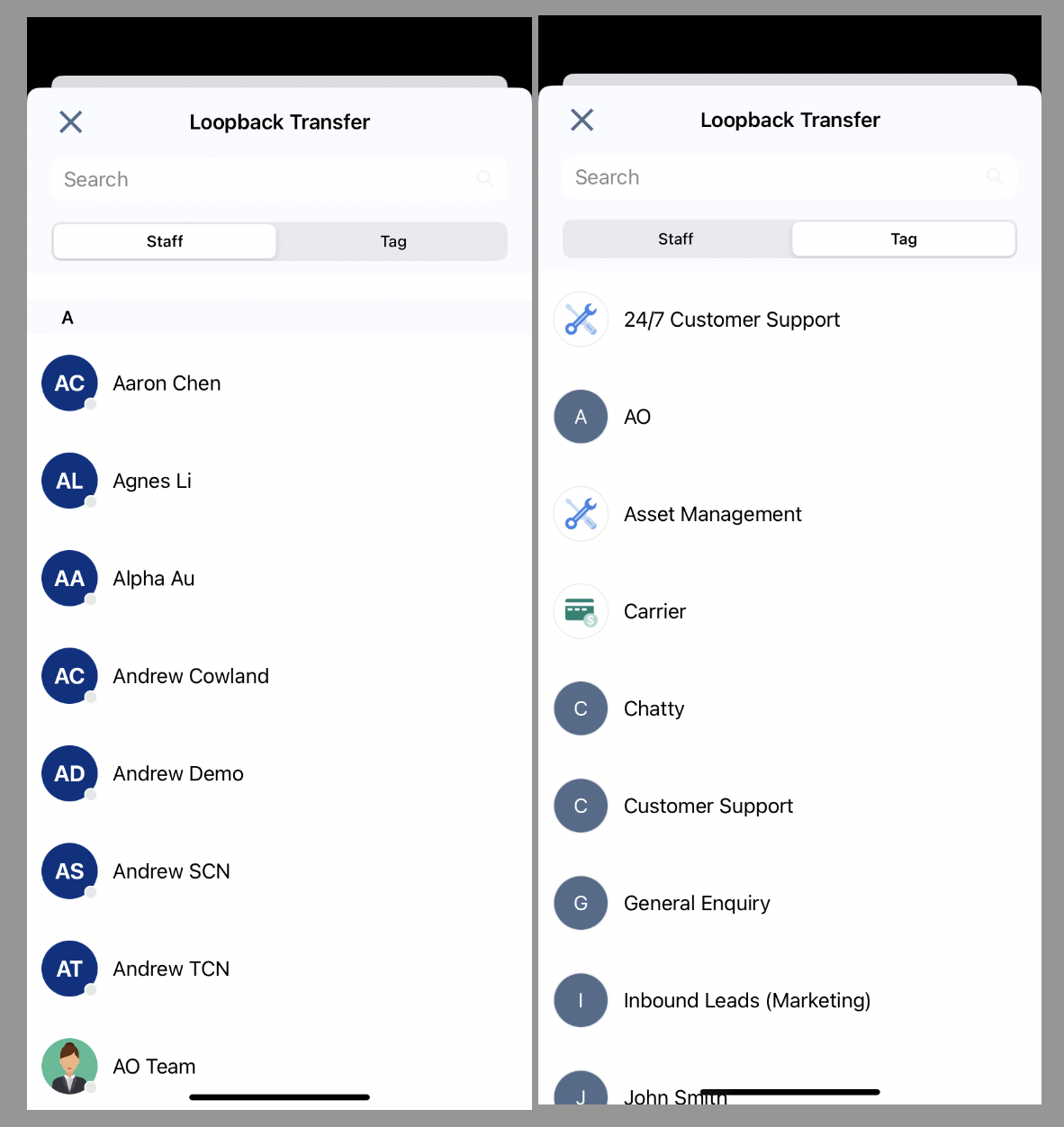
- A confirmation dialogue will appear to confirm the loopback transfer.
- You are about to transfer the enquiry to Elona Holmes.
The enquiry will be transferred immediately. If the assigned party does not pick it up, it will become a "Missed Enquiry". You cannot undo this action.
- You are about to transfer the enquiry to Elona Holmes.
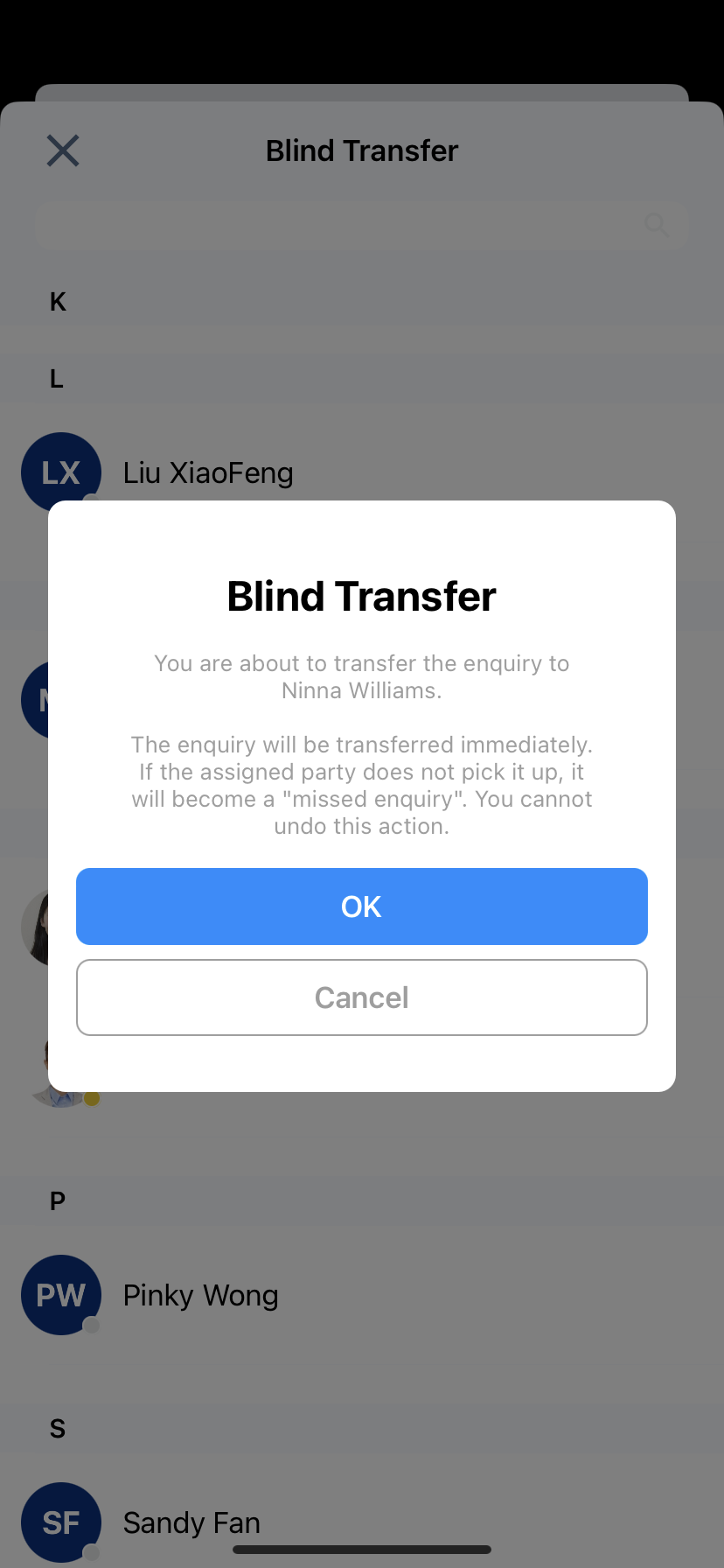
- Tap OK
CINNOX will transfer the enquiry to the other staff member or Tag. If the enquiry transfer is successful, the visitor enquiry room will disappear from your Recent Connection list in your Workspace.
Otherwise, the enquiry will be listed in the Missed Enquiry List.
Accepting Enquiry Transfers
The other agent with a transferred enquiry will appear in their Enquiry Panel and Centre as another broadcast or direct enquiry.
To accept an enquiry transfer:
- Tap the enquiry icon that will appear in your Enquiry Panel.
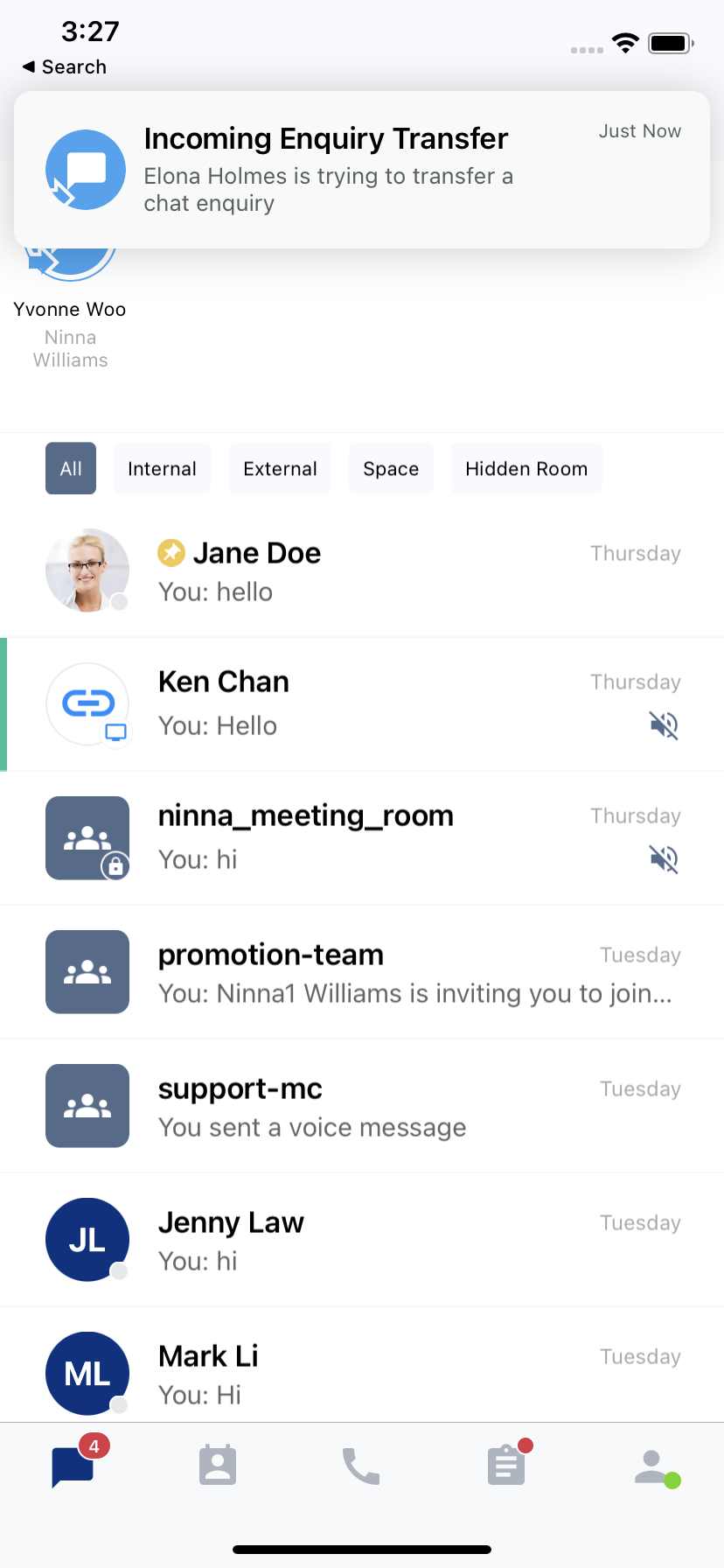
- In the enquiry chat room on your Workspace, you can see the name of the previous staff member who handled the enquiry and their last conversations with the visitor.
- You may now continue the conversation with the visitor or customer.