
Search...
Menu
Viewing the WhatsApp Report
The WhatsApp Report on CINNOX provides a comprehensive view of your WhatsApp outbound messages sent through the Open API. It enables you to access and view all of your sent WhatsApp messages and the associated delivery statuses.
To access the WhatsApp page, navigate to your CINNOX Dashboard, then click Reports > Message Report > WhatsApp Report
WhatsApp Report Details
The screenshot below displays the WhatsApp Report Details and the different information about the WhatsApp message:
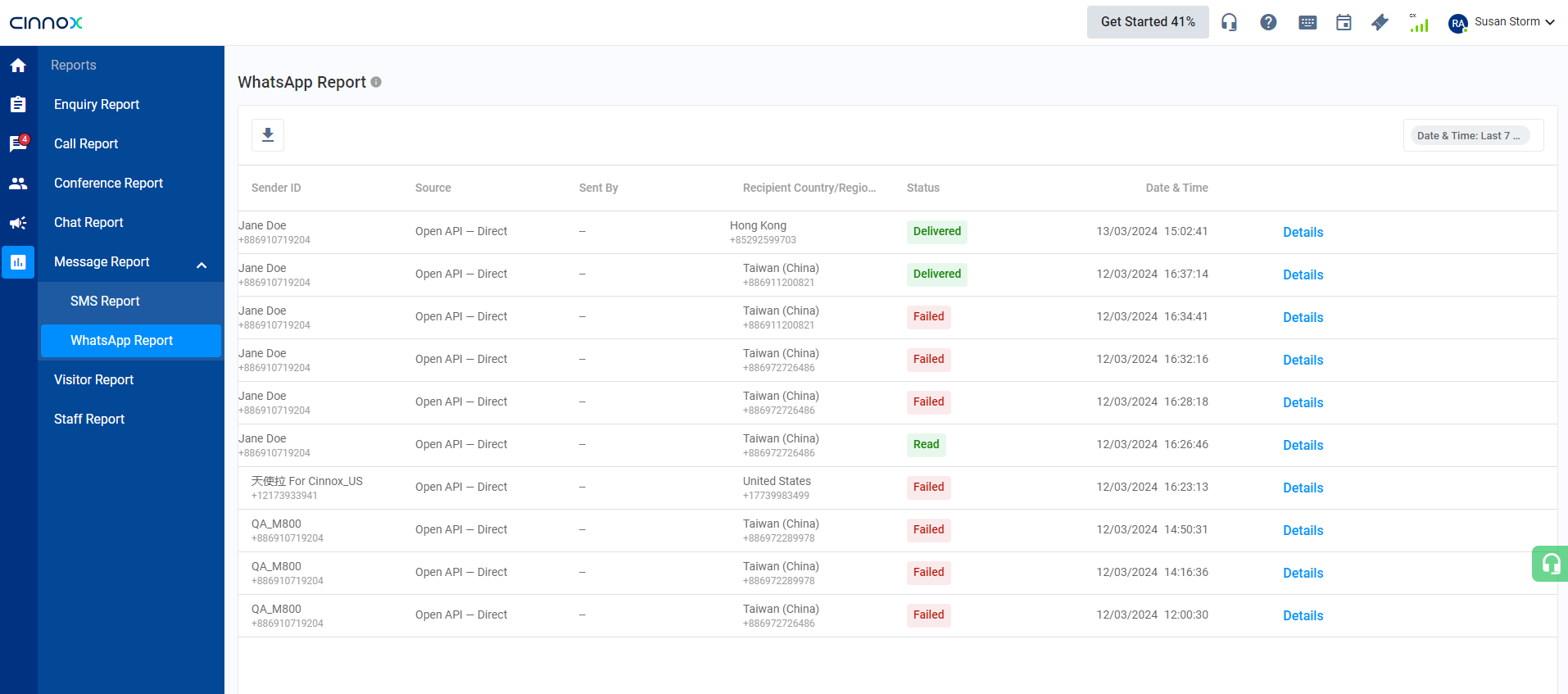
WhatsApp Report
Click Details to view the WhatsApp content that was set.
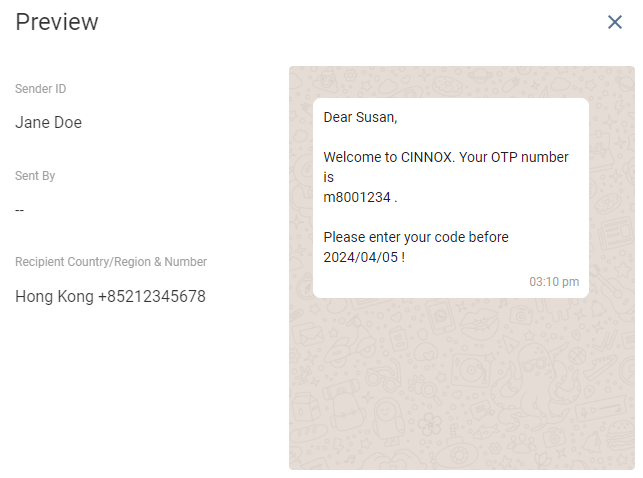
WhatsApp content
WhatsApp Overview
Overview Filter:
- Send Date & Time (default to Last 7 Days)
- WhatsApp Sources
- Open API - Direct = The WhatsApp sent using the CINNOX Open API.
- WhatsApp Status
| Status | Description |
|---|---|
| Delivered | The WhatsApp message has been submitted to the recipient |
| Read | The recipient successfully read the WhatsApp message. |
| Pending | The WhatsApp message is in the process of being delivered |
| Failed | The WhatsApp message failed to send. |
The WhatsApp Detail Report interface displays consolidated WhatsApp details that include:
| Header Name | Description |
|---|---|
| Sender ID | The phone number used as the sender ID. |
| Source | Open API -> Direct |
| Sent By | The sender of the WhatsApp. |
| Recipient Country & Number | - The phone number and country name where the WhatsApp was sent (Outbound WhatsApp). - The phone number and country name where the WhatsApp was received (Inbound WhatsApp). |
| Status | Whether the WhatsApp message has been Submitted or Rejected. |
| Date & Time | The date and time the WhatsApp message was sent or received. |
| Details | The content of the WhatsApp was sent and received. |
Search and Filters
| Filter the WhatsApp Detail Report by selecting any of the following: |
|---|
| Sender Number - enter the sender name to search |
| Recipient Number - enter the recipient number to search |
| Date & Time - default to last 7 days |
| Source - default to Open API - Direct |
| Status - default to All WhatsApp Statuses |
Export WhatsApp
- Export the WhatsApp Detail Report by clicking the export icon:arrow_down: and downloading the data in the .csv file to your local machine.
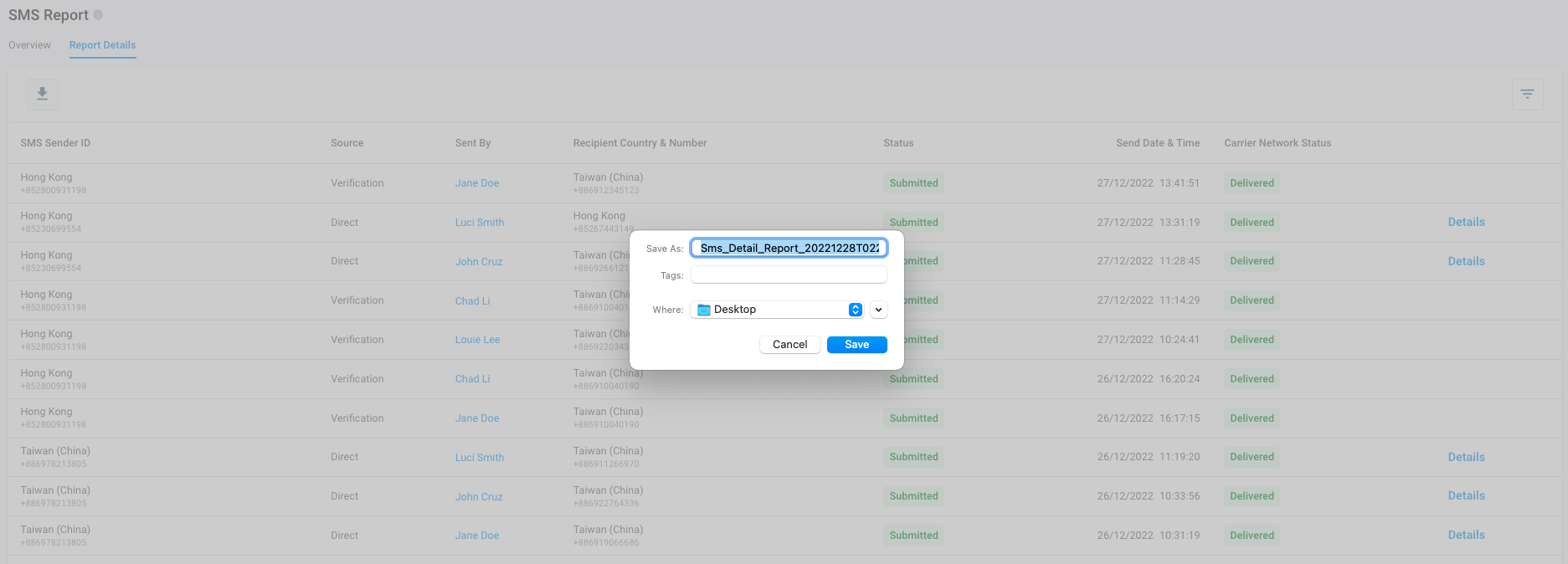
👍
To send WhatsApp OTP via API, please refer to our API Reference
Viewing Sent Campaigns
To view Sent WhatsApp Campaigns, please refer to our Sent Campaigns Detailed User Guide.
Last modified: 2026-05-08
Outline