
Enquiry Centre
The Enquiry Centre lists all your open and missed enquiries.
If you are a staff member assigned as the Destination endpoint to channels, you will find the open and missed enquiries in the Enquiry Centre.
Channels such as:
- Directory
- Virtual Numbers
- Social (Facebook Messenger, WeChat, WhatsApp, LINE and WOZTELL)
- Web Link (Tag and Staff call and chat web links)
- QR Code (Tag and Staff call and chat QR Code)
- Campaign
Enquiry Centre allows you to pick up open and missed enquiries from the latest to the oldest date without navigating through the Workspace. It also shows a notification with a red number badge when there is a new open enquiry.
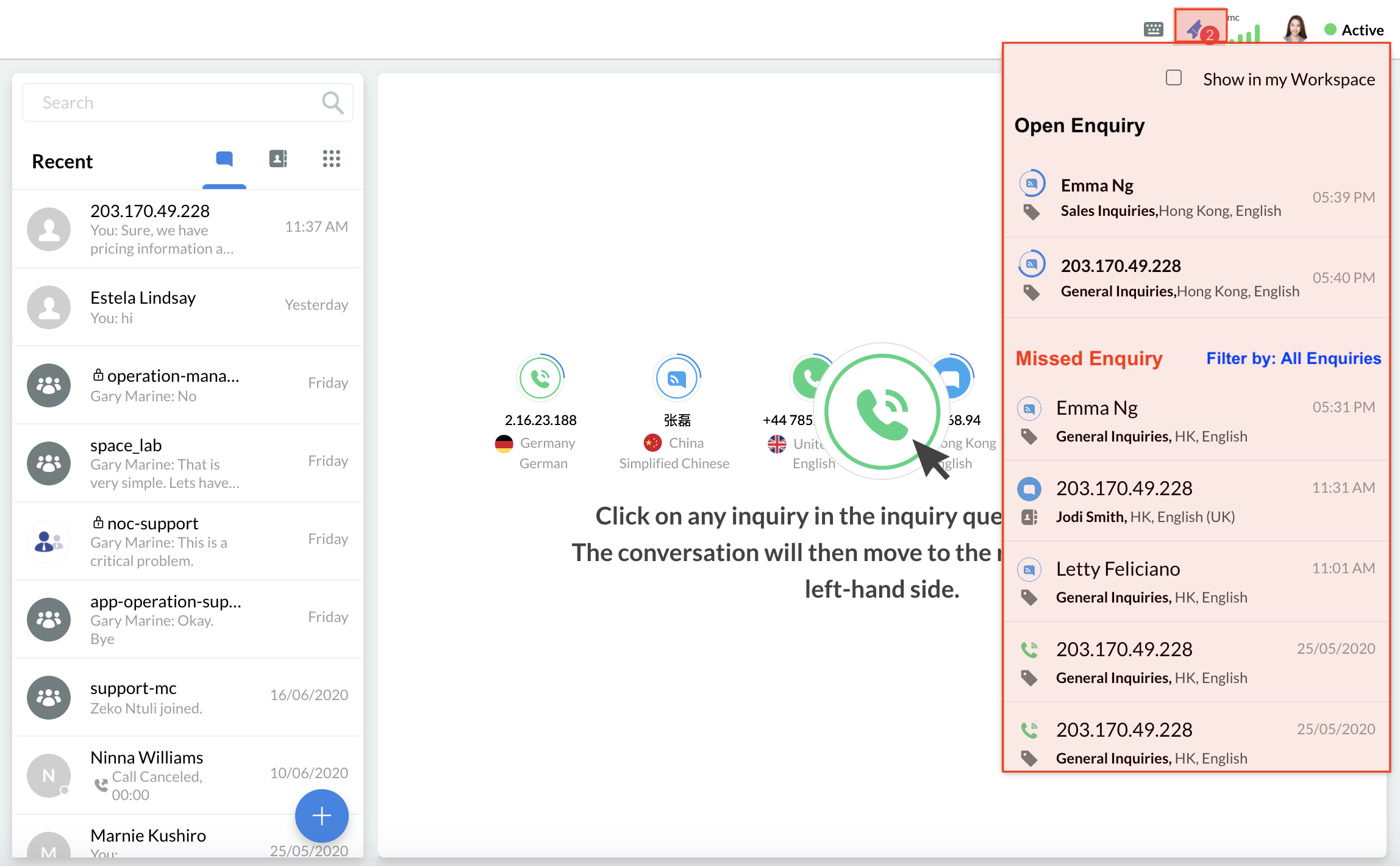
Screenshot_2020-06-23_at_5.40.23_PM.png")
Enquiry Centre
Displaying the Open Enquiry Panel
To display the Open Enquiry Panel in your Workspace:
- Click the enquiry icon located on the top corner of the dashboard.
- Tick the Show in the Workspace checkbox.
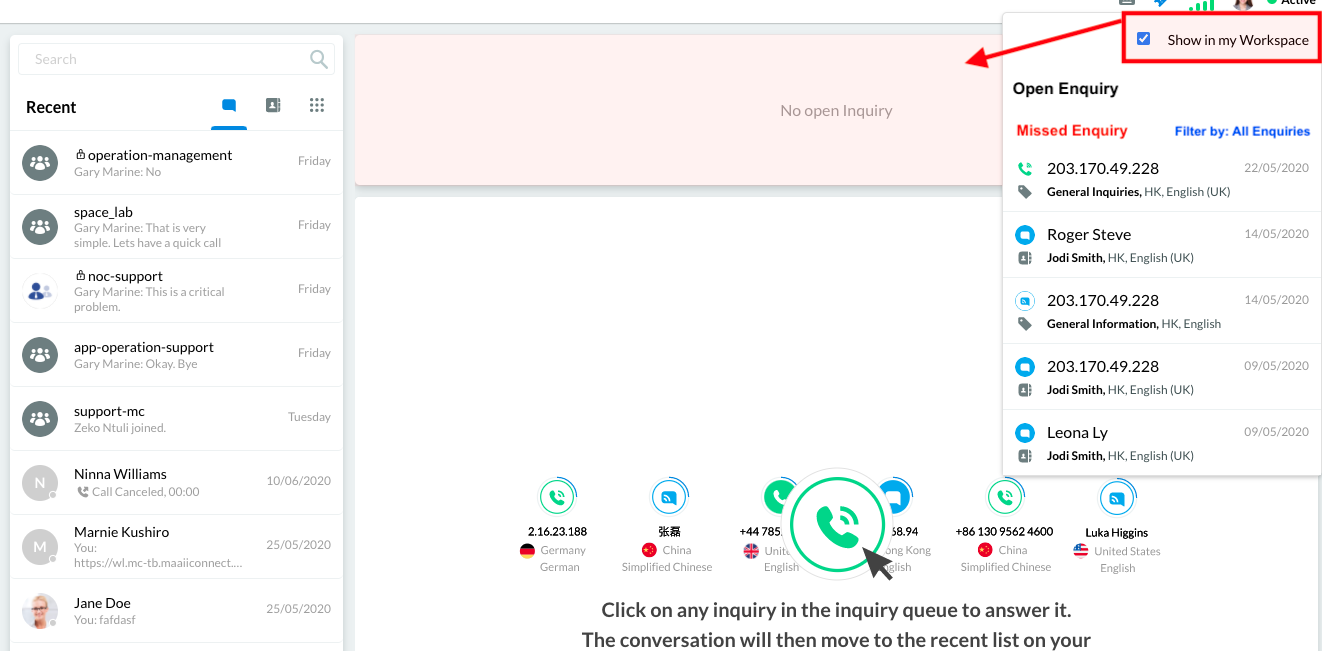
Show Open Enquiry Panel in the Workspace
Hiding the Open Enquiry panel
To hide the Open Enquiry panel from your Workspace:
- Click on the enquiry icon located in the top corner of the dashboard.
- Deselect the Show in my Workspace checkbox.
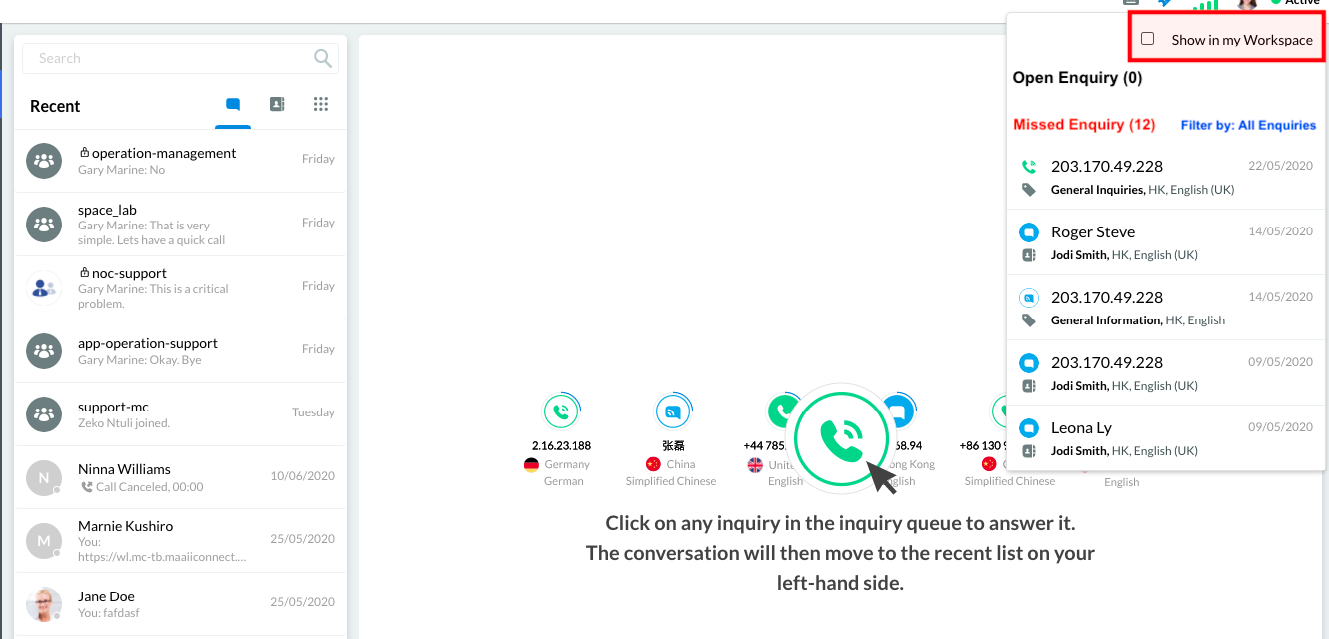
Hide Open Enquiry Panel in the Workspace
Filtering Missed Enquiries
The Missed Enquiry section in the Enquiry Centre lists all missed enquiries, whether or not these have voicemail messages included.
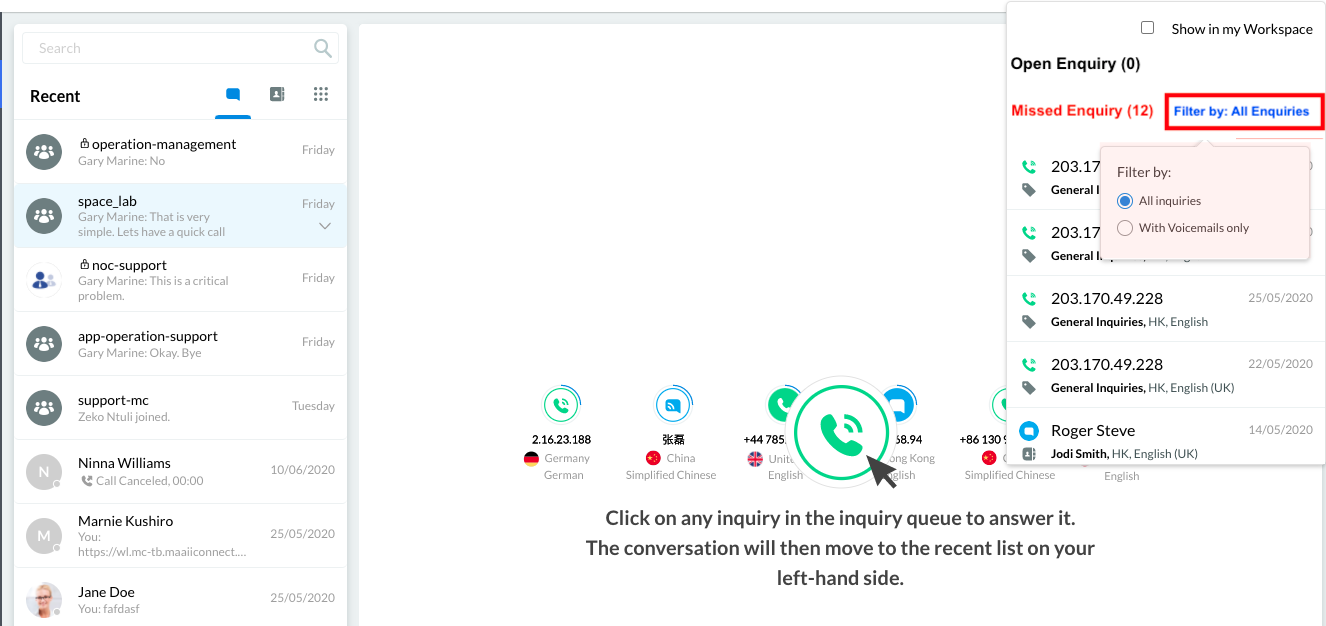
Filter Missed Enquiry
- To display only the missed enquiries with voicemail, click Filter by, then select With Voicemails only.
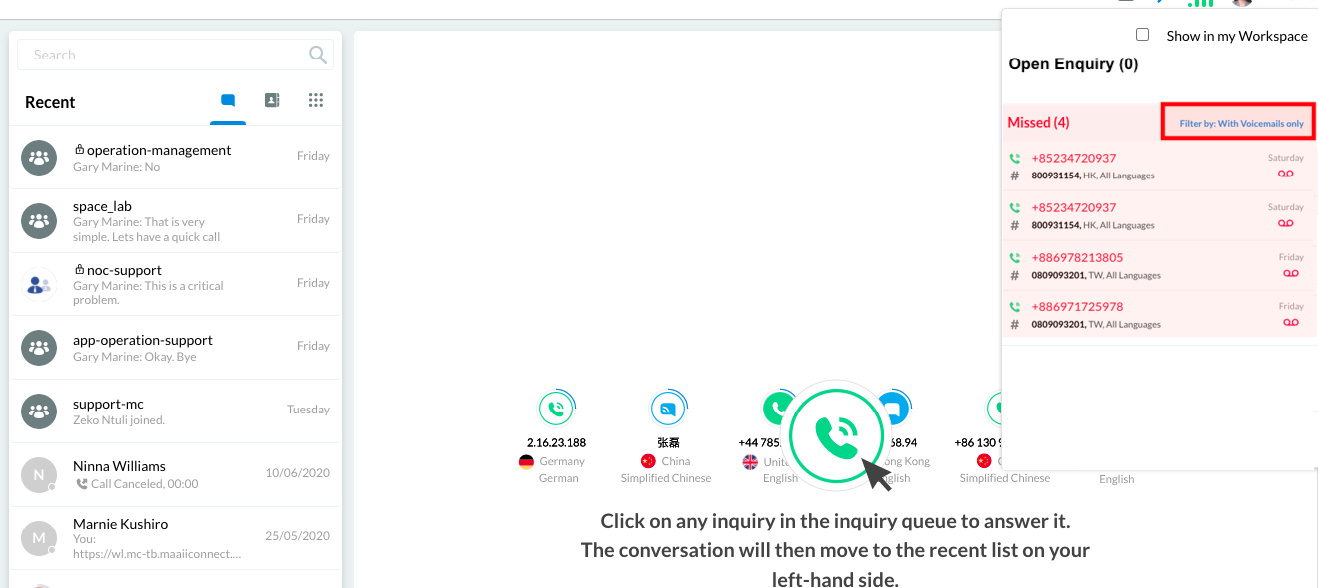
Missed Enquiry with Voicemails only
For more information on following up on a missed enquiry, refer to the Following Up on Missed Enquiries section of this Guide.