
Search...
Menu
Setting Up Your Availability Status
CINNOX lets you set your availability status on your dashboard or mobile app to indicate your readiness to accept incoming enquiries.
When you sign in for the first time, CINNOX automatically sets your availability status to Available. The next time you log in, CINNOX will be based on the status before your last logout.
CINNOX also syncs your availability status with your Wed Dashboard, Mobile app, and all devices and browsers you are logged on.
You may change your availability status when needed, such as when you need time for post-enquiry processing.
To change your availability status in the CINNOX App:
- Go to your My Account tab
- On the status section, select Available to Unavailable status, like Busy, Meeting and other reasons, and it won't notify you of any incoming new enquiries.
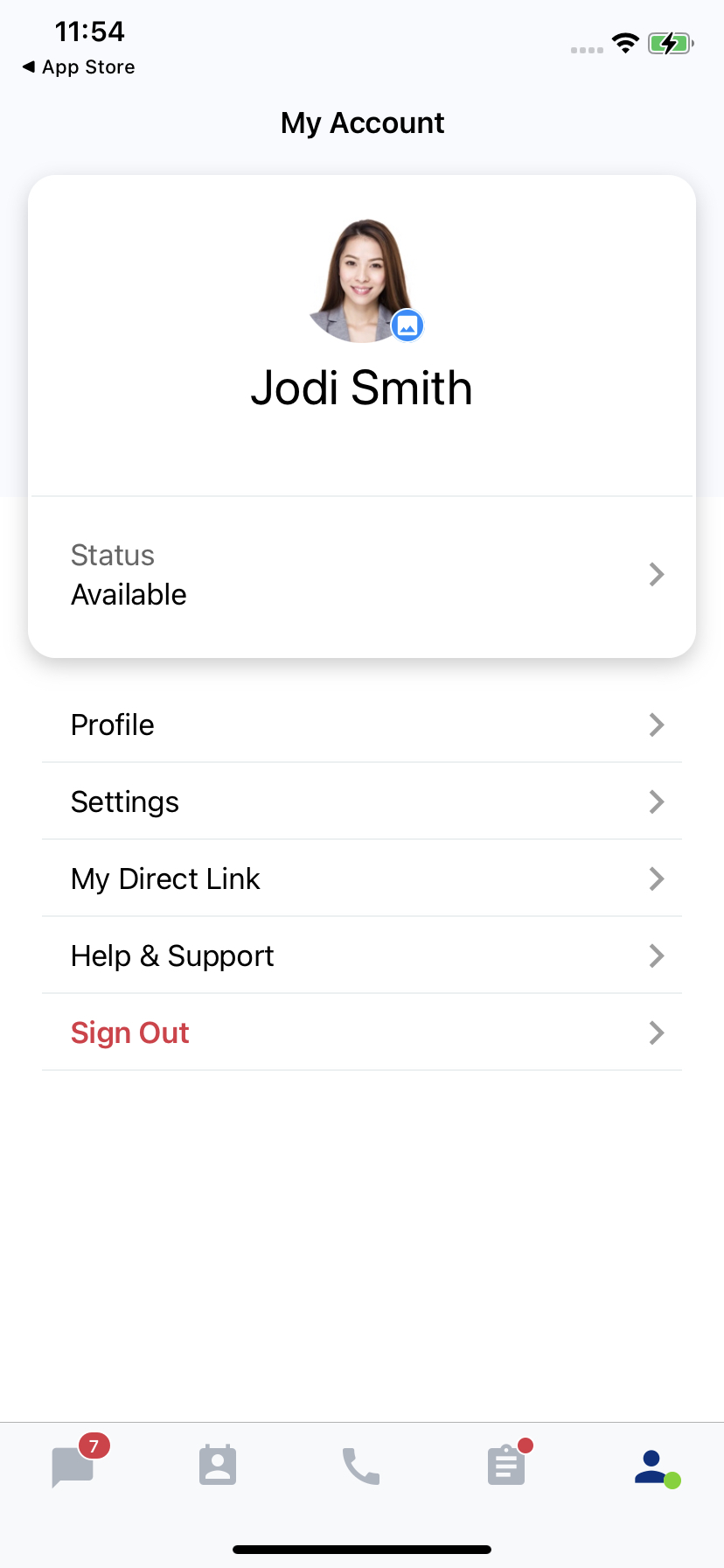
Available Status
- Otherwise, select from Unavailablestatus to Available to set your status as active and ready to receive new enquiries.
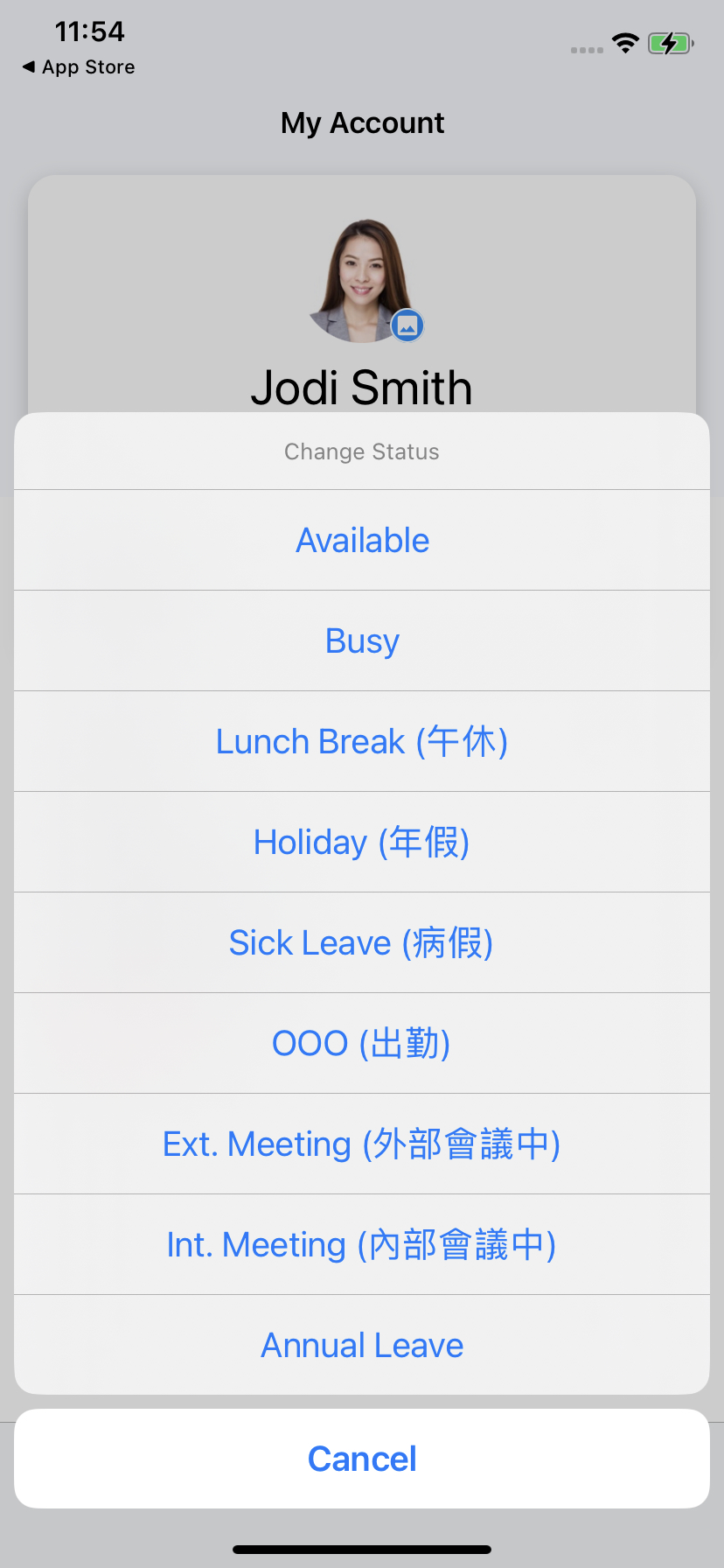
Unavailable Status
📘
Different Staff Availability Statuses:
- Available means you are online and ready to start receiving and attending to open enquiries.
- Unvailable (Busy): means you are online but will not be able to attend to enquiries. You may still make calls and send chat messages in this status.
CINNOX also triggers the following statuses automatically:
- IDLE: means you are online but are not actively using CINNOX for more than 10 minutes.
- OFFLINE: means you are logged out of CINNOX from any platform or device.
Last modified: 2025-12-17
Outline