
Video Calling
Ready to revolutionise the way you communicate & collaborate?
CINNOX allows you to unlock the potential of unlimited collaboration with its active and readily available Instant Video Call and Conference services. Seamlessly connect with your team, clients, and partners from anywhere in the world, fostering productivity and driving impactful outcomes. Enhance your team's communication and collaboration with CINNOX's all-encompassing communications solutions today.
CINNOX lets you interact more personally with visitors, customers, and fellow Staff members through 1-on-1 video calls. With this feature, you and your called party can see one another while and have more interactive discussions.
Starting a Video Call
To start a video call:
- Tap the Call icon (1) on the top-right corner of your chatroom screen.
- Tap Video Call (2).
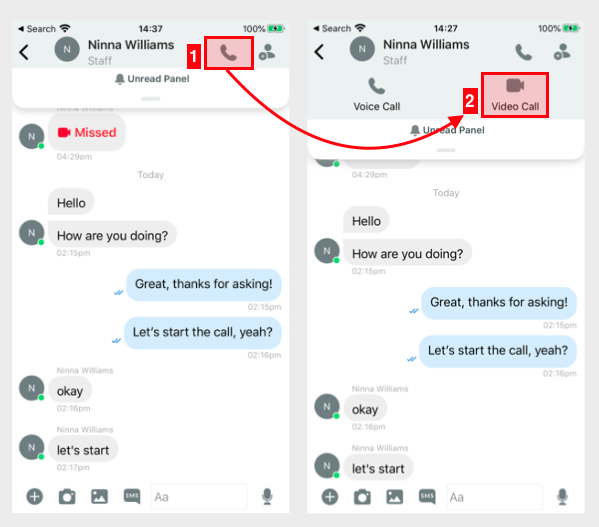
Starting a video call
- The called party will see an incoming video call screen. The call screen also allows them to decline the call or pick it up as an audio call.
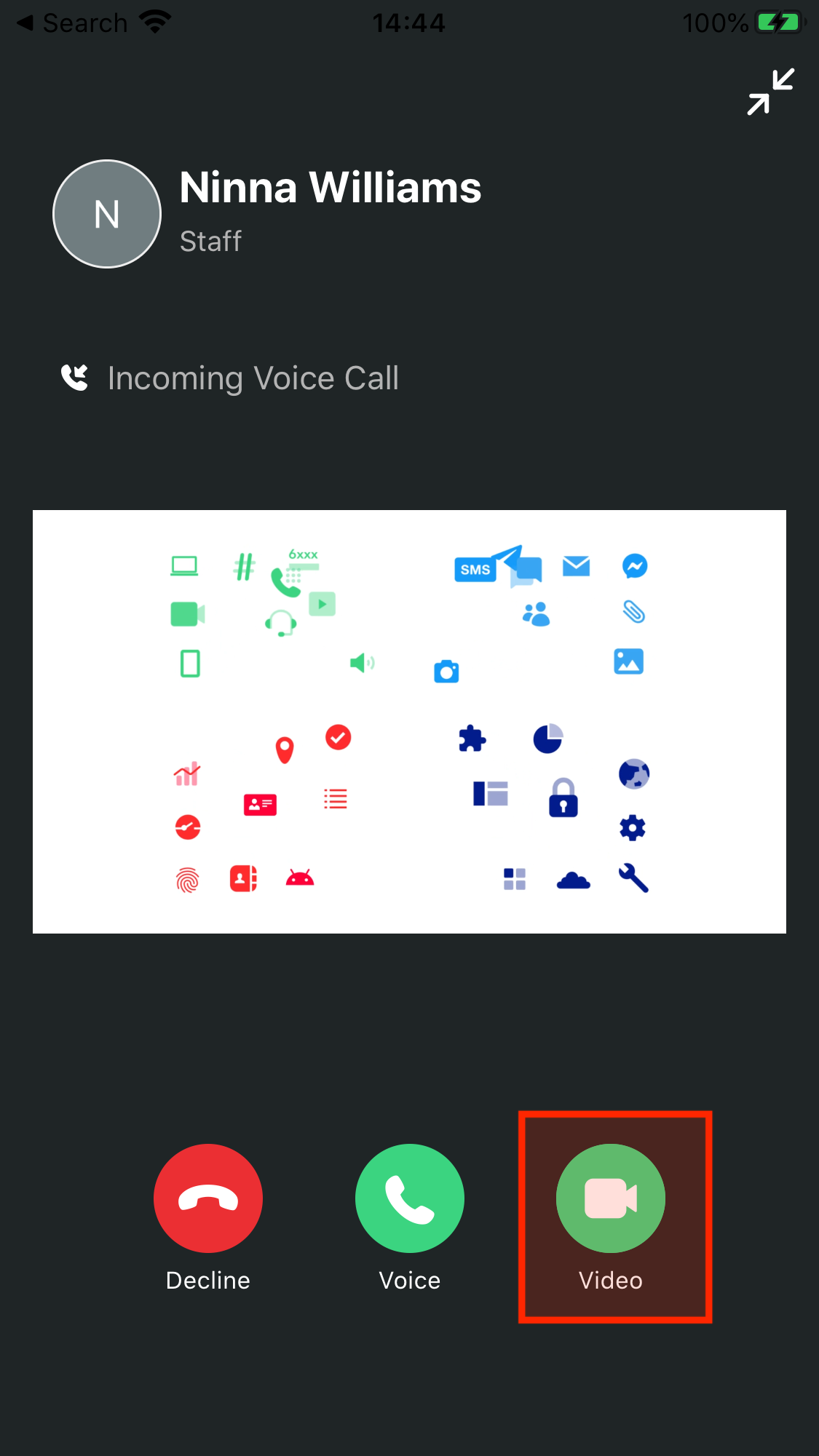
Accepting a video call
- Once the video call connects, both parties will see each other.

Video call connected
Switching from Voice Call to Video Call
While in a voice call with a visitor or a fellow Staff member, you can switch to a video call by tapping More on your call screen, then tapping Video Call.
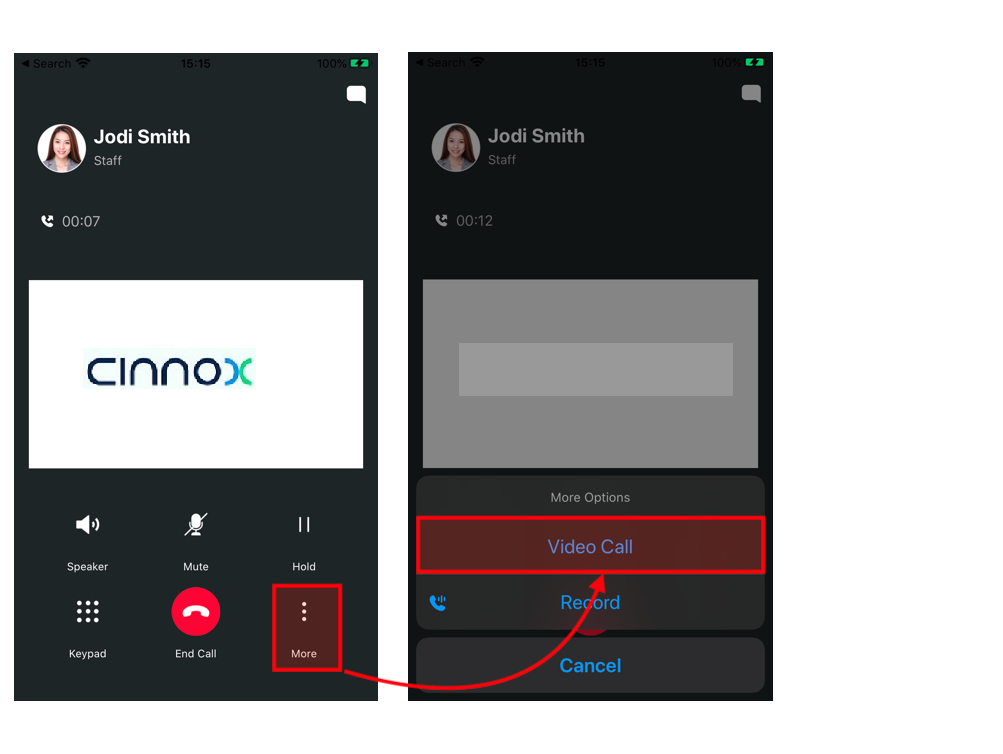
Switching from voice call to video call
The video call will start as soon as your device's camera has been enabled.

During a video call, you can do the following:
- Turn the video orientation to portrait or landscape by tilting your mobile device vertically or horizontally.
- Record the audio (1).
- Mute/unmute your microphone (2).
- Turn your device's loudspeakers on/off (3).
- Switch your camera view from front to back (4).
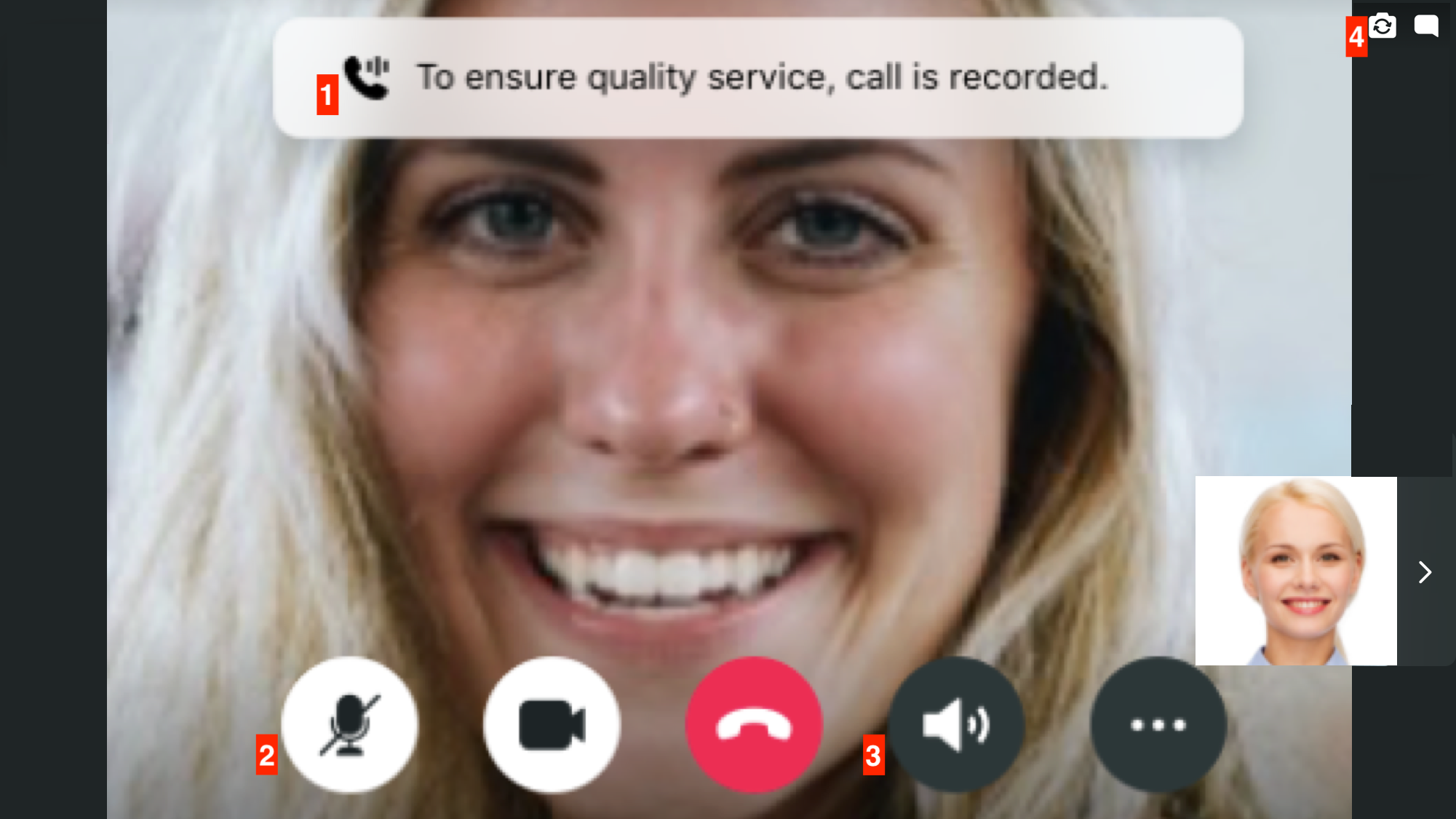
Video call horizontal view
- Turn the camera on/off by tapping the video call icon.
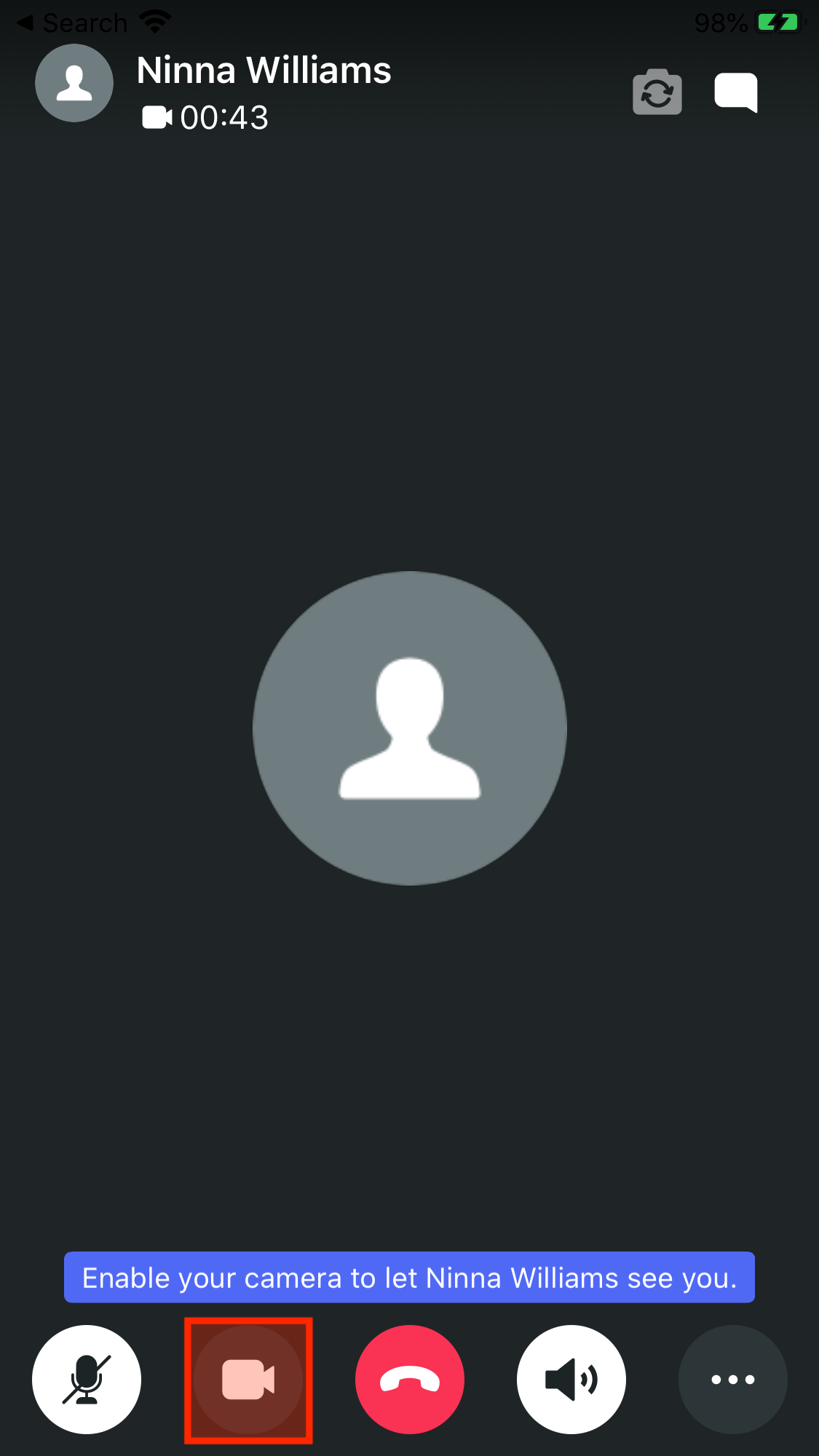
The camera turned off during a video call
- Send messages in the chatroom by tapping the chat icon located at the top right corner of the video call screen. This action also resizes your video call screen. Tap the small video screen again to make it go back to its original size.
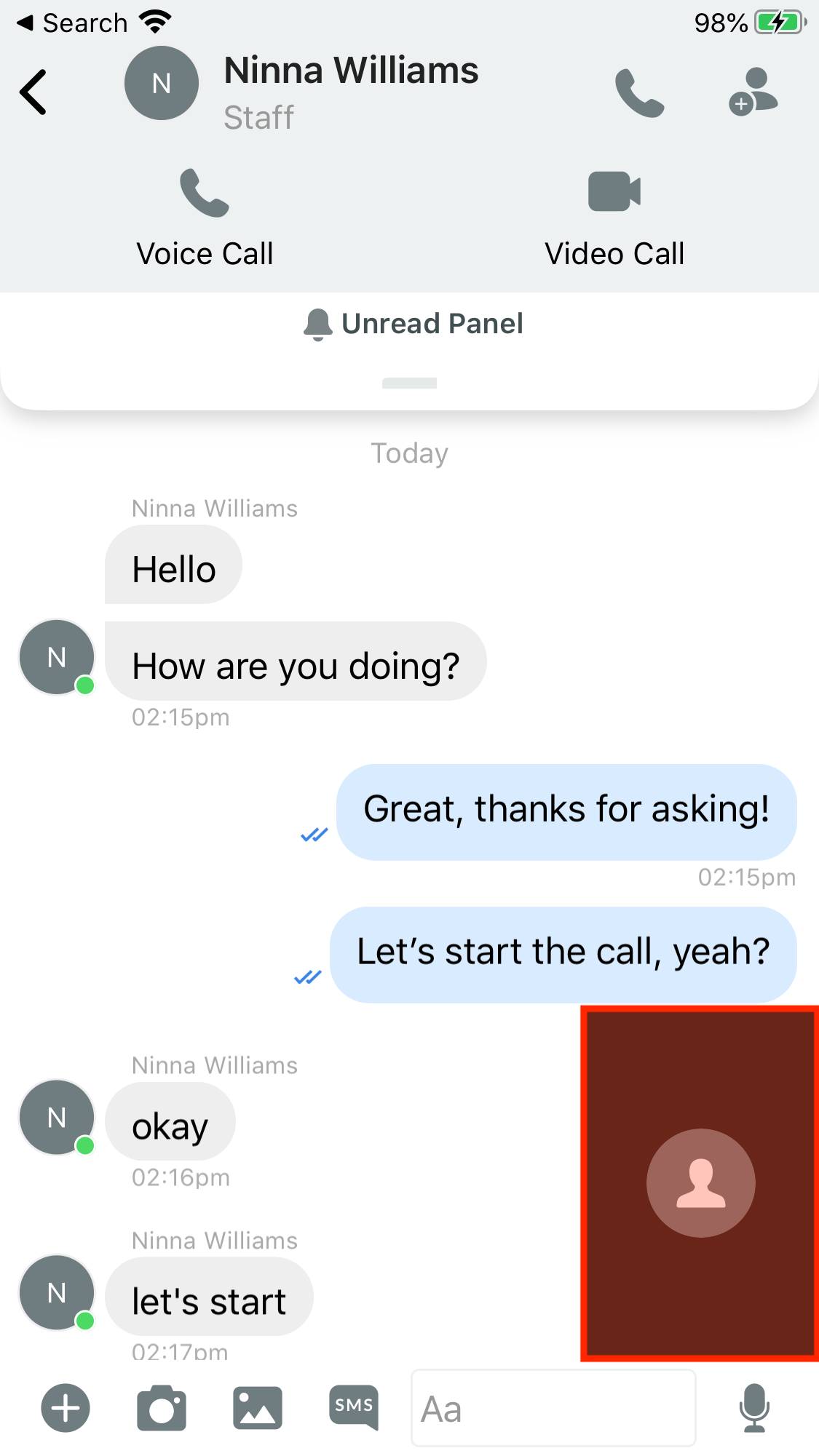
Minimised video call screen
To end the video call, tap the End Call button.

End the Video Call