
Managing Social Channels
Social is a cross-channel service strategy that lets organisations use social media channels and messaging apps as customer touchpoints. This helps companies establish better relationships with their customers and visitors and improve their customers' experience with the brand.
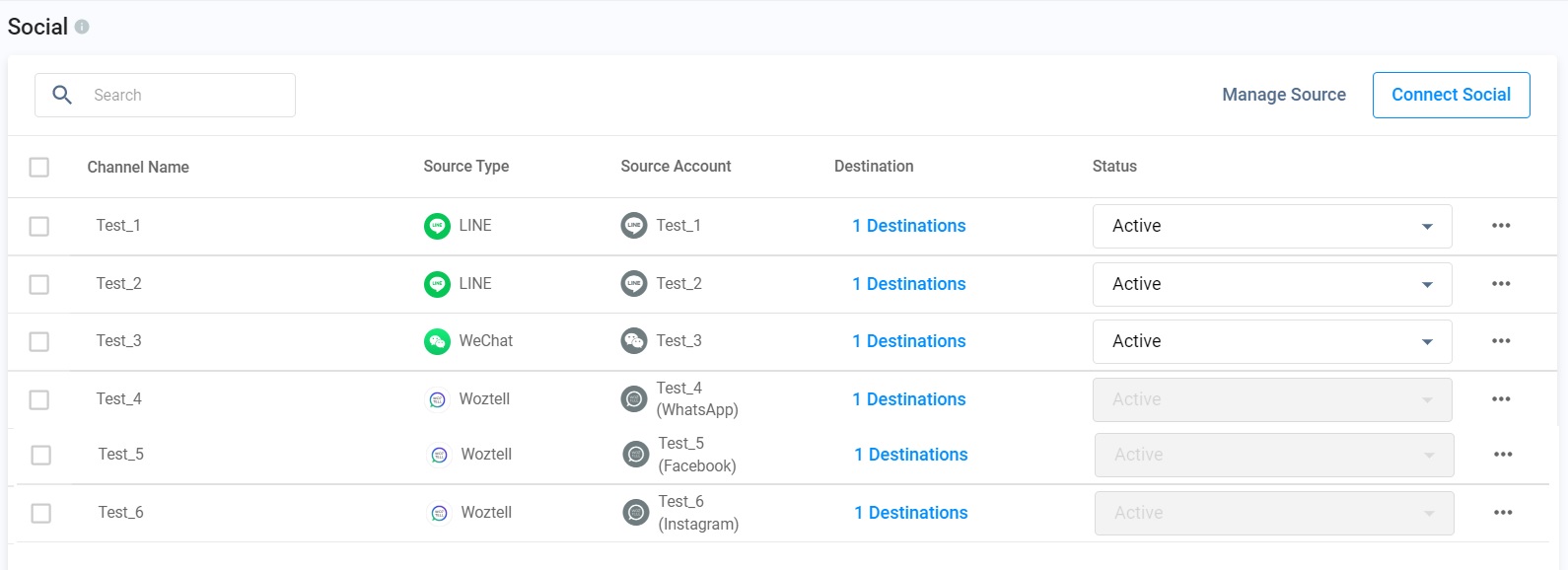
CINNOX Social
Creating Messenger Channel
Add your Facebook Pages as channels to your CINNOX service and let your staff members manage your customers' and visitors' enquiries from these pages directly on their CINNOX Workspace.
Please refer to the Connecting Messenger section of this Guide.
Creating WeChat Channel
Add your WeChat Official Accounts as channels to your CINNOX service and let your staff members manage your customers' and visitors' enquiries from these pages directly on their CINNOX Workspace.
For detailed instructions on setting up your WeChat channels, please refer to the Connecting WeChat to CINNOX section of this Guide.
Creating Whatsapp Channel
Add your WhatsApp Business API as a channel to your CINNOX service. Let your staff members manage your customers' and visitors' enquiries from these pages directly on their CINNOX Workspace.
For detailed instructions on setting up your WhatsApp channels), please refer to the Connecting WhatsApp to CINNOX section of this Guide.
Creating LINE Channel
Add your LINE Official Accounts as channels to your CINNOX service and let your staff members manage your customers' and visitors' enquiries from these pages directly on their CINNOX Workspace.
For detailed instructions on setting up your LINE channels, please refer to the Connecting LINE to CINNOX section of this Guide.
Creating WOZTELL Channel
Add your WOZTELL Channel as channels to your CINNOX service and let your staff members manage your customers' and visitors' enquiries from these pages directly on their CINNOX Workspace.
For detailed instructions on setting up your WeChat channels, please refer to the Connecting WOZTELL to CINNOX section of this Guide.
Viewing and Editing a Channel
To view a channel's details:
- Go to Administration > Channels > Social.
- Click on the channel name you wish to view on the available table. This will open the Channel Details page.
To edit a channel:
Click the Edit button on each panel on the Channel Details page.
You may edit the following details:
Basic Information
- Channel Name
- Source
Routing Settings
- Routing Rules
- Destination
Sticky Routing
Message Settings
- Display Name Format
- Welcome Message
- Away Message
- Close Enquiry Message
- Restart Conversation Template Message (For 360dialog (WhatsApp BSP)
Channel Custom Info
Click Save. A confirmation message that the channel details have been updated will appear.
Activating or Suspending a Channel
To activate or suspend a channel:
- Go to Administration > Channels > Social.
- On the table that will appear, find the name of the channel you wish to activate or suspend.
- Under the Status column, on the dropdown box, select Active or Suspend. A pop-up window will appear, asking you to confirm the action.
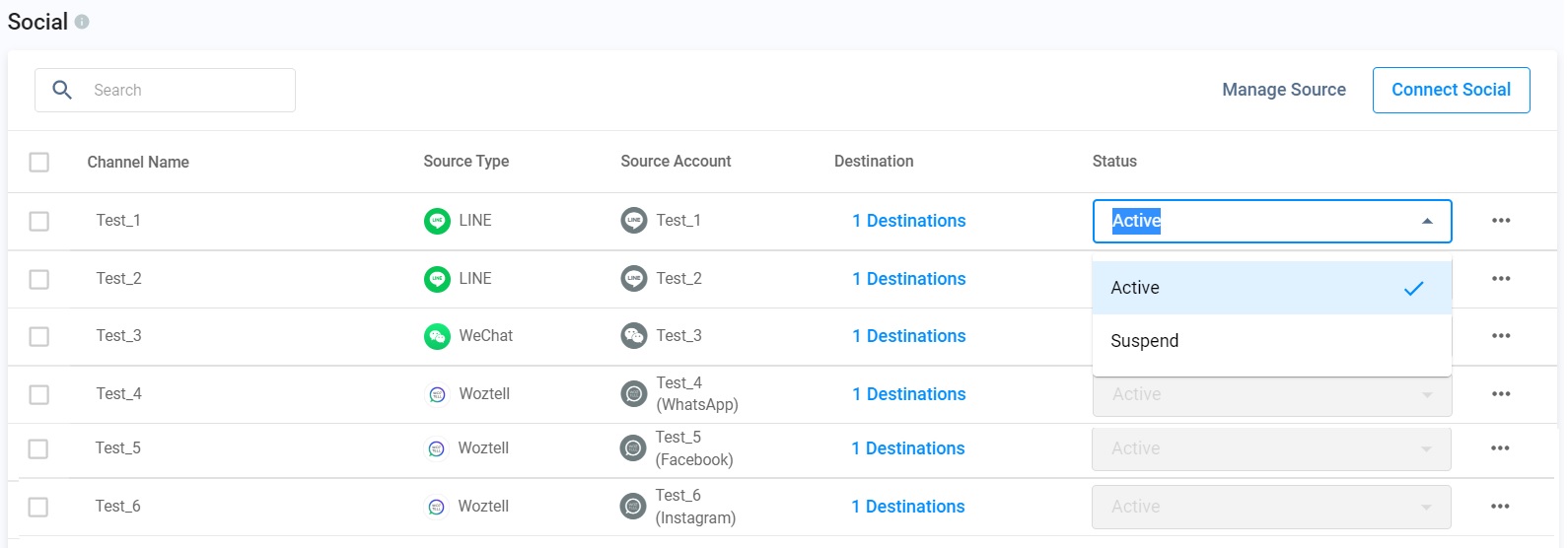
Activating/Suspending a Social media Page
- Click OK.
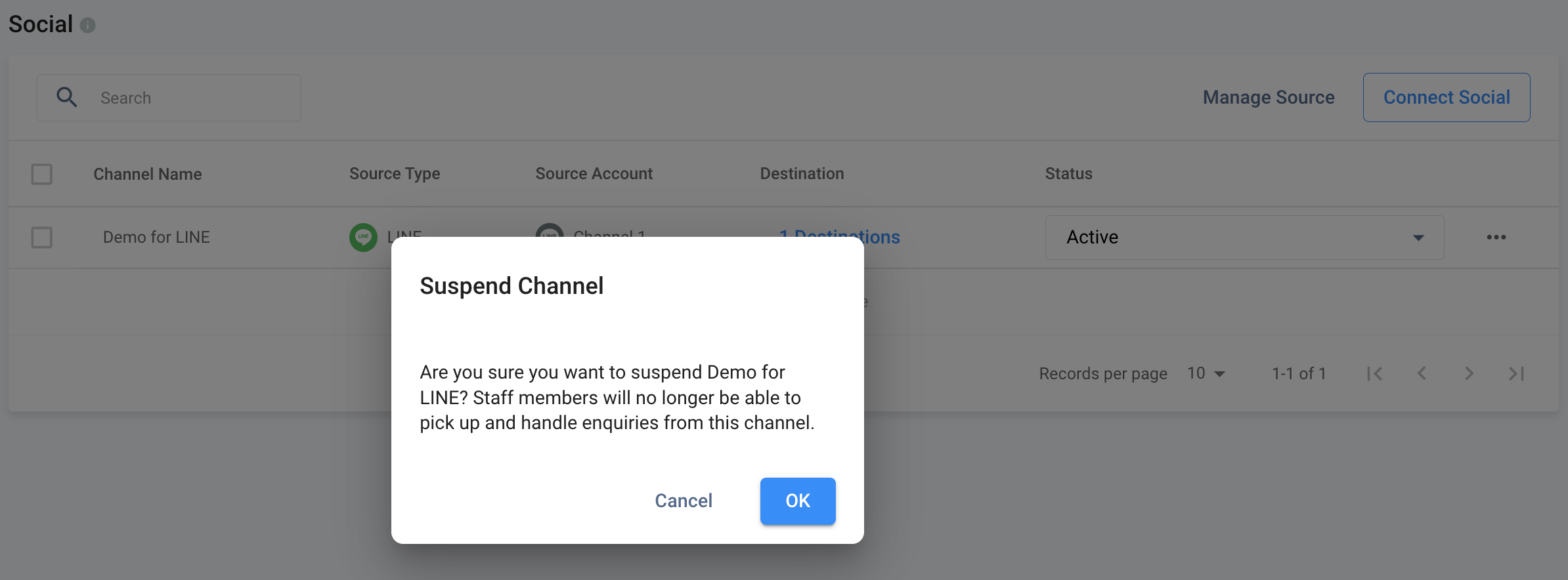
Activate/Suspend confirmation
Deleting a Channel
To delete a channel:
- Go to Administration > Channels > Social.
- Find the name of the channel you wish to delete on the table that will appear.
- Click the trash icon on the right-hand side beside the channel's Status. A pop-up window will appear, asking you to confirm the deletion.
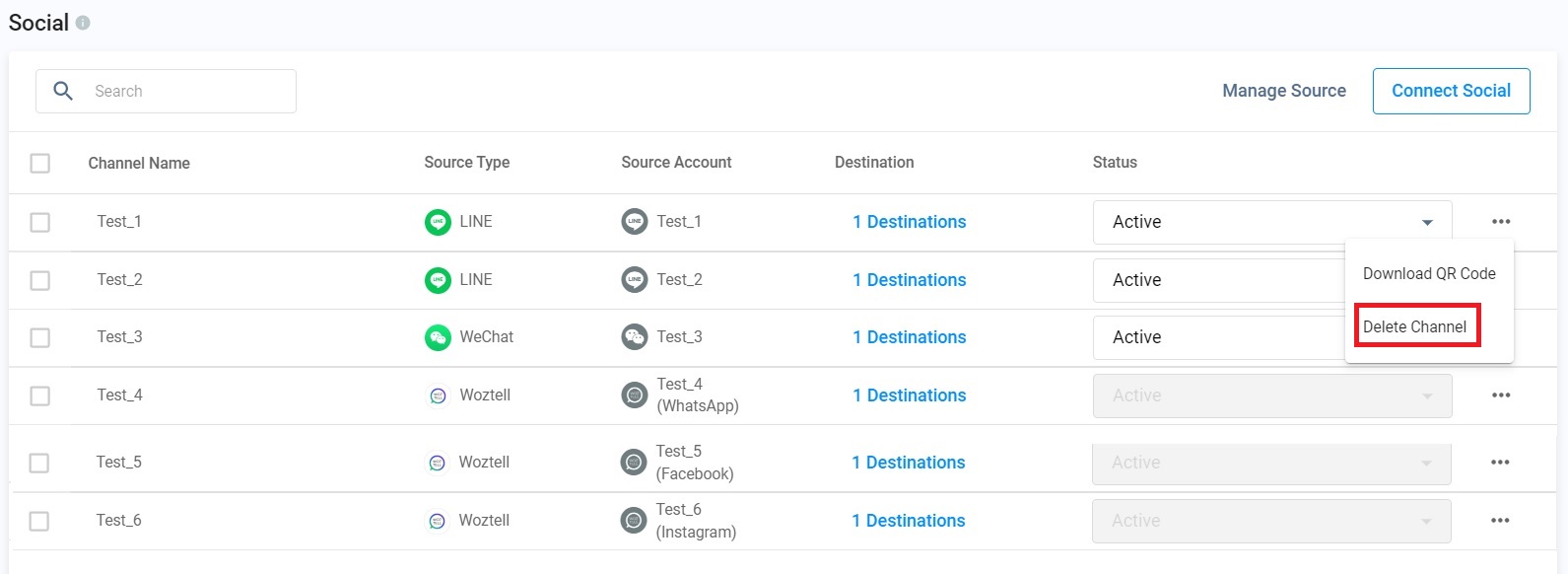
Deleting a Social media page
- Click Deleteto remove the deleted channel from the Social list.
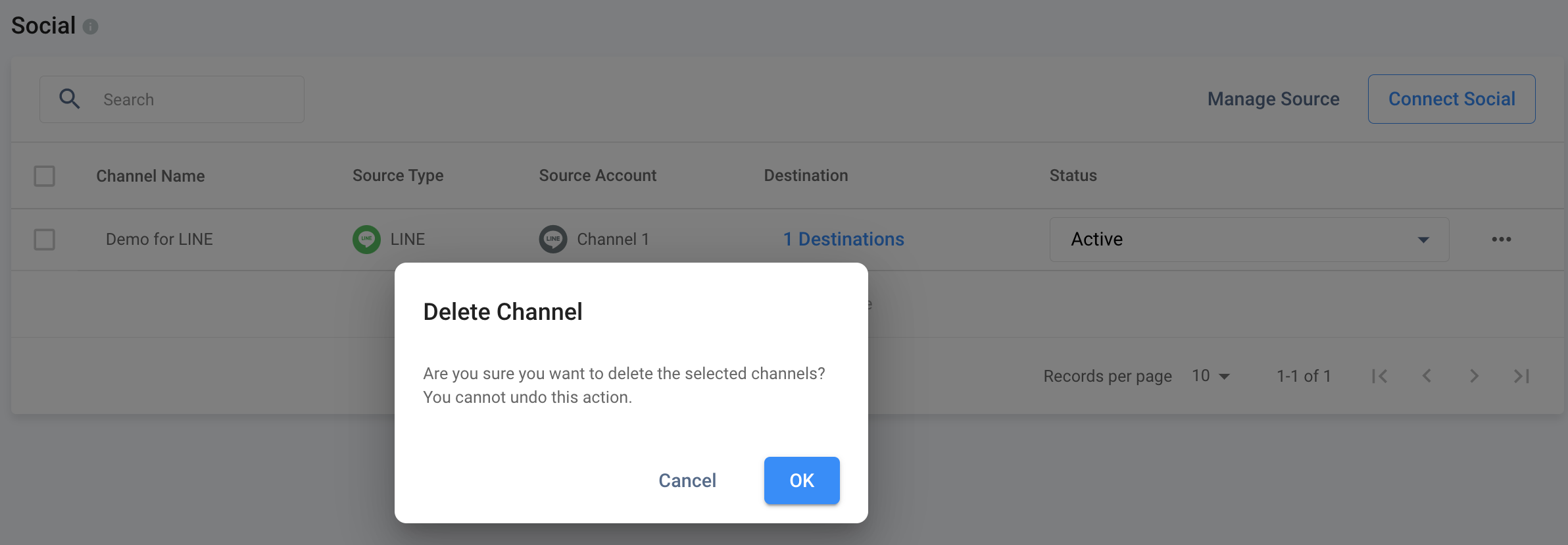
Delete confirmation
Social Channels - Enquiry Window Limit
For Social channel enquiries, a time limit has been set by Meta, WeChat and LINE to respond to visitor enquiries. The enquiry chat room should be kept active to send messages to the visitor continuously.
Generally, a message will appear in the chat room when the staff attempts to send a message to the visitor, but the conversation has lapsed due to being idle and has reached the time limit.
"Sorry, your message can no longer send; the xx-hour message window has lapsed. Close this enquiry, or wait until the visitor sends a message again."
The following table shows the limit of the conversation window on different social channels:
| Social Channel | Inactive Window Limit |
|---|---|
| Facebook Messenger | 24 hours |
| 24 hours With 360dialog as the WhatsApp source, you can restart the conversation for WhatsApp enquiry that has lapsed using WhatsApp Template Messages. | |
| 48 hours | |
| LINE | No inactive conversation limit. |