Connecting WeChat Sandbox
If you don't have an official WeChat account yet but want to test how the integration of WeChat and CINNOX works, you can log in to the WeChat sandbox and try the WeChat enquiry capability of CINNOX. The WeChat sandbox environment is to test the messaging features similar to a WeChat official account.
Refer to the following steps for the configuration.
Step 1: Log in to Official WeChat Sandbox
- Click the WeChat Sandbox Dashboard link - https://mp.weixin.qq.com/debug/cgi-bin/sandbox?t=sandbox/login.
- Click Log in
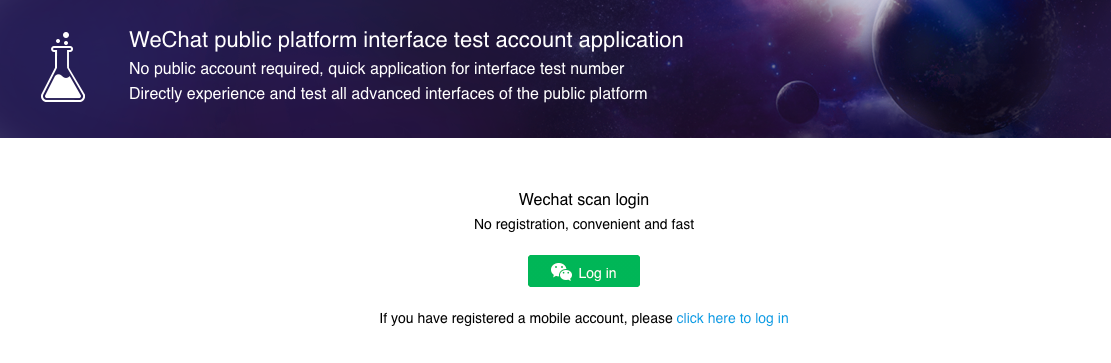
- Scan the QR code using your WeChat user account on your mobile phone.
- After scanning the QR code, in your WeChat user account, tap Agree for the request to use your WeChat name, profile photo, region and gender.
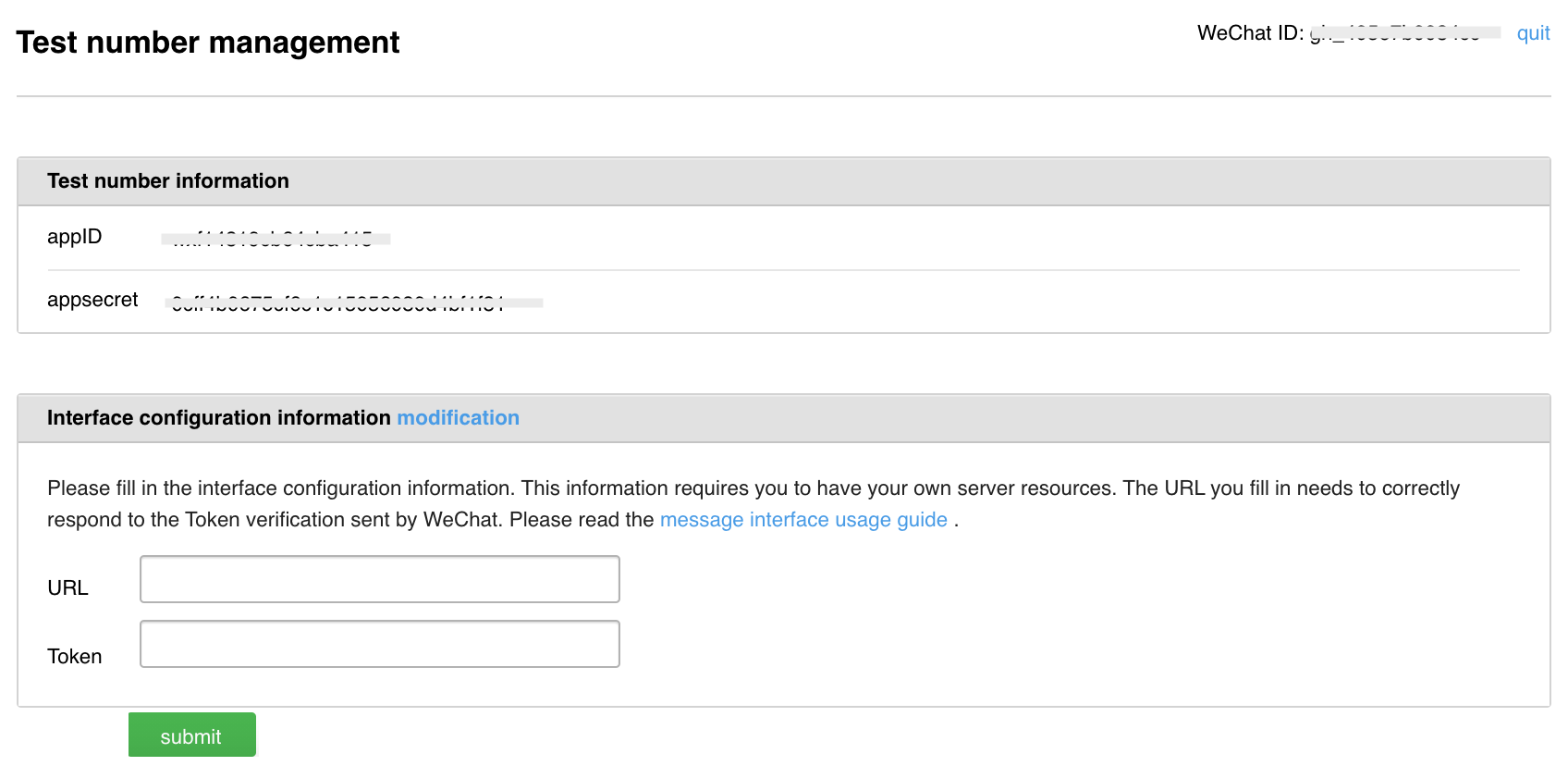
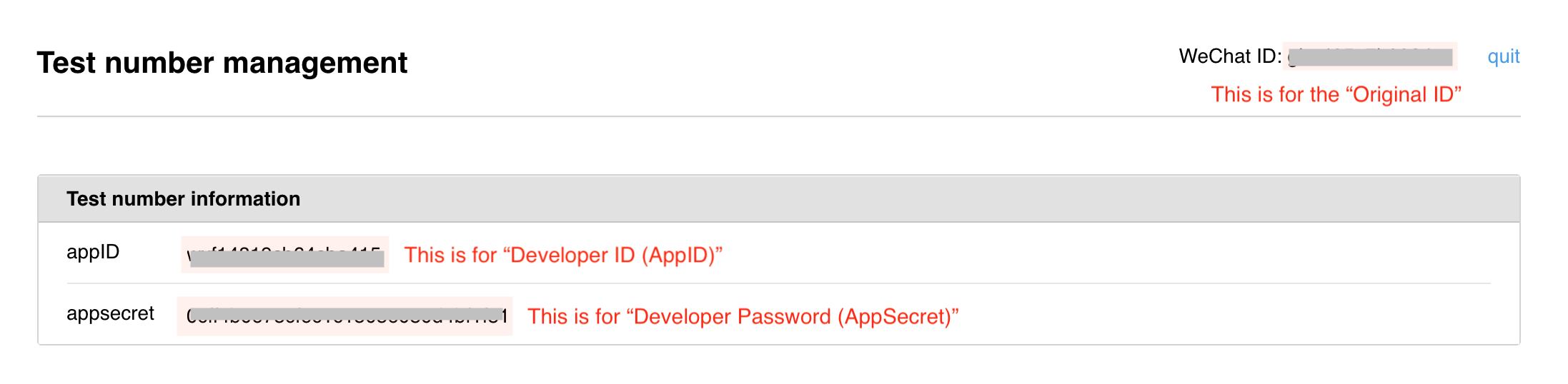
- The WeChat Sandbox Dashboard will display the "Test number management" with the following information:
- WeChatID as your Original ID
- appID
- appsecret
- Empty URL - you will need to copy the URL value from CINNOX and paste it here
- Empty Token - you will need to copy the token value from CINNOX and paste it here
📘
When using the WeChat sandbox, there is no allowlisting step as the sandbox doesn't have any IP restrictions.
Step 2: Create your WeChat Channel in CINNOX
- From CINNOX Dashboard, navigate to Channels > Social.
- On the Social page, click Create Channel in the top-right corner. A pop-up window will display a list of social channels to create.
- Click Connect to WeChat
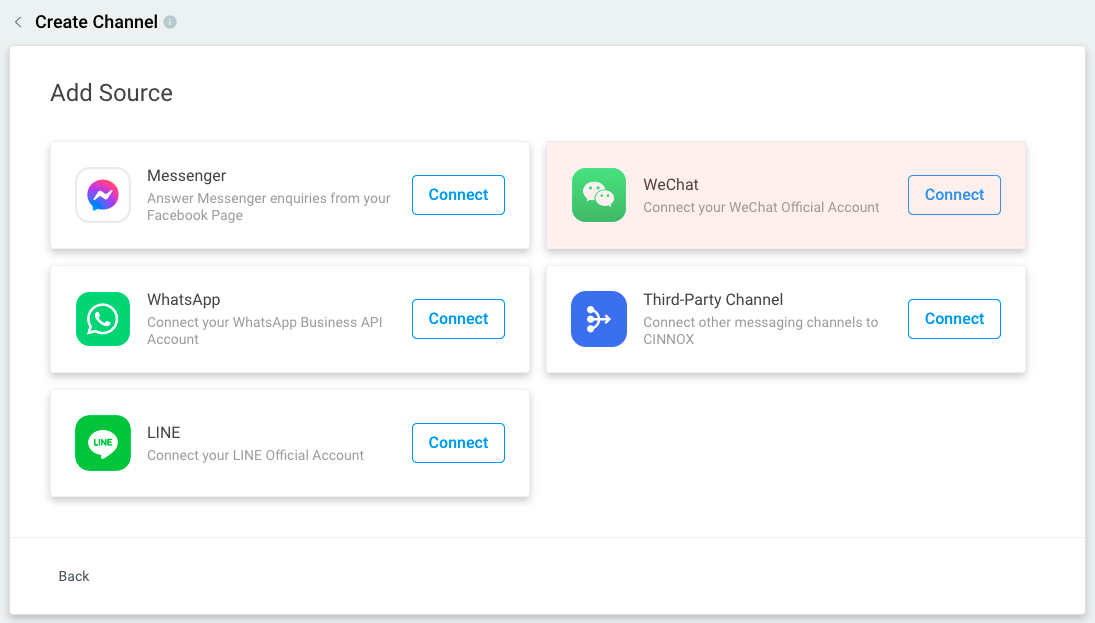
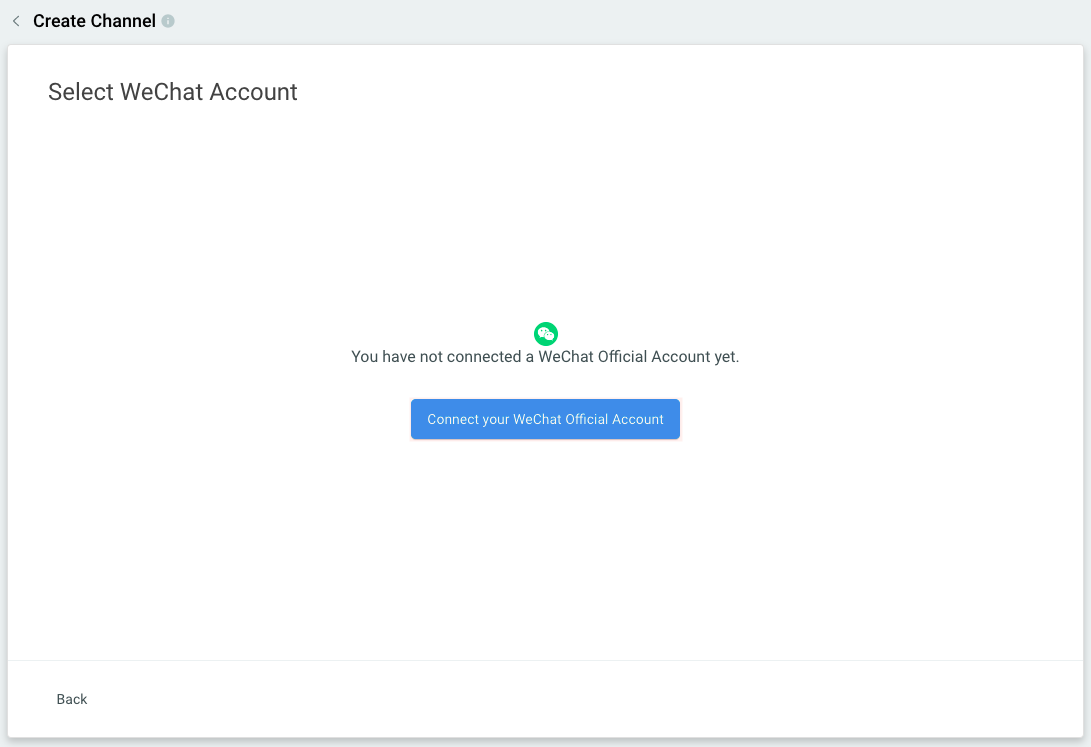
You have not linked your WeChat Official Account yet. This page will appear for WeChat, which has not created a channel yet.
- Click Connect your WeCHat Official Account.
*On the WeChat connect page, fill in the following information:
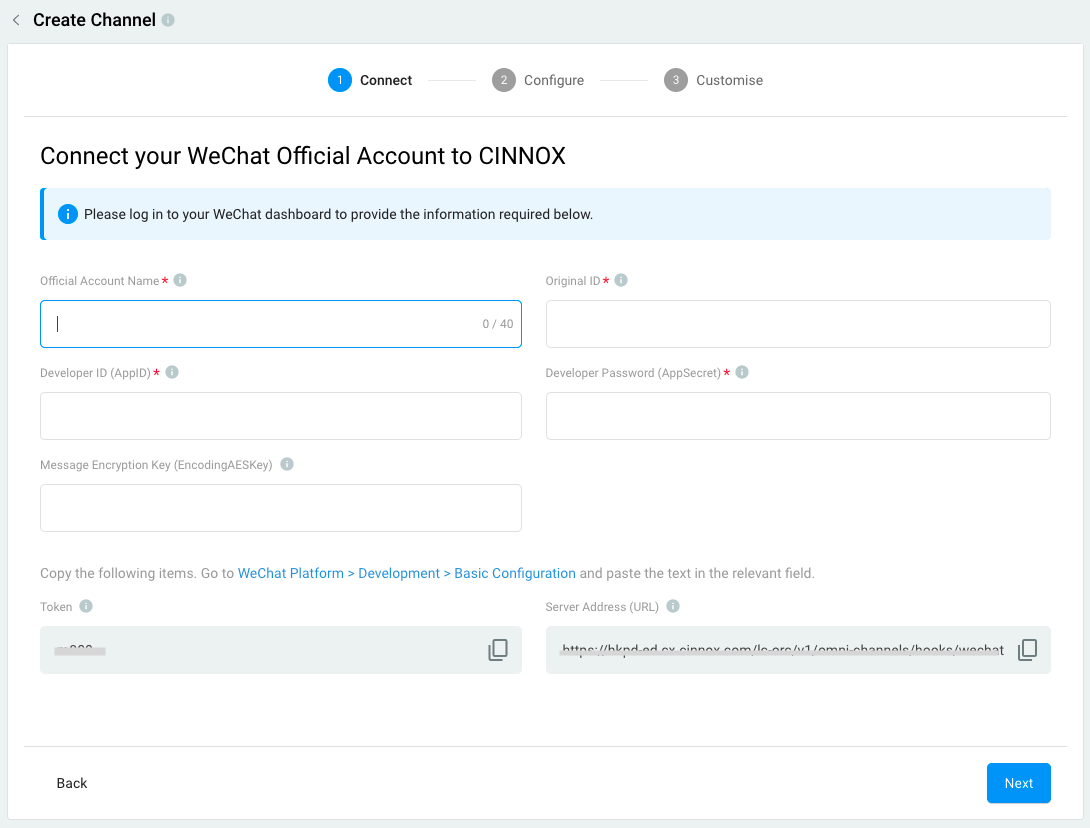
- Official Account Name - suppose it is the Official Account Name of your WeChat. For this case, you can name it your "WeChat Sandbox Test" channel or any name.
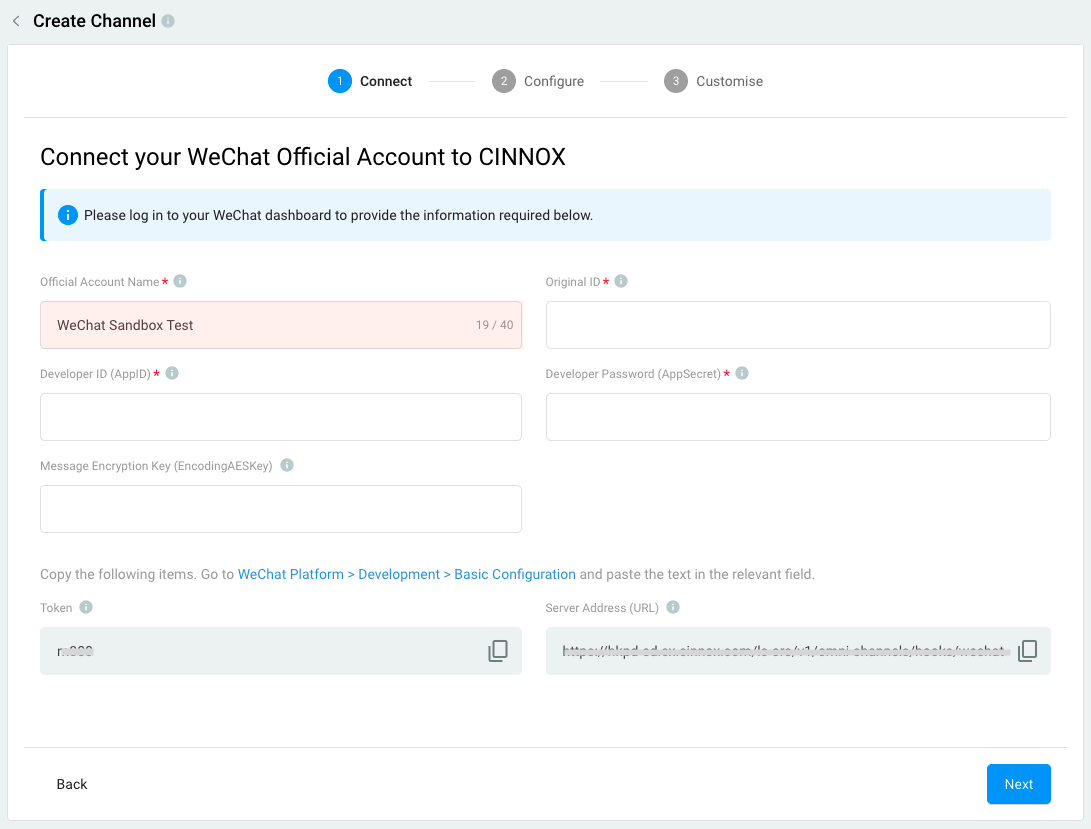
- Past below WeChat Sandbox information in the CINNOX Dashboard for the Original ID, Developer ID (AppID) and Developer Password (AppSecret) fields.
It will look like this on the CINNOX Dashboard side.
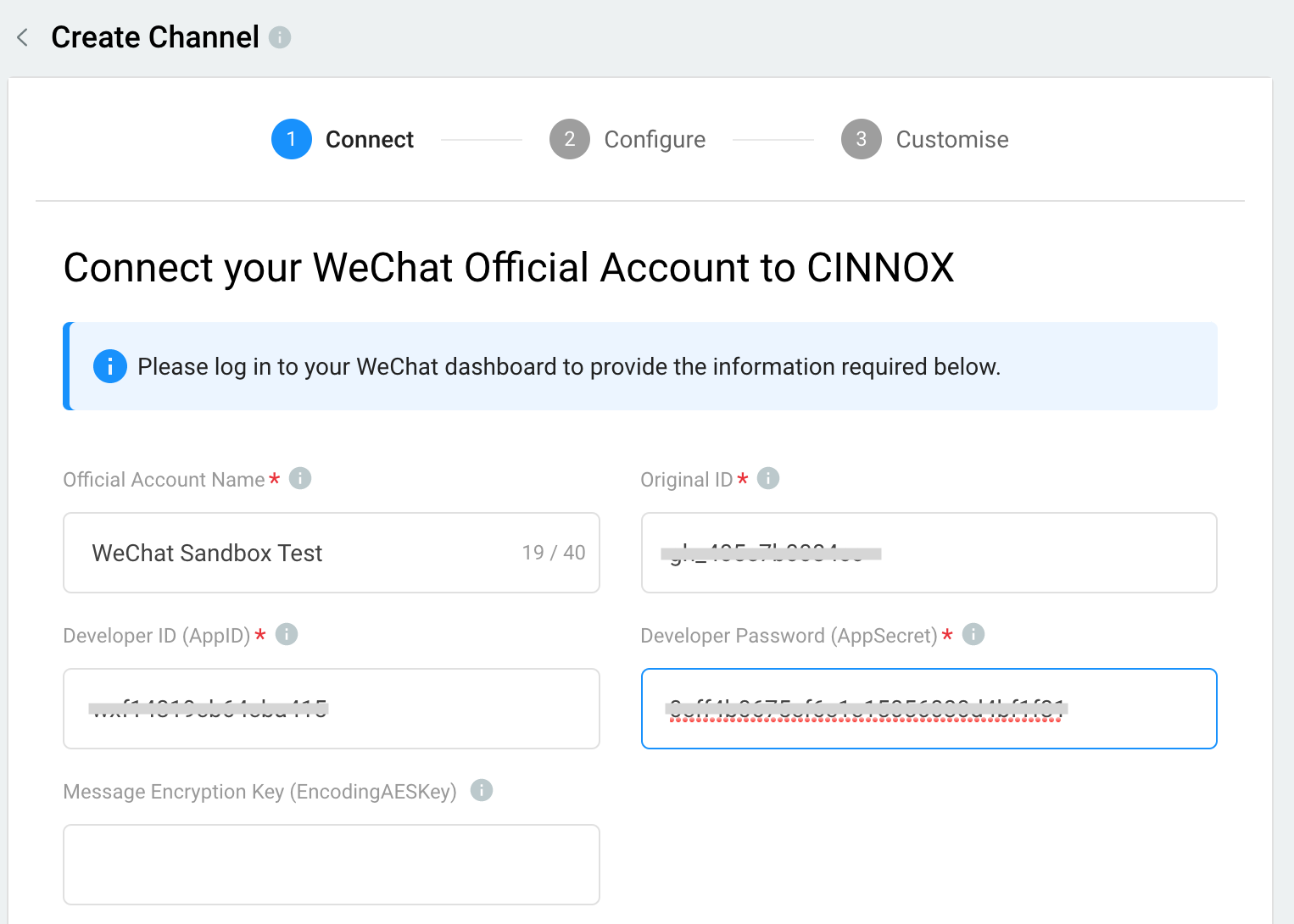
Note that the Message Encryption Key (EncodingAESKey) can be left empty.
- Paste below CINNOX information of the Token and URL values to the WeChat Sandbox respective fields.

It will look like this on the WeChat Sandbox Dashboard.
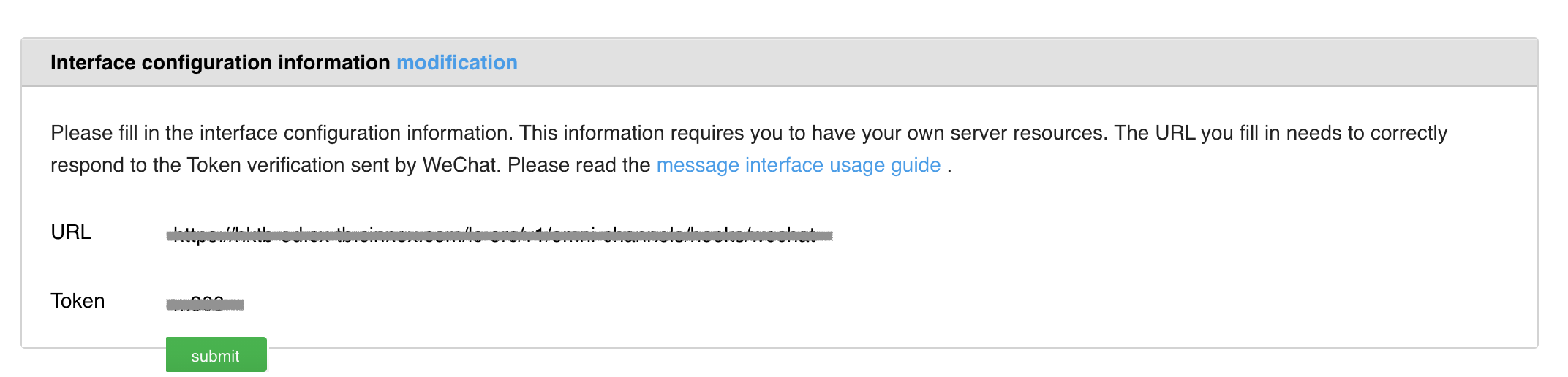
-
Click Submit. A toast message configuration is successful and will show on the top of the page.
-
Back to your CINNOX Dashboard, click Next. It will validate each field if the value is correct, and you will be redirected to the Configure your settings page.
Step 3: Configure your settings
Set how to distribute incoming enquiries from this Channel to the target destinations.
Channel Name
- Add a name for your WeChat channel. The channel name can be up to 40 characters.
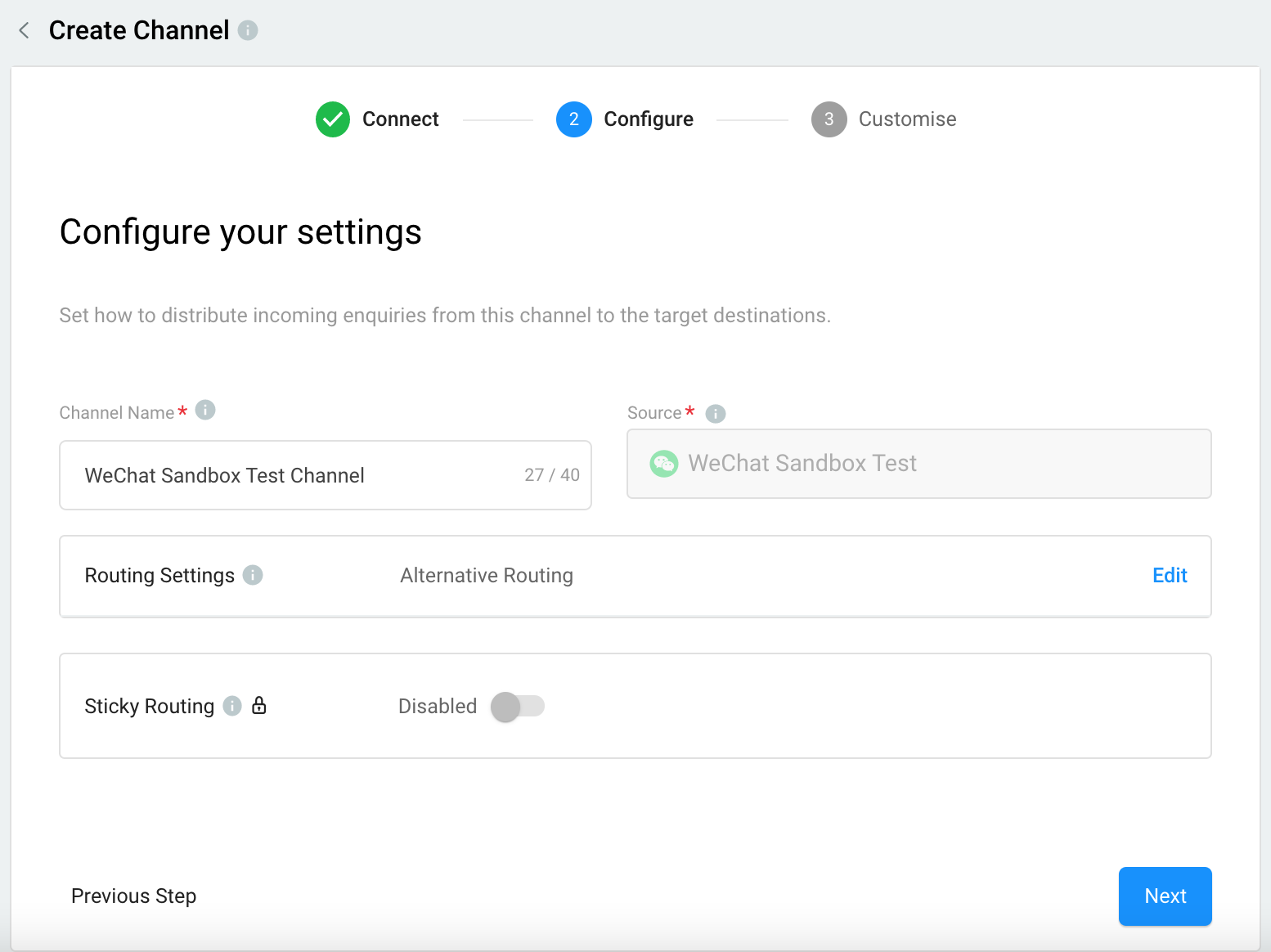
Routing Settings
Select the Routing Rule and add Destinations based on the operational support to your Channel.
Please check our detailed guide Alternative, Percentage, Time and Sticky Routing for more information.
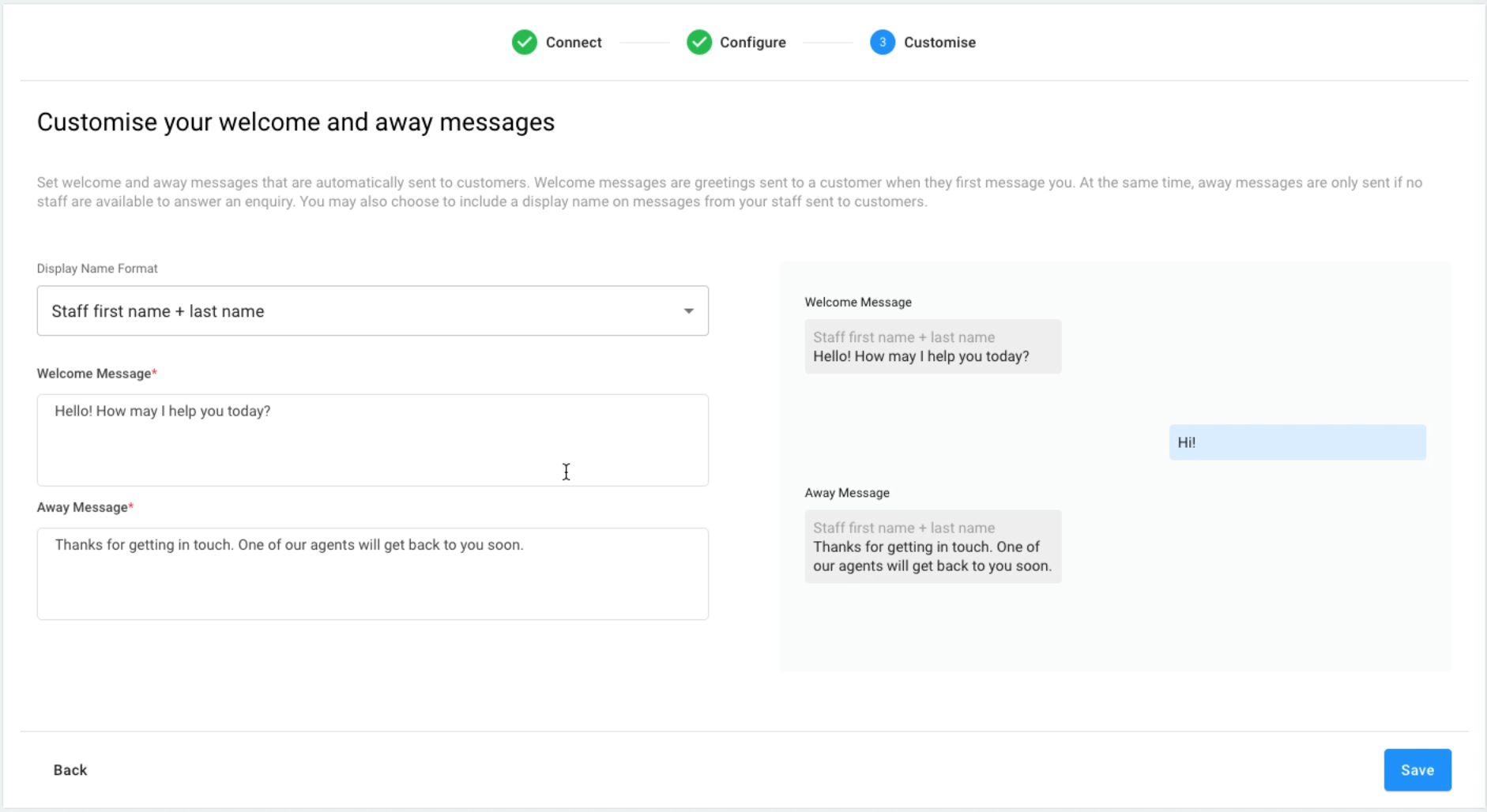
Step 4: Customise your welcome and away messages
Set welcome and away messages that are automatically sent to customers. Welcome messages are greetings sent to a customer when they first message you. At the same time, away messages are only sent if no staff can answer an enquiry. You may also include a display name on messages from your staff sent to customers.
Display Name Format
You may include a display name on your messages whenever your staff members send them on behalf of your Facebook Page. Choose from the following options:
- No name to display
- Staff first name
- Staff first name + last name
Welcome Message
Greet your visitors when they send you their very first message.
- CINNOX provides a default welcome message; you can change it according to your preference.
Away Message
When a visitor's enquiry is missed, send an auto-reply message that their enquiry will be attended to shortly.
CINNOX provides a default away message; you can change it according to your preference.
Click Save to complete the setup.
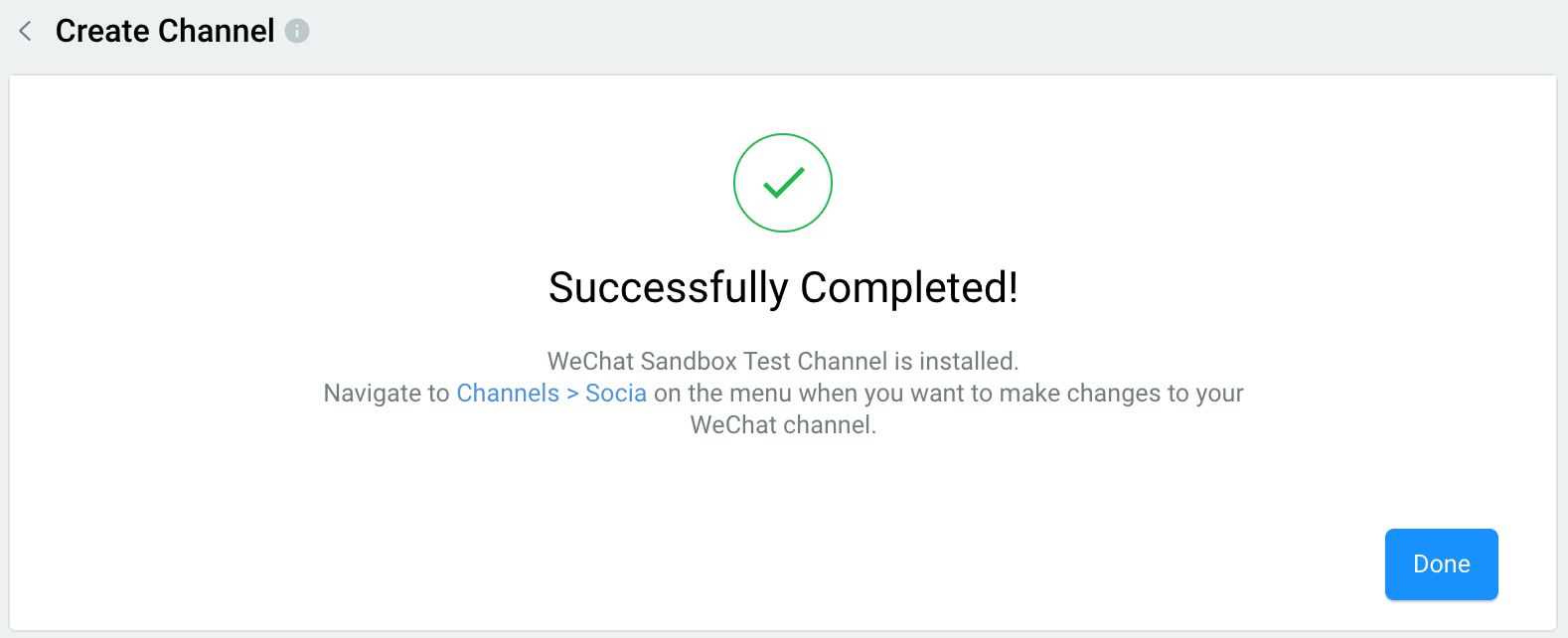
WeChat Channel creation is completed!
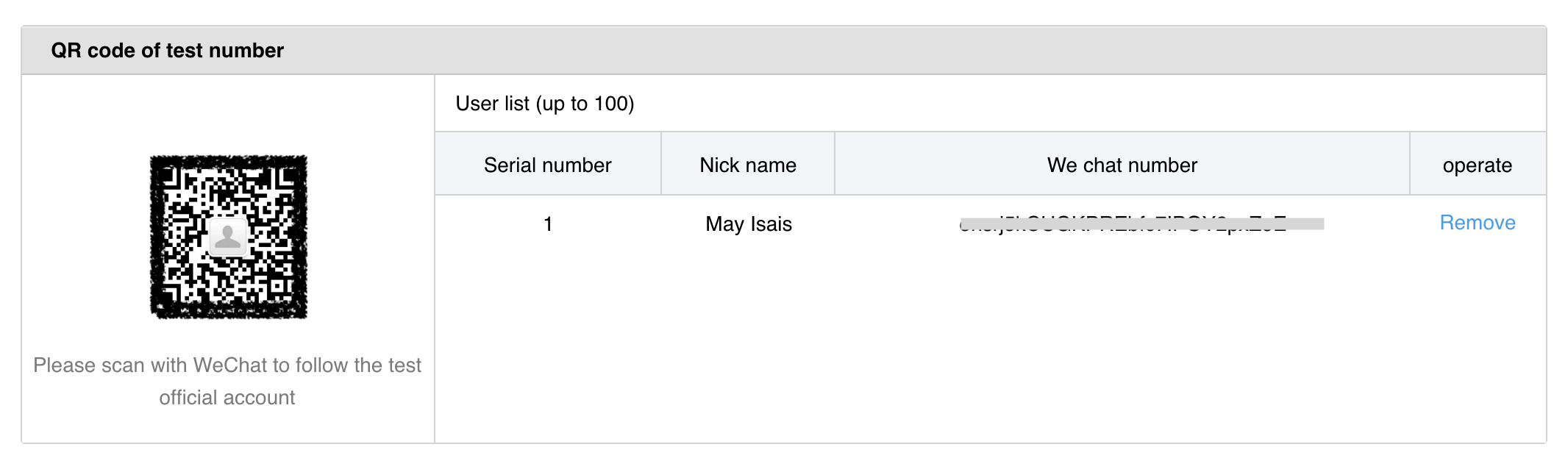
Step 5: Test your WeChat Channel
- Using your WeChat user account on your mobile phone, scan the QR code at the bottom of the WeChat sandbox page.
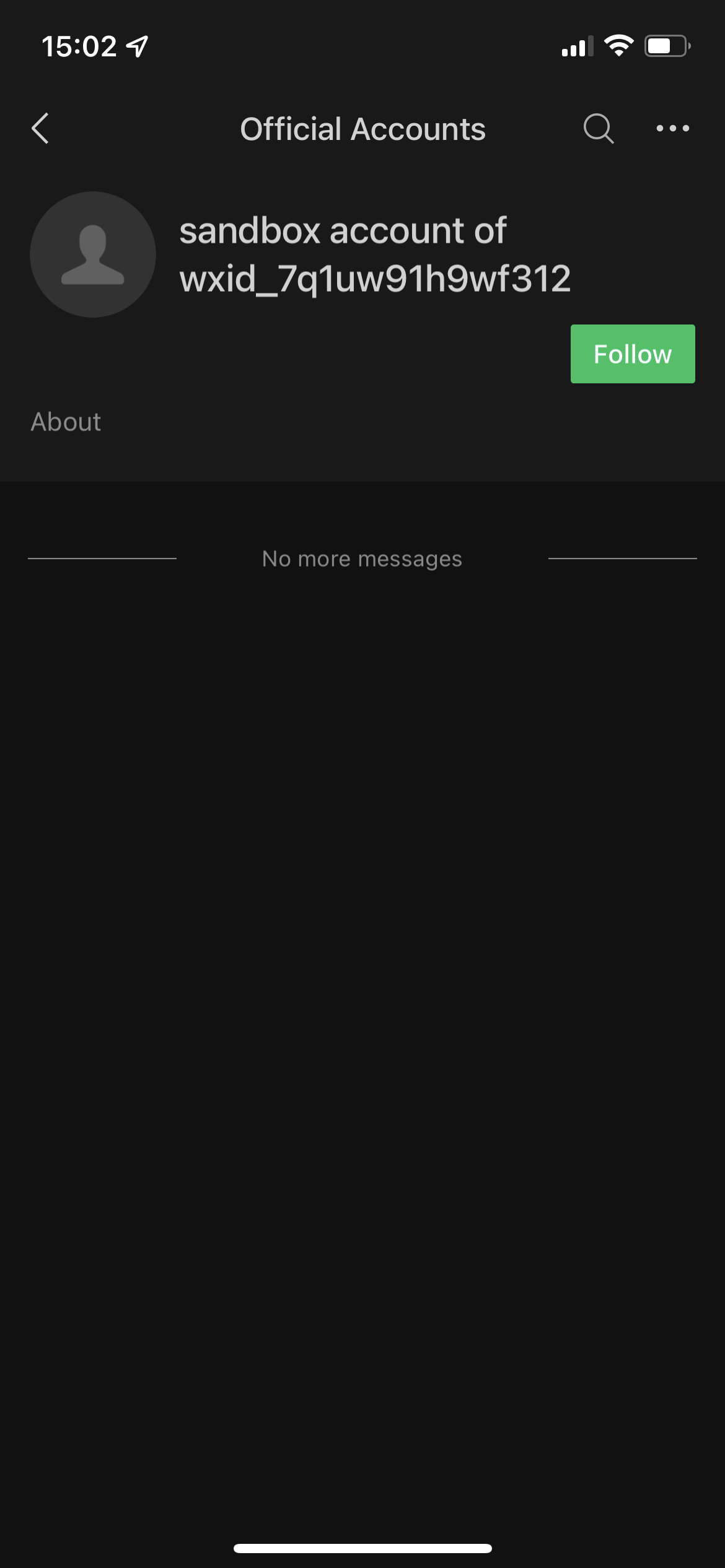
- Tap Follow on your WeChat user account.
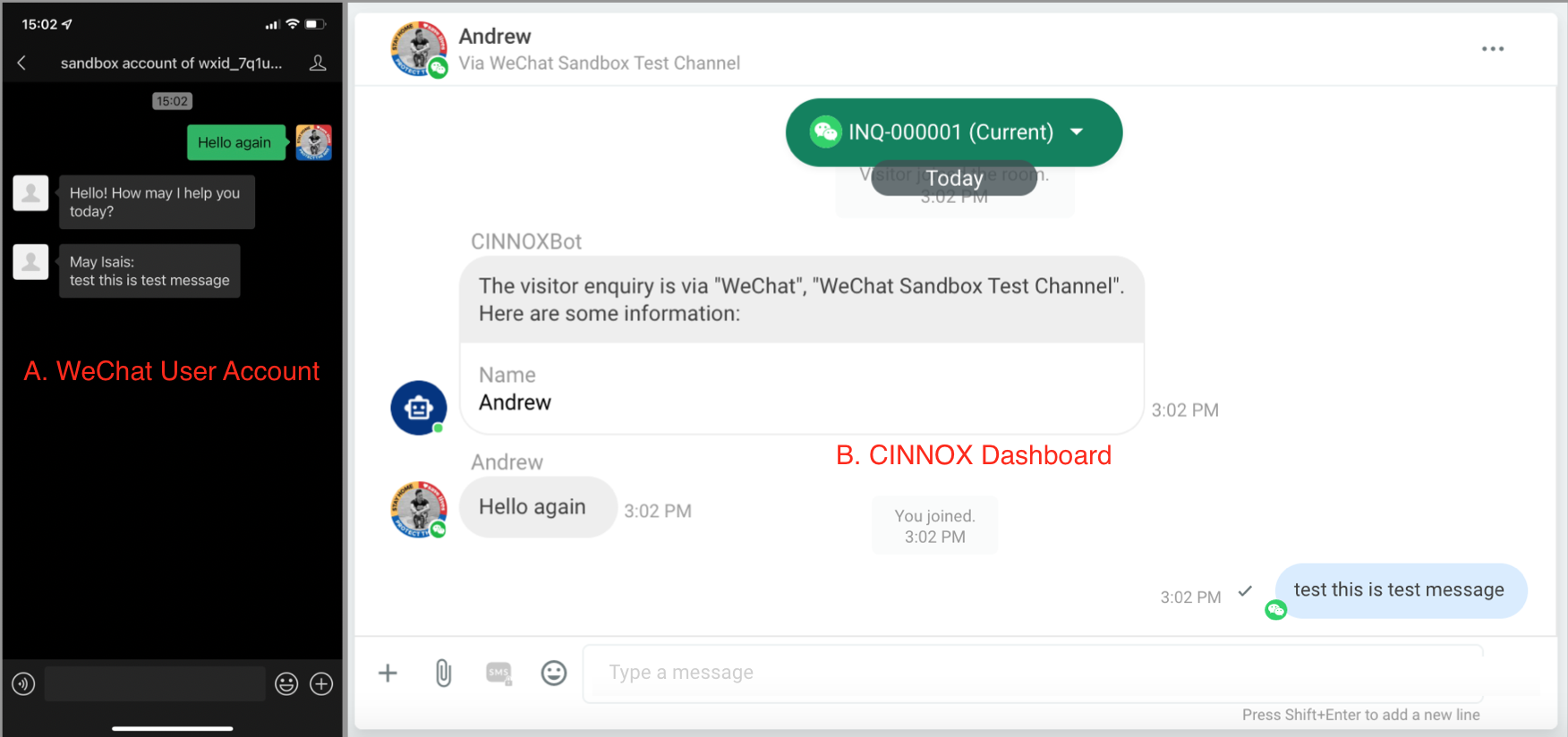
- Send a test message.
- Your CINNOX Dashboard creates a new enquiry from your WeChat user account test message.
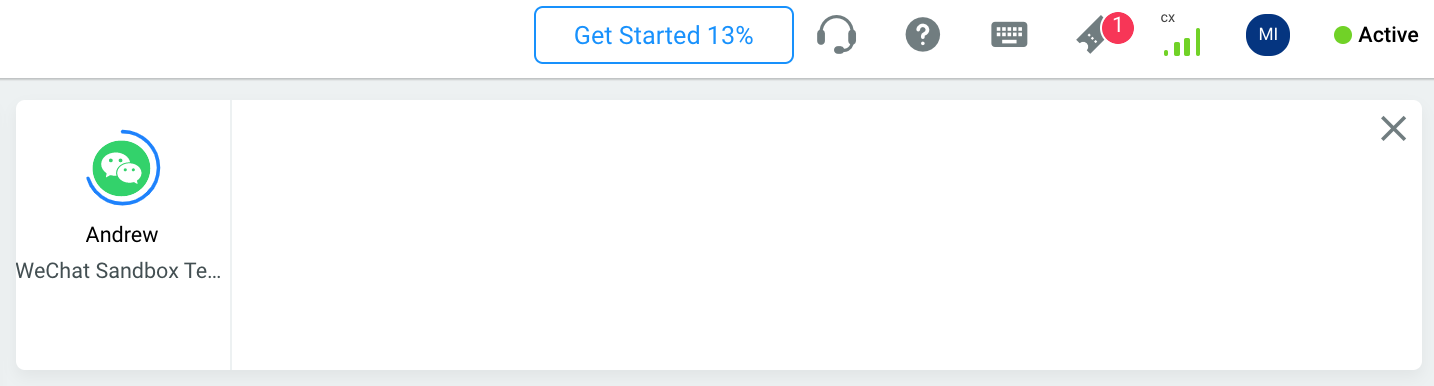
- Pick up the enquiry and reply to the test message. Your WeChat user account must receive a reply from your CINNOX account.