
Call Forwarding
Want to ensure you never miss any important calls?
With CINNOX's powerful Call Forwarding feature, you can easily take control of your calls, redirect incoming calls to any destination you choose, and never miss any calls from customers and colleagues. Whether you're in a meeting or out of the office, Cinnox ensures every call is handled efficiently. Manage incoming calls like a pro with CINNOX and never miss an important conversation again!
CINNOX has a Call Forwarding feature that lets you redirect incoming calls to another destination endpoint that you have specified. This helps you reduce missed calls from other staff members and manage incoming calls on different occasions and times.
Enabling Call Forwarding
To enable call forwarding in your CINNOX account:
- On the menu tab, go My Account, then tap Settings > Call Forwarding.
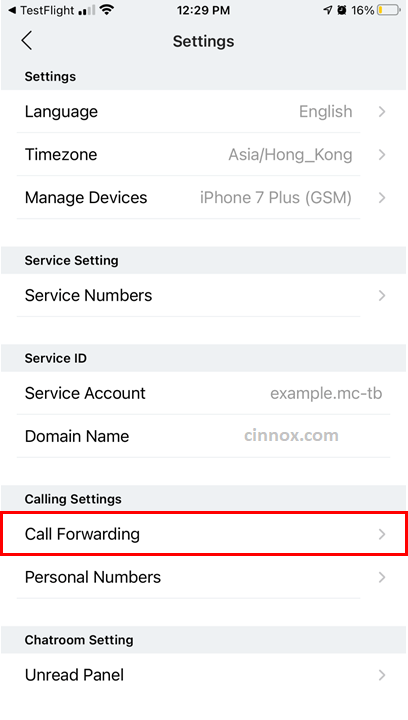
Call Forwarding
- On the Call Forwarding screen that will appear, toggle the button On, then tap the > on the Forward to field that will be enabled.
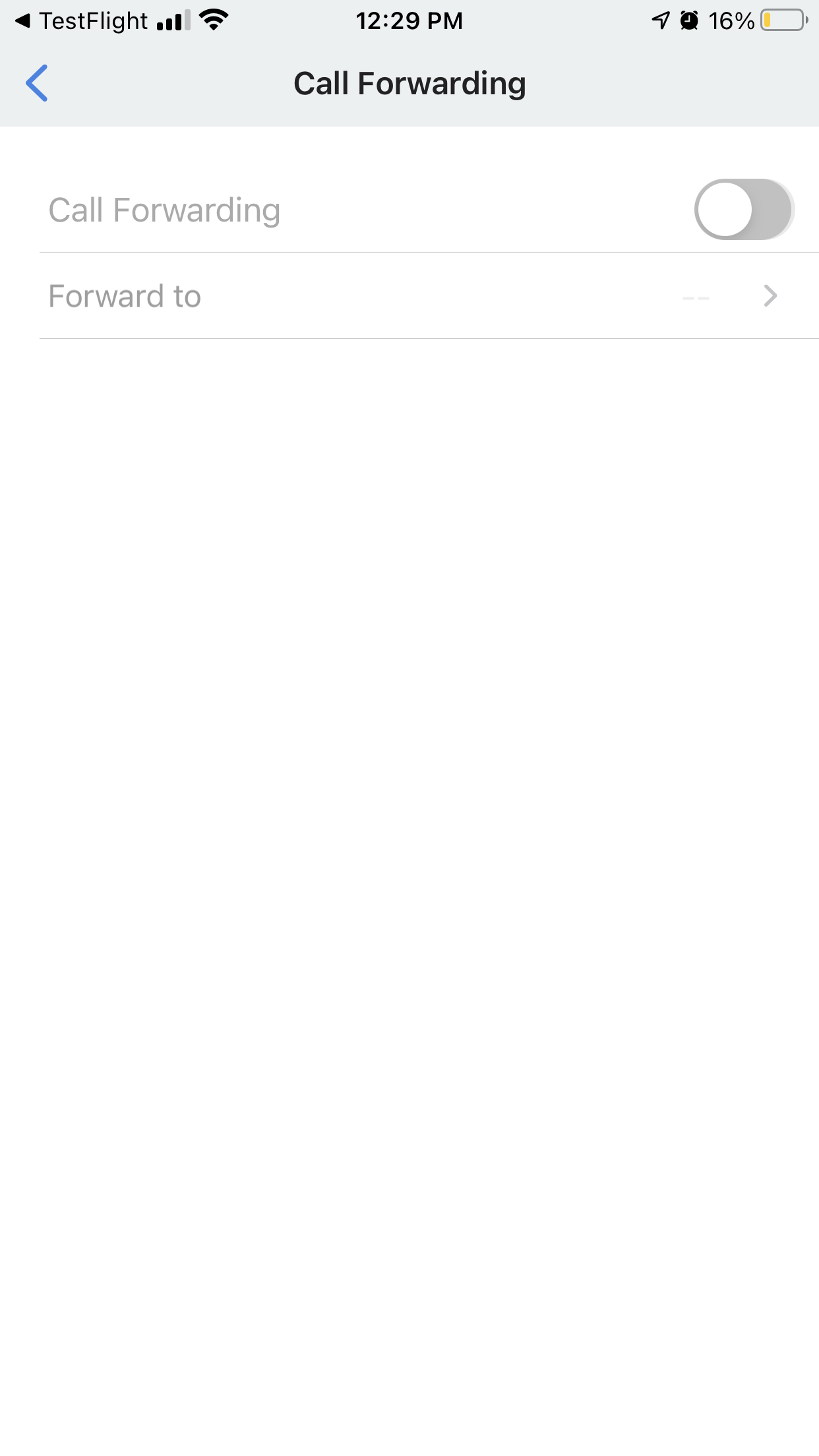
Enable Call Forwarding
- Select the country code from the dropdown list on the Forward to screen, type in the phone number you want to forward your calls to using the keypad, then tap Save.
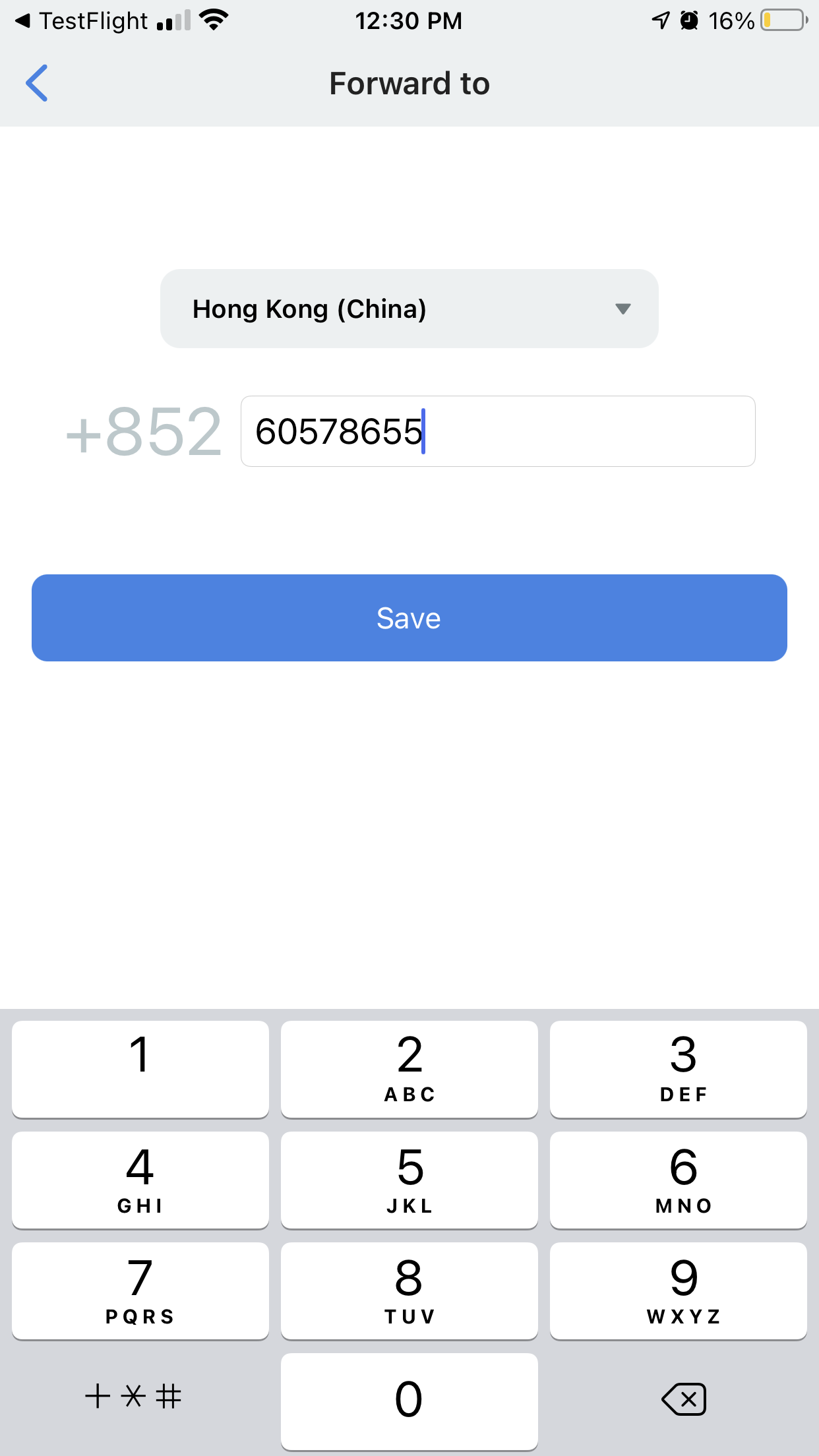
Add Phone Number for Call Forwarding
📘
When you enable Call Forwarding, the CINNOX App will display an icon at the top of the screen to indicate that the feature is activated.
When you enable Call Forwarding, incoming calls from other staff members will be redirected to the phone number you set as the destination endpoint, even if you are offline.
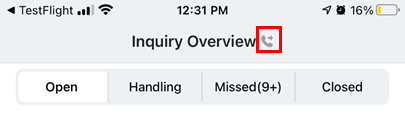
Activated Call Forwarded
Disabling Call Forwarding
To turn off call forwarding:
- On the menu tab, go My Account, then tap Settings > Call Forwarding.
- On the Call Forwarding screen that will appear, toggle the button Off.
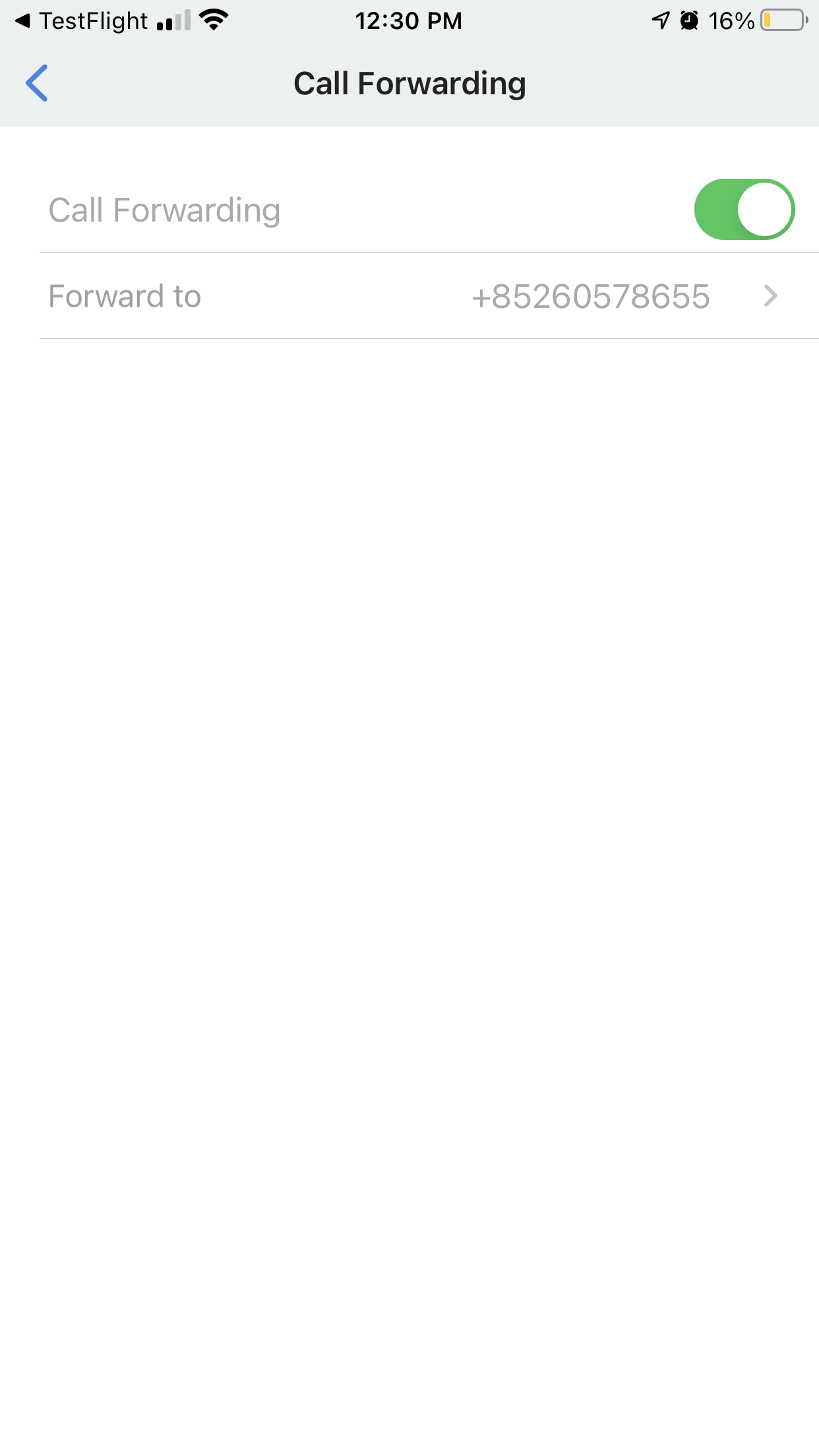
Disable Call Forwarding