Managing Storage
CINNOX provides media file storage ranging from 1 GB, depending on the staff licence number and your preferred storage capacity.
The images, videos, files, and audio notes your customers and staff shared in the conversations are kept in your Service Storage.
See How Much Storage You Have
To know how much storage you have, go to Administration > Storage from the navigation menu.
Overview
The Overview tab summarises storage consumption with the actual usage over the storage limit.
Details
To know the media file type, including recordings files, their usage, and the percentage.
- Image
- Video
- File
- Voice Message
- Audio and video call recording
- Others
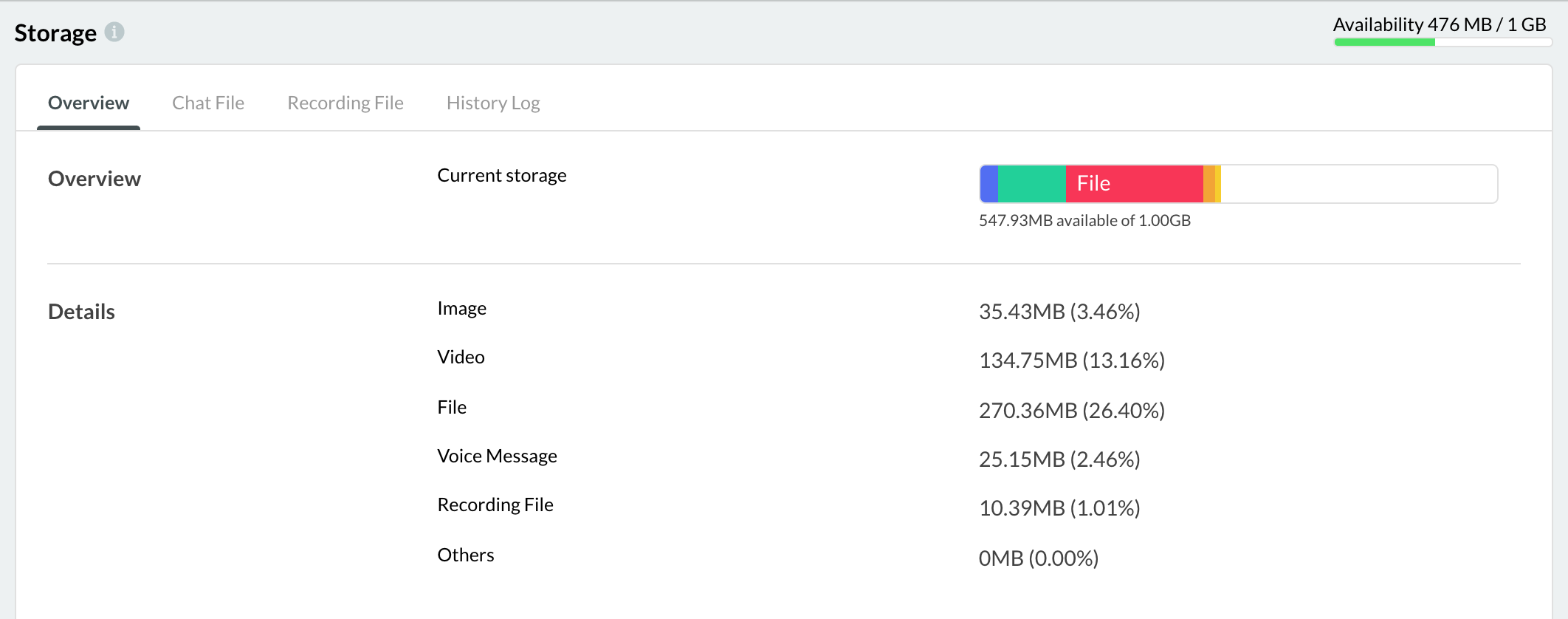
Storage Overview
Chat File
The chat file section lists all media files and the corresponding file name, sender, sent date, time and file size shared in the chat room.
📘
For files that exceed the maximum reporting days according to your service plan, it will show the size of the currently inaccessible files. It requires upgrading your plan or deleting them to free up your storage space.
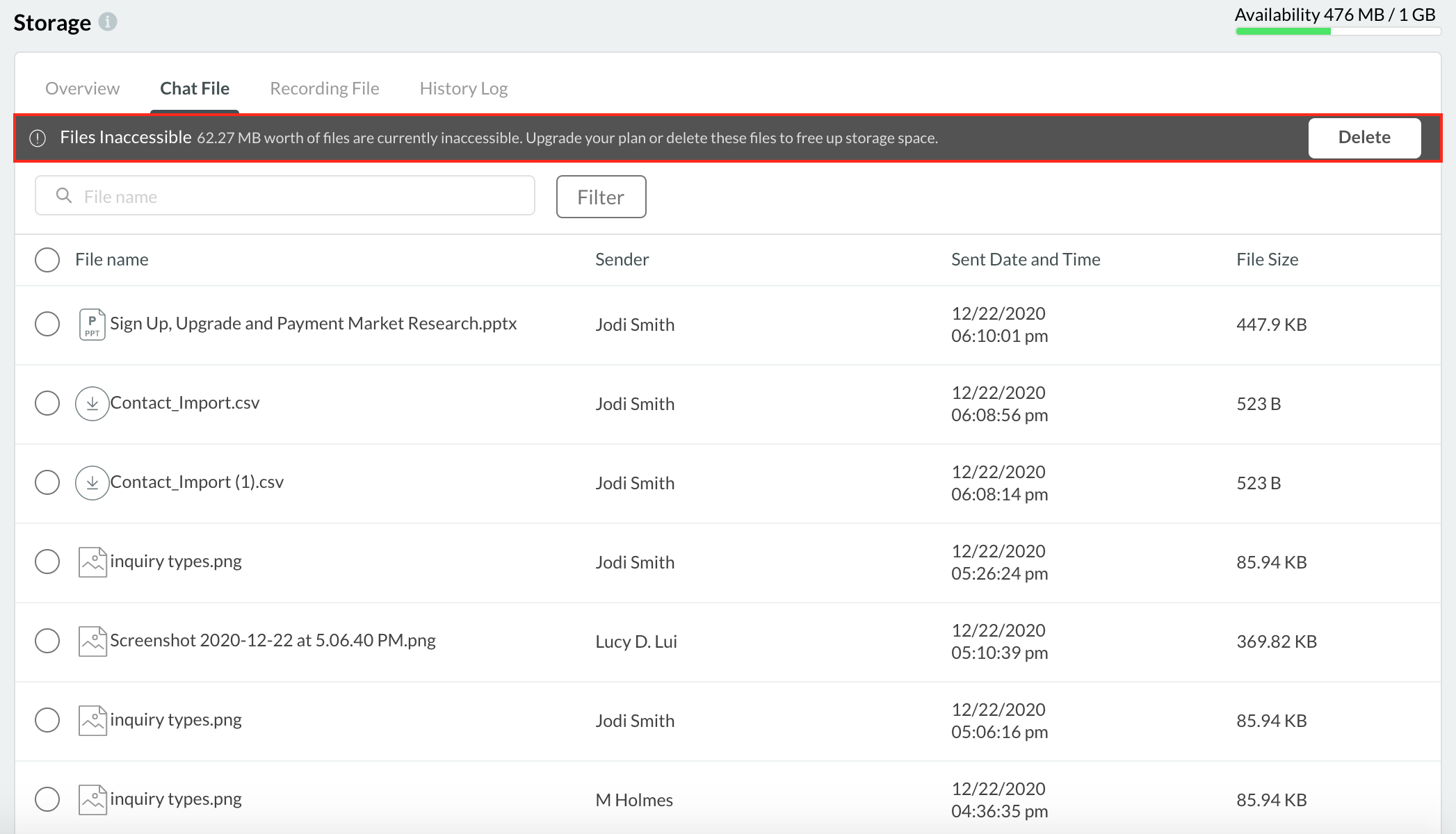
Search Media File
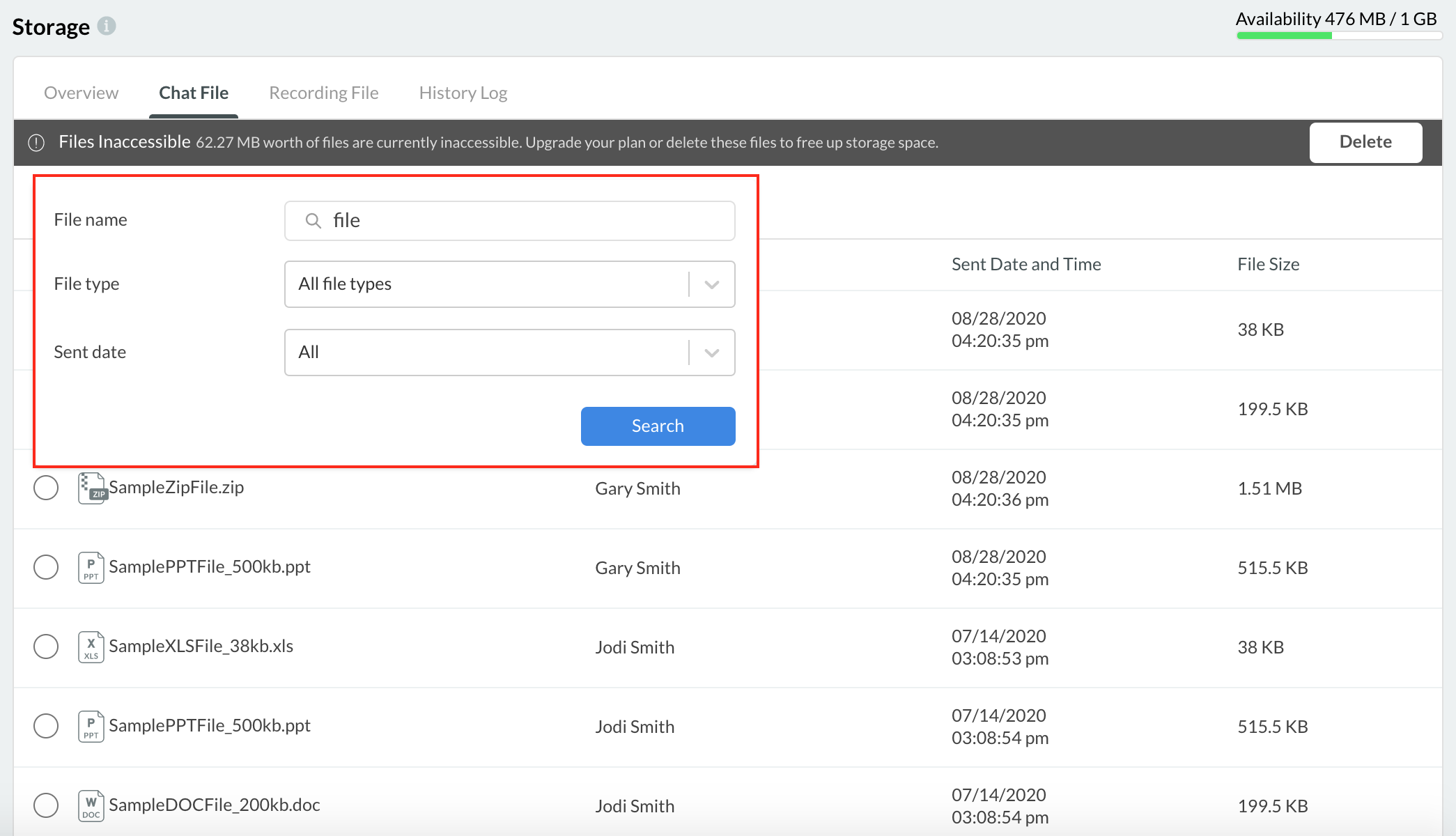
Search media files by File Name. Any keyword match to the file name will show as a result.
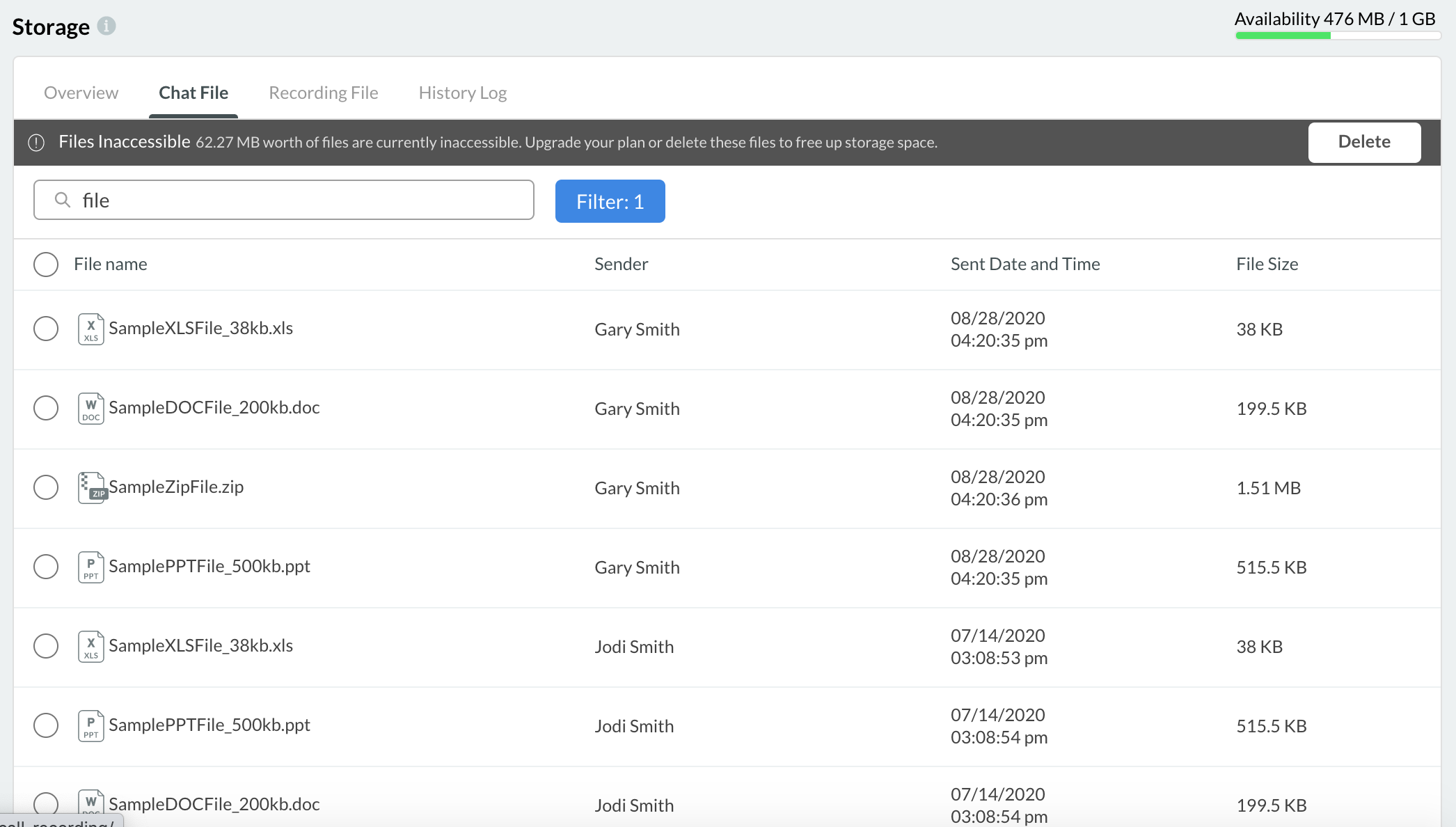
Filters
Search by File Name. File Type and Send date to filter the chat files.
Delete a Media File
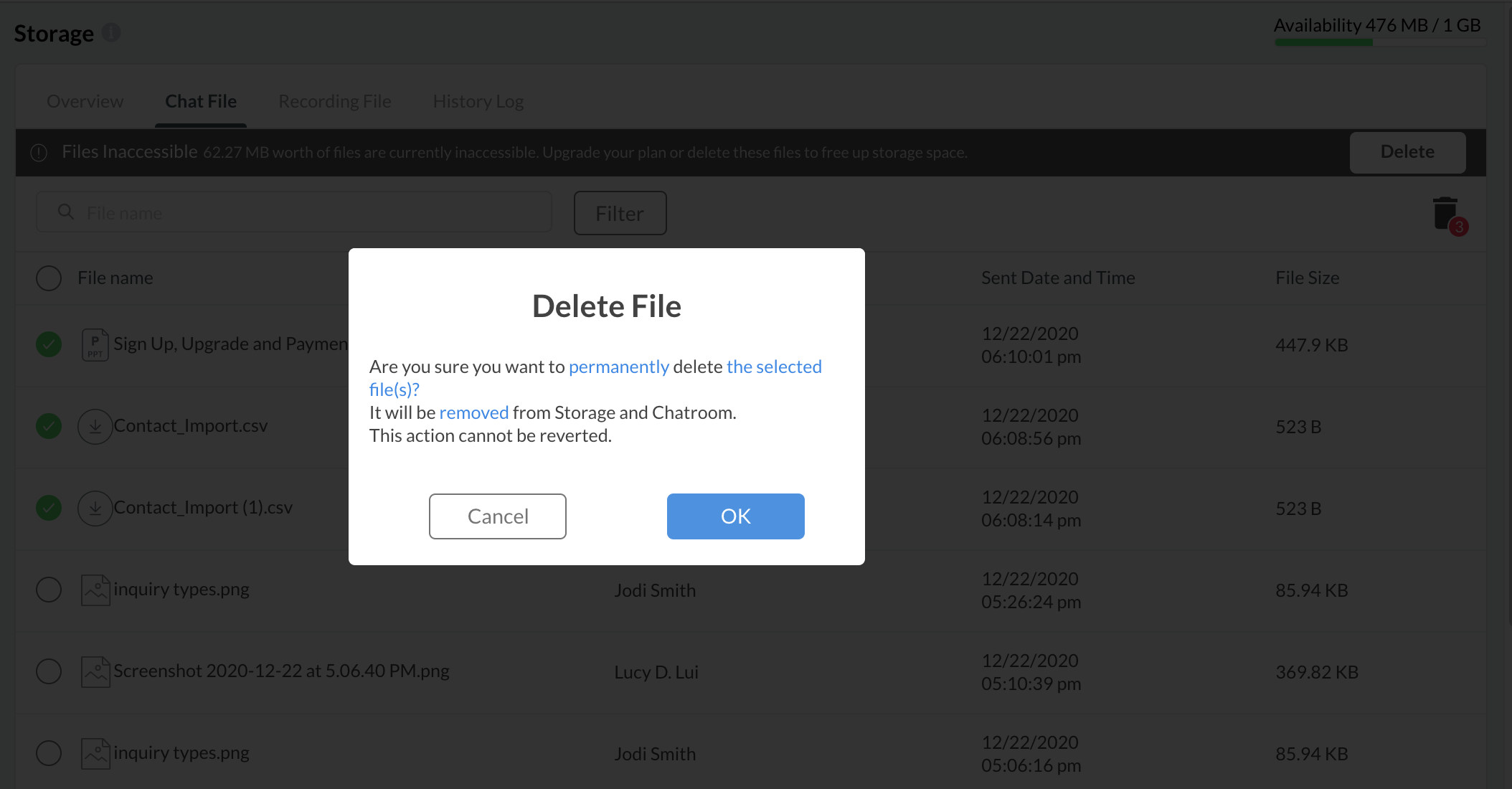
- Select the media file(s) to delete one more file and click the delete icon in the page's right corner.
- A pop-up window will show to confirm the deletion.
- Click OK.
🚧
Once successfully deleted, the storage will be updated and remove the deleted files.
A deleted media file will not be available to preview or download in the chat room.
Audio and Voice Recording File
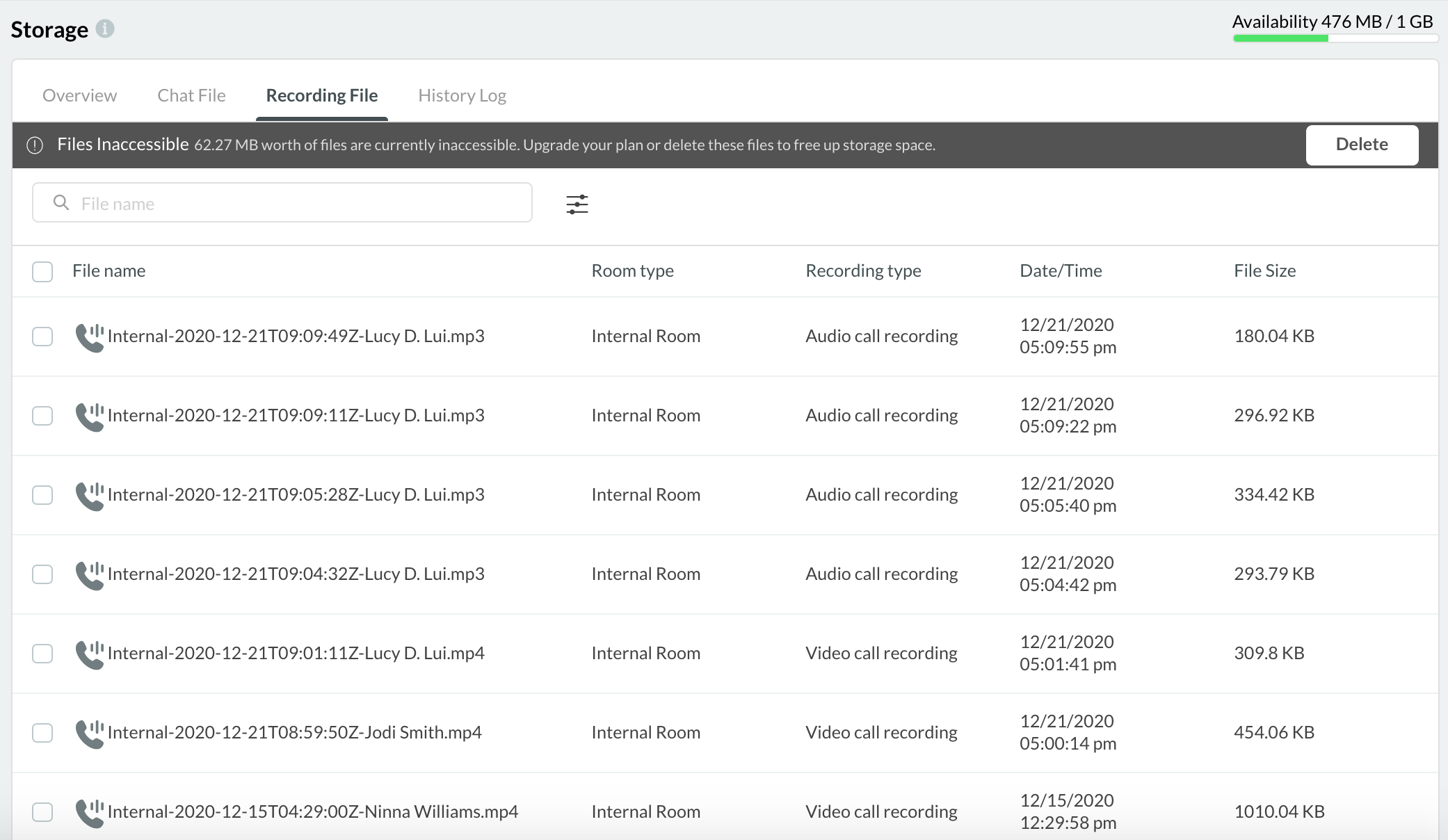
The Recording File section lists all call recordings and their corresponding details, such as file name, room type, recording type, date and time created, and file size.
Search for Recording Files
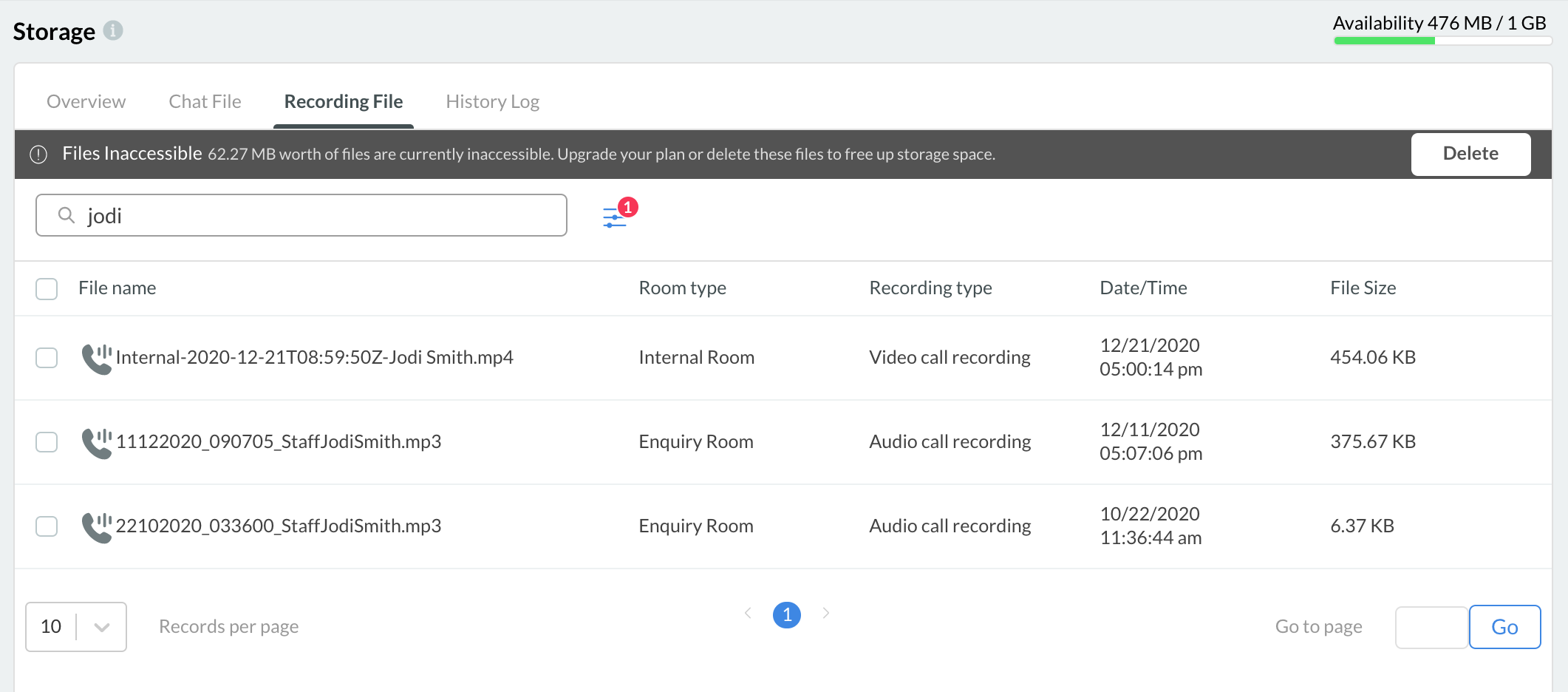
Search for recording files by typing a Room Name in the search bar. The search results will display the recordings that match the keywords in their room names.
Filters
Search by File Name, Room type, recording ding, and time to filter the recording files.
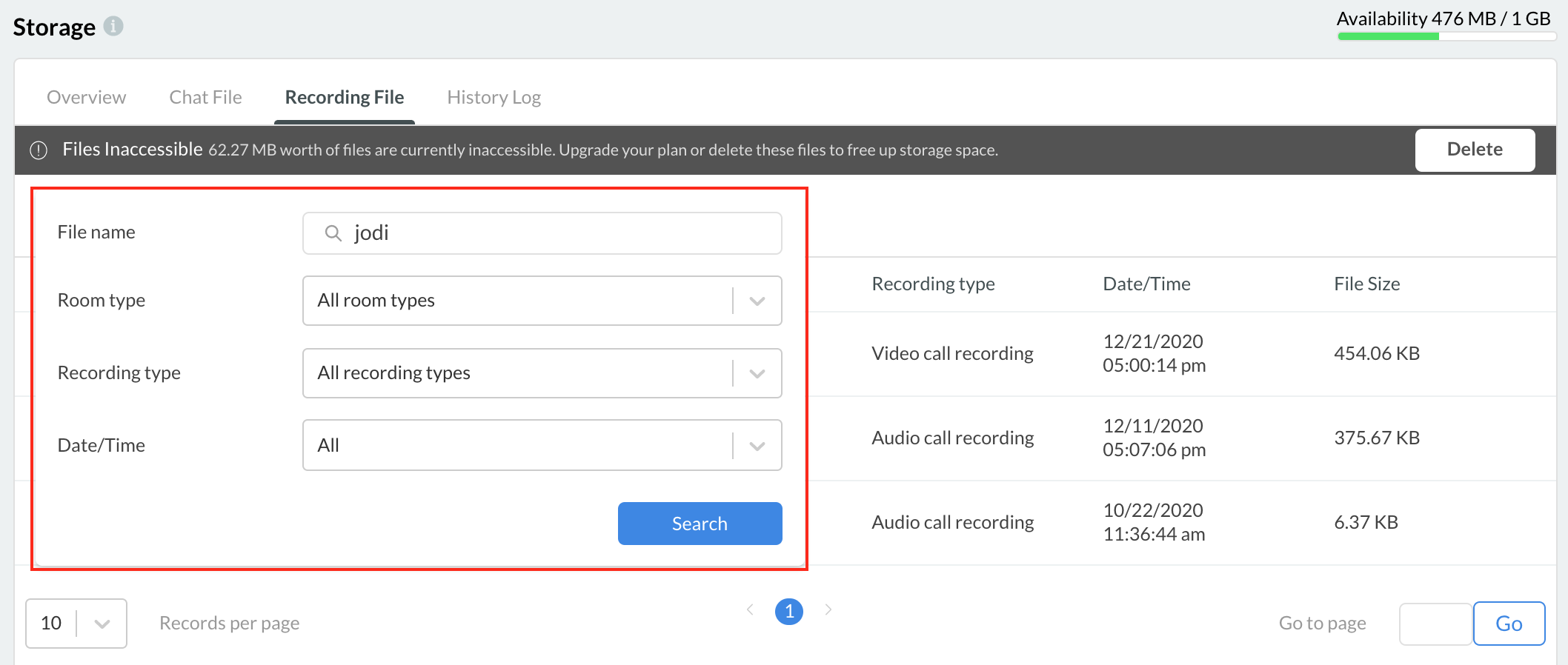
Delete Recording Files
- To delete one or more call recording file(s), select the file(s) you want to delete, then click the Delete button at the top of the list.
- A pop-up window will display to confirm the action, then click the OK button.
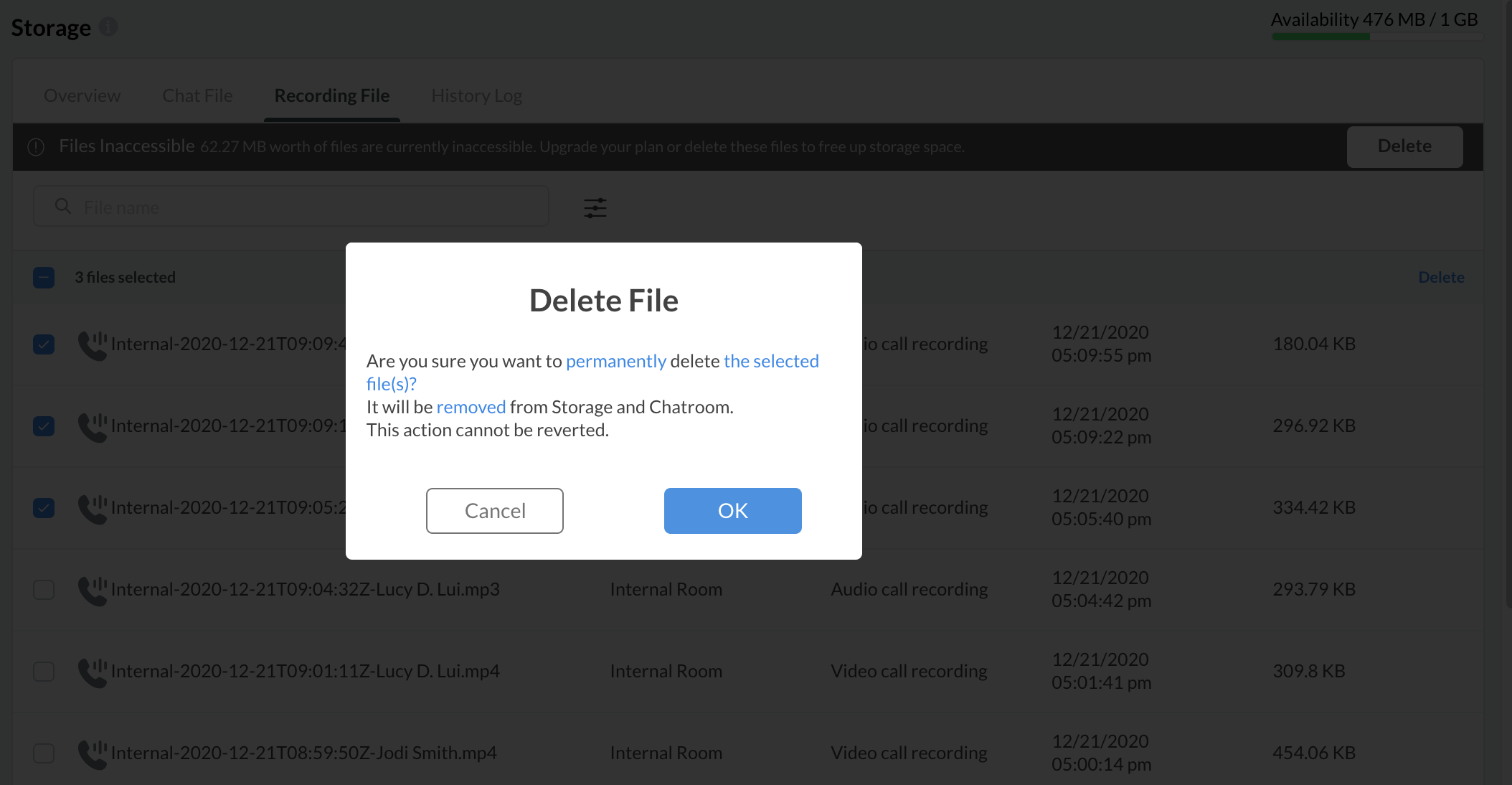
Deleting a record file
📘
Once successfully deleted, the storage will be updated, and the deleted file(s) will be removed. A deleted recording file will not be available to preview or download in the chat room.
Recording File Size
The table below lists the recording file's estimated storage size in different call types. It may vary based on the network and content (e.g. audio volume, video screen brightness).
| Call Type | Recording File Size per minute |
|---|---|
| 1 to 1 audio call (VoIP or PSTN) | 2 MB |
| 1 to 1 video (1 camera on) | 2 MB |
| 1 to 1 video (2 cameras on) | 4 MB |
| Conference audio | 1 MB |
Transcript File
The Transcript File section lists all the transcribed files and their corresponding details, such as File Name, Date/Time, and File Size.
- Navigate to Administration > Storage > Transcript File.
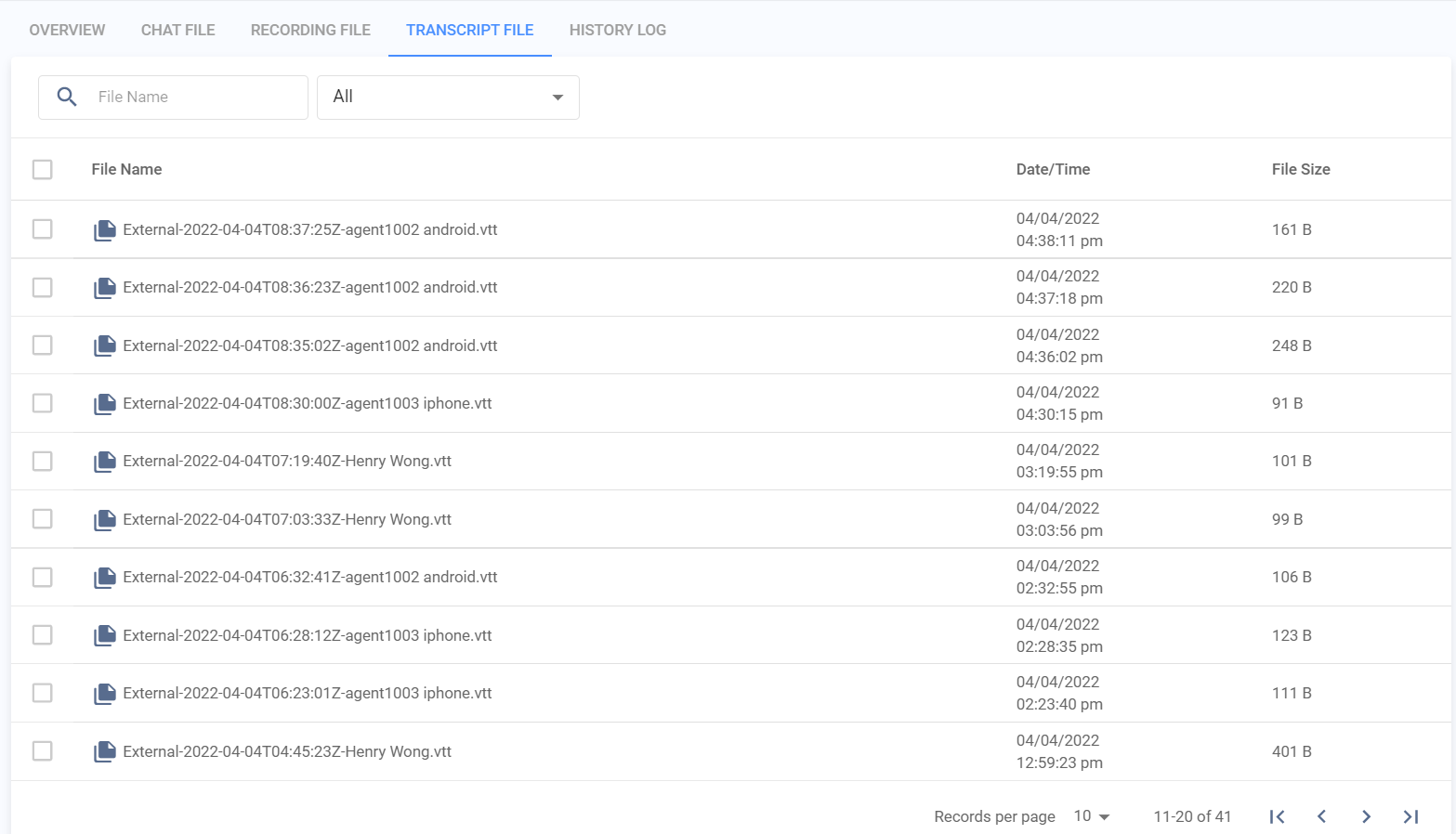
Transcript File
Search for Recording Files
To find a particular Transcript file or a group of transcript files
- Search for the transcript files by typing the File Name and the files required for the number of days in the search bar. The search results will display the transcript files.
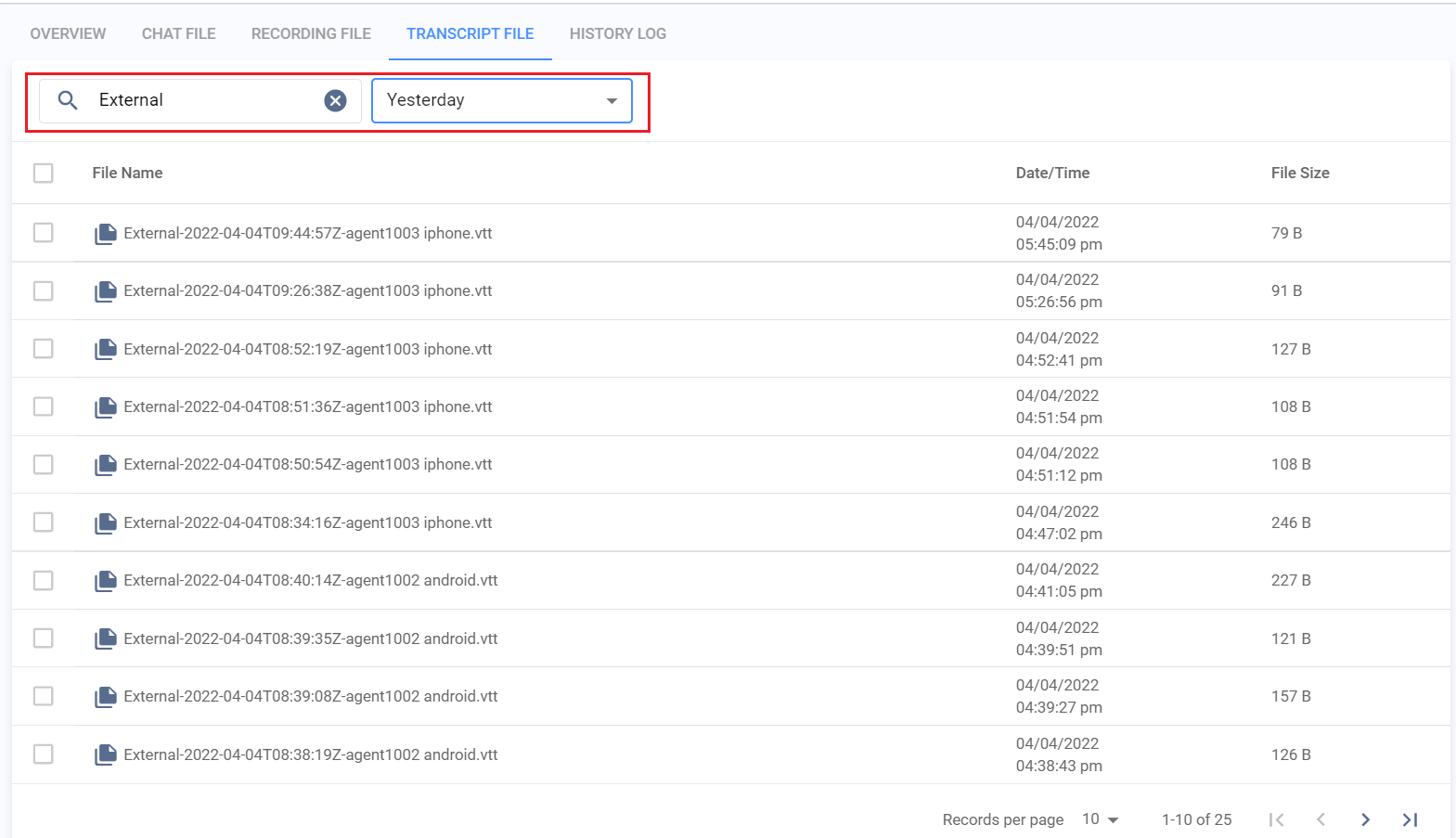
Search Transcript File
Delete Transcript File
To delete one or more Transcript Files
- Select the file(s) you want to delete, then click the Delete selected button at the top of the list.
- A pop-up window will display to confirm the action, then click the OK button.
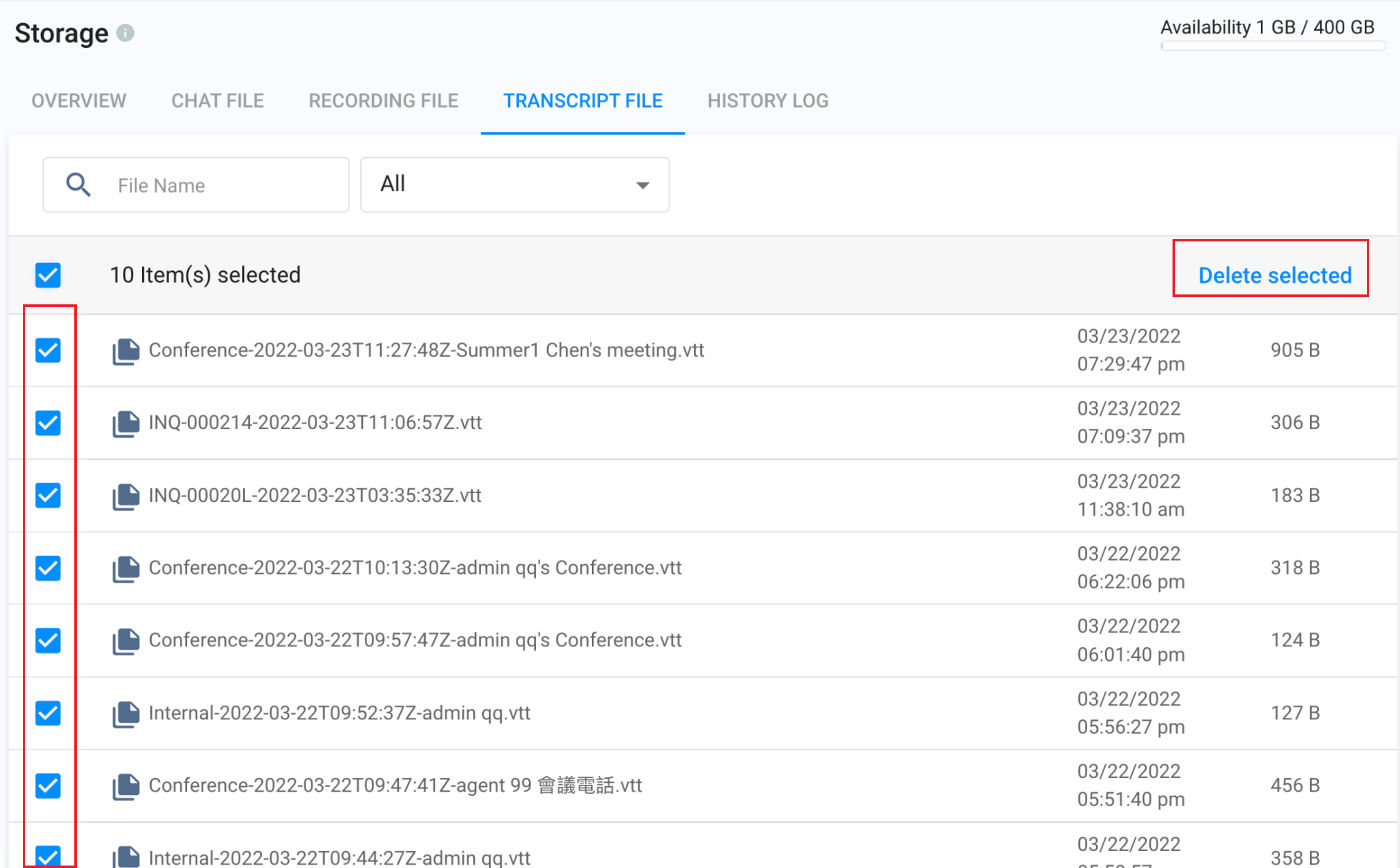
Delete Transcript File
History Log
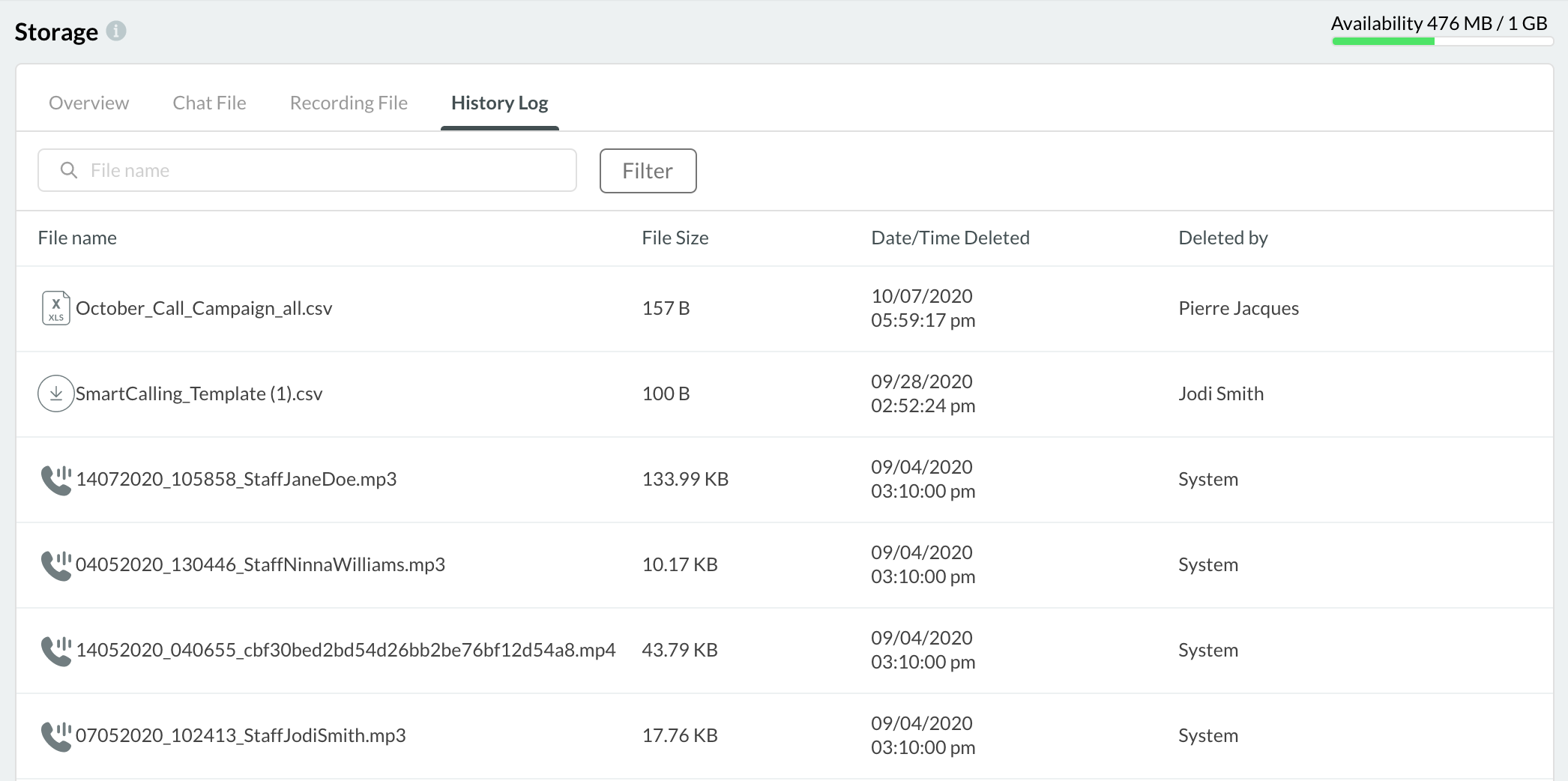
History Log keeps a record of the files deleted from your storage.
It records the following details:
- File Name
- File Size
- Date/Time deleted
- Deleted by