
Restart the Enquiry Conversation (360dialog WhatsApp)
Want to ensure you keep the conversation up and running?
CINNOX gives you the ability to reignite lapsed conversations. By using 360dialog as your WhatsApp source, administrators can effortlessly revive lapsed conversations and breathe new life into your WhatsApp inquiries. Maintain active communication with visitors, keep the inquiry chat room alive, and consistently engage with your customers. Revolutionize your customer engagement strategy with CINNOX today.
For Social channel enquiries (Messenger, WeChat, WhatsApp and others), a time limit has been set to respond to visitor enquiries. The enquiry chat room should be kept active to send messages to the visitor continuously.
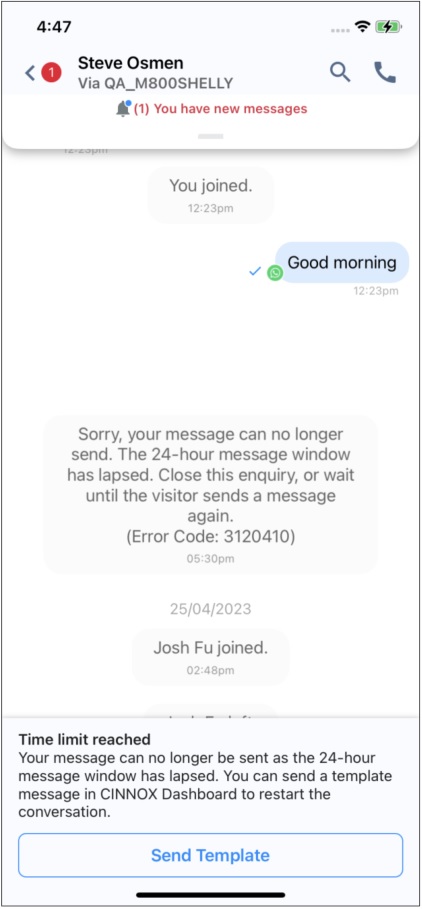
Generally, a message will appear in the chat room when the staff attempts to send a message to the visitor, but the conversation has lapsed due to being idle and has reached the time limit.
"Sorry, your message can no longer be sent; the xx-hour message window has lapsed. Close this enquiry, or wait until the visitor sends a message again."
👍
Using 360dialog as the WhatsApp source, you can restart the conversation for WhatsApp enquiry that has lapsed using WhatsApp Template Messages.
To use WhatsApp Template Messages to reply to the lapsed WhatsApp enquiry, the administrator has to enable the “Restart Conversation Template Message” settings in the WhatsApp Channel and use the pre-select templates. Please refer to the Restart Conversation Template Message section of the User Guide.
Sending template message
- After receiving the last message from the visitor within 24 hours, the "Time limit reached" banner will be displayed. To restart the conversation, you must first send a template message.
- Tap Send Template on the banner to select the template message.
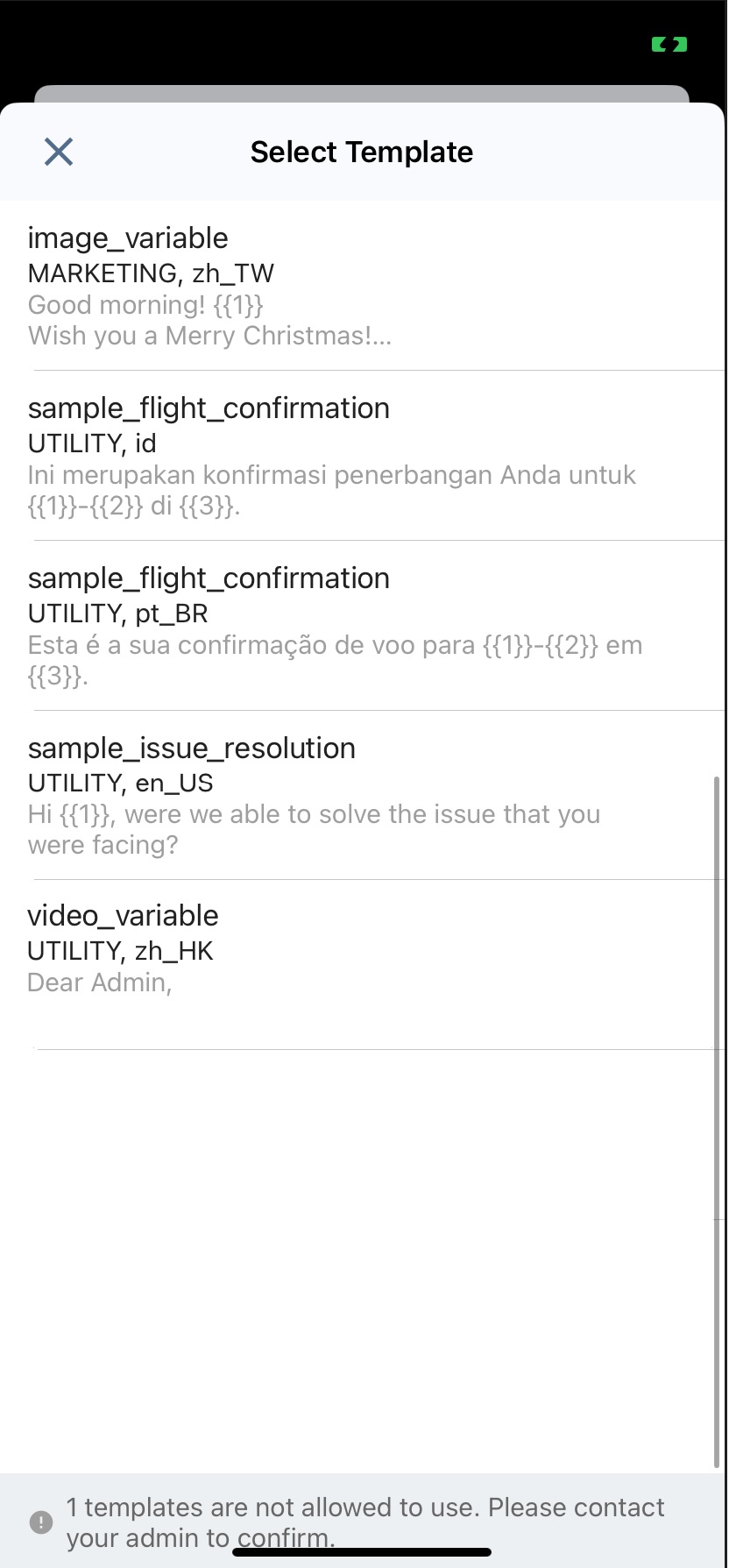
- Select the template.
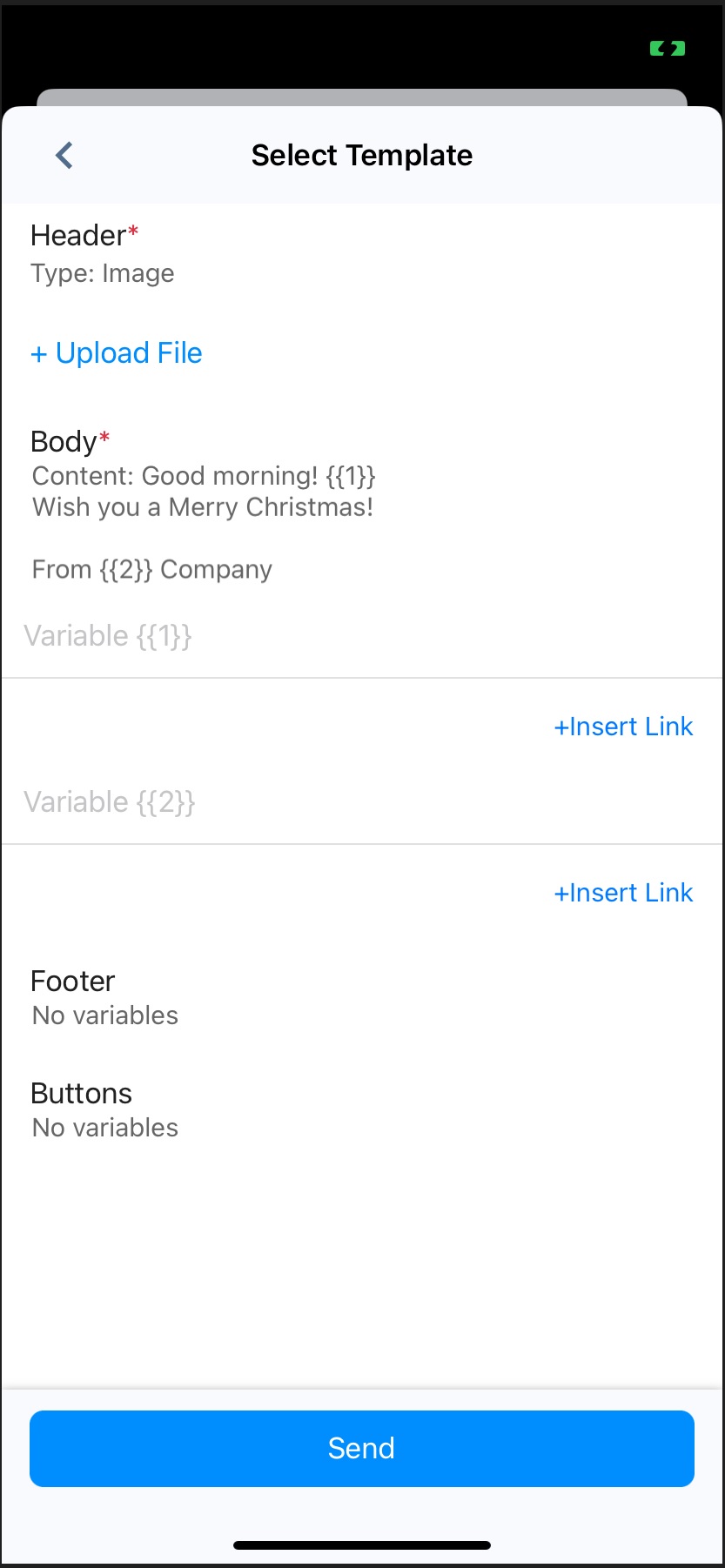
- Tap + Upload File to upload the file to the header if required.
- Enter variables or tap +Insert Link to add the selected weblink or number to the Body, Footer and Buttons, if necessary.
- Tap Send.
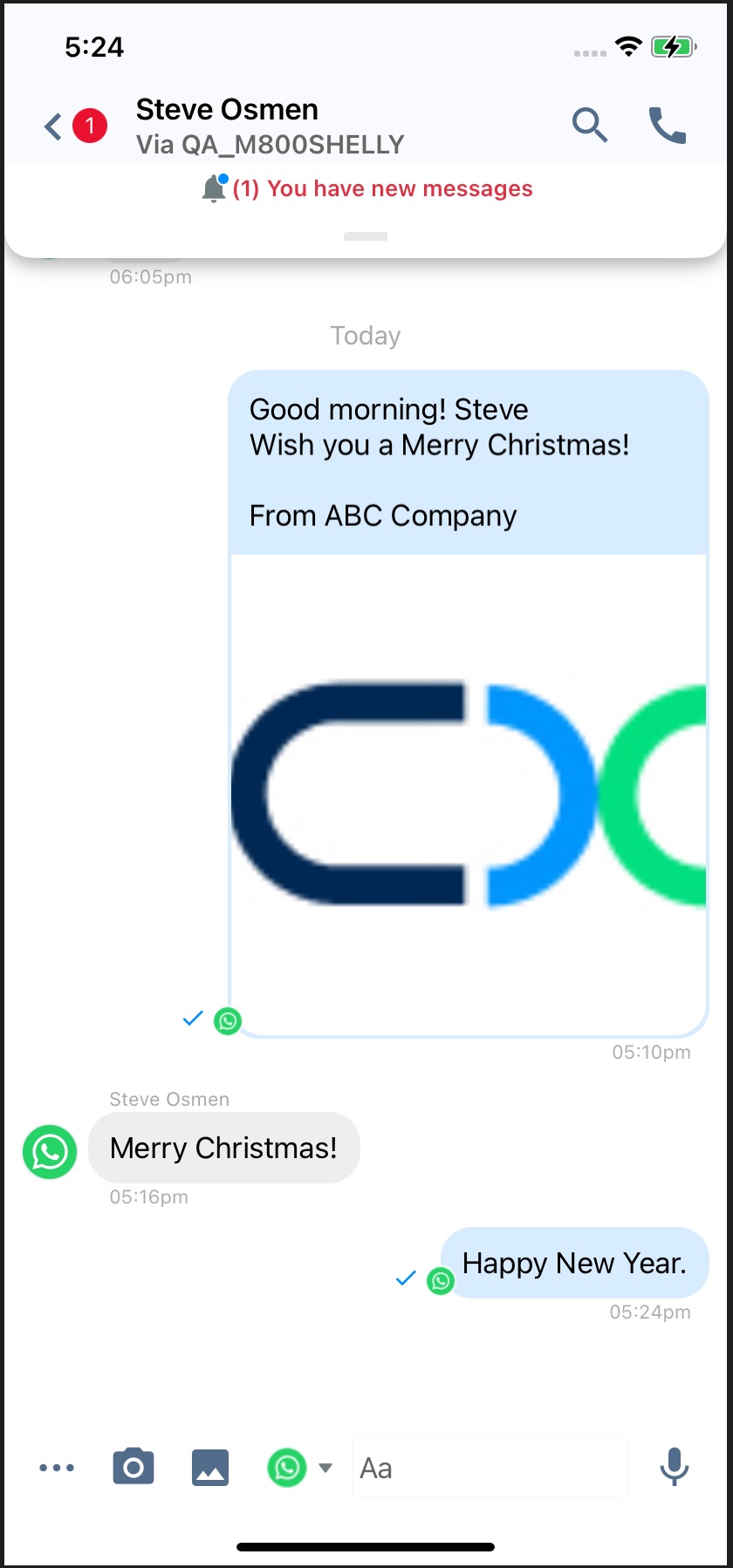
- Your template message is sent and displayed in the chat room.
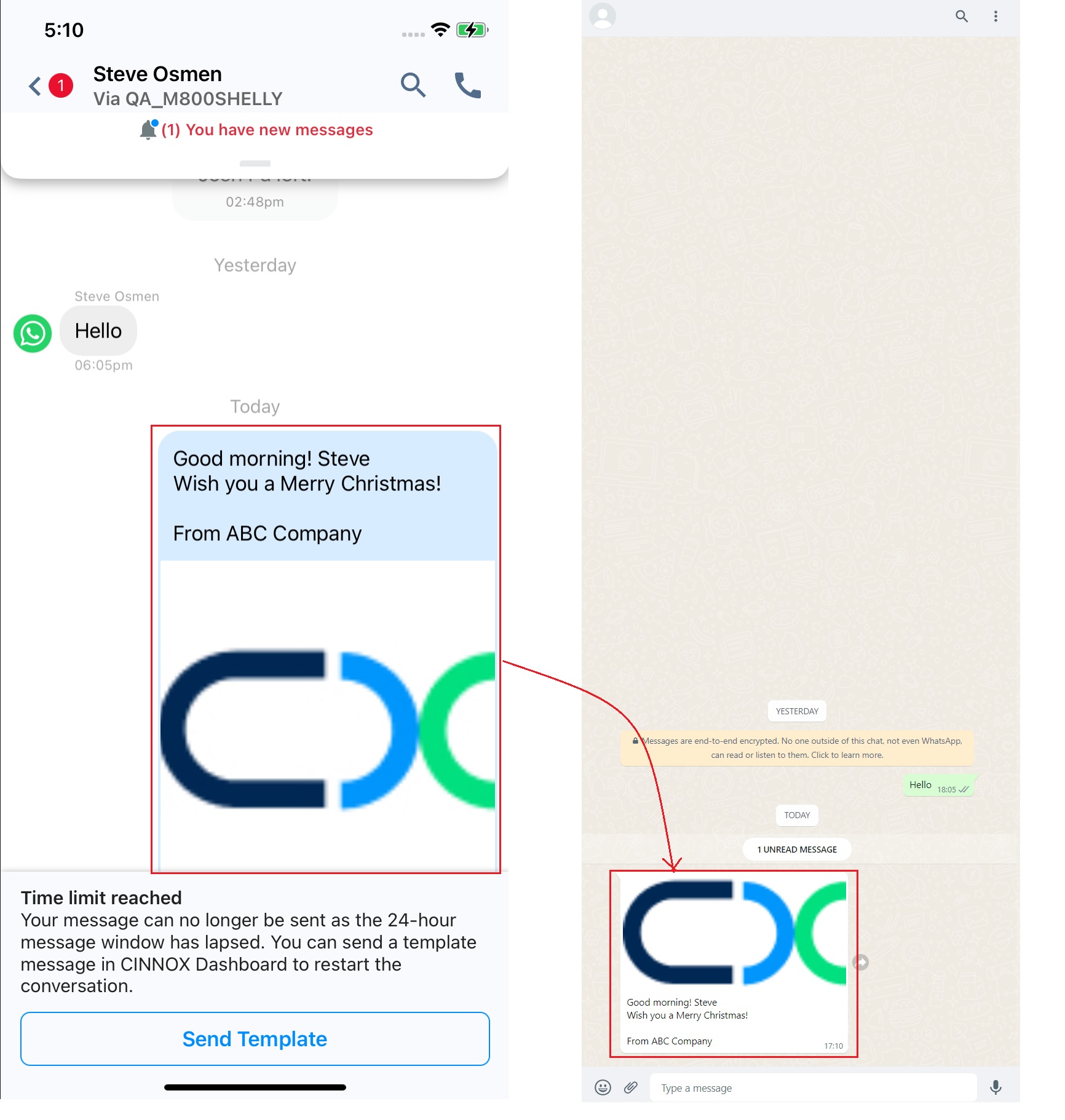
- When the customer replies to your template message, the chat room will no longer display the Time limit reached banner and can resume the conversation.
📘
Known Limitations
Please refer to our WhatsApp Templates Guide for the known limitation details.